 Seller OS
Fiverr character limits for every field
Every Fiverr field has a ceiling, and the ceiling decides what you can say. Some of those numbers are published in the help center, some are enforced only by the field itself, and a few are quoted everywhere online without a source at all. The difference matters the moment you draft offline.
This page lists the published numbers, marks the fields where Fiverr publishes nothing, and explains the one counting rule that shortens your text before you think you have hit the cap.
Free plan available. Local-first data. Human review on every change.
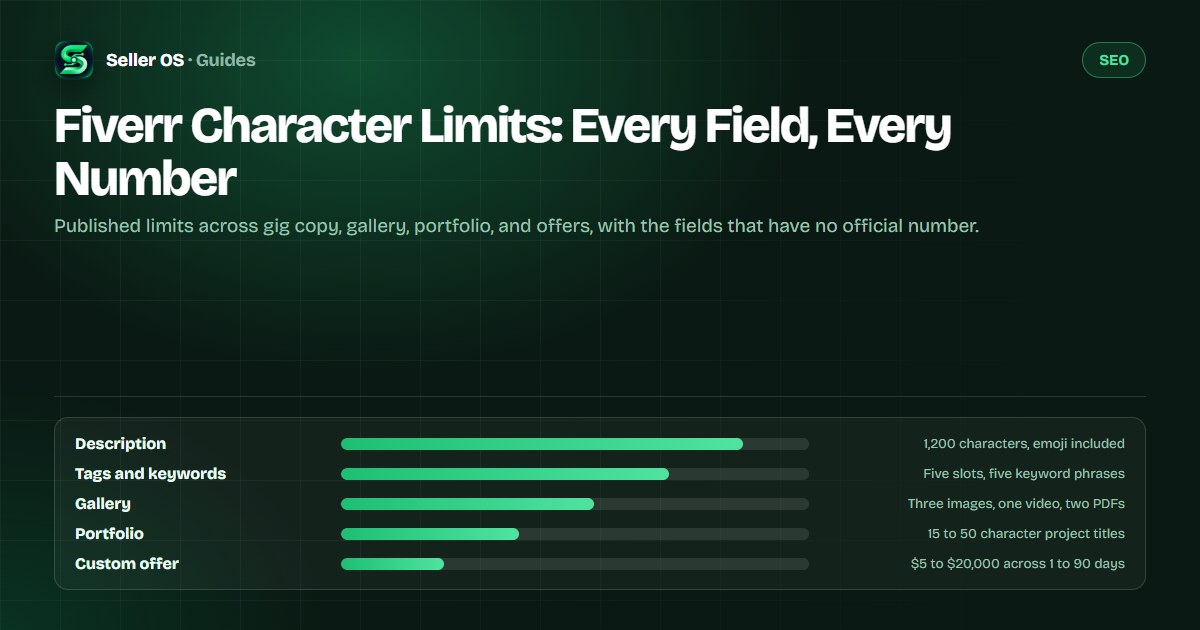
The limits Fiverr actually publishes
These numbers appear in Fiverr's own help pages and current documentation, so they are safe to plan a draft around. Where a limit is a count rather than a length, it is listed as a count.
Print the ones you hit daily: description length, tag slots, gallery slots, and offer boundaries. The rest are occasional checks, but an occasional check saved before a deadline still counts.
| Field | Published limit |
|---|---|
| Gig description | 1,200 characters |
| Positive keywords | Up to five words or phrases |
| Search tags | Five tags per gig |
| Gig FAQ | Up to ten questions |
| Packages | Three packages per gig |
| Gallery | Three images, one video, two PDFs |
| Image file size | 50 MB maximum |
| Portfolio title | 15 to 50 characters |
| Portfolio description | 120 to 1,400 characters |
| Portfolio projects | 1 to 20 projects, five files each |
| Custom offer price | $5 to $20,000 |
| Custom offer length | One to 90 days |
| Revisions | Zero to 20, or unlimited |
| Milestones | Up to five per offer |
| Review text | 10 characters minimum |
| Quick responses | 100 characters |
| Coupon note | 250 characters |
| Inbox attachment | 1 GB per upload |
| File upload | 5 GB per file |
The fields where Fiverr publishes no number
Three of the most asked-about fields have no published limit: the gig title, the professional title or tagline, and the profile About section. Fiverr does not publish a character count for any of them. Community figures for these fields circulate widely and stay unverified, including the 80-character title figure repeated in third-party guides.
The authority in those fields is the field itself. Fiverr shows a character counter beside the input as you type, and the input stops accepting text at its cap. That is the only measurement you should plan a draft against, because it reflects the live rule rather than a screenshot from an older version of the site.
Package names and package descriptions sit in the same category: buyers see them, sellers quote limits for them, and no help page states a number. Draft inside the counter, not against a remembered figure.
- Gig title — no published count, counter beside the field
- Professional title and tagline — no published count
- Profile About section — no published count
- Package names and descriptions — no published count
- Any figure you cannot source to a Fiverr page — treat as unverified
Why 1,200 characters rarely means 1,200 visible characters
Fiverr documents an exception that catches sellers who draft with emoji and symbols: emoji and extended characters count as two toward the limit, while characters in the basic multilingual plane count as one. The ceiling stays at 1,200 counted characters, so the visible text you get back is shorter than the count you started with.
A single extended character therefore counts twice, and one source of the rule states that 1,200 characters is the maximum number of visible characters a buyer will see. If your description contains a line of emoji, the text after them can disappear while the counter still looks reasonable to you.
Worked example: a description built with six emoji in the opening lines burns twelve counted characters before a buyer reads a word, and special characters elsewhere may be filtered out entirely or render as small squares. The help page states plainly that if you have reached 1,200 characters, your content is complete.
Image and video numbers that block a save
Image sizes are published precisely: 1280 by 769 pixels recommended, 712 by 430 pixels minimum, 4000 by 2416 pixels maximum, in JPG, PNG, or GIF format up to 50 MB. Fiverr also advises keeping text on the image to ten words or fewer so it stays readable at card size.
Video numbers are where published sources disagree. One listing example states gig videos are limited to 75 seconds, while general guidance for sellers describes videos of 20 to 60 seconds. Both figures come from Fiverr material, so treat the upload screen as the deciding check rather than either sentence.
Audio runs up to three minutes and thirty seconds under 10 MB for music and voice, and attached documents run up to 5 GB. Those two are unambiguous and worth knowing before you record a long intro.
Export the cover image at 1280 by 769 and keep the text under ten words
Check the file size before upload: 50 MB for images, 10 MB for audio
Read the video length shown on the upload screen, since published figures differ
Keep a plain-text backup of your description in case a character is rejected
The limits that shape how you quote
Offer structure has hard edges: a custom offer runs from $5 to $20,000 and from one to 90 days, carries zero to 20 revisions or unlimited, and can be split into at most five milestones. Packages stop at three, which is why every pricing ladder you read about is built inside that number.
Worked example: a $600 project quoted as a single custom offer sits inside the price range but stretches the 90-day comfort zone if the work runs long. Splitting it into four milestones — discovery, first draft, revision round, delivery — keeps each window short and gives the buyer a release point at every stage, which is the purpose the five-milestone cap exists for.
Smaller limits do quiet damage too. A buyer who wants to leave a one-word review hits the ten-character minimum, a saved reply longer than 100 characters needs trimming, and a coupon note over 250 characters will not fit. None of these block an order; all of them waste an edit.
The mistake: counting by eye
The common failure is manual counting. Sellers copy a draft into a document, check the number in the status bar, and paste only to discover the field disagrees because of emoji, extended characters, or a symbol the field rejects. The document counted characters; Fiverr counted them differently.
The second failure is deleting good copy to fit a remembered limit. If you cut a paragraph because a blog said the description cap was lower than it is, you removed proof for nothing. Fiverr publishes 1,200 characters for the description, and the description checker reviews what to keep inside it.
Paste first, read the counter beside the field, and trim only what the counter rejects. The title field gets the same treatment through the title checker, and both are faster than trusting a number you half-remember from a guide written years ago.
Where Seller OS helps
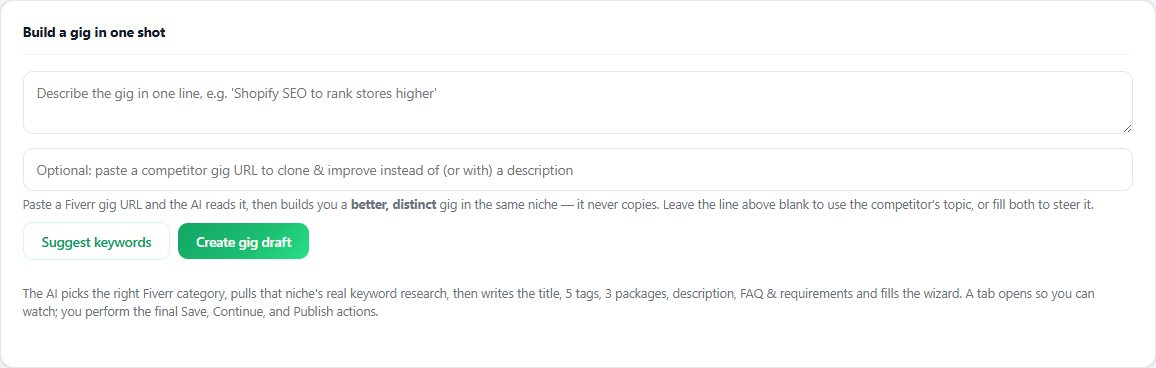
Seller OS drafts gig copy with these published limits in view, so a description written in the panel is already aimed at the 1,200-character ceiling instead of being cut down after a paste. The character counter tool works the same way for text you wrote somewhere else, and the checker pages review a draft against the field it will live in.
It cannot read the counter inside Fiverr's editor, so the final check always happens on that screen. A person performs every final Save, Continue, or Publish action, and nothing is sent or published automatically.
Fiverr Character Limits questions
What is the character limit for a Fiverr gig description?
Fiverr publishes 1,200 characters for the gig description. That count includes emoji and extended characters, which each count as two, so visible text can end sooner than the number suggests. Fiverr states that if you have reached 1,200 characters, your content is complete and no further text will be added.
Does Fiverr publish a limit for my bio or gig title?
No. Fiverr does not publish a character count for the gig title, the professional title or tagline, or the profile About section. Figures for those fields circulate without a source. Use the character counter that appears beside each input while you type, because that reflects the current rule rather than an older guide.
How many tags, keywords, FAQs, and packages can a gig have?
A gig carries five search tags, a positive keyword field of up to five words or short phrases, up to ten FAQ questions, and three packages. The gallery takes three images, one video, and two PDFs. Each of these counts is published, so you can plan a full gig layout before opening the editor.
Why was my text shorter than the limit I counted?
Because Fiverr counts some characters twice. Emoji and extended characters count as two toward the ceiling, and special characters may be filtered out or displayed as small squares. Draft with plain punctuation, check the counter beside the field after pasting, and trim only what the field itself refuses to accept.
Draft to the number, not around it
Paste your draft into the counter first, then trim only what the field actually rejects.