 Seller OS
Fiverr gig not getting impressions: what to check first
Impressions stopped, so start with the cheapest explanations. Is the gig active? Does the category fit? Do the title and tags use buyer words? Did a recent edit start the slide? Is the whole category down with you? Answer those five in order, then make one deliberate change and give it time to collect data.
Free plan available. Local-first data. Human review on every change.
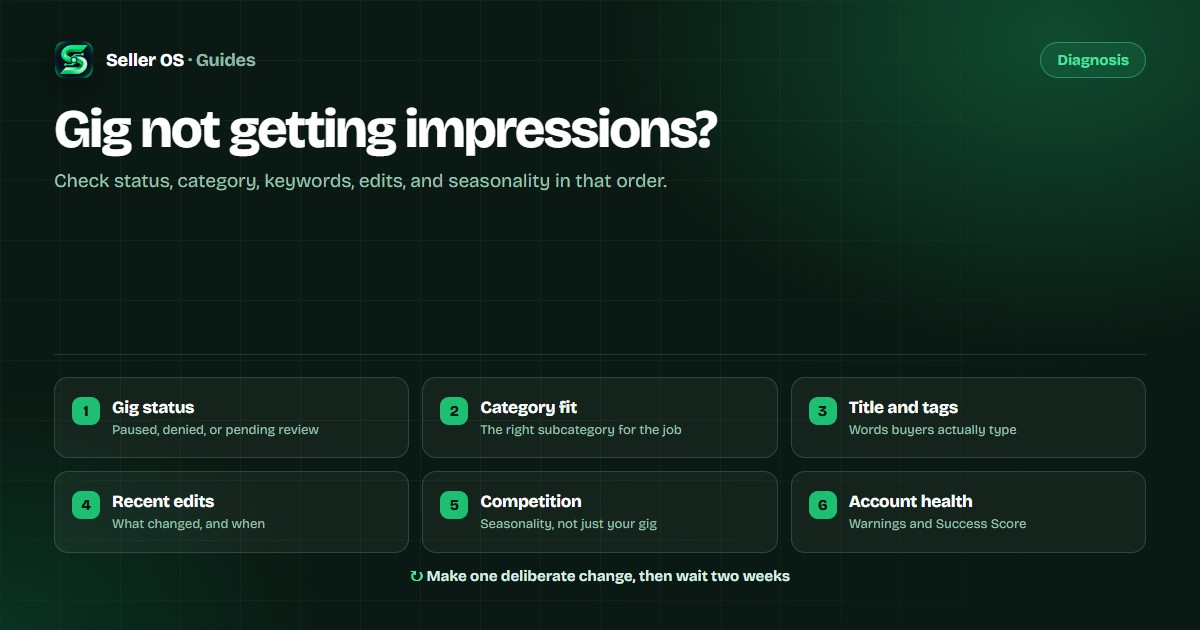
Check the gig status first
Open your Gigs list before you touch a single word of copy. Paused, denied, and incomplete states each remove the gig from search, and no keyword change fixes that. If the gig is new and was never in search, work through the new Fiverr gig not ranking triage instead.
Check for account notices while you are there. A warning hits every gig at once, which looks nothing like one listing losing steam.
Check category and subcategory fit
Fiverr places each gig in one category and subcategory, and that placement decides which searches it can enter. A logo animation gig filed under general design may never match an animation search. Compare your placement with the gigs that appear for your target term.
If the placement is wrong, change it deliberately. It shifts which queries your gig is tested against. Moving to an unrelated category for traffic backfires: the impressions arrive from buyers who will never order.
Check title and tag relevance
An 80-character title, five tags of up to 20 characters each: that is where most query matching starts. Fill them with words buyers type, not internal labels. Fiverr autocomplete is the fastest way to see real phrasing. For the full picture of how listings are assembled, see how Fiverr search results work.
Read your title as a stranger. Does the first half name the service? Do the tags cover related searches instead of repeating the title word for word? Repetition adds no proven value and reads poorly.
Check what you changed recently
If impressions dropped right after an edit to the title, tags, gallery, or packages, that edit is the leading suspect. A changed gig can be matched to searches differently than the version that ran before.
Resist editing again immediately. Reverting one change and letting the gig run gives you information. Editing three more fields in a week gives you noise.
Check competition and seasonality
Not every drop is about your gig. Demand moves with the season, and when it falls the whole category sees fewer searches. A new competitor on your keyword pushes everyone down a slot.
Compare across your account. If every gig and keyword is down together, demand or account-level factors are more likely. If a single term dropped while others held, look at relevance and at what the gigs above you changed.
Check account health and Success Score
Warnings, late deliveries, cancellations, slow replies: these feed your Success Score and seller level, and any of them can reduce visibility while your listings sit unchanged.
Clear the unanswered inbox threads, the looming deadlines, and the open revisions before they turn into late deliveries. For policy questions, use Fiverr's own help center, not forum guesses.
Make one deliberate change, then wait
Start with the cause you believe most. Change exactly one thing: revert the edit, fix the subcategory, rewrite the title with buyer phrasing, or clear the inbox. Write down the date and the impression numbers before you start.
Then wait long enough to collect data. Impressions vary by time, account, and location, so one day tells you nothing. Compare the same period before and after; if the change did not help, revert it and test the next cause. The algorithm stays invisible, and its response is the only feedback you get.
Where Seller OS helps
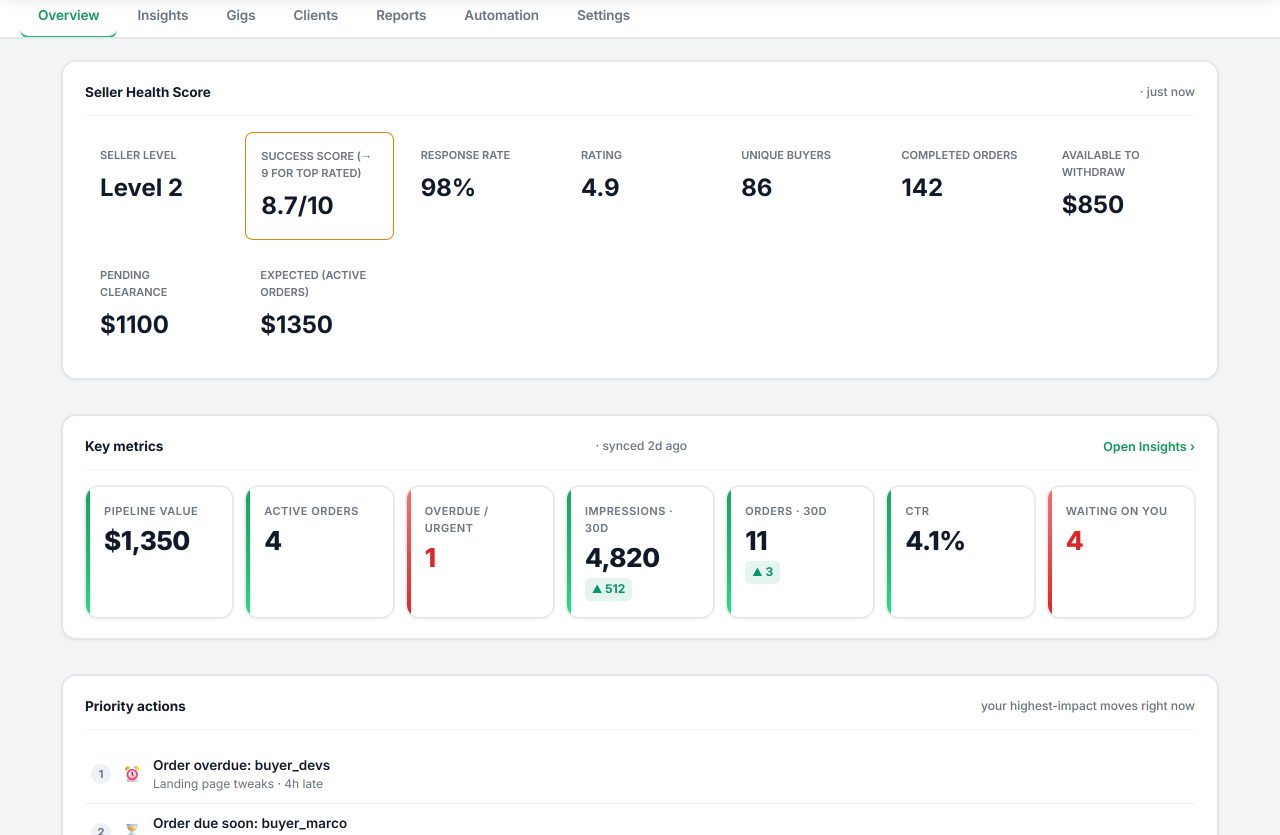
Seller OS reads the gig data Fiverr already shows you and keeps it in local Chrome storage, so impressions, clicks, and conversion are comparable over time instead of being a number you glance at once. The seller tools overview covers the workflow.
Pro monitors can watch ranks, deadlines, briefs, and follow-ups while Chrome is open, and inbox drafts are prepared for your review. Monitors run only while the browser is open, nothing is sent automatically, and no tool can guarantee a position.
Fiverr impressions: common questions
What is the first thing to check when a Fiverr gig has no impressions?
Open the gig and confirm its status first. A paused, denied, or incomplete gig will not appear in search, and no title or tag change will fix that. Once the gig is active, check category fit and keyword relevance.
Can a paused gig still show in Fiverr search?
No. Pausing removes the gig from search and category listings, so impressions stop while it is paused. If you paused it yourself, that is the explanation, and reactivating it is the first step.
Do impressions come back on their own?
Sometimes the drop is seasonal and recovers as demand returns. If the cause was a relevance or account problem, the gig usually needs a deliberate fix. Track the same terms over weeks instead of checking daily.
Can Seller OS monitor my gig impressions?
Seller OS reads the impression and click numbers Fiverr shows for your gigs and stores them locally so you can compare over time. Pro monitors can flag changes while Chrome is open, but no tool can see the internal ranking system.
Find out why impressions stopped.
Log the same numbers weekly and fix one cause at a time.