 Seller OS
Fiverr Success Score dropped: what should you check?
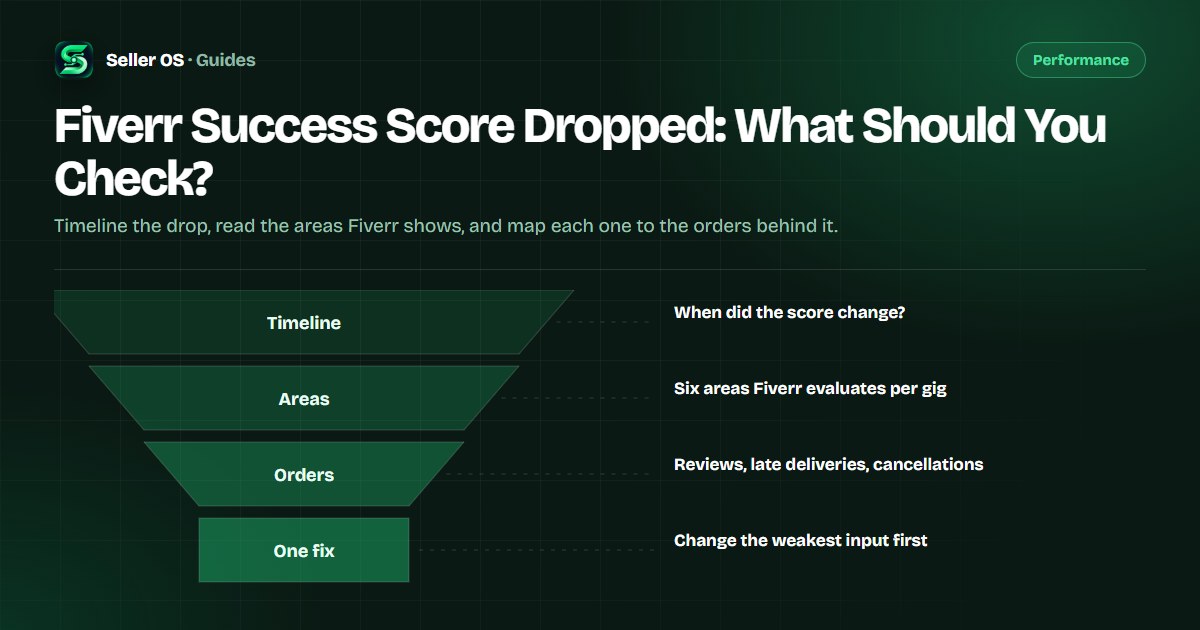
A Success Score drop is alarming, but it is not a verdict. Fiverr publishes six areas the score evaluates, and each one traces back to something concrete in your order history: a late delivery, a cancellation, a tense conversation, a refund. The work is finding which input moved, not guessing at a formula.
This guide gives you a triage order that starts with the date the score changed and ends with one deliberate fix, plus what not to touch while the score recovers. It states plainly what Fiverr publishes about the score and what it does not.
Free plan available. Local-first data. Human review on every change.
What a Success Score drop actually means
Fiverr's Help Center describes the Success Score as a metric that evaluates each of your gigs in key areas related to the order process and your relationship with clients. The formula is not public. What is published: the areas it reads, its role in your level criteria, and the reminder that a score of 10 is not required for success.
The score is also relative. Fiverr states it is based on your performance relative to other freelancers in your price range, which means a drop is not always something you did worse. Your comparison set can move. Treat the score as a signal that deserves investigation, not a verdict on your work.
- Client satisfaction
- Effective communication
- Conflict-free orders
- Order cancellations
- Delivery time
- Value for Money
- Fiverr shows the area breakdown per gig under Scores by Gig on your level overview page
Start by putting the drop on a timeline
Before editing anything, write down when you first noticed the change and what happened in the weeks before it. Fiverr says the calculation considers a longer time period, so the trigger may be older than yesterday's inbox. An empty timeline is still useful: if nothing changed in your orders, the movement may be relative to your comparison group.
Screen the obvious events first: canceled or force-canceled orders, late deliveries, refunds, and any conversation that ended badly. These map directly to areas Fiverr evaluates, and they are the inputs you can actually do something about.
Note the date
when you first saw the new score on your level overview page.
List the events before it
orders, cancellations, late flags, refunds, tense threads.
Mark the matches
tag each event with the area it plausibly touches.
Pick one input
the weakest, most fixable area gets your attention first.
Read the areas Fiverr shows you
Fiverr's Success score help page explains that you can expand each gig score under Scores by Gig to see which key areas have the strongest impact, positive and negative. Read the whole board before reacting to one red area: gigs with more orders carry more weight, and higher-value or more recent orders may carry more impact.
Fiverr's published list of causes behind a dropping score is also a solid checklist of what to look for: negative reviews, late deliveries, order cancellations, poor communication, conflicts, and decreased client satisfaction. Each one leaves a trace in your order history or inbox.
| Area | What to look for | Where it shows |
|---|---|---|
| Delivery time | Late or very late deliveries | Order pages and delivery dates |
| Order cancellations | Who canceled, and in which scenario | Cancellation notices |
| Client satisfaction | Recent public reviews and sentiment | Reviews page |
| Effective communication | Slow or missing replies in threads | Inbox and response rate |
| Conflict-free orders | Disputes and Resolution Center activity | Order history |
| Value for Money | Price-versus-scope signals from buyers | Messages and reviews |
Your Success Score drop triage checklist
You cannot see the formula, so you cannot compute the fix. What you can do is change one input at a time and watch the areas Fiverr does show. Work this checklist in order and resist the urge to act on every item in the same week.
The goal is a clean test: one change, a recheck, a conclusion. Two weeks of clean orders after a fix tells you more than a weekend of panic edits ever will.
Confirm the movement
revisit the level overview page and note which areas are flagged, not just the number.
Isolate the gig
an overall drop with one gig score moving localizes the problem.
Match the event
find the cancellation, late delivery, or review in the same window.
Choose the fixable input
delivery time responds to scheduling; communication responds to habits.
Change one thing
a delivery buffer, a requirements questionnaire, a revision boundary. Not five.
Re-check on schedule
read the areas again after two weeks of clean orders before judging.
Map the drop to the orders behind it
A worked example makes the triage concrete. Suppose your overall score slipped and the area with the strongest negative impact is Order cancellations, while Delivery time is steady. One very-late order was force-canceled by the client two weeks earlier; Fiverr's cancellations guide states that scenario affects your metrics.
The fix is not to rewrite your gig description. It is to understand why the order ran late: was the deadline realistic, did requirements arrive late, did you accept a scope that is too big? Then change that single thing, for example by adding a requirements checklist and a two-day internal buffer, and leave the rest alone.
Fiverr also states that unresponsive clients do not negatively impact your Success Score, and that the score does not decrease simply due to inactivity or a lack of new orders. Both facts rule out two common panic explanations before you spend an evening editing titles.
Mistakes sellers make after a drop
The first mistake is changing everything at once: title, tags, thumbnail, prices, and delivery times in the same week. You will not know what helped, and a significant edit can trigger a gig review that hides the listing while it is reviewed. The second is assuming the score must reach 10. Fiverr states plainly that a score of 10 is not required for success.
The third is pausing the work that pays. A score recovers through clean, well-communicated orders, so the response to a drop is better delivery discipline, not fewer orders. And if your metrics fall below the criteria for your current level, Fiverr's published rule is a 30-day grace period, not an instant demotion.
“If your performance drops below the criteria for your current level, you will enter a 30-day grace period.”
— Fiverr's Help Center, Understanding Fiverr's freelancer levels, September 2026
Protect the rest while the score recovers
While you work the weak area, protect the strong ones. Late deliveries are the easiest area to lose ground in, so re-check every deadline before accepting a new order, and use the delivery-date extension flow before a deadline passes rather than after. Fiverr lists delivery extensions among the actions evaluated as enhancing the client experience.
Keep first replies inside 24 hours, because response rate is a published level metric measured over the last 90 days and it also shapes how buyers experience working with you. If you need time away, use Availability deliberately instead of staying online and replying late. The Fiverr response rate guide covers the counting rules in detail.
Where Seller OS helps
Seller OS does not know Fiverr's formula either, and it will not promise a recovery. What it can do is keep the inputs visible: it records your tracked gig metrics and order history locally, so the window before and after a change is there to compare instead of remembered. On Pro, the Success Score guardian monitor keeps an eye on the areas while Chrome is open.
It also drafts the parts you control: replies to buyers with a review step, re-engagement messages for quiet clients, and deadline reminders from the deadline guard. Nothing sends or changes on its own. A person performs every final Send, Save, Continue, or Publish action, and your data stays in Chrome local storage.

Fiverr Success Score Dropped questions
Why did my Fiverr Success Score drop with no cancellations?
The formula is not public, so a drop without an obvious trigger usually means the comparison moved, a private quality signal changed, or an older order aged into the calculation window. Fiverr says the calculation uses a longer time period and is relative to other freelancers in your price range. Check the areas Fiverr shows per gig, then compare them across two readings.
Does inactivity lower my Success Score?
No. Fiverr's Help Center states that your Success Score does not decrease simply due to inactivity or a lack of new orders. If the score looks lower after a quiet month, look at the individual areas and gigs Fiverr shows rather than assuming time off caused it. A quiet period affects order count and earnings criteria, which are separate from the score.
How long does a Success Score take to recover?
Fiverr does not publish a recovery timeline or the exact window the score uses, so nobody can give you a number. Practically, the score reflects recent orders and conversations, and Fiverr says higher-value and more recent orders may carry more impact. Fix the weakest area, deliver clean orders, and re-check the area view over several weeks.
Will a dropped score cost me my level?
Not automatically. Fiverr's published rule is that if your performance drops below the criteria for your current level, you enter a 30-day grace period. Use it to bring the specific metric back above its threshold rather than editing your whole gig. The score is only one of six level criteria, so check the others too.
Turn the drop into one clean change
Review the six areas locally, pick the weakest input, and let the history show whether the fix worked.