 Seller OS
Buyer ordered the wrong Fiverr package: seller options
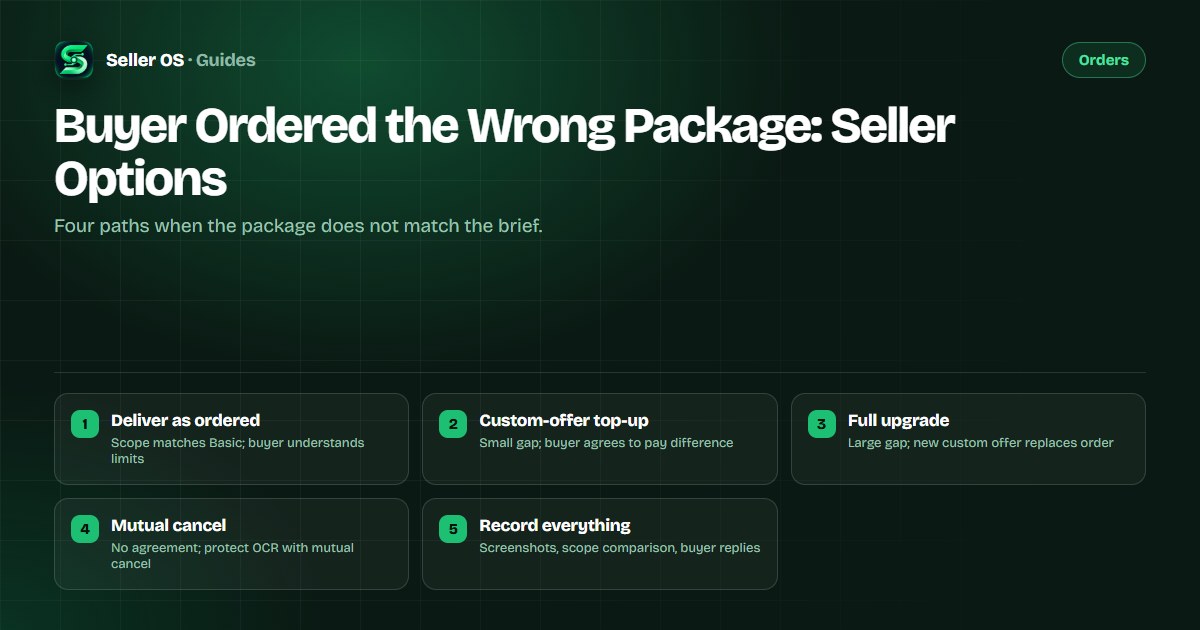
A buyer orders your Basic package but the brief clearly needs the Premium scope. You have four paths: deliver exactly what was ordered, send a custom-offer top-up for the difference, upgrade the order through a new custom offer, or mutually cancel and restart. The right choice depends on how far apart the packages are and whether the buyer is willing to pay the difference.
This guide gives you the decision framework, message scripts for each path, and the record-keeping that protects your completion rate and Success Score. Fiverr's platform rules define the cancellation and upgrade mechanics; the scripts are practical advice.
Free plan available. Local-first data. Human review on every change.
Message first, compare scope second
Before you pick a path, open the order chat and ask the buyer to confirm what they need. Quote the specific deliverables in your Basic, Standard, and Premium packages, then ask which list matches their brief. Keep the tone collaborative, not accusatory. A screenshot of your package comparison table pasted into the chat creates a shared reference point that prevents 'I thought Basic included X' later.
If the buyer realizes the mistake and agrees to pay more, you have a clear record. If they insist Basic covers it, you have evidence for a mutual cancellation that protects your Order Completion Rate. Fiverr states that orders canceled by the client before they submit requirements do not affect OCR, and mutual cancellations where the client reorders within 14 days also have no OCR impact (per the legacy FAQ, still consistent with current behavior).
- Paste your package comparison into the order chat.
- Ask: 'Which of these three lists matches what you need?'
- Screenshot the buyer's reply for your records.
- Do not start work until scope is confirmed.
Path 1: Deliver exactly what was ordered
Choose this when the buyer's brief fits within the ordered package, or when the buyer confirms they want only the Basic scope despite mentioning more in the requirements. Deliver the Basic deliverables on the Basic deadline. In the delivery message, explicitly list what is included and what is not, referencing the package description. This creates a paper trail: if the buyer later asks for Premium features as a revision, you can point to the delivery message and the original package scope.
A common mistake sellers make is quietly delivering Premium work on a Basic order to 'be nice.' This sets a precedent the buyer expects next time, erodes your package pricing, and gives you no leverage if the buyer leaves a negative review citing missing features that were never in the Basic package.
Confirm buyer accepts Basic scope in writing.
Deliver Basic deliverables on Basic deadline.
Delivery message: 'This delivery includes [list]. It does not include [Premium items].'
If revision asks for out-of-scope work, quote the delivery message and offer a custom-offer top-up.
Path 2: Custom-offer top-up for the difference
Use this when the gap is small — for example, the buyer needs one extra revision or one additional file format that lives in Standard. Send a custom offer for the price difference with a one-day delivery time and zero revisions. Fiverr's custom offer limits are $5 minimum, $20,000 maximum, 1 to 90 days delivery, and 0 to 20 revisions or Unlimited. A top-up custom offer keeps the original order intact, so the original deadline and metrics stay clean.
Illustrative example: Basic is $50 for a 500-word article. Standard is $90 for 1,000 words. The buyer ordered Basic but needs 1,000 words. Send a $40 custom offer for 'Additional 500 words — add-on to order #12345' with 1-day delivery. When accepted, the top-up becomes a separate order line; you deliver the full 1,000 words on the original Basic deadline.
- Custom offer title: 'Add-on to order #XXXX — [specific extra]'.
- Price: exact difference between packages.
- Delivery: 1 day (or time needed for the extra only).
- Revisions: 0 (the extra is defined, not open-ended).
- Reference original order number in the description.
Path 3: Full upgrade via new custom offer
When the gap is large — the buyer needs Premium but ordered Basic — a top-up gets messy. Instead, mutually cancel the original order (protecting OCR if the buyer reorders within 14 days) and send a custom offer for the correct Premium package with the correct deadline. Fiverr allows custom offers up to $20,000 and 90 days delivery, so any package upgrade fits. The buyer pays the full Premium price; you deliver on the Premium timeline.
This path is cleaner for both parties: the order page shows the right package, the deadline matches the scope, and your gig analytics reflect the true package sold. The mutual cancellation must be initiated before you deliver anything on the original order.
Message buyer: 'The brief needs Premium. I will send a mutual cancellation, then a custom offer for Premium at $X with Y-day delivery.'
Open Resolution Center → Cancel Order → Mutual Cancellation.
Wait for buyer to accept (48-hour auto-accept if silent).
Send custom offer for correct package with correct deadline.
Deliver on the new custom offer terms.
Path 4: Mutual cancellation when no agreement
If the buyer refuses to pay the difference and insists the ordered package covers the brief, do not deliver out-of-scope work. Open a mutual cancellation in the Resolution Center. Fiverr's Resolution Center gives the other party 48 hours to accept or decline; if they do not respond, it auto-accepts. A mutual cancellation before delivery protects your Order Completion Rate (client-canceled-before-requirements = no OCR impact; mutual cancel with reorder within 14 days = no OCR impact per legacy guidance).
After cancellation, you can send a custom offer for the correct package if the buyer changes their mind, or simply move on. Document the scope mismatch in your private notes: package ordered, brief requirements, buyer's stated position. This record helps if the buyer later claims you refused to work.
Record-keeping that protects your score
Every path above relies on having a clear, timestamped record. Save: the package comparison you pasted in chat, the buyer's reply confirming or denying scope, any custom offer sent and its acceptance, the Resolution Center thread if used, and the final delivery message listing inclusions and exclusions. Seller OS local client records let you attach these screenshots and notes to the buyer's profile so they are one click away if a dispute arises later.
If the order proceeds to a review, your response can reference the chat where the buyer agreed to the delivered scope. Fiverr's review system allows seller responses with no time limit while the gig is active. A factual, calm response citing the agreed scope carries more weight than a heated rebuttal.
Where Seller OS helps
Seller OS keeps local client records with notes and history, so the package comparison, buyer replies, and custom offer links stay attached to this buyer. The inbox assistant drafts the scope-confirmation message, the top-up custom offer text, and the mutual-cancellation explanation. The gig optimizer can flag when your package descriptions leave gaps that cause buyers to pick the wrong tier.
It cannot force a buyer to accept a custom offer, cannot prevent a buyer from leaving a review, and does not file Resolution Center requests for you. Every mutual cancellation click and custom offer send remains yours.
Buyer Ordered the Wrong Package questions
Can I just change the package on an existing order?
No. Fiverr does not let you change the package on an active order. You must use a custom offer for the difference, a full upgrade via new custom offer after mutual cancellation, or deliver the originally ordered scope.
Does a mutual cancellation hurt my Order Completion Rate?
Fiverr states that orders canceled by the client before requirements submission have no OCR impact. Legacy guidance also says mutual cancellations where the client reorders within 14 days do not affect OCR. A seller-initiated cancellation does affect OCR.
What if the buyer accepts the custom offer top-up but then requests revisions on the original order?
The top-up is a separate order. Revisions on the original order are limited to what that package includes. Quote your delivery message that listed exclusions, and offer another custom offer if the revision is out of scope.
Can I deliver the Premium work on the Basic order and avoid the hassle?
You can, but you train the buyer to expect Premium for Basic pricing, lose the package upgrade revenue, and have no written scope boundary if they leave a negative review. The short-term ease creates long-term pricing erosion.
Match the fix to the gap
Message first, compare scope in writing, then pick the path that gets you paid for the work you actually do.