 Seller OS
Fiverr chargeback after delivery: seller playbook
Delivery is not the end of the payment story. A buyer can dispute a charge through their bank or card provider after you have handed over the work, and the money for a completed order can be pulled back while that dispute is examined.
This guide explains what a chargeback is, why delivery does not prevent one, which records support your side, and how to raise the issue through Fiverr. It is a practical playbook, not legal advice, and every platform step is attributed to the Fiverr Help Center.
Free plan available. Local-first data. Human review on every change.
What a chargeback actually is
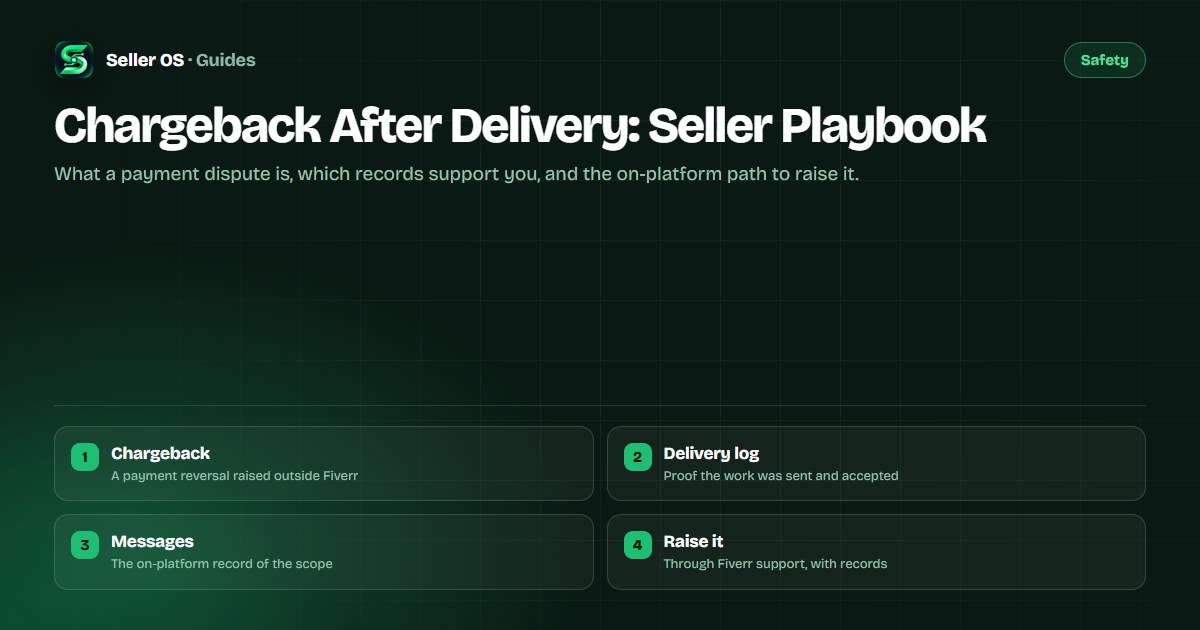
A chargeback is a payment reversal started by the buyer through their bank or card provider, not inside Fiverr. The provider takes the money back while it reviews the buyer's claim, which means a completed and paid order can show a reversed payment after delivery.
That makes it different from the tools you already know. A cancellation ends an order by agreement or by a support decision, a bad review is feedback, and the Resolution Center handles disagreements inside the order. A chargeback sits outside all three, so it needs its own response. Fiverr describes the on-platform dispute tools in the Help Center, which is where your response should run.
Why delivery does not prevent a dispute
Delivery proves you sent the work. It does not prove to a card provider that the buyer authorized the charge, received what was described, or had no account problem on their side. Those are the questions a bank asks, and a delivery screenshot alone rarely answers all of them.
Disputes after delivery usually trace to a few patterns: a buyer who regrets the spend, a buyer whose card was used without permission, or a buyer who claims the delivered work matches nothing they asked for. You cannot control which of these you face, so your protection is the paper trail that answers each version before it is ever raised.
The evidence that helps your case
Support can only act on what you can show. The strongest records share one trait: they were created inside the order, with dates, before any dispute existed. Anything you reconstruct after the fact carries far less weight.
Collect these five pieces before you write a single message to anyone, and keep them together in one folder so your case arrives complete.
- The order page record: order number, package, price, and the delivery timestamp.
- The delivered files, or a dated summary of exactly what was sent.
- The requirements the buyer submitted, showing the scope you worked to.
- Message history where the buyer confirmed, revised, or accepted the work.
- Revision rounds and any final acceptance or review, if one exists.
How to raise it on Fiverr, step by step
Keep the whole response on the platform. Fiverr cannot see emails, calls, or chats that happened elsewhere, and anything settled off-platform weakens the record you need now.
Confirm what happened
open the order, note the payment status, and assemble the evidence folder from the previous section.
Use the order tools first
if the order is still open, the Resolution Center on the order page is the channel Fiverr points disputes to.
Contact support with the order number
use the published contact flow with a short timeline and your attachments.
Stay factual and patient
avoid threats, avoid new revisions as bargaining chips, and let the review process run.
Read the companion guides
the order dispute guide and the Resolution Center guide cover the mechanics in depth.
Habits that protect your next orders
You cannot stop a buyer from filing a dispute, but you can make every future order dispute-ready by default. Write requirements that pin down scope, confirm key choices in messages before you build, and deliver through the order page so timestamps exist.
The second habit is screening. Orders that start with pressure, vague briefs, or demands to move off-platform produce most payment trouble later. The fake-buyer guide teaches the screening pass that keeps those orders out of your queue.
Where Seller OS helps
Seller OS helps with the record-keeping side of this playbook. Client records and order history stay in Chrome local storage on your machine, so the delivery dates, package terms, and notes you need for a dispute sit in one local workspace instead of scattered across tabs.
It never files anything on your behalf. The extension drafts, fills, and tracks locally, and a person completes every action on Fiverr, which keeps the human-review gate intact when the stakes are a real payment dispute.
Chargeback After Delivery questions
What is a chargeback on Fiverr?
A chargeback is a payment reversal a buyer starts through their bank or card provider rather than inside Fiverr. The provider withdraws the funds while it reviews the claim, so an order you delivered and were paid for can show a reversed payment. Because the claim sits outside the order, you respond through Fiverr support with delivery and message records.
Can a buyer dispute an order after accepting delivery?
Yes. Accepting delivery closes the order on Fiverr, but it does not remove the buyer's ability to dispute the charge with their payment provider. Card networks give buyers that path by default. That is why confirmation messages, revision history, and delivery timestamps matter: they speak for the order after it is closed.
What evidence helps a Fiverr payment dispute?
The order number, package, and delivery timestamp from the order page, the files you delivered, the requirements the buyer submitted, and message history showing confirmation or acceptance. Records created inside the order before the dispute carry the most weight. Gather them into one folder before contacting support.
Should I refund a buyer who threatens a chargeback?
Do not let a threat rush you into an off-the-record refund, which leaves no paper trail and can still be followed by a dispute. Keep communication on the platform, offer only solutions you would stand behind inside the order, and raise the threat with support through the published contact flow. A documented process protects you better than a panicked concession.
Document the order before trouble starts.
Keep delivery records, requirements, and messages together so a dispute meets evidence, not memory.