 Seller OS
How to spot fake Fiverr buyers before work
The cheapest scam is the one you never start. Fake buyers on Fiverr follow recognizable patterns long before money moves: brand-new accounts with no history, urgency that skips normal questions, pressure to leave the platform, and payment stories that route around the order system.
This guide teaches a screening habit you can run in two minutes before accepting anything. It describes warning patterns as general safety practice, not accusations against any individual buyer, and every Fiverr rule mentioned is attributed to the Help Center.
Free plan available. Local-first data. Human review on every change.
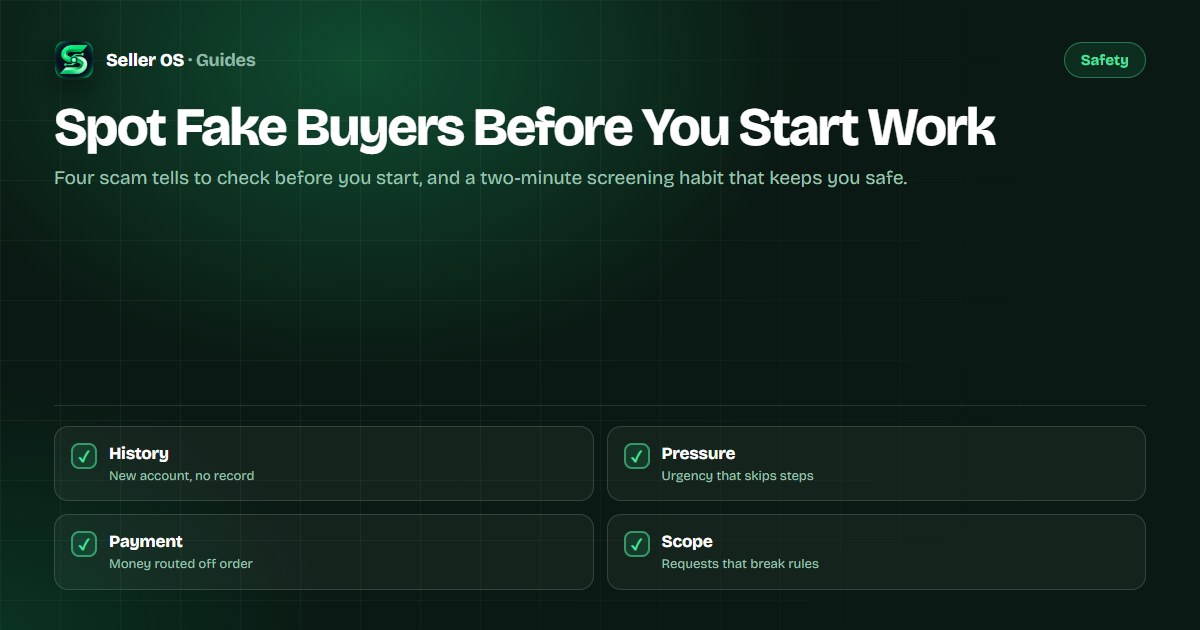
The four tells to check first
Fake buyers rarely show only one warning sign; they usually show several at once. A new account with no order history is not proof of anything on its own, since every real buyer starts somewhere. Combined with pressure to move fast, it deserves a closer look before you commit time.
The four tells below are patterns to weigh together as general safety practice. No single tell convicts a buyer, and established accounts can cause trouble too. The habit is to slow down when two or more appear, not to accuse anyone.
- No history: a brand-new account with no reviews, no verified signals, and vague profile details.
- Pressure: urgent deadlines plus resistance to normal questions about the brief.
- Off-platform pull: requests to continue on messaging apps or pay outside the order.
- Rule-breaking scope: free work first, credential sharing, or tasks Fiverr prohibits.
Payment claims that route around the order
The most expensive lie is the one about money already moving. Claims that a payment was sent outside the order, that you must pay a fee to unlock it, or that a deposit is needed before work begins all route around the protection an on-platform order gives you. Fiverr states in its Help Center that real payments flow through the order system, and that sellers are never asked to send money or log in elsewhere to receive payment.
Treat any payment story you cannot verify inside the order as fiction until proven otherwise. Never send money to receive money, never enter credentials from a link in a message, and never start work on the promise of off-platform payment. The off-platform lure guide and the pay-to-work trap guide cover these two patterns in depth.
A two-minute screening habit
Run the same checks in the same order every time, so safety does not depend on your mood or workload. The habit below takes about two minutes and fits inside the normal pre-order conversation without sounding suspicious.
Read the account
Check age, history, and profile completeness before reading the brief.
Read the brief twice
Look for scope that is vague, prohibited, or far larger than the budget.
Ask one hard question
Request the single requirement detail a real buyer can answer easily.
Keep it on-platform
Decline any move to outside messaging or payment, politely and once.
Confirm before work
Restate scope, price, and delivery in the thread before you begin.
How to walk away safely
Declining is a skill, and the safe version is brief, polite, and final. Thank the buyer, state that the project is not a fit, and stop replying. Avoid long explanations, since each extra message is another opening for pressure. If no order exists yet, no cancellation is needed and your metrics are untouched.
Consider blocking the account after reporting when the messages were clearly abusive or threatening, so the same buyer cannot reopen the conversation from the same profile. A short template you reuse each time keeps the decision fast and emotion-free: thanks, not a fit, no further discussion. Consistency is the protection; scammers move on to easier targets.
Report clear scam attempts through Fiverr's reporting tools rather than engaging further. Reporting protects other sellers and creates no obligation for you to continue the conversation. The spam inbox guide shows how to triage high volumes without harming your response rate.
If you already started before noticing
Stop new work the moment the pattern clicks, even mid-order. Do not send additional files, credentials, or unpaid revisions while you assess. Review the thread for what was agreed, deliver nothing beyond it, and use the order tools rather than chat promises to control what happens next.
If money or access is involved, secure your side first: review sessions and connected apps, and change passwords from a clean device where credentials may have leaked. Then consider reporting the account. General safety practice also suggests having any suspicious file checked before opening, as covered in the phishing guide.
Where Seller OS helps
Seller OS supports the screening habit with local client records: past conversations, notes, and issue flags stay in Chrome storage, so a buyer who pressured you before is recognizable when they return.
The extension keeps data on your device and never contacts buyers or reports accounts for you. Screening, declining, and reporting on Fiverr remain your decisions, made by you in your inbox.

Spot Fake Buyers Before You Start Work questions
What is the most common fake buyer scam on Fiverr?
The most reported pattern is pressure to move money or conversation off the platform: messaging apps, direct payment promises, or fees you must pay to unlock an order. A second pattern is free-work extraction through endless samples or tests. Both are defeated by the same habit of keeping payment and messages inside the order system.
Should I avoid all new Fiverr buyers with no history?
No. Every real buyer starts with an empty account, and many honest clients join, order once, and leave. Treat no history as one neutral signal rather than a verdict. Combine it with the other tells: pressure, off-platform pulls, and strange payment stories. Two or more together mean slow down, not one alone.
How do I report a fake buyer on Fiverr?
Use the report option on the message or profile, choose the closest category such as spam or phishing, and add a brief factual note about what happened. Then stop engaging and consider blocking further messages. Reporting is quick and protects other sellers, and it works best when the full exchange stayed on the platform.
The buyer wants to pay outside Fiverr. What do I say?
Decline politely and once, explaining that all payments go through Fiverr orders for both sides protection. Offer to set up a proper order or custom offer instead. If the buyer insists, walk away and report the conversation. Fiverr rules require on-platform payment, and leaving the platform removes the recourse you would need if anything goes wrong.
Two minutes of screening beats weeks of dispute.
Check history, pressure, payment, and scope before you start any work.