 Seller OS
Fiverr gig tag generator: seed keyword to five compliant tags
The Fiverr gig tag generator takes a seed keyword and expands it into five search tags that fit Fiverr's rules: exactly five tags, each within the per-tag character limit, no duplicates, and no irrelevant terms. It maps the seed to long-tail and adjacent candidates using Fiverr's autocomplete patterns and category taxonomy.
This page explains the generator's mapping logic, the field rules it enforces, a worked seed-to-tag-set example with reasoning, and links to the research guides for the method behind the suggestions. The generator is available inside Seller OS.
Free plan available. Local-first data. Human review on every change.
How the generator maps a seed to five tags
The generator starts with your seed keyword and queries two sources: Fiverr's public autocomplete suggestions for long-tail variants, and the category's subcategory labels for adjacent terms. It scores candidates by relevance, search frequency signals, and uniqueness, then picks the top five that pass the field rules. Fiverr's help center states: "Add up to five tags to improve your Gig's visibility in search" and best practice is to "Use all five search tags." The generator enforces this by always outputting exactly five.
The positive keywords field (up to five words or short phrases) is separate from tags. The generator focuses on tags only; use the positive keywords field for broader categorical phrases that do not fit the tag format.
The generator also considers the category context. Fiverr's category pages show subcategory labels like "Resume Writing," "Cover Letters," "LinkedIn Profiles" for the Writing & Translation > Resume Writing category. These subcategory labels are strong adjacent-term signals because they represent how Fiverr organizes its own inventory. The generator weights these alongside autocomplete suggestions.
- Long-tail expansion: autocomplete suggestions like "resume writing ats" from seed "resume."
- Adjacent terms: subcategory labels like "cover letter" or "linkedin profile" for the resume category.
- Deduplication: removes tags that are substrings of each other or share the same root.
- Relevance filter: drops terms that belong to a different category or service type.
- Character validation: each tag stays within Fiverr's per-tag limit.
Why exactly five tags and not more or fewer
Fiverr's help center is explicit: "Add up to five tags to improve your Gig's visibility in search" and the best practice guidance says "Use all five search tags." The platform's search index treats tags as discrete ranking signals. Fewer than five means you're leaving ranking surface area unused. More than five is not allowed by the UI.
The generator enforces exactly five because partial tag sets are a common seller error. Sellers who add only two or three tags often don't realize they're reducing their discoverability by 40-60% compared to a full set. The generator eliminates this error class by design.
Field rules the generator enforces
Fiverr allows exactly five tags per gig. The generator never outputs fewer or more. Each tag must fit within the per-tag character limit (the exact limit is not published in current help articles; the generator uses a conservative bound). Tags cannot be duplicates, and the generator filters out terms that are functionally identical, such as "resume writing" and "resume writer."
The generator also flags tags that appear irrelevant to your category. For example, if your seed is "logo design" and a candidate tag is "business card," the tool marks it as adjacent but lets you decide whether to keep it. This prevents accidental category drift that can confuse the search algorithm.
Case sensitivity is not a factor; Fiverr normalizes tags to lowercase. The generator outputs lowercase tags to match platform behavior. Special characters are stripped; only alphanumeric characters and spaces are preserved.
Worked expansion: seed "resume writing" to five tags
Seed: "resume writing" (illustrative example). Long-tail candidates from autocomplete: "resume writing ats," "resume writing executive," "resume writing 24 hours," "resume writing linkedin," "resume writing cover letter." Adjacent candidates from subcategories: "cover letter," "linkedin profile," "cv writing," "federal resume," "executive resume." After deduplication and relevance scoring, the generator selects: 1. "ats resume" (long-tail, high intent), 2. "executive resume" (adjacent, high value), 3. "cover letter" (adjacent, common bundle), 4. "linkedin profile" (adjacent, cross-sell), 5. "cv writing" (adjacent, international buyers). Each tag is under the character limit, no duplicates, all relevant to the resume category.
If you prefer a different mix, you can swap any tag and the generator will validate the replacement against the same rules.
A second example for logo design: seed "logo design." Long-tail: "minimalist logo," "logo design modern," "logo design 24 hours," "logo design vector," "logo design branding." Adjacent from subcategories: "brand identity," "logo animation," "mascot logo," "lettermark logo," "emblem logo." Generator selects: 1. "minimalist logo" (long-tail, style-specific), 2. "brand identity" (adjacent, upsell), 3. "vector logo" (long-tail, deliverable-specific), 4. "mascot logo" (adjacent, niche), 5. "logo animation" (adjacent, motion upsell).
Common mistake: wasting tags on synonyms or broad terms
Sellers often use multiple tags for the same concept: "resume," "cv," "curriculum vitae." This wastes slots that could cover distinct buyer intents like "ats optimization," "linkedin profile," or "cover letter." The generator's deduplication catches this, but manual overrides can reintroduce it.
Another mistake is using all five tags for broad category terms like "writing," "editing," "proofreading" when the gig is specifically resume writing. Broad tags attract unqualified clicks that lower conversion rate. The generator prioritizes intent-specific long-tail tags over broad category labels.
A third mistake is ignoring the positive keywords field. Tags and positive keywords serve different purposes: tags are for search visibility, positive keywords (up to five words or short phrases) help Fiverr categorize your service. The generator handles tags; you must populate positive keywords separately with categorical phrases like "resume writing," "ATS optimization," "executive resume."
Connecting to the research guides
The generator automates the mapping logic documented in the tag research guide, which covers manual autocomplete scraping, subcategory mining, and competitor tag analysis. The long-tail keywords guide explains why intent-specific phrases convert better than broad terms.
For a free research stack without Seller Plus, the free keyword research guide shows how to combine Fiverr autocomplete, Google autocomplete, and public competitor gigs. The title optimization guide shows how tags and title keywords should align without overlapping.
If you have Seller Plus, the Top Keywords tab shows which search terms clients used to find your gig, along with impressions, clicks, orders, and earnings per keyword. Cross-reference your generated tags against that data quarterly to retire tags with zero impressions and test new candidates.
How Seller OS uses the tag generator
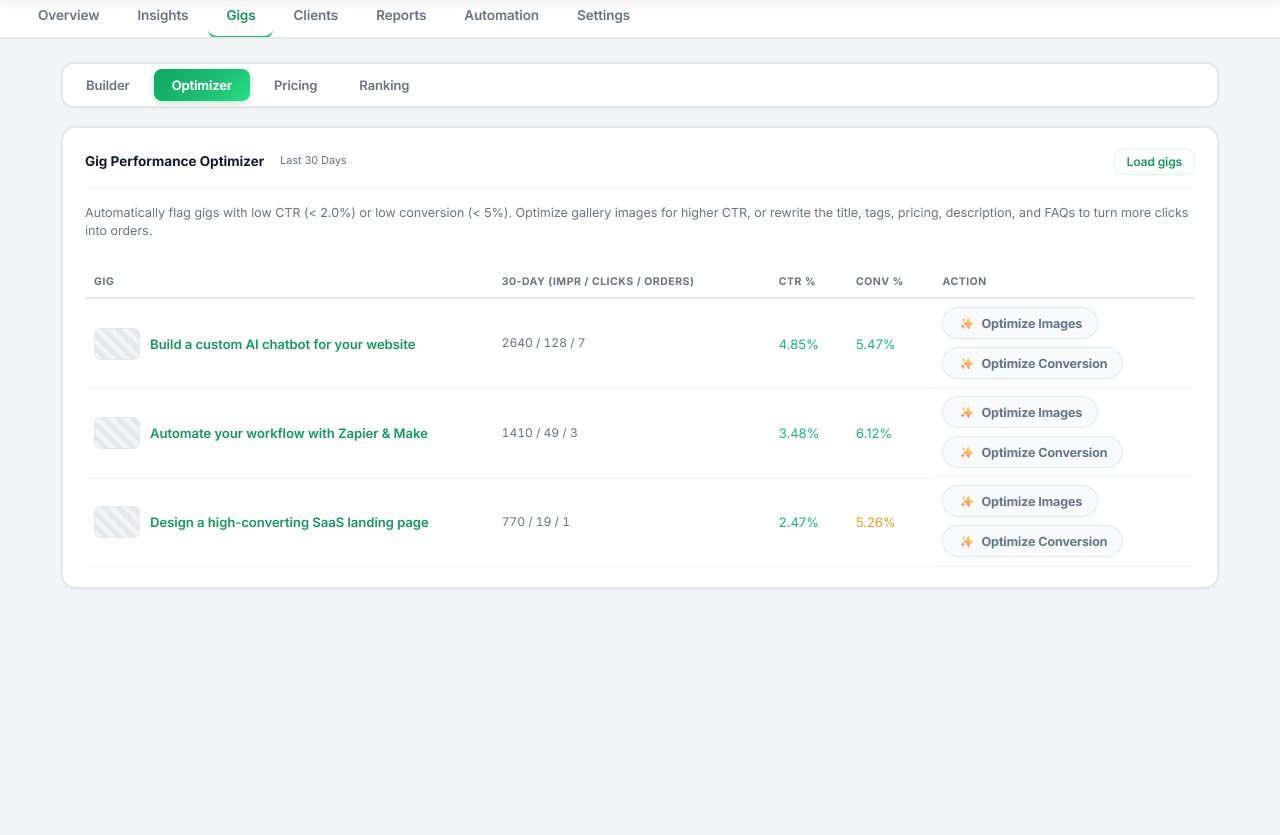
Inside Seller OS, the Gig Builder runs the same seed-to-five-tags logic when you provide a one-line idea or competitor URL. It fills the Fiverr wizard's five tag fields, and you complete the Save/Continue/Publish steps. The Gig Performance Optimizer later audits the live tags against your gig's Top Keywords data (if you have Seller Plus) or impression trends, and suggests replacements when a tag shows zero impressions over a full 30-day window.
Seller OS does not guarantee tag changes improve ranking, cannot access Fiverr's internal search algorithm, and does not auto-update tags without your review.
Tag maintenance: when to regenerate
Tags are not set-and-forget. Fiverr's search trends shift, new subcategories emerge, and competitor language evolves. Regenerate your tags when: you add a new package tier that targets a different buyer segment, your gig's impression trend flattens for 60+ days, or Fiverr announces a category restructure (check the SEO checklist for category change notices).
The generator makes regeneration fast. Enter your current seed or a new one, review the five validated tags, and update the gig. The Gig Performance Optimizer in Seller OS tracks the before/after impression data so you can measure the impact.
Where Seller OS helps
The Gig Builder in Seller OS runs the seed-to-five-tags logic when you provide a one-line idea or competitor URL. It fills the Fiverr wizard's five tag fields, and you complete the Save/Continue/Publish steps. The Gig Performance Optimizer later audits live tags against your gig's Top Keywords data or impression trends and suggests replacements when a tag shows zero impressions over a full 30-day window.
Seller OS does not guarantee tag changes improve ranking, cannot access Fiverr's internal search algorithm, and does not auto-update tags without your review.
Fiverr Gig Tag Generator questions
How many tags does Fiverr allow per gig?
Fiverr's help center states you can add up to five tags to improve your gig's visibility in search. The best practice noted is to use all five search tags. The generator always outputs exactly five.
What is the per-tag character limit on Fiverr?
The exact per-tag character limit is not published in Fiverr's current help articles. The generator uses a conservative bound to keep each tag safely within the field so you avoid truncation.
Are tags the same as the positive keywords field?
No. The positive keywords field accepts up to five words or short phrases that help Fiverr categorize your service. Tags are separate search tags for visibility. The generator focuses on tags; use the positive keywords field for broader categorical phrases.
Can I edit the generated tags before publishing?
Yes. The generator proposes five validated tags, but you can swap any tag before you publish. The tool will validate your replacement against the same character, duplicate, and relevance rules.
Generate your five tags
Open the generator in Seller OS, enter your seed keyword, review the five validated tags, and publish.