 Seller OS
Free Fiverr gig title generator: keyword + outcome + qualifier
The free Fiverr gig title generator builds titles from a keyword-outcome-qualifier pattern that matches how buyers search. It enforces the "I will" prefix, character limits, and the no-keyword-stuffing rule so every generated title is publish-ready.
This page explains the generator's method, shows five worked examples across categories, and includes a manual checklist for titles the tool rejects. The generator itself is available inside Seller OS; the page documents the logic honestly.
Free plan available. Local-first data. Human review on every change.
How the generator builds titles
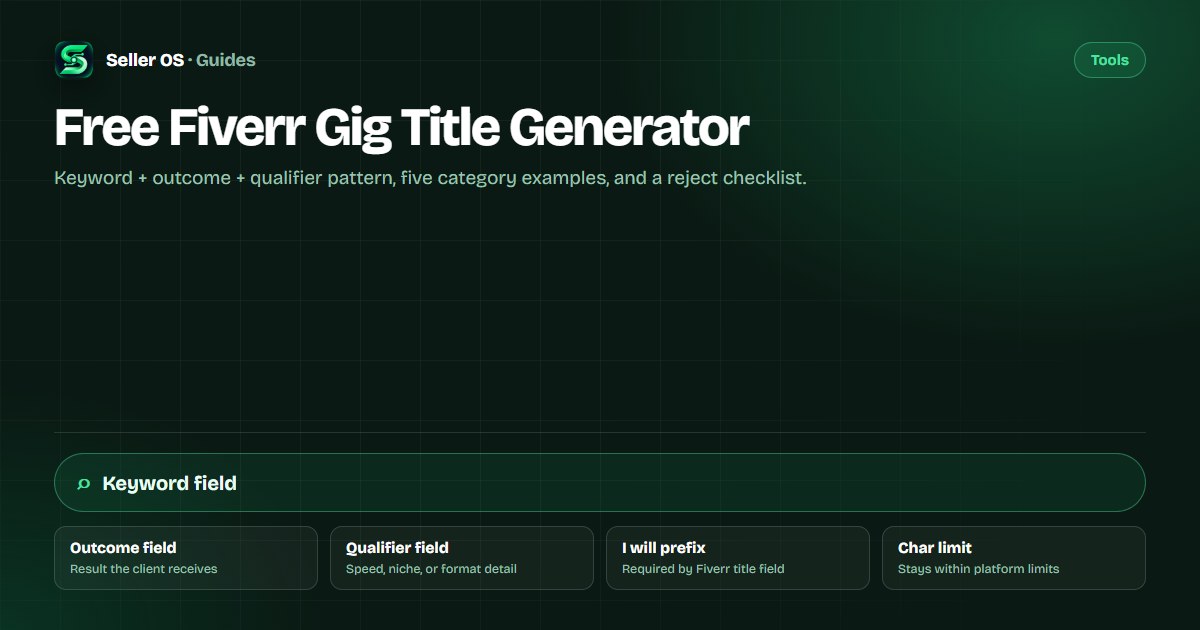
The generator takes three inputs: a core keyword (the service buyers search for), an outcome (the tangible result the client receives), and a qualifier (speed, niche, format, or audience detail). It combines them into the pattern "I will [keyword] [outcome] [qualifier]" and trims or reorders to fit Fiverr's title field. The tool rejects combinations that exceed the character limit, contain special characters Fiverr discourages (&, /, ", +), or repeat the keyword more than once.
Fiverr's help center states: "Keep your Gig title short, clear, and to the point" and advises avoiding special characters. The generator bakes these rules in so you do not have to manually clean up the output.
The title field is pre-filled with "I will" and you cannot change the category after the gig is published. Editing the title later doesn't change its URL, so the initial title choice carries long-term implications for shareability and bookmarks. The generator accounts for this by producing titles that work both as search targets and as stable identifiers.
- Keyword: one core service term (e.g., "resume", "logo", "data entry").
- Outcome: what the client walks away with (e.g., "that passes ATS", "for your brand", "in Excel format").
- Qualifier: speed, niche, or format (e.g., "in 24 hours", "for executives", "from PDF").
- Auto-enforced: "I will" prefix, character limit, no keyword stuffing, no banned special characters.
Why the keyword-outcome-qualifier pattern matches buyer search
Buyers on Fiverr typically search for a service type (keyword), then scan results for the specific result they need (outcome), and finally filter by urgency or specialization (qualifier). A title that mirrors this mental model appears more relevant at each decision point. Fiverr's algorithm prioritizes title text first, then the positive keywords field, then the description, so the keyword in your title carries disproportionate weight.
The pattern also prevents the common error of writing titles for yourself instead of for the buyer. "I will design logos" describes what you do; "I will design a minimalist logo for your brand with source files" describes what the buyer gets. The generator forces the buyer-centric framing by requiring an outcome and qualifier.
Five generated examples across categories
These examples show the generator output for different service types (illustrative examples, not live gigs). Each follows the keyword-outcome-qualifier pattern and stays within field rules.
1. Resume writing: "I will write an ATS resume that passes screening for executives in 24 hours" — keyword: resume, outcome: that passes screening, qualifier: for executives in 24 hours. 2. Logo design: "I will design a minimalist logo for your brand with source files" — keyword: logo, outcome: for your brand, qualifier: with source files. 3. Data entry: "I will convert PDF data to Excel format from scanned documents" — keyword: data entry, outcome: to Excel format, qualifier: from scanned documents. 4. Voiceover: "I will record a professional voiceover for your explainer video in 48 hours" — keyword: voiceover, outcome: for your explainer video, qualifier: in 48 hours. 5. WordPress: "I will fix WordPress errors and optimize speed for your business site" — keyword: WordPress, outcome: and optimize speed, qualifier: for your business site.
Manual checklist for titles the tool rejects
The generator rejects titles that break field rules. If your title is rejected, run through this checklist before you override manually.
Fiverr's help center notes that editing the title later "doesn't change its URL" and the category "you can't change after the Gig is published," so getting the title right at creation saves rework.
- Does the title start with "I will" (the field pre-fills this prefix)?
- Is the total length within Fiverr's published limit? (The exact character limit is not published; the generator uses a conservative bound.)
- Are there zero special characters from Fiverr's discouraged list: &, /, ", +?
- Does the core keyword appear only once?
- Is the outcome a tangible result, not a vague promise like "best quality"?
- Does the qualifier add specific detail (speed, niche, format) rather than fluff?
Common mistake: keyword stuffing the title
Sellers often try to cram multiple keywords into the title: "I will write resume CV cover letter LinkedIn optimization ATS keywords." This violates the single-keyword principle, exceeds the character limit, and reads poorly to buyers. The generator forces one core keyword; additional terms belong in the positive keywords field (up to five phrases) and the five search tags.
Another mistake is changing the title after the gig is live without realizing the URL stays the same. If the new title targets a different keyword, the old URL may confuse buyers who bookmarked or shared it.
A third mistake is using generic qualifiers like "professional" or "high quality" that apply to every seller in the category. These waste characters without differentiating your offer. The generator flags generic qualifiers and suggests specific alternatives like "in 24 hours" or "for SaaS startups."
Connecting to keyword research and tag tools
The generator works best when the keyword input comes from research, not guesswork. The tag research guide shows how to pull long-tail and adjacent terms from Fiverr's autocomplete and the keyword tool surfaces search-volume estimates. Feed those terms into the generator's keyword field.
After the title is set, the gig title optimization guide covers A/B testing title variants, and the SEO checklist verifies the rest of the gig aligns with the title's promise.
The positive keywords field (up to five words or short phrases) and the five search tags complete the keyword picture. The generator focuses on the title; use the tag research guide and long-tail keywords guide for the supporting fields.
How Seller OS uses the generator
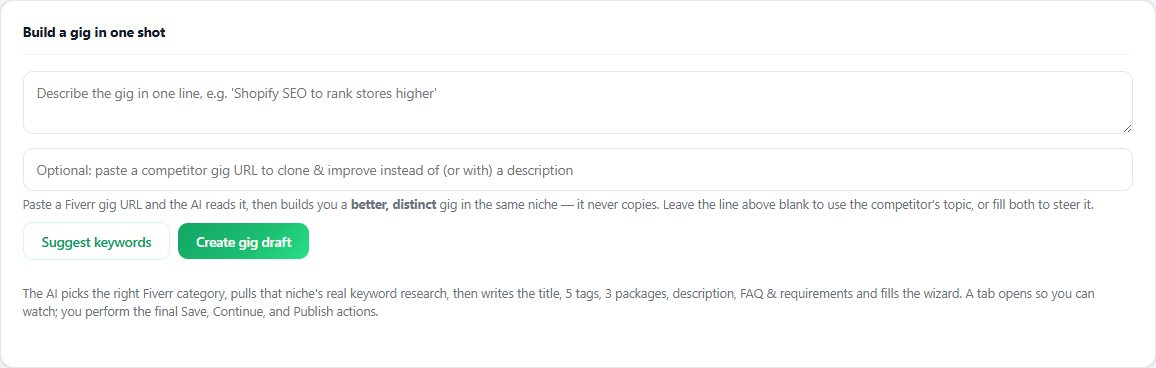
Inside Seller OS, the Gig Builder runs the same pattern logic when you enter a one-line idea or a competitor URL. It proposes three title variants, fills the Fiverr wizard's title field, and you complete the Save/Continue/Publish steps. The Gig Performance Optimizer later audits the live title against your gig's own click and impression data and suggests variants if CTR is low.
Seller OS does not publish gigs automatically, does not guarantee ranking improvement from a title change, and cannot override Fiverr's category lock after publication.
Title choices and the category lock
Fiverr's help center states the category "you can't change after the Gig is published." The title must align with the category you select at creation. If you choose "Resume Writing" as your category but your title says "I will write blog posts for your website," the mismatch confuses both the algorithm and buyers.
The generator does not select your category; you must choose it in the Fiverr wizard before the title field. If you're unsure which category fits, check the SEO checklist for category-specific keyword patterns. A title that matches its category's buyer language performs better in both search and conversion.
Where Seller OS helps
The Gig Builder in Seller OS runs the keyword-outcome-qualifier pattern when you provide a one-line idea or competitor URL. It proposes three title variants, fills the Fiverr wizard title field, and you complete the Save/Continue/Publish steps. The Gig Performance Optimizer later audits the live title against your gig's click and impression data and suggests variants if CTR is low.
Seller OS does not publish gigs automatically, does not guarantee ranking improvement from a title change, and cannot override Fiverr's category lock after publication.
Free Fiverr Gig Title Generator questions
What is the Fiverr gig title character limit?
Fiverr does not publish an exact character limit in its current help articles. The widely cited 80-character figure is not verified. The generator uses a conservative bound to keep titles safely within the field.
Can I use special characters like & or / in my gig title?
Fiverr's help center advises avoiding special characters such as &, /, ", and +. The generator strips these automatically. If you override manually, you risk the title being flagged or displaying poorly in search cards.
Does changing my gig title change the gig URL?
No. Fiverr's help center states that editing the title later "doesn't change its URL." The URL is set at first publish and stays the same regardless of title edits, which matters if you retarget the title to a different keyword.
Where do additional keywords go if the title only takes one?
Use the positive keywords field (up to five words or short phrases) and the five search tags for additional terms. The tag research guide and keyword tool help you pick them.
Generate your gig title
Open the generator in Seller OS, enter your keyword, outcome, and qualifier, and pick the variant that fits.