 Seller OS
Fiverr stuck at Level 2: why sellers wait and what to check
If you meet the published Level 2 numbers but your badge never changes, the usual cause is one metric you are reading differently than Fiverr does. Promotion is automatic only when all six criteria are met at once, and several of the metrics use windows that surprise sellers.
This guide maps the published mechanics, the metrics that get misread, and the states that pause or block leveling. It will not promise promotion: Fiverr publishes no date and no queue position, and periodic evaluations mean a level can move at any time.
Free plan available. Local-first data. Human review on every change.
Why meeting most metrics changes nothing
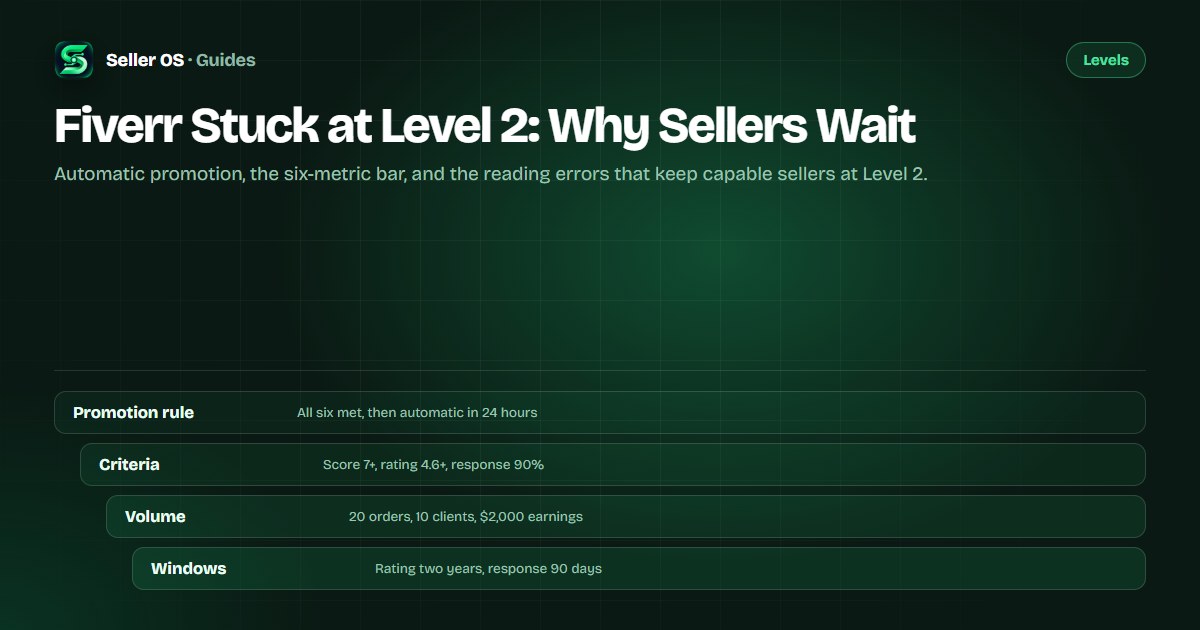
Fiverr's published rule is exact: to move up to Level 1 or Level 2, you must meet the criteria in all six metrics. Once you qualify, the move happens automatically within 24 hours. Five out of six keeps you where you are, no matter how far past the others you are.
There is no queue and no application for Level 2. Top Rated is the level that adds a manual evaluation; Level 1 and Level 2 do not have one. If a blog post tells you to wait for a monthly review, Fiverr's level article says otherwise.
The other half of the rule is that your level may change at any time due to periodic evaluations. Promotion is automatic, but nothing about the state is permanent, which is why the six metrics are worth maintaining rather than passing once.
The published Level 2 bar, metric by metric
The Level 2 and Top Rated columns come from Fiverr's published criteria table. The fourth column deserves a careful read: Fiverr publishes a two-year window for the rating metric at level checks and a 90-day window for response rate, but it does not publish equivalent windows for orders, unique clients, earnings, or the Success Score.
Two details in the table decide many stuck cases. The rating column uses the average over the past two years, not the all-time rating shown on your profile. The response rate covers the last 90 days, so a message missed last week is inside the window while one missed six months ago is not.
| Metric | Level 2 | Top Rated | Window Fiverr publishes |
|---|---|---|---|
| Success Score | 7+ | 9+ | Longer period, unpublished |
| Rating | 4.6+ | 4.7+ | Past two years for level |
| Response rate | 90% | 90% | Last 90 days |
| Orders | 20 | 40 | Total completed |
| Unique clients | 10 | 20 | Each client counted once |
| Earnings | $2,000 | $10,000 | Total |
The metrics sellers misread most often
Rating is the most common misread. Fiverr's level page states that the metric reflects the average of all ratings over the past two years, while the rating displayed on your profile reflects all-time ratings. A profile showing 4.9 can still compute below 4.6 for leveling if older reviews inside the window pull it down.
Response rate is next. Fiverr tracks the percentage of first responses to new messages sent within 24 hours over the last 90 days. One busy week can pull a previously perfect number under 90 percent, and automatic replies do not count as a response. Spam reported within 24 hours is excluded from the calculation.
Orders, unique clients, and earnings are cumulative counters, which sounds simple until you remember how unique clients work. Each buyer counts once, so ten orders from three clients is three unique clients, not ten. Earnings count completed orders, and pending or cancelled work does not move the number.
Worked example: the hidden missed metric
Illustrative example: a seller reviews six metrics and sees 22 orders, 12 unique clients, $2,400 in earnings, a 7.4 Success Score, and a 4.8 profile rating. Five look comfortable, so the wait seems broken. The sixth number, response rate, sits at 86 percent.
Two first messages went unanswered during a busy week about ten weeks ago, inside the 90-day window. Until they age out or enough new replies lift the percentage, the other five metrics cannot trigger promotion. The fix is not more orders; it is answering first messages within 24 hours and letting the window refill.
A second illustrative case: a seller's rating metric reads 4.55 despite a 4.7 profile rating, because older reviews inside the two-year window still count. The profile shows the all-time number; the level check does not. Only the Level Overview shows the figure that decides.
What pauses or blocks leveling
Not every wait is a metric. Fiverr states that leveling may be placed on hold because of policy violations. While a warning is active you can still receive orders, but you cannot progress in the level system. Warnings go to the email linked to your account, expire after 90 days, and can affect your level status.
A stronger state exists. An account flagged for strong indications of suspicious activity is excluded from the level system, and Fiverr lists connections to multiple accounts, unauthorized methods, and attempts to bypass policies as examples. If that applies, no amount of metric work will move the level until the status clears.
In the other direction, a 30-day grace period protects your current level when performance drops below its criteria, and periodic evaluations mean the level can change at any time. Neither mechanism explains a stuck promotion, but both explain why a status can shift without a new order.
Check the Level Overview before anything else
The Level Overview is authoritative for your account, because it shows the current requirements and your progress on both sides of every metric. Third-party tables, including the one above, are maps of the published criteria, not readings of your account. Trust the screen you are signed in to.
One number that circulates widely is not on Fiverr's pages: there is no published active-days requirement for levels. Claims about 60, 120, or 180 days of activity do not appear in the criteria table or the FAQ. If a guide makes waiting the plan, treat that as unsupported.
The mistakes follow from misreading. Sellers wait for a monthly evaluation that does not exist, assume the profile rating is the level rating, count total orders as unique clients, or stop answering messages once they feel established. Each one delays promotion while looking like patience.
What to do while you wait for promotion
Treat the wait as a maintenance window. Fix the blocking metric, keep the other five above their bars, and check the overview monthly rather than daily. The level moves when the account is ready, not when the checking gets more frequent.
No promise belongs here. Fiverr does not publish a promotion date, a scoring queue, or a timeline beyond automatic within 24 hours once all six criteria are met. If the overview shows all six above the bar and the badge has not changed within a day, contacting support is the honest next step. The level system guide covers the wider mechanics.
Open the Level Overview
confirm which metric is below the Level 2 bar.
Check the window
rating looks back two years, response rate 90 days.
Protect response rate
answer first messages within 24 hours and report spam the same day.
Keep orders and clients growing
repeat buyers count once in unique clients.
Leave the account clean
an active warning holds leveling until it clears.
Where Seller OS helps
Seller OS watches the inputs behind the six metrics. Inbox reply drafts and first-response prompts help protect the 90-day response rate, local client records keep repeat buyers visible as one unique client each, and the Pro monitors flag unread messages and deadline risk while Chrome is open.
The reports and action queue turn that into a short list: who is waiting on a reply, which delivery is at risk, and what moved since the last check. Honest limit: Seller OS cannot see Fiverr's internal level calculation and cannot promote anyone. It drafts and fills; you perform every final Send or Save.

Fiverr Stuck at Level 2 questions
Why am I stuck at Level 2 when I meet the requirements?
Promotion requires all six metrics at once. Re-check each one on the Level Overview: the rating metric uses a two-year average, response rate uses a 90-day window, and unique clients count each buyer once. One metric below the bar, especially response rate, keeps the rest from triggering the move.
Does Fiverr level you up automatically?
For Level 1 and Level 2, yes. Fiverr states you move up automatically within 24 hours once you meet all six criteria. Top Rated adds a manual evaluation. Fiverr does not publish a fixed evaluation date; it says levels are tracked automatically and may change at any time due to periodic evaluations.
Does the rating on my profile count for leveling?
Not exactly. Fiverr's level page says the rating metric reflects the average of ratings over the past two years, while the rating displayed on your profile reflects all-time ratings. A 4.8 profile rating can pair with a lower two-year figure. The Level Overview shows the number used for leveling.
Can warnings stop me from leveling up?
Yes. Fiverr states leveling may be placed on hold during policy violations: you can still receive orders, but you cannot progress while the warning is active. Warnings expire after 90 days. An account flagged for strong indications of suspicious activity is excluded from the level system entirely.
Find the one metric that is actually blocking
Open the Level Overview, check both sides of all six metrics, and fix the weakest input before you wait another month.