 Seller OS
Fiverr success score calculator: estimate your factor scores
The Fiverr Success Score calculator estimates your factor-level scores from the data visible in your seller dashboard. Fiverr publishes the factor categories but not the weighting formula, so any calculator can only show directional estimates, not the exact score Fiverr computes.
This page explains what the calculator reads, what it cannot know, and how to interpret the results. It includes a worked scenario labeled as an example so you can test the logic against your own numbers.
Free plan available. Local-first data. Human review on every change.
What the calculator reads from your dashboard
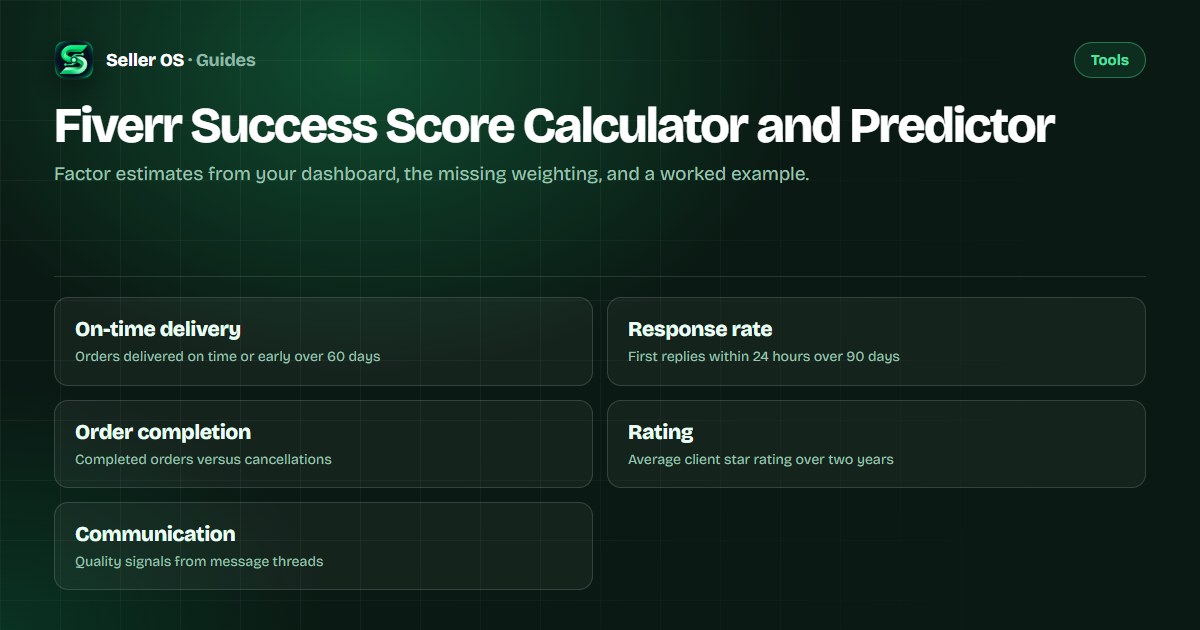
The calculator pulls the five factor categories Fiverr lists in its Success Score help article: on-time delivery, response rate, order completion, rating, and communication quality. On-time delivery reflects how often you deliver on time or ahead of time over the last 60 days, as Fiverr's help center states. Response rate tracks the percentage of first responses sent within 24 hours over the last 90 days, and the response rate indicator tracks your first response to a new inbox message from a new client. Order completion measures successful conclusions versus cancellations, and Fiverr notes that cancellations can impact your performance but are just one factor in your overall Success Score. Rating is the average star rating clients give over the past two years. Communication quality draws from message-thread signals Fiverr does not fully define.
Each factor appears in your Analytics Overview or per-Gig statistics. The Analytics Overview shows on-time delivery as the overall percentage of orders delivered on time over the last 60 days. Response rate is visible to you in your dashboard but only response time is visible to clients. The calculator maps those visible numbers to a 1–10 scale for each category so you can see which factors sit higher or lower relative to each other.
Fiverr's help center also notes that metrics such as order completion rate and on-time deliveries are no longer directly related to your level status. Levels now use six metrics: Success Score, Rating, Response Rate, Orders, Unique Clients, and Earnings. This means the calculator's factor estimates feed into Success Score, which then feeds into level eligibility alongside the other five metrics.
- On-time delivery: percentage of orders delivered on time or early (60-day window).
- Response rate: first replies within 24 hours (90-day window), first response to new clients only.
- Order completion: completed orders divided by total orders including cancellations.
- Rating: average star rating over the last two years, visible on your profile.
- Communication quality: inferred from response patterns, dispute outcomes, and message sentiment.
What the calculator cannot know
Fiverr does not publish the weighting formula that combines the five factors into the final 1–10 Success Score. The help article states scores are "relative to other freelancers" and gig-weighted by order volume, but no exact coefficients are public. Any calculator that outputs a single score number is guessing the weights. The calculator on this page deliberately shows factor-level estimates only and labels the combined output as directional.
The calculator also cannot see private signals Fiverr may use, such as the content of private messages, buyer-side feedback not yet posted, or comparative ranking within your subcategory. The Success Score article mentions a four-pillar holistic review for Top Rated freelancers covering quality, client experience, profile presentation, and compliance, but those pillars are not quantified for the general Success Score. Treat the factor bars as a diagnostic snapshot, not a prediction of the exact number Fiverr will display.
Additionally, the calculator cannot account for the gig-weighting by order volume. A gig with 100 orders contributes more to your overall Success Score than a gig with 5 orders, but the exact weighting curve is not public. The calculator treats each factor as an aggregate across your account, which is a simplification.
Worked example: reading the factor bars
Consider a seller with these dashboard numbers (illustrative example): 92% on-time delivery over 60 days, 96% response rate over 90 days, 94% order completion rate, 4.8 average rating, and strong communication patterns with no disputes. The calculator maps each to a 1–10 factor estimate: on-time delivery ≈ 9, response rate ≈ 10, order completion ≈ 9, rating ≈ 9, communication ≈ 8. The directional composite sits in the high range, but the exact Success Score depends on the unpublished weighting and the subcategory peer group.
If the same seller improves on-time delivery to 98% but order completion drops to 88% after two cancellations, the factor bars shift: on-time delivery ≈ 10, order completion ≈ 7. The calculator shows the trade-off visually so you can prioritize the factor that moved most. This is an illustrative scenario, not a guarantee of how Fiverr will recompute your score.
A second example: a seller at 85% on-time delivery, 90% response rate, 96% order completion, 4.5 rating, and average communication. Factor estimates: on-time delivery ≈ 7, response rate ≈ 8, order completion ≈ 9, rating ≈ 7, communication ≈ 5. The lowest bar is communication at 5, followed by on-time delivery and rating at 7. The calculator directs attention to communication quality first, even though the seller might assume on-time delivery is the bigger problem.
Common mistake: chasing a single number
Many sellers treat the Success Score as a single target to optimize, then make changes that improve one factor while hurting another. For example, rushing deliveries to boost on-time percentage can increase revision requests and lower communication quality. The calculator helps you see the full factor picture so you avoid optimizing one bar at the expense of the whole.
Another mistake is checking the calculator daily. Factor windows are 60 or 90 days, so daily checks show noise, not signal. Check after a meaningful batch of orders completes or after you change a workflow habit.
A third mistake is assuming a high factor bar means you can ignore that factor. Success Score is relative to other freelancers in your subcategory. If the subcategory average for on-time delivery is 98%, your 92% may still be a liability even though the calculator shows a 9. The category benchmark page addresses subcategory comparisons.
How to use the directional output
Read the factor bars from lowest to highest. The lowest bar is your current constraint. If order completion sits at 6 while everything else is 8+, focus on reducing cancellations before you tweak response time. The Success Score guide explains each factor in detail, and the dropped-score troubleshooting page walks through diagnosing a sudden dip.
Use the calculator after you implement a change, wait for the relevant window to roll, then re-check. Directional movement in the right factor confirms the change is registering. If the bar does not move after a full window, the change may not affect that factor or the window has not refreshed.
The calculator also helps you prepare for level evaluation. Since Success Score is one of six level metrics, knowing your factor profile lets you predict whether a Success Score change will affect your level. The level system guide covers the other five metrics and their thresholds.
Open the calculator and enter your current dashboard percentages.
Note which factor bar sits lowest.
Apply one targeted improvement to that factor.
Wait for the factor window (60 or 90 days) to roll.
Re-enter numbers and confirm the bar moved in the right direction.
Limits and next steps
The calculator is a diagnostic aid, not a substitute for Fiverr's official score. It cannot predict level eligibility, which also depends on rating, response rate, orders, unique clients, and earnings thresholds. The level system guide covers those requirements separately.
If your factor bars look strong but your official Success Score is low, the gap may come from subcategory peer comparison or gig-weighting by order volume. The category benchmark page and the stuck-score guide address those situations.
Remember that Fiverr's help center states the Success Score factors update in real time, but the score display may refresh on a different cadence. The calculator uses the numbers you enter, so its accuracy depends on how current your dashboard data is.
Understanding the communication quality factor
Communication quality is the most opaque factor because Fiverr does not publish its exact components. The help center mentions that Fiverr's Choice badge considers "communication quality" among its signals, and the Success Score article references dispute outcomes. Practical observation suggests it includes response time consistency, message clarity, revision handling tone, and whether disputes escalate.
Auto-replies do not count as responses for response rate, and they likely do not help communication quality either. The response rate article states: "automatic responses aren't considered as a response to the client's message." Genuine, timely, and helpful communication is what moves this factor. If you rely on templates, personalize them for each client.
Where Seller OS helps
Seller OS tracks your on-time delivery, response rate, and order completion in the background while you work. The Gig Performance Optimizer reads your live gig data and flags which factor is trending down before it hits your Success Score. Pro monitors add a Success Score guardian that alerts you when a factor crosses a threshold you set.
Seller OS does not compute the official Success Score, cannot see Fiverr's unpublished weighting, and does not guarantee level progression. It only surfaces the factor trends you can act on.

Fiverr Success Score Calculator and Predictor questions
Does the calculator show my exact Fiverr Success Score?
No. Fiverr does not publish the weighting formula that combines the five factors into the final score. The calculator shows factor-level estimates on a 1–10 scale so you can see which areas are stronger or weaker relative to each other.
What data do I need to enter into the calculator?
Enter your on-time delivery percentage (60-day window), response rate (90-day window), order completion rate, average rating, and a communication quality self-assessment. All except communication come from your Fiverr Analytics dashboard.
Why does the calculator show factor bars instead of one number?
Because the official weighting is unpublished, any single-number output would be a guess. Factor bars let you see the full picture and prioritize the lowest bar, which is the actionable insight.
How often should I check the calculator?
Check after a meaningful batch of orders completes or after you change a workflow habit. Factor windows are 60 or 90 days, so daily checks show noise rather than signal.
Estimate your factor scores
Open the calculator, enter your dashboard numbers, and see which factor needs attention first.