 Seller OS
Fiverr support unavailable: what to do
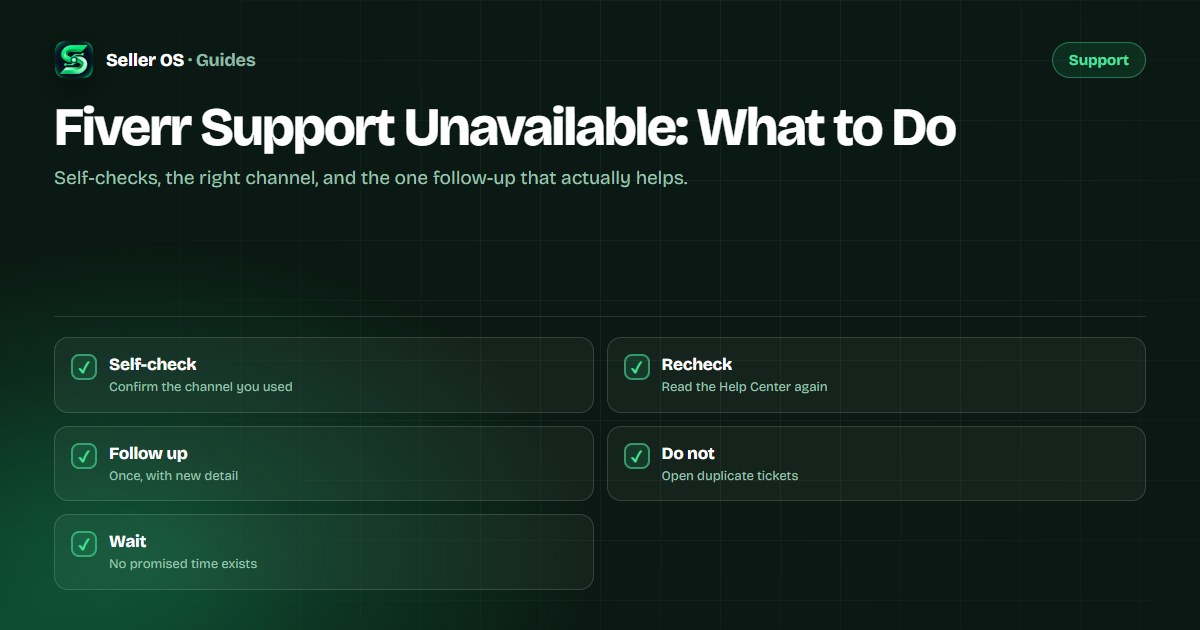
Waiting on Fiverr support when nothing comes back is frustrating, and frustration leads to the one move that makes it worse: opening more tickets. Before you assume support is broken, separate a genuine backlog from a channel you used by mistake from something on your side of the screen.
This guide runs the ordered self-checks, explains the difference between one useful follow-up and ticket spam, and sets honest expectations. It follows the routes Fiverr publishes and does not promise a response time, because the platform publishes none.
Free plan available. Local-first data. Human review on every change.
Run the first self-checks
Before you decide support is unavailable, rule out the ordinary explanations. Confirm you are signed in to the right account, that you used the published contact flow rather than a stale link, and that any reply did not land in spam or a filtered folder. A response sent to an address you rarely check looks identical to no response at all.
Region and display issues are real too. If a page or form will not load, try a different browser or network, clear a broken session, and check whether the Help Center itself is reachable. If several pages fail at once, the problem may be connectivity rather than Fiverr, and a retry later is more useful than a new ticket.
- Confirm the request was filed through the published contact flow.
- Search your email, including spam, for a reply or an acknowledgment.
- Check you are signed in to the account the request concerns.
- Try a second browser or network to rule out a display problem.
- Re-read the Help Center article for a step you may have missed.
Confirm you used the right channel
A slow reply often means the request went somewhere that cannot act on it. Order and payment questions belong in the contact flow with the matching category; account lockouts, appeals, and reactivations use the registered-email fallback. Sending an account lockout through a general form, or an order question by email, adds a redirect before anyone can help.
The contact guide maps each problem to its route. If your request is in the wrong place, file one correct request in the right channel and note that it replaces the earlier one, rather than leaving both open.
A follow-up versus a duplicate
There is a clear line between adding to a case and spamming it. A follow-up is a single message on the existing thread that brings something new: a missing order number, a screenshot, a date you found. A duplicate is another ticket on the same issue, or the same message sent across several channels, which splits your case and tells the team you are escalating rather than waiting.
If enough time has passed that you want to check in, add one short note to the open ticket. Do not open a second one, and do not post the details publicly. The ticket discipline guide explains how repeated tickets hurt appeals specifically.
| You have | Do this | Not this |
|---|---|---|
| New evidence to share | Add it to the open thread | Start a new ticket |
| Just time has passed | One polite check-in | Daily reminders |
| A wrong channel | File once in the right one | Keep both open |
| No reply yet | Wait out the queue | Post it publicly |
What to expect while you wait
Fiverr does not publish a guaranteed response time, so any specific number you read is unofficial. What you can rely on is the sequence: the Fiverr Help Center answers many questions immediately, the contact flow issues a reference, and a person reviews the case in turn. Treat a quiet period as a queue, not a rejection.
While you wait, do the useful work. Gather the evidence the case may need, keep the account secure, and avoid actions that create new problems, such as opening a second account or disputing a payment externally. Those moves can turn a slow answer into a difficult one.
Escalating without making it worse
If the situation is genuinely urgent, such as a lockout during active orders, make that clear once, in the correct channel, from your registered email. State the impact and the timeline in one short message. Urgency is a reason to choose the right route, not a reason to use several at once.
If you have already filed duplicate tickets, do not file a cleanup ticket. Stop, let the earliest thread stand, and add anything new to it. If the case is about a policy decision, the appeal guide covers the right framing; if the account is under review, the review guide explains that state.
Where Seller OS helps
The wait is easier when your record is complete. Seller OS keeps order context, client notes, and message drafts in Chrome local storage, so if support needs a date or an order detail you can find it without reopening five tabs.
It does not file tickets, chase support, or promise a reply. It just keeps the facts of your work in one local place, ready for the one message you actually send.
Fiverr Support Unavailable questions
Why is Fiverr support not responding?
A slow reply usually means a queue, a quiet period, or a request filed in the wrong channel. Confirm the ticket went through the published contact flow, check your email including spam for an acknowledgment, and verify you used the route that fits your issue. Fiverr publishes no guaranteed response time.
Should I open another ticket if support is slow?
No. Opening duplicate tickets splits your case across queues and can look like abuse, which slows resolution. If you have something new to add, put it on the existing thread in one short message. If nothing has changed, wait and check in once rather than sending daily reminders.
How long should I wait for a Fiverr support reply?
Fiverr does not publish a guaranteed timeline, so anyone quoting a specific number is guessing. Give the case a reasonable window, use that time to gather evidence, and then add a single polite follow-up to the open ticket. Track your own submission date so your follow-up is measured rather than constant.
What if support is unavailable and my account is locked?
Use the fallback the published pages describe: a message from your registered email to the support address, since it can be matched to the account when you cannot sign in. State the lockout and the impact once, from the correct address, and do not open a second account while you wait.
Check, wait, follow up once
Confirm the channel, gather the facts, and add one useful note instead of another ticket.