 Seller OS
Fiverr account disabled: what to do next
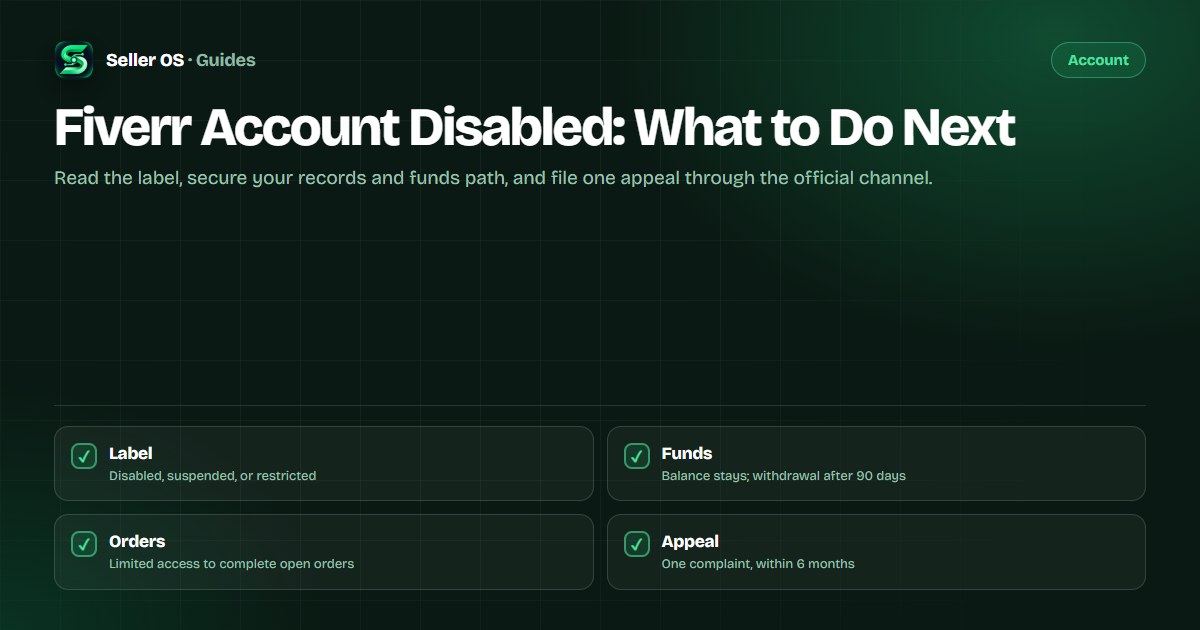
A disabled account is the harshest account state, and the notice usually names the reason. Fiverr's troubleshooting guide says the balance stays in the account and can be withdrawn after 90 days, and that creating a new account after being disabled is not allowed. What you still control is the record you build and the appeal you file.
This guide is the worst-case playbook: how to read the notice, what disabled and suspended actually change, the causes Fiverr lists, and how to appeal once through official support without inventing hope or timelines.
Free plan available. Local-first data. Human review on every change.
Start with the exact wording of the notice
Before you reply to anything, copy the notice and underline two things: the policy it cites and the account label it uses. Fiverr's enforcement pages describe warnings, restrictions, suspensions, and ineligible-to-sell states separately, and the label determines what access and funds you can still use. Guessing the state sends you down the wrong checklist.
Write the date down too. Appeals must be made as a complaint with Customer Support within 6 months from the receipt of the notification, so the clock starts at the notice, not at the day you decide to act. A one-line log of the notice date and label is the first entry in your file.
What disabled or suspended changes
The troubleshooting guide's core facts for a disabled account: the balance stays in the account and can be withdrawn after 90 days, and creating a new account after being disabled is not allowed. A suspension is described with no login, the same 90-day wait for withdrawal, and limited access to complete open orders.
The exact permissions depend on the state, so compare your situation to the wording in the notice instead of a forum post. If you can still reach open orders, finish them on the platform. If the notice says restricted rather than disabled, the account under review guide maps that lighter state, including the window before permanent suspension. If only one listing is affected, that is a gig-level state instead, covered by the gig under review guide.
“Your balance stays in your account. You can withdraw your funds after 90 days.”
— Fiverr Help Center, Account access troubleshooting guide, checked September 2026
Causes Fiverr names in its help center
Fiverr's account access troubleshooting guide lists common reasons an account loses access: violations of the Terms of Service or Community Standards, payment disputes, pending ID verification, and missing financial documents such as tax forms or DAC7. If your notice cites one of these, the fix list is short: complete the outstanding item and say so in your complaint.
Payment disputes deserve their own line. Fiverr's policy pages state that filing a dispute or chargeback with a payment provider instead of resolving the issue through Fiverr violates the Terms of Service and can trigger warnings, restriction, or account flags. The notice itself asks users to close the dispute and contact support. If that is your case, do exactly that.
| Cause in the notice | What it usually requires |
|---|---|
| Policy violation | Read the cited policy; correct the behavior or listing |
| Payment dispute | Close the external dispute; resolve through Fiverr support |
| Pending ID verification | Complete verification with a physical document and selfie |
| Missing tax or DAC7 documents | Submit the requested financial documents |
Build an evidence file before you appeal
An appeal is only as strong as the file behind it. Gather these records while your access to email and local folders still works, and store them somewhere outside the locked account. Nothing here needs to be written in anger; it needs to be checkable.
If the notice mentions verification or documents, resolve that item before you appeal; those are the corners where you can actually change the facts on the table. Fiverr states it will never ask for ID verification by email, so treat any message offering to restore your account for a fee as a scam, not support.
- The notice email or in-account message, unedited, with its date.
- The policy cited, saved as text or a dated screenshot.
- Verification attempts, document names, and submission dates.
- Order numbers, delivery dates, and message threads you can export.
- Licenses, receipts, or permissions for any questioned asset.
- A dated timeline of events in plain order, one line each.
File one appeal through the right channel
Fiverr's enforcement page states the right to appeal a decision, made as a complaint with Customer Support, within 6 months of the notification. The troubleshooting guide says to contact support from the registered email address at support@fiverr.com. One complaint, sent once, with the file attached, is the whole procedure; there is no back channel.
Then let the process run. No Fiverr page promises a turnaround or a particular outcome, and a second contradicting complaint weakens the first. If access changes, read the new label before doing anything else. If it does not, you are in the same position, with a cleaner record than most.
Subject
Complaint: [label] on account [username], noticed [date]
The decision
one sentence naming the notice and the cited policy
The record
a dated timeline, each line a verifiable event
The response
what you completed, such as verification or documents
The request
please review this decision, stated without adjectives
Attachments
notice, timeline, and supporting documents only
If the appeal does not restore access
The honest position: Fiverr decides, and the outcome is not published anywhere in advance. What you can do is keep your professional records intact, complete any open orders if limited access allows, and wait out the funds timeline, which the troubleshooting guide sets at 90 days for withdrawal.
Do not rebuild on a second account. Fiverr states plainly that this is not allowed, and a fresh profile does not carry your history, reviews, or records. Outside Fiverr, you can apply the same skills through channels you control, such as a portfolio or clients you did not meet through the platform. What you should not do is reroute your existing Fiverr relationships off-platform to work around the restriction.
Where Seller OS helps
When an account is locked, memory is the first thing that leaves with it if you never kept records. Seller OS stores client notes, order context, and message drafts locally in Chrome, so the history of who you worked with and what was agreed survives even when the dashboard does not open.
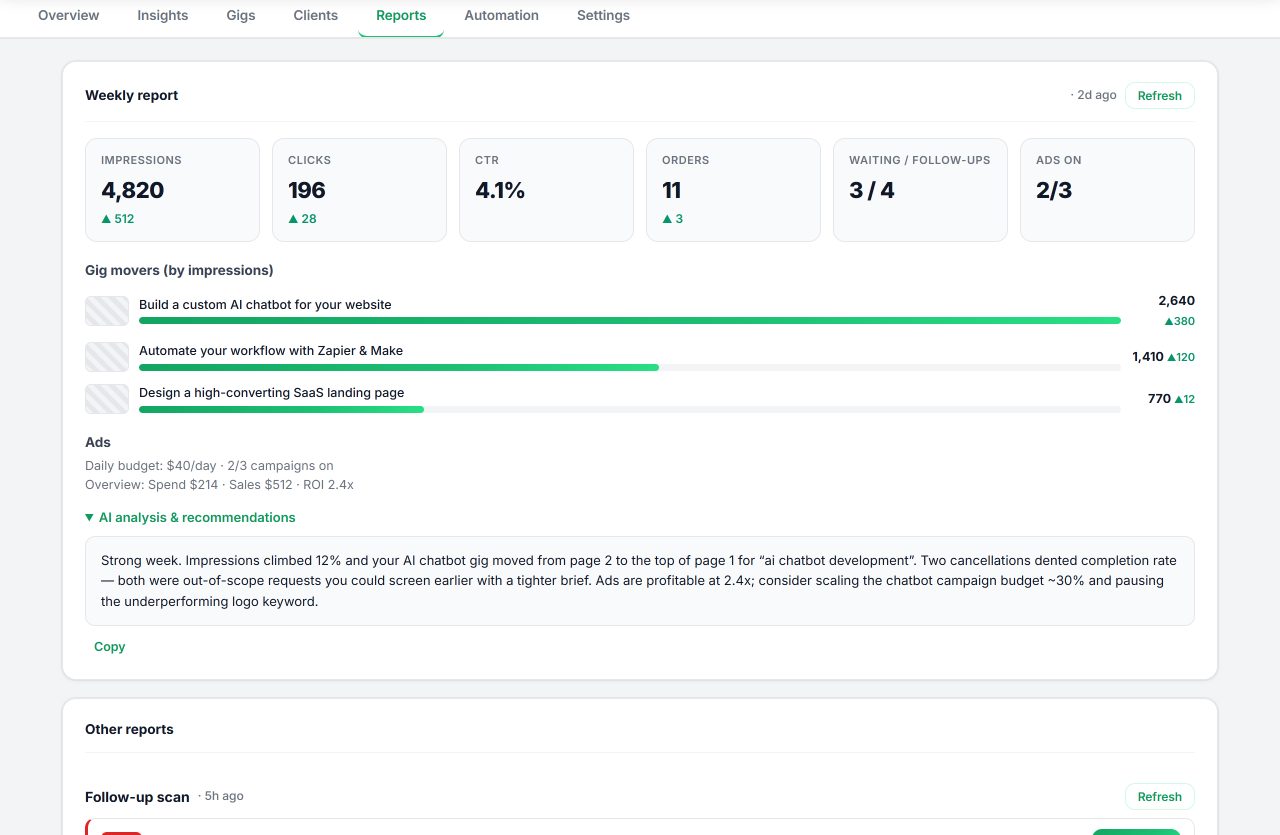
The reports view assembles that local record into a short summary you can review and keep for your own files, which is exactly the raw material of an appeal timeline. It cannot reopen an account or contact Fiverr, and it never sends anything on its own.
Fiverr Account Disabled questions
What does it mean when my Fiverr account is disabled?
Fiverr uses disabled, suspended, restricted, and ineligible to sell as distinct states. A disabled or suspended account loses login, may have limited access only to complete open orders, and waits 90 days before funds can be withdrawn. The notice names the policy and label, so read those first; the exact permissions depend on the wording.
Will I lose my Fiverr balance if my account is disabled?
Fiverr's account access troubleshooting guide states the balance stays in the account and can be withdrawn after 90 days. The funds are not forfeited by the state itself. Use only the official withdrawal path once it becomes available, and treat emails offering faster release of your balance as scams.
Can I create a new Fiverr account after being disabled?
No. Fiverr states that creating a new account after yours has been disabled is not allowed. A second account does not restore the original or its history, and it puts the balance and appeal you already have at further risk. Put the effort into one complaint through Customer Support from your registered email instead.
How long does a disabled account appeal take?
Fiverr publishes no appeal timeline or outcome statistics, so anyone quoting a number is guessing. The documented constraints are the filing window, 6 months from the notification, and the support route, a complaint through Customer Support sent from the registered email address. Track your own dates and keep every message you send.
Read, record, appeal once
Save the notice, build the file, and file one complaint with support from your registered email.