 Seller OS
Fiverr verification: what sellers need to know
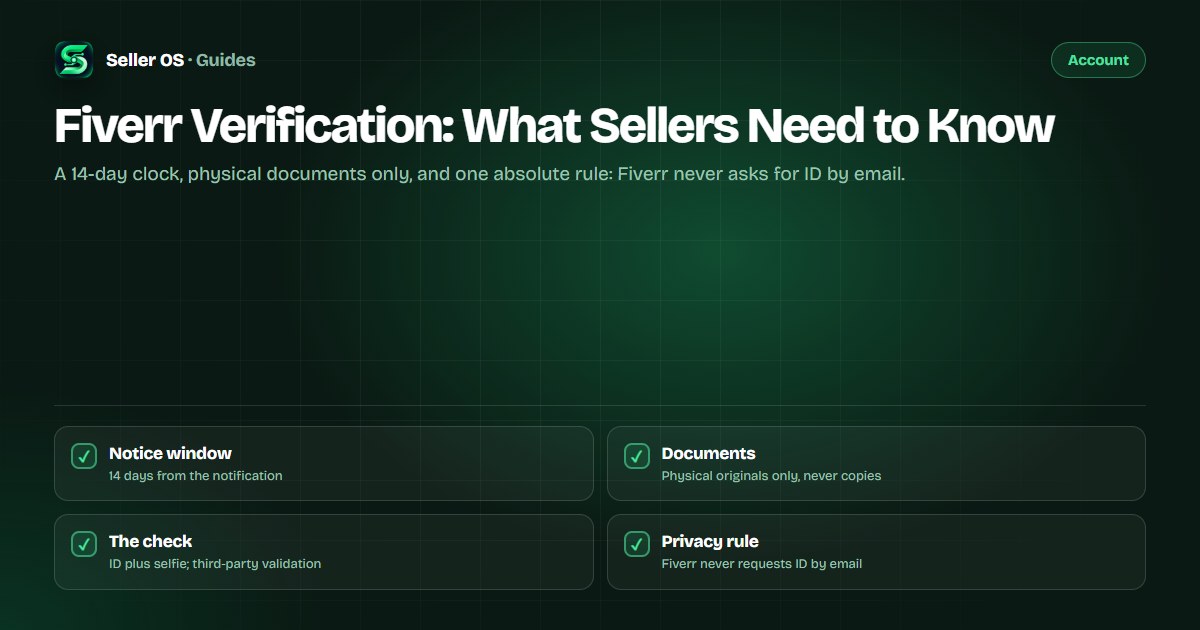
Fiverr can require a seller to verify their identity at any point, not only at signup. When the notice arrives, you have 14 days to complete a process that runs through a third-party provider: a government ID checked against a selfie. Fiverr's own wording on the consequence is blunt: failing to complete it removes your ability to sell.
This guide covers when the request appears, the documents Fiverr accepts, how the check runs, the mistakes that force a retry, and the privacy rules that never change. It also explains what happens after a failed attempt and what still works while a restricted account is sorted out.
Free plan available. Local-first data. Human review on every change.
When and why Fiverr asks you to verify
Fiverr states that it routinely requires freelancers to verify their identity, and the request does not wait for a convenient moment. It can land in a busy month, after a quiet year, or when something about your account changes. Fiverr's help pages describe phone verification as either an addition to an ID check or a replacement for it.
The reasons are only partly published. Fiverr lists account safety concerns, premium programs, and regulatory requirements among the situations that can require verification, and notes that clients are not asked to verify when they open an account. For a seller, the part that matters is the clock that starts with the notification, not the full internal trigger list.
- Verify as soon as the notification appears; the window is 14 days.
- Failing to complete it removes your ability to sell, per Fiverr's help page.
- Customer Support cannot start or complete verification for you.
The document checklist Fiverr publishes
Only original physical documents are accepted. Fiverr's identity help page lists a driver's license, passport, permanent residency card, ID card, residency permit, or diplomatic passport, and states plainly that digital or online copies are not accepted. The accepted options can vary by country, and the flow shows which ones apply to you when you begin.
The setup matters as much as the paperwork: verification needs a computer and a smartphone with a camera. Fiverr may also request a second document as proof of residency, such as a utility bill, a telephone bill, or a rental agreement. Gather everything before you start so the session is one pass, not three.
- Government photo ID: license, passport, residency or ID card
- A smartphone with a working camera
- A computer to run the flow
- Possible proof of residency: utility bill, phone bill, rental agreement
How the identity check runs, step by step
The validation itself is handled by a third-party provider: your government ID is checked and compared with a selfie. That is why the process spans two devices, with one capturing the images and the other keeping the session open. Expect a guided capture, not a document upload form.
Start from the notification on your account
Fiverr states the process never arrives by email
Capture the physical document exactly as prompted; a scan or a photo of a screen is not accepted
Complete the selfie comparison with your smartphone camera
Submit and wait
Fiverr does not publish a review turnaround time
If the attempt fails, wait at least 6 hours before trying again
Why verification attempts usually fail
The published failure causes are mostly preparation problems wearing different clothes. A digital copy is rejected because only physical documents are accepted. A document outside the accepted list for your country stops the flow. Retrying inside Fiverr's 6-hour wait burns an attempt without fixing the underlying issue.
The most expensive mistake is treating verification as a support ticket. Fiverr states that Customer Support cannot verify an ID or start the process for you, including through a ticket request. There is no shortcut around a failed attempt, only a better-prepared retry.
- A scan, screenshot, or digital copy instead of the physical document
- A document that is not accepted for your country or account
- A retry inside Fiverr's 6-hour wait
- Expecting support to verify on your behalf
The privacy rules that never change
Fiverr's help page states that Fiverr will never ask for ID verification via email. Treat that as a hard rule: any message claiming your verification needs documents sent directly is not the process, whatever it looks like. Document uploads belong inside the flow on your account, nowhere else.
The comparison is made by the provider, not by a person browsing your files, and Fiverr publishes a data-protection page describing how verification data is used. Keep your own copies out of chat threads, out of email attachments, and out of any offer to speed up a review. A legitimate process never needs you to work around it.
The 14-day window and what follows
Count the 14 days from the notification. A worked example: the notice appears on the 1st, which makes the 15th the last day, and a trip in between does not move it. If a break is already planned, finish verification before it starts; the out of office guide covers short absences and the vacation mode guide covers longer ones.
If the process is not completed, Fiverr states your ability to sell is removed. The restricted-account notice for a failed check adds the operational detail: active orders can still be completed, but no new ones can be placed or received. That makes any in-progress delivery a live deadline, and the late delivery guide covers what a missed one changes.
If you believe the outcome is wrong, Fiverr's enforcement pages describe the appeal path: a complaint with Customer Support, made within 6 months of the notification. The nearby account states have their own guides, including account under review and account disabled.
Where Seller OS helps
Seller OS cannot verify you; Fiverr's process runs through its own flow and a third-party provider, and no browser extension should touch your identity documents. What the extension does is keep the rest of the account visible while that process runs, so order deadlines, unread messages, and gig state stay in one local workspace instead of three browser tabs.
Because everything lives in Chrome local storage, the client records and tracking history you build stay on your machine. The extension drafts and organizes, a person still performs every send, save, and publish step, and the extension is not affiliated with Fiverr.
Fiverr Verification questions
Why does Fiverr ask me to verify my identity?
Fiverr states it routinely requires freelancers to verify their identity, typically with an official government ID, and that phone verification may be used with or instead of it. The help pages list account safety concerns, premium programs, and regulatory requirements among the reasons a request can appear. You have 14 days from the notification to complete it.
What documents does Fiverr accept for verification?
Physical originals only: a driver's license, passport, permanent residency card, ID card, residency permit, or diplomatic passport. Digital or online copies are not accepted. Fiverr may also request proof of residency, such as a utility bill, a telephone bill, or a rental agreement. The accepted list can vary by country, and the flow shows your options when you start.
How long does Fiverr verification take?
Fiverr does not publish a review turnaround time, so treat the 14-day window as the deadline that matters rather than the expected processing time. A third-party provider validates the ID and compares it against your selfie, and a failed attempt needs at least a 6-hour wait before you can try again.
What happens if Fiverr verification fails?
Fiverr's notice for a failed check states that your account is restricted: you can still complete active orders but cannot place or receive new ones, and failing to finish the process within the window removes your ability to sell. Wait at least the published 6 hours before retrying, and use the appeal path if the outcome looks wrong.
Verify first, sell after.
Gather the physical documents, start the flow from the notification, and finish inside the 14-day window.