 Seller OS
Fiverr out of office: what the availability setting changes
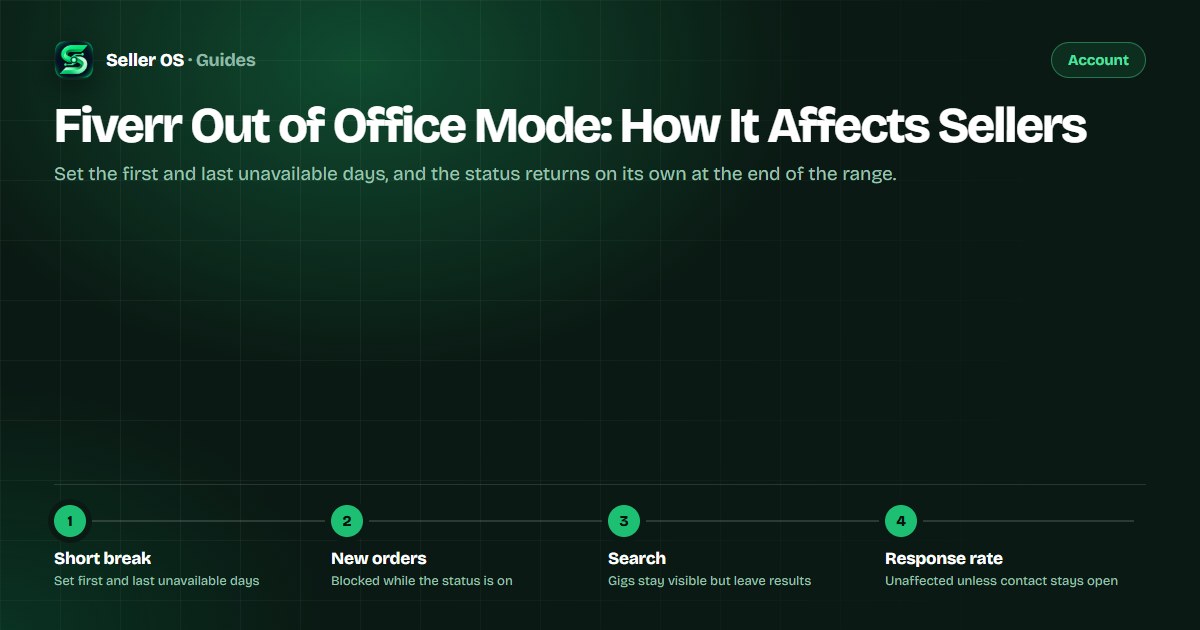
What sellers call out of office mode is Fiverr's Availability setting. You pick a first and last unavailable day, and the status flips back on its own when the range ends. During that time your gigs stay visible but new orders are blocked, and one toggle decides whether messages from strangers keep arriving while you are gone.
This guide covers the exact mechanics for a short absence, the response-rate risk most sellers miss, how to set the dates correctly, and the obligations that follow you out the door: active orders and their deadlines.
Free plan available. Local-first data. Human review on every change.
What Fiverr calls this feature now
Fiverr's current Help Center uses Availability for this feature, set from the dashboard profile panel. The Setting Availability page describes the status as being out of the office, or paused. You select the first and last unavailable days and can add an optional message for anyone who tries to reach you.
That account status is not the same as pausing a single listing, which is a separate per-gig state with its own page in the gig paused guide. For a weekend or a short trip, the availability setting is the tool built for the job: it deactivates automatically when the range ends, so there is nothing to switch back on if you forget.
What changes while you are unavailable
The practical consequences are narrower than most sellers assume. Your gigs do not vanish from your profile, and no explanation is required. What stops is new business: Fiverr states clients will not be able to place a new order when you are marked as out of the office.
Read the table below slowly, because two rows catch sellers out. Fiverr's custom offers page states that clients can still pay for pending custom offers while you are away, yet clients cannot accept custom offers if your availability status is set to pause. And an untouched inbox can keep counting against you if the contact toggle is on, which the next section covers.
| Area | While unavailable | Back to normal |
|---|---|---|
| New orders | Blocked | When the date range ends |
| Custom offers | Pending offers can still be paid | After you return |
| Search | Gigs temporarily removed | Gigs reappear on return |
| Active orders | Messages and delivery continue | Never paused |
| Response rate | Unaffected, unless the contact toggle is on | Counts again as usual |
The response-rate trap in the toggle
Fiverr states that setting Availability as unavailable does not affect your response rate on its own. The exception is the 'All buyers can contact me' toggle: with it switched on, your response time and response rate are counted as usual. Response rate is the share of first replies to new messages sent within 24 hours, measured over the last 90 days, and it feeds your level standing.
That toggle turns a break into a real decision rather than a formality. A short absence with contact open and the inbox unattended is the one combination that can dent a metric while you are away. For a few days offline, leave it off; if you want enquiries to keep arriving and you will actually answer them, expect the normal 24-hour counting to apply.
Setting up a short absence correctly
A worked example: you leave on the 10th and return on the 14th, so the 10th and 14th are the first and last unavailable days you select. When the range ends, the account returns to available without further action. The checklist below starts with money already in motion, because the steps sellers skip are the ones involving existing orders and pending offers.
Clear or withdraw pending custom offers so nothing can be paid while you are gone
Decide the 'All buyers can contact me' toggle before departure, not after
Check active order deadlines and note which ones fall inside the break
Open the availability setting from the dashboard profile panel
Set the first and last unavailable days and add a short custom message
Confirm the status reads as out of the office before you close the laptop
Active orders do not pause with you
Clients with an active order can always message you, and Fiverr's expectation is explicit: you are expected to deliver their orders as agreed. The availability status blocks new orders; it does not move a deadline. If a deadline inside your break is at risk, handle it before you go by requesting a delivery extension from the order page, where the client has 48 hours to respond and an unanswered request is accepted automatically.
The extension mechanics — where the button lives, how time is added to the original date, the 60-day maximum per request — belong to the delivery extension guide. What matters for a short absence is sequencing: extension first, then availability, so nothing races a clock while you are unreachable. If a date has already slipped, the late delivery guide covers what the status change costs.
Mistakes sellers make with short breaks
The first mistake is leaving pending custom offers open. Fiverr's guidance is to clear them before setting your account unavailable, because clients can still pay for a pending custom offer while you are away, and an offer you never saw becomes a deadline you never planned for. The second is forgetting that a longer break changes the decision: weeks away deserve the vacation mode checklist, not just a date range.
The third is assuming the break pauses more than it does. It does not stop response counting with the contact toggle on and it does not extend active order deadlines. The fourth is leaving with account tasks unresolved: if a verification notice is open, its 14-day window runs right through your trip, and it will still be waiting when you get back.
Where Seller OS helps
Seller OS does not manage your availability status; you set that on Fiverr, and the extension behaves the same way when you return. What it can do is make the departure checklist mechanical: active orders, pending offers, and inbox state are visible in one local workspace instead of scattered across Fiverr screens.
While you are away, only active-order messages need an answer, and the inbox assistant drafts replies you edit and send yourself when you resurface. Client records keep the thread context beside the draft, and the Pro monitors keep order deadlines and unread messages visible while Chrome is open. Nothing is auto-sent, and the data stays in your browser.

Fiverr Out of Office Mode questions
Does Fiverr have an out of office mode?
Fiverr's current feature is Availability, set from the dashboard profile panel, and the Help Center describes the resulting status as being out of the office or paused. Sellers still say vacation mode, but that phrase comes from an older blog post and is not the current name for the tool itself.
What happens to my gigs when I set Availability to unavailable?
Fiverr states your gigs remain visible but are temporarily removed from search while you are away, and they reappear when you become available again. Clients cannot place new orders during the break. Fiverr also says setting Availability will not necessarily affect gig ranking unless the unavailability runs over 30 days within a 180-day window.
Does going unavailable hurt my response rate?
Not by itself. Fiverr states your response rate is unaffected when you set Availability as unavailable. If you switch on the 'All buyers can contact me' toggle, your response time and response rate are counted as usual, which means the normal 24-hour rule for first replies applies, measured over the last 90 days.
Can I still deliver orders while marked out of the office?
Yes. Clients with an active order can message you, and Fiverr expects you to deliver their orders as agreed. Only new orders are blocked, and clients can still pay for pending custom offers while you are away. If a deadline inside your break is at risk, request a delivery extension before you go.
Set the dates, then leave cleanly.
Clear pending offers, decide the contact toggle, check active deadlines, and let the status end itself.