 Seller OS
Fiverr vacation mode: what a longer break does to your gigs
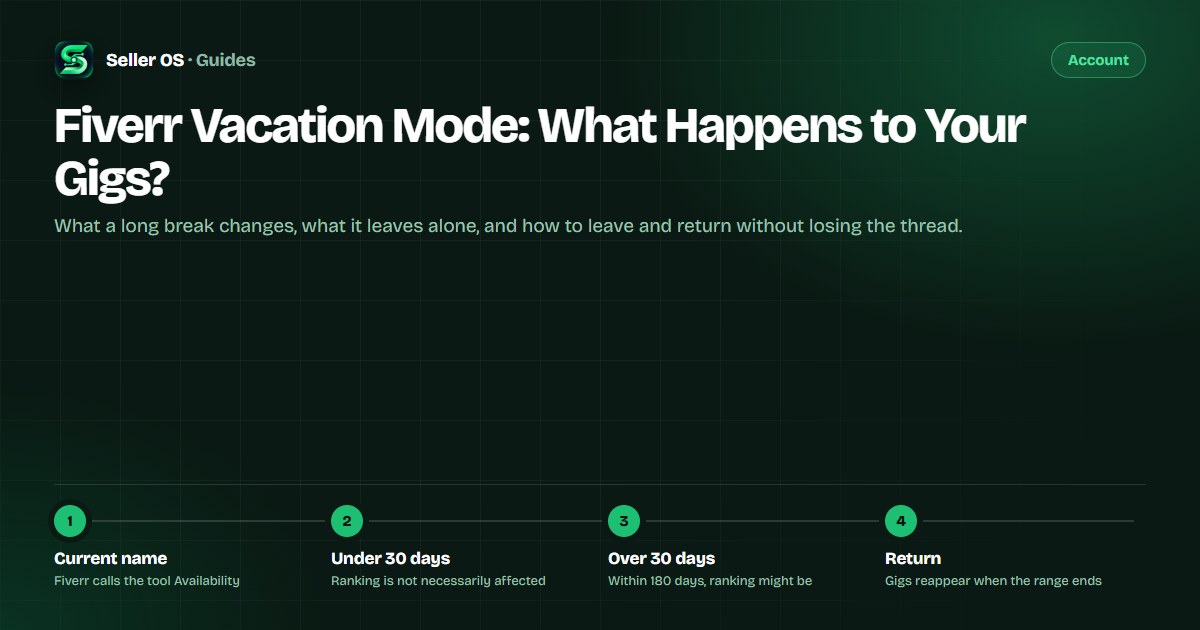
Sellers still call it vacation mode, but Fiverr's Help Center no longer uses that name. The current tool is Availability, and it works the same whether you are gone for a weekend or a month: you mark a range of days, new orders stop, and the status ends itself. The differences appear in what a long break does to search and ranking.
This guide covers the real decision for a longer break, availability versus pausing a gig, what Fiverr publishes about the 30-day ranking caveat, and a leave and return checklist you can run before you close the laptop.
Free plan available. Local-first data. Human review on every change.
What sellers call vacation mode today
The phrase vacation mode comes from an old Fiverr blog post that described suspended gigs, and sellers carried it forward. It is not the term in Fiverr's current Help Center. The live feature is Availability: a range of unavailable days set from the dashboard profile panel, with an optional message and an automatic return at the end of the range.
The naming matters because old advice describes mechanisms that may not exist anymore. Fiverr does not publish whether the legacy behaviors, names, or caps from that era survive, so plan the break with the current tool and treat blog-era claims about suspended gigs as history rather than current mechanics.
Availability versus pausing a gig
There are two ways to step back, and they do different things. Availability governs the whole account for a date range and reverts on its own. Pausing is a manual toggle on a single listing; Fiverr describes a paused gig as not currently visible to clients, with reactivation available whenever you choose, and the gig paused guide covers that state separately.
The published difference stops there. Fiverr does not state what pausing does to a gig's ranking history; only the separate 'limit orders in queue' feature carries an explicit statement that ranking and ratings are unaffected. For a longer break, Availability is the tool built for the job: one range, one return date, and no per-gig bookkeeping.
- Away for days: Availability alone covers it.
- Away for weeks: Availability, plus finish in-flight work first.
- Want one listing hidden: pausing is the per-gig option.
- Want search presence back automatically: Availability returns on schedule.
What a long break does to ranking and search
Fiverr states your gigs will be temporarily removed from search while you are unavailable, and that they will reappear once you become available again. The one published ranking caveat is a duration rule: setting Availability will not necessarily have an impact on gig ranking, but if the unavailability period runs over 30 days within a timeframe of 180 days, your gig ranking might be affected.
That gives a longer break two numbers to respect. A 21-day trip stays well under the line; a 45-day sabbatical crosses it, and Fiverr's wording changes from 'not necessarily' to 'might be affected' once you pass 30 days inside a 180-day window. Note the vocabulary: might be, not will be. Fiverr publishes no formula and no recovery recipe, and this guide will not invent one.
One number is in your control: the length of the break. Under the threshold, the published caveat does not apply, and the work that matters is what you park or hand over before leaving. That is what the checklists below are for.
The leave checklist for a longer break
Order matters in this checklist. Extensions are requested from the order page, only the seller can request one, the client has 48 hours to respond, and a request that goes unanswered is accepted automatically. Doing this before you leave means an unanswered request resolves itself while you are away. Pending custom offers are the other pre-leave task: Fiverr's custom offers page states clients can still pay for them while you are away.
Two account tasks belong at the top as well. If an order has already slipped past its date, the late delivery guide covers the consequences before they compound; and if a verification notice is open, complete it first, because that 14-day window does not care about your travel dates.
Clear or withdraw pending custom offers, which clients can still pay while you are away
Decide the 'All buyers can contact me' toggle; with it on, response counting continues
Map every active order deadline that falls inside the break
Request delivery extensions for any deadline you cannot hold
Set the first and last unavailable days and write the custom message
Confirm the account reads as unavailable before you close the laptop
The return checklist when the break ends
On return, the status flips back on its own, so the first step is confirmation rather than action: profile available, gigs back in search. Then read what moved while you were gone before touching anything. Inbox first — messages from active clients, pending offers, and anything Fiverr itself flagged.
Read before you edit. The first days back are not the moment to change several gig fields at once; if impressions or positions look different from where you left them, the ranking dropped guide walks through that diagnosis, and the Success Score guide explains the metric that watches delivery history, not your holiday.
- Confirm the account reads as available again.
- Check that gigs are visible in search.
- Work the inbox, starting with active clients.
- Review order history and any new deadlines.
- Only then consider gig edits, one at a time.
What Fiverr does not publish about breaks
Honesty about the gaps prevents bad decisions. Fiverr does not publish whether Availability blocks order deliveries or only new orders, so treat every active deadline as fully live. It also does not publish whether any Fiverr interface still says vacation mode, whether the old annual cap exists, or how a break interacts with ranking beyond the 30-day rule.
The common mistake is treating the break as insulation. Deadlines do not pause, and the response-rate toggle keeps counting if it stays on. For a shorter absence, the short version of all this lives in the out of office guide; this page is the longer-break version, where preparation replaces luck.
Where Seller OS helps
Seller OS is built for the working weeks on either side of a break. Before you leave, client records and order state sit in one local workspace, which turns the leave checklist into a scan rather than a hunt across Fiverr screens.
On return, tracked keyword history and gig summaries are where you left them, because the extension collects nothing while Chrome is closed. That is the honest limit of a local-first tool: a break pauses the history too. The monitors only run while Chrome is open, and everything the extension proposes — reports, action queue, drafts — still waits for your review, save, or send.
Fiverr Vacation Mode questions
Can I take a break from Fiverr without losing my gigs?
Yes. Fiverr states that when you set yourself as unavailable your gigs remain visible, they are temporarily removed from search, and they reappear when you become available again. Clients cannot place new orders during the break, and Fiverr adds that ranking is not necessarily affected unless unavailability runs over 30 days within a 180-day window.
Does Fiverr still have vacation mode?
Not under that name. Fiverr's current Help Center uses Availability, set from the dashboard profile panel for a first and last unavailable day, with an automatic return at the end of the range. Vacation mode comes from an older blog post that described suspended gigs, and Fiverr does not publish whether that older behavior still exists.
Should I pause my gigs before a long break?
It depends on what you want hidden. Availability is account-wide, date-based, and reverts automatically; pausing is a per-gig toggle that keeps one listing invisible until you reactivate it. Fiverr does not publish what pausing does to a gig's ranking history, while Availability carries only the 30-day-in-180-days caveat.
What should I do about orders before going away?
Map the deadlines first. Clients with an active order can message you and Fiverr expects delivery as agreed; only new orders are blocked. Request a delivery extension from the order page for anything you cannot hold, since the client has 48 hours to respond and silence counts as acceptance. Also clear pending custom offers, which can still be paid while you are away.
Leave cleanly, return with context.
Run the leave checklist, let the status end itself, and read what changed before you edit anything.