 Seller OS
Fiverr auto-complete: when orders really close
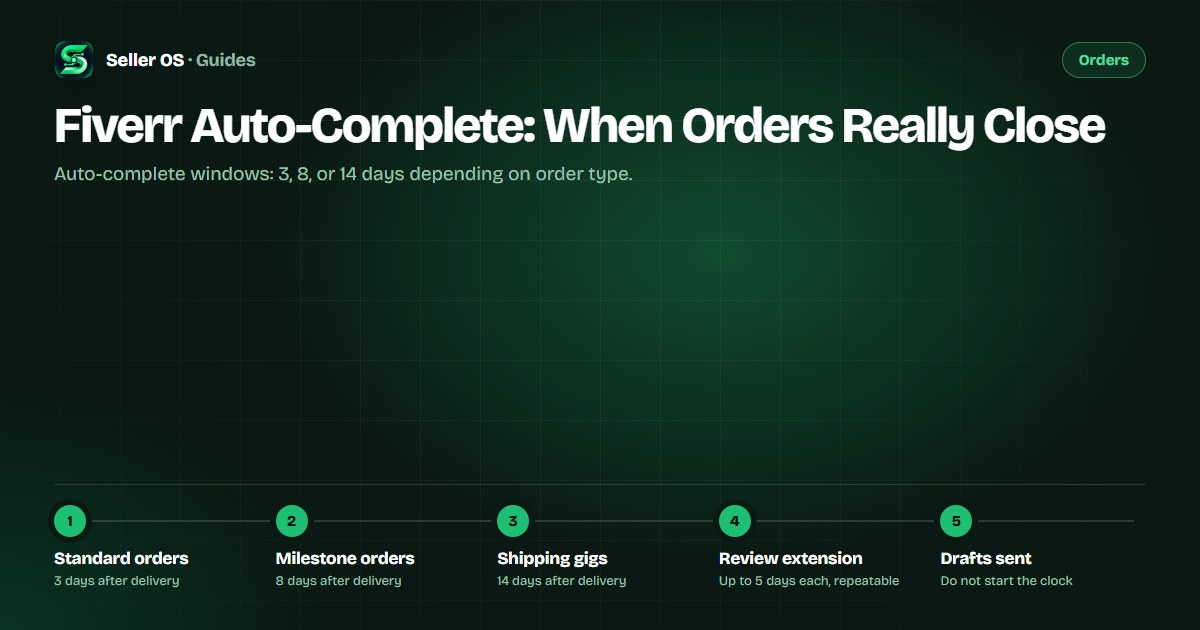
Fiverr auto-completes an order when the buyer takes no action after delivery: three days for standard and hourly orders, eight days for milestone orders, and fourteen days for gigs that require shipping. The clock starts at delivery, not at the deadline, and only buyer inaction closes the order.
This guide breaks down the published windows, explains how revisions, review extensions, and disputes affect the timer, and shows why sellers who plan around auto-complete often hurt their on-time delivery rate instead.
Free plan available. Local-first data. Human review on every change.
The published auto-complete windows
Fiverr's Help Center states that after you deliver, the buyer has a review window before the system marks the order complete. For standard and hourly orders the window is three days. For milestone orders it is eight days. For gigs that require physical shipping the window is fourteen days. These windows are fixed by order type, not by the delivery deadline you set.
The countdown begins the moment you hit Deliver Now, not when the original deadline passes. If you deliver early, the review window starts early. If you deliver late, the order is already marked Late or Very Late in your metrics, and auto-complete still follows the same calendar from your delivery timestamp.
- Standard and hourly: 3 days from delivery to auto-complete.
- Milestone orders: 8 days from delivery to auto-complete.
- Shipping-required gigs: 14 days from delivery to auto-complete.
- The clock starts at your delivery action, not the deadline.
What pauses or resets the timer
Three buyer actions keep the order from auto-completing. First, if the buyer requests a revision, the status changes to In Revision and the auto-complete clock stops until you redeliver. Second, the buyer can extend the review period by up to five days at a time, and they can repeat this; each extension keeps the order in Delivered status without requiring a redelivery. Third, if either party opens a dispute in the Resolution Center, the order is removed from the auto-complete flow entirely until the dispute resolves.
A draft you send through the order page does not trigger auto-complete and does not start the review window. Fiverr's guide notes that a draft is a work-in-progress share that does not count as a delivery, does not change the order status, and does not trigger autocomplete. Only a formal delivery via Deliver Now starts the clock.
Buyer requests revision
order moves to In Revision, clock stops.
Buyer extends review
up to 5 days per extension, repeatable, order stays Delivered.
Dispute opened
auto-complete paused until Resolution Center closes.
Seller sends draft
no effect on clock, no status change.
Why auto-complete is not a delivery strategy
A common mistake sellers make is delivering incomplete work early, hoping the buyer will miss the review window and the order will auto-complete. This backfires for two reasons. First, an early delivery that the buyer rejects starts a revision cycle that can run longer than the original deadline. Second, if the buyer accepts a substandard delivery just to move on, the public review and private feedback often reflect the quality gap, which feeds your Success Score through client satisfaction and conflict signals.
Illustrative example: you set a five-day deadline but deliver on day two with placeholder files. The buyer requests a revision on day three. You now have a revision cycle on an order that was already marked Late if you missed the original deadline, and the auto-complete timer resets only after your redelivery. You gained nothing and added a revision to your history.
How auto-complete touches your metrics
Auto-complete itself does not penalize you. The order completes, revenue clears after the standard 14-day clearance (7 days for Seller Plus, Top Rated, and Pro Talent), and both parties can leave reviews. What hurts metrics is the path to auto-complete: a Late or Very Late status from missing your declared deadline, a revision chain that signals scope confusion, or a dispute that marks the order as conflicted.
Fiverr's Success Score key area for on-time delivery reflects how often you deliver on time or ahead of time, factoring in the frequency of late deliveries. An order that auto-completes after you delivered late still counts as a late delivery in that metric. The auto-complete event does not erase the Late flag.
| Scenario | On-time metric | Completion rate |
|---|---|---|
| Delivered on time, buyer silent, auto-completes | Counted as on time | Unaffected |
| Delivered late, buyer silent, auto-completes | Counted as late | Unaffected |
| Delivered late, buyer cancels very late | Counted as late | Affected (OCR) |
| Dispute resolved, order canceled | Depends on timing | Affected if seller-canceled |
Habits that work better than hoping for silence
Instead of relying on the buyer missing the window, use the review period actively. Send a brief, polite handoff message with your delivery that tells the buyer exactly what to check and how to accept. If the buyer is new to Fiverr, note the three-day window and the Accept Delivery button. If day two passes with no action, send one short follow-up: a single sentence reminding them the review window closes tomorrow and you are available for questions.
If the buyer requests a revision that falls outside the agreed scope, reply once with a clarifying question and a reference to the original requirements. If they persist, the Resolution Center offers a partial refund (up to 60% of order value, minimum $5, order over $50) or a mutual cancellation — both keep the order from dragging into an endless revision loop.
- Deliver complete, review-ready work on or before your deadline.
- Include a one-sentence acceptance guide in the delivery message.
- Follow up once on day two if no buyer action.
- Use the Resolution Center for scope disputes, not silent hope.
Edge cases that trip sellers up
Milestone orders behave differently: each milestone has its own delivery and its own eight-day auto-complete window. If the buyer accepts milestone one but goes silent on milestone two, only milestone two auto-completes after eight days. The overall order stays open until all milestones complete or are canceled. Do not assume the first milestone's acceptance ends the order.
Orders with shipping requirements use a fourteen-day window because physical delivery confirmation takes longer. If you mark a digital order as requiring shipping by mistake, you extend the buyer's review window by eleven extra days. Check the shipping toggle when you create the gig and when you deliver.
Where Seller OS helps
Seller OS tracks your order deadlines and surfaces a deadline guard (Pro plan) that alerts you before an order becomes Late, so you can request an extension or deliver on time instead of gambling on auto-complete. The inbox assistant drafts the acceptance-guide message and the day-two follow-up, and the client records view keeps the original requirements visible so you can quote them back if a revision drifts out of scope.
It does not deliver for you, cannot stop a buyer from requesting revisions, and does not control the auto-complete timer. Every final Deliver Now click remains yours.

Fiverr Auto-Complete questions
Does auto-complete count as an on-time delivery if I delivered late?
No. Fiverr's on-time delivery metric reflects how often you deliver on time or ahead of time, factoring in late deliveries. An order that auto-completes after a late delivery still counts as late in that metric.
Can a buyer reopen an order after it auto-completes?
Completed orders cannot be changed or canceled through the Resolution Center per Fiverr's published rules. The buyer would need to contact Customer Support directly, which is a significantly higher bar than a standard revision request and rarely succeeds without new evidence.
Do review extensions stack? Can the buyer extend forever?
Each extension adds up to five days and the buyer can repeat them. There is no published cap on total extensions, but each one requires the buyer to take action, so indefinite delay is unlikely in practice.
If I send a draft instead of a delivery, does the clock start?
No. Fiverr states a draft is a work-in-progress share that does not count as a delivery, does not change the order status, and does not trigger autocomplete. Only Deliver Now starts the review window.
Stop gambling on buyer silence
Set realistic deadlines, deliver complete work, and use the deadline guard to stay ahead of the Late mark.