 Seller OS
A blocked buyer still contacting you on Fiverr
You blocked a buyer, yet a message from them or someone suspiciously like them sits in your inbox again. Fiverr's help center states what blocking does: the blocked person cannot send you messages or place new orders with you, and you can only block someone you have already interacted with.
This guide explains what blocking covers, why a blocked buyer can reappear anyway, and the escalation ladder that ends it. Block behavior is attributed to Fiverr; the response ladder is practical advice.
Free plan available. Local-first data. Human review on every change.
What blocking does and does not do
Fiverr's help center states the effects precisely: a blocked buyer cannot send you messages and cannot place new orders with you, while a blocked client cannot send you offers. Both sides can block from the inbox, unblocking works the same way at any time, and blocking only applies to users you have already interacted with through a message exchange before or after an order.
Blocking is not a wall around your profile and not a way to end an active order. Fiverr's published pages state you cannot block during an active order; if trouble arrives mid-order, contact Customer Support immediately and block only after the order completes. Expect the block to stop that account, not every stranger who resembles them.
Why a blocked buyer can reappear anyway
A block attaches to one account, while the person behind it has options: a second account, a teammate's login on a shared team account, or a new order thread that reopens contact through the order page. None of these mean the block failed; each is a different route the original block was never designed to cover.
Example: you block an abusive buyer on Monday, and on Wednesday a brand-new account with the same writing style and the same unusual request appears. Treat it as a new case on its own facts: do not accuse, do not engage beyond a brief decline, and start the documentation below. Patterns across accounts are for support to judge, not for you to prosecute in chat.
- A second or replacement account the same person controls.
- A shared team account where a colleague sends the message.
- Contact reopened through a new order or order-page thread.
- Messages sent before the block that you only read afterward.
- Someone new with a similar style who is genuinely a different buyer.
The escalation ladder: document, decline, report
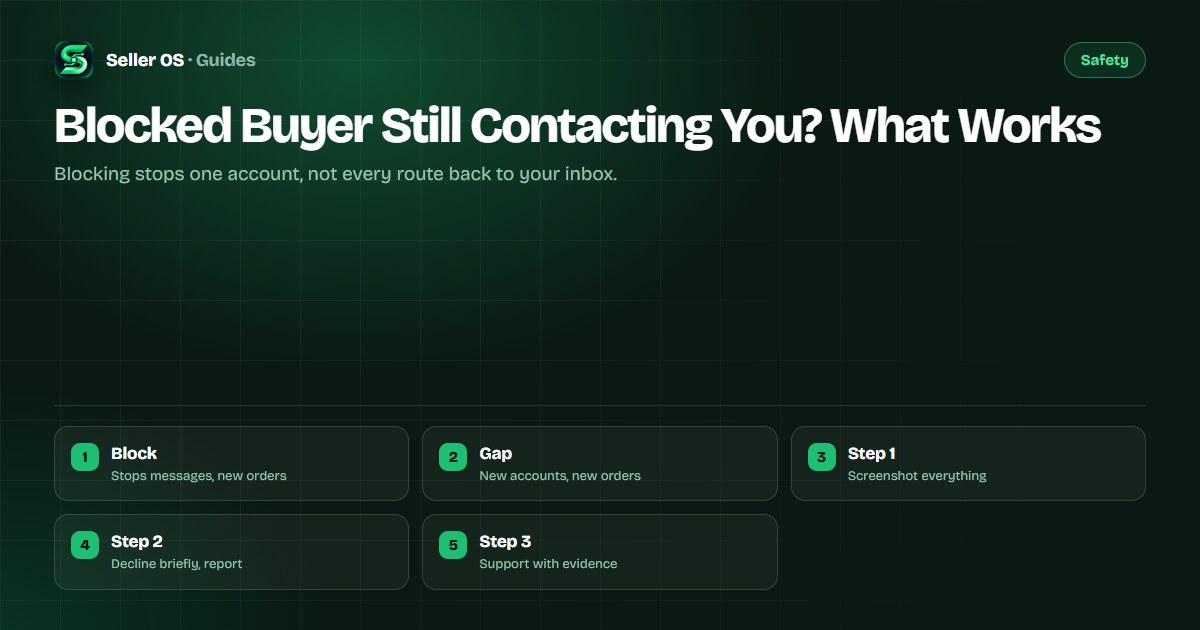
Work this ladder in order and stop venting in the inbox, because everything you send becomes part of the record. Screenshot each contact with dates, decline briefly without hostility, report through the inbox flow, and contact support with the full set only if the pattern continues. Fiverr's published blocking pages describe reporting from the inbox action menu with a reason and a block option.
On desktop the flow runs through the message menu to Report with a chosen reason; in the mobile app, long-pressing a message to report spam blocks the user automatically. Keep every step factual and short, since support acts faster on clean evidence than on long arguments about motive.
Document
Screenshot each message with the date and the sender name visible
Decline
Send one brief boundary message and stop replying after it
Report
Use the inbox report flow with the reason that fits best
Block again
Block each new account that contacts you after an interaction
Escalate
Contact support with the dated set if contact keeps coming
Boundary scripts that stay professional
Short and neutral beats clever every time, because the message may be read by support later. A calm line that closes the door gives the buyer nothing to argue with and gives you a clean record. These scripts are suggested wording, meaning general communication advice rather than anything Fiverr publishes.
The common mistake sellers make is sending a long angry message that lists every offense and dares the buyer to reply. That message rarely deters anyone and sometimes hands support a conduct question about you alongside the complaint about them. Example: one seller replaced a furious paragraph with a single boundary line plus a report, and the follow-up case was resolved from screenshots alone.
| Situation | Say this | Then do this |
|---|---|---|
| New account, same person | I am not available for your projects. | Report and block |
| Order-page pressure | Please keep requests inside the order scope. | Screenshot, report |
| Insults or threats | This conversation is over. | Report immediately |
| Genuine lookalike buyer | Answer normally, stay alert | Judge on their own facts |
When the trouble sits inside an active order
Active orders change the rules: since blocking is unavailable mid-order, the path runs through the order tools and support instead. Fiverr's published pages direct sellers facing user issues during an active order to Customer Support immediately. Use the Resolution Center for scope and cancellation questions, and keep all discussion on the order page where it is recorded.
Do not cancel vindictively or deliver sabotaged work to force an ending, since that trades their misconduct for a mark on your own record. The order-dispute guide covers contested orders, and the warning-system guide explains how conduct marks affect standing.
Escalating to support with a case that acts fast
If new accounts keep appearing after blocks and reports, bundle the pattern into one support case: the original block date, each reappearance with screenshots, and what you want, which is enforcement of the contact boundary. Writing from the registered email keeps the case matched to your account, as Fiverr's troubleshooting pages require for account-related help.
State impact plainly, especially during live orders, and keep the tone factual throughout. The contact guide maps the right route, the spam-messages guide covers inbox abuse patterns, and the contact-sharing guide settles what contact details may change hands while all of this is happening.
Where Seller OS helps
Repeat-contact cases are won on records, not memory. Seller OS keeps local client records with notes and history in Chrome local storage, so each reappearance gets logged against the pattern with dates, and its drafts help you prepare one calm boundary message to review instead of typing angry replies at midnight.
It drafts and fills while a person performs every final Send, and it cannot block users, file reports, or contact support for you. Blocking and reporting stay inside Fiverr; the tool keeps the timeline that makes those actions stick.

Blocked Buyer Still Contacting You? What Works questions
What happens when I block a buyer on Fiverr?
Fiverr's help center states the blocked buyer cannot send you messages or place new orders with you, and you can reverse the block the same way at any time. Blocking requires a prior interaction such as a message exchange, and it cannot be used during an active order. It stops that account, not every possible route back.
Why can a blocked buyer still contact me?
A block covers one account, so the person may return through a second account, a shared team login, a new order thread, or messages sent before the block. Treat each reappearance as its own case: screenshot it, decline briefly, report through the inbox flow, and block the new account after interacting.
Can I block a buyer during an active order?
No. Fiverr's published blocking pages state blocking is unavailable while an order is active, and direct sellers with user issues to Customer Support immediately. Keep discussion on the order page, use the Resolution Center for scope questions, and apply the block only after the order completes.
How do I report a buyer who keeps making new accounts?
Bundle the pattern into one support case from your registered email: the original block date, each reappearance with dated screenshots, and the boundary you want enforced. Report each message through the inbox flow first so every incident is logged. Keep the tone factual and let the evidence show the pattern.
Stay calm, build the record
Screenshot each contact, decline once, report in the inbox, and escalate the pattern together.