 Seller OS
Fiverr keyword research tool: find buyer keywords
Buyer keywords are the phrases someone types when they are close to ordering, not the broad phrases that describe your industry. Finding them means mining real buyer language from your inbox, order requirements, and reviews, then testing whatever you pick. A list of popular terms is not research until it changes a field.
This guide gives you the workflow: where buyer phrases come from, how to score them, and which field each one belongs in. Fiverr's field limits are covered in the keyword tool guide; this page focuses on the hunting.
Free plan available. Local-first data. Human review on every change.
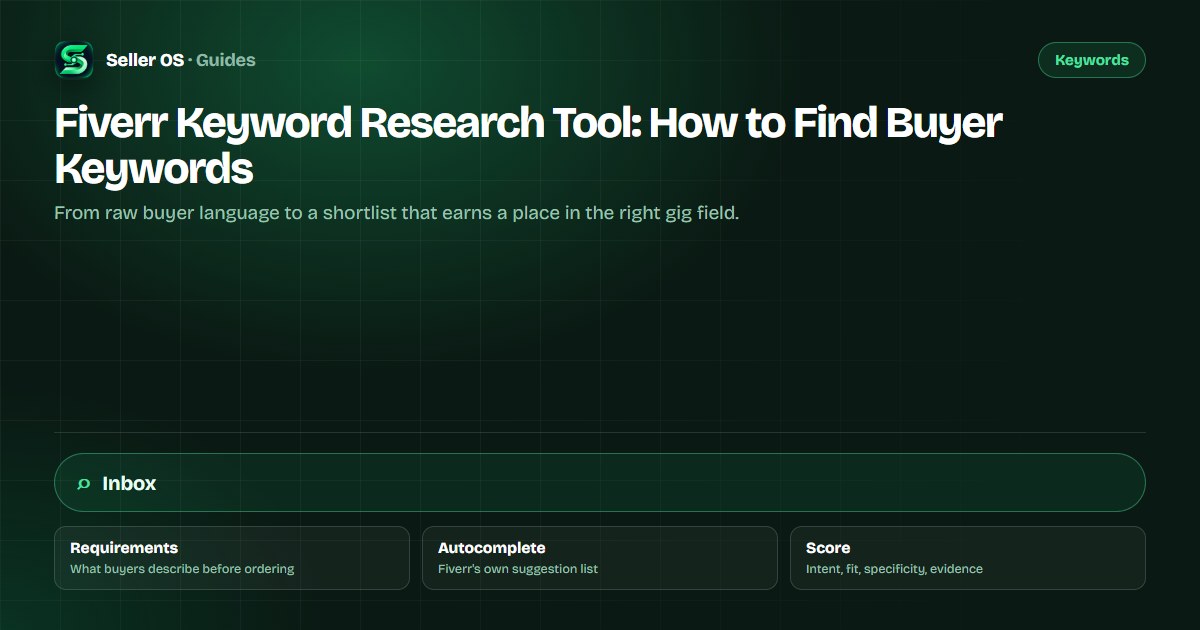
Buyer keywords are not popular keywords
A broad keyword describes a field: graphic design, video editing, writing. A buyer keyword describes a purchase: a fix, a deliverable, a deadline, a format. The broad term may appear in more searches, but the person typing it often has not decided what to buy, from whom, or by when.
That difference decides what you do with a phrase. Buyer phrases deserve the scarce slots: the title and the five positive keywords. Broad terms can support the gig in tags or description, but giving one the title and hoping usually attracts browsing rather than briefs and orders.
- Broad: explains the category you work in.
- Buyer: names the outcome, format, or problem someone wants handled.
- Your title should read like the buyer wrote the first draft.
- Your tags should cover the buckets a browsing buyer filters by.
Where real buyer phrases come from
Your inbox is the richest source, and it is free. Buyers describe what they want in their own words before they learn your gig vocabulary: the platform, the file, the fix, the occasion. The requirements they submit after ordering are equally honest, because that is where the real scope surfaces once money is on the table.
Fiverr's own community guidance suggests typing your service into the search box and studying the autocomplete suggestions, and looking at keywords that successful sellers use in your subcategory. Reviews are another source: when buyers explain what they loved, they often name the thing they set out to buy.
Inbox
scan first messages from the last three months and highlight repeated nouns and verbs.
Requirements
read what buyers paste into order requirements; that is scope language in the wild.
Reviews
note the deliverable names and outcomes buyers mention most often.
Autocomplete
type your head term and record the suggestions in the order Fiverr shows them.
Competitor titles
collect phrases that repeat across several gigs in your subcategory.

Score each candidate before you commit
A candidate list of thirty phrases is not usable, so scoring forces a shortlist. Rate each phrase on intent, fit, and specificity, then note the evidence source that produced it. A phrase that scores low on any one of the three rarely earns a field, no matter how attractive it looks in a list.
Evidence is the tiebreaker. A phrase you saw four times in real inbox threads beats a phrase a tool invented but nobody has said to you. Write the source next to every candidate while the list is still small; reconstructing it later rarely happens.
| Candidate | Intent | Fit | Specificity | Evidence | Verdict |
|---|---|---|---|---|---|
| shopify store setup | High | High | Medium | Inbox, 4 threads | Primary |
| fix shopify checkout error | High | High | High | Order requirements | FAQ and description |
| website design | Low | Medium | Low | None | Drop |
| shopify product page design | High | High | High | Review language | Positive keyword |
| woocommerce to shopify migration | High | Medium | High | Autocomplete | Supporting |
Map each winning phrase to one field
Fiverr's Advanced Analytics article puts the fields in a priority order: title text is read first, then the positive keywords field, then the description. That order tells you the cost of each slot: the title carries the most weight, the five positive keywords carry the next layer, the description supports with context, and tags sort the gig into the search buckets buyers filter.
Give each winning phrase exactly one home. One phrase in the title, four in the positive keywords field, five tags that cover format and audience, and description sentences that read like a person wrote them. Fiverr's gig field limits, documented in Creating a Gig, keep the scope clear: five phrases, five tags, 1,200 characters, and up to 10 FAQs.
Title
the single buyer phrase that best names your service, kept short and clear.
Positive keywords
four supporting phrases, including the variants buyers actually use.
Tags
five terms covering the deliverable, the platform, and the audience.
Description
natural sentences where the primary phrase appears once, not five times.
FAQ
the long-tail questions buyers keep asking before they place the order.
Test the shortlist, then keep or cut
Fiverr asks sellers to wait at least 30 days before judging a keyword change. Use that window to watch per-gig impressions and clicks, and keep the change set small enough to attribute. One field, one window, one decision is the pattern that produces knowledge instead of confusion.
A worked pattern helps here. If a new title phrase lifts impressions but clicks stay flat, the phrase is being seen but not chosen, which points at the gig card rather than the keyword. If clicks come and orders follow, the phrase earned its slot. If nothing moves in 30 days, revert and try the next candidate from the same scored list.
Keep the log in the same place as the fields you changed. A short note with the date, the field, the old phrase, and the new phrase turns the next review into a comparison, and it takes far less time than reconstructing your reasoning from memory three weeks later.
Keyword research mistakes that cost months
The classic mistake is researching once. Buyer language shifts with seasons, platform updates, and your own niche, which is why the loop matters more than the first list. The second mistake is copying a competitor's keyword set wholesale; their gig, price, and proof are not yours, so their winning phrase may lose for you.
The third is trusting volume estimates from tools that do not explain where the number came from. Nobody outside Fiverr can read Fiverr's internal search data, so treat estimates as sorting hints for a candidate list, never as evidence that a phrase will bring orders. Evidence comes from your own inbox, your own analytics, and your own tests.
A 20-minute keyword refresh each quarter
Once a quarter, rerun the loop on one gig. Pull new words from the last 90 days of inbox threads, add them to the scored list, and choose the single change with the strongest evidence. Then give it 30 days before you judge it, exactly as Fiverr recommends for new or updated keywords.
Record what you changed and when. A short local note turns a future review into a comparison instead of a guess, and it stops you from retesting ideas you already ruled out. Over a year, four small, deliberate changes beat one panicked rewrite of every field.
Refresh one gig at a time so each change stays attributable, and resist the urge to relaunch every listing in the same week. One gig per month is a sustainable pace that keeps the rest of the account stable while you learn what your buyers actually search.
Where Seller OS helps
Seller OS helps with both halves of the loop: it can pull keyword candidates into one place while you build or optimize a gig, and its rank tracker records how the phrases you chose perform over the weeks that follow. The buyer-language habit stays yours; the bookkeeping stops being a chore.
The keyword and ranking data stays in Chrome local storage. The extension drafts and suggests; you review everything and complete every Save or Publish action yourself.
Fiverr Keyword Research Tool questions
What is a buyer keyword on Fiverr?
A buyer keyword is the phrase someone types when they are close to purchasing: a platform name, a deliverable, a fix, a deadline. It is narrower than a category term and usually names an outcome. Mined from real buyer messages and requirements, buyer keywords are the phrases most worth placing in your title and positive keywords field.
How do I find keywords buyers actually search on Fiverr?
Start with language you already have: first messages, order requirements, revision notes, and review text. Add Fiverr's autocomplete suggestions and phrases repeated across top gigs in your subcategory. Then score the candidates on intent, fit, specificity, and evidence so the list narrows to phrases you can actually use.
Can I do Fiverr keyword research without paid tools?
Yes. Your inbox, order requirements, reviews, Fiverr's autocomplete, and competitor titles are free and often more relevant than any paid list. What paid Seller Plus keyword research adds is marketplace-wide data such as search volume and competition, available to Standard and Premium members. Free research takes longer but starts from buyers you already served.
How many keywords should I test at once?
One per gig field per test window. Change a single positive keyword or tag, note the date, and leave the rest of the gig alone for at least 30 days, which is the review window Fiverr recommends for new or updated keywords. Comparing clean before-and-after readings is the only way to know what moved.
Research like a buyer, not a keyword list.
Install Seller OS, score your candidates against real buyer language, and test one change per 30-day window.