 Seller OS
Fiverr keyword competition: score your keyword
Fiverr keyword competition is the strength of the gigs already ranking for a phrase, measured against your own gig's age, reviews, and fit. Because Fiverr does not publish keyword difficulty, you build the grade yourself from what the result page shows. Five checks, each scored 1 to 5, turn a feeling into a comparison.
This guide gives you the scorecard, the steps to run it on a real search, and a scored example. It is about judging one keyword; finding candidates and reading demand are covered in the linked guides.
Free plan available. Local-first data. Human review on every change.
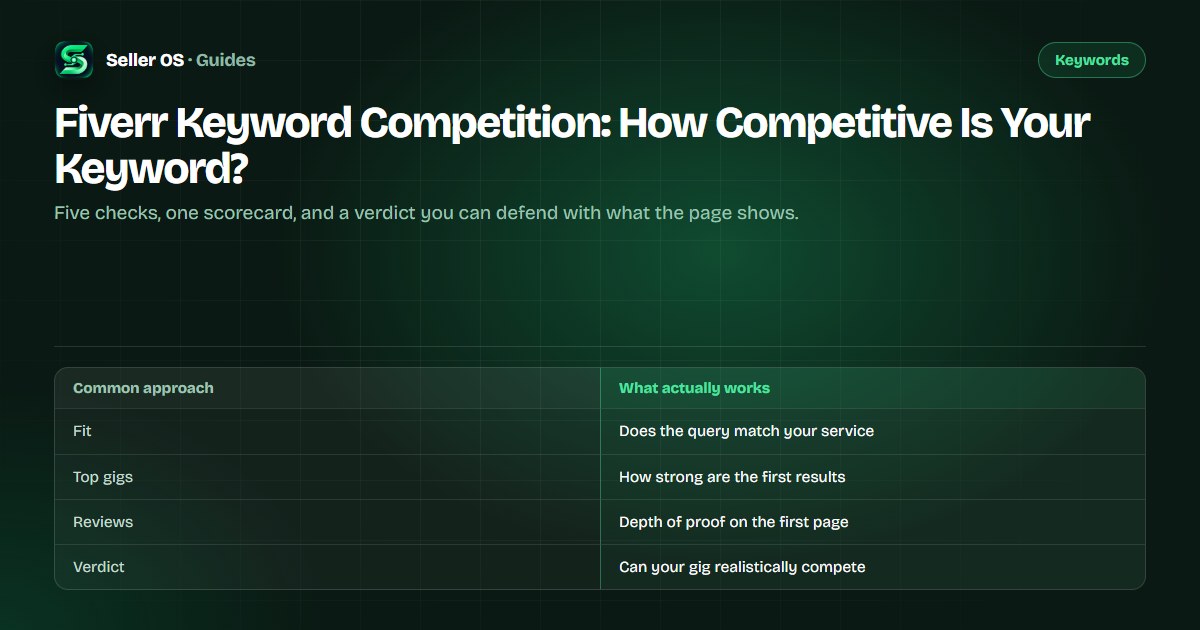
What you are grading when you score a keyword
You are grading the visible result set for one query at one point in time, compared against your own gig. The score reflects how hard it would be for your listing, specifically, to earn a click there. Two sellers can score the same phrase differently and both be right, because their gigs are not equally strong.
The score is not a prediction and not a promise. It is a structured way to decide where to spend your title, your five positive keywords, and your tags, and to avoid putting your best slot on a phrase you cannot reach yet. Fiverr's own search and recommendation article notes that signals such as Pro status can influence ranking, which is one reason the first page looks the way it does.
The five checks, each scored 1 to 5
Rate each check from 1 (easy for you) to 5 (blocked). Add the five numbers for a total between 5 and 25. The total is less important than the individual scores, because one 5 in service fit usually rules the keyword out regardless of how the rest of the page looks.
| Check | What to look at | What the score means |
|---|---|---|
| Service fit | Do the top gigs sell what you sell? | 1 = exact match, 5 = different service |
| Top gig strength | Scale of the first three to five results | 1 = thin pages, 5 = polished giants |
| Seller signals | Levels and badges visible on results | 1 = none visible, 5 = many top-level sellers |
| Review depth | How many reviews sit on the top gigs | 1 = single digits, 5 = hundreds |
| Price fit | Do page prices fit your packages? | 1 = room for you, 5 = no gap to enter |
How to run the check on a real keyword
Run the check in a private window so your own browsing does not rearrange the page. Score what the first page shows, because that is the page you are trying to reach, then repeat the whole exercise for the second keyword you are considering so the two results can be compared honestly.
The step most sellers skip is scoring their own gig on the same checks. A page full of gigs with dozens of reviews looks different when your listing has none. The gap between the page's signals and your own is the difficulty that actually matters to you.
Search the keyword in a private window
use the exact query you would target.
Read the top five results
note the service, visible badges, and review counts.
Score the five checks
write the numbers down instead of keeping them in your head.
Score your own gig on the same checks
reviews, page depth, price position.
Subtract
the gap between the page's strength and your signals is the honest difficulty.
Worked example: two keywords, two scores
Here is an illustrative scorecard for a seller with roughly 30 reviews. The labels describe what a result page would show; they are not measured platform data, and your own searches will differ by session and location.
| Check | website design | website design for dentist |
|---|---|---|
| Service fit | 3 — broad, mixed results | 1 — exactly what you sell |
| Top gig strength | 5 — dominant, long histories | 3 — solid, not overwhelming |
| Seller signals | 4 — many high-level badges | 2 — mixed levels |
| Review depth | 5 — hundreds on top gigs | 3 — dozens |
| Price fit | 4 — wide range, squeezed | 2 — room for your packages |
| Total (lower is easier) | 21 — avoid for now | 11 — a fair fight |
What a hard keyword is still good for
A phrase you cannot win yet can still earn a place. If it names what you sell, it belongs in the description or a tag, where it adds context without spending the title slot. It can also become a long-term target: as reviews and order history accumulate, re-score it every few months and promote it when the gap closes.
The one thing not to do is place a hard phrase in the title and leave it there for a year without evidence it works. If the gig is not getting impressions for it, the slot is doing nothing while a winnable phrase waits in a weaker position.
- Description: gives context without spending a scarce slot.
- Tags: sorts the gig into a bucket buyers filter by.
- FAQ: answers the question the phrase implies.
- Long-term list: re-score it after your reviews and orders grow.
Rescore every few months, not every week
Competition moves. Rivals add reviews, some pause, and categories fill or thin out with the season. A phrase scored in January can be a different proposition by spring. That is why the scorecard belongs in a repeating habit rather than a one-time exercise.
Once a quarter is usually enough. Pick a fixed date, rerun the five checks on the phrases you care about, and compare the totals with your previous notes. The trend in your own scores tells you when to try a harder phrase and when to keep building on an easier one.
Ways to make the scorecard useless
Scoring from memory is the first failure; the page changes, and so does the result set. Scoring a keyword once and treating the number as permanent is the second. The third is scoring only by competition and ignoring intent: a soft result set full of wrong-service gigs is not an opening for you.
The last one is self-honesty. It is tempting to call a phrase easy because you want it to be. Write the numbers before you look at the total, and let the total say what it says. The scorecard only helps if it is allowed to say no.
Where Seller OS helps
Seller OS puts the scorecard next to the evidence: the Keyword Rank tracker records positions and movement for the phrases you watch, and keeps the competitor gigs around yours in the same local history, so a re-score starts from data instead of memory.
The extension never guarantees a position and never edits a gig on its own. It tracks, suggests, and leaves every change for you to review and save.

Fiverr Keyword Competition questions
How do I judge keyword competition on Fiverr?
Inspect the visible results for your query, then score five checks from 1 to 5: service fit, top gig strength, seller signals, review depth, and price fit. Add the scores and compare them with your own gig's signals. Fiverr does not publish keyword difficulty, so the value comes from the consistency of your method.
Is there a keyword difficulty score on Fiverr?
Fiverr does not publish a keyword difficulty score. Seller Plus members see a Competition metric in the Keyword Research tab, with a note that lower is better, but Fiverr documents no formula or scale behind it. Outside that program, difficulty is something you assess yourself from what the search result page shows.
How many results should I check when scoring a keyword?
The first page is enough for the score, because it is the page you are trying to break into. Read the top five results closely: their service, visible badges, and review counts carry the signal. Then score your own gig on the same checks and treat the gap between the two as your difficulty.
Can a new Fiverr seller rank for a competitive keyword?
Sometimes, but it is usually a poor first bet. Those pages usually belong to gigs with deep review counts and years of history, and Fiverr reads the title before any other field, so spending it on an unreachable phrase wastes your strongest slot. Build history on specific phrases, then re-score the harder one later.
Stop guessing whether you can compete.
Install Seller OS, score the keywords you are considering, and recheck the totals every quarter.