 Seller OS
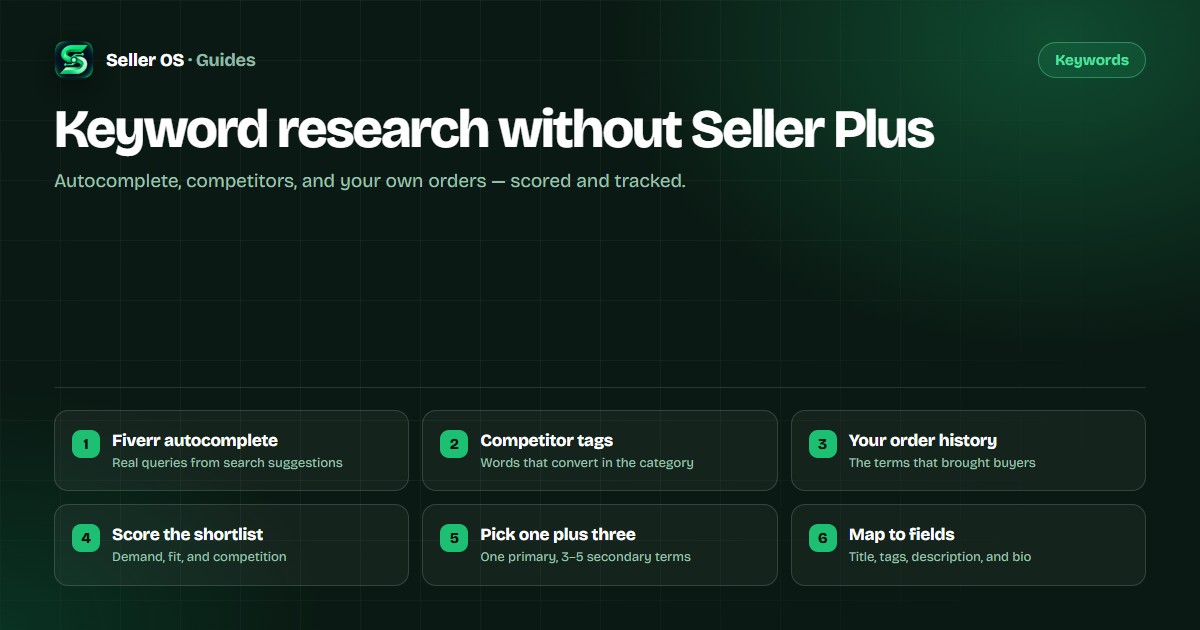
Fiverr keyword research without Seller Plus
Autocomplete, competitor tags, your inbox, category browsing. Those four free sources cover most of what you need to pick keywords without Seller Plus. Score the candidates, choose one primary term and three to five secondary ones, then track positions over weeks.
Free plan available. Local-first data. Human review on every change.
Four free sources for Fiverr keywords
Start with autocomplete: type two words into Fiverr search and the suggestions show what buyers actually type. Competitor titles and tags show what already ranks in your category. Your inbox and order requirements show the words buyers use before they buy. Category browsing shows how Fiverr groups services.
None of the four gives search volume. What they give you is direction: which phrases are real, which are narrow enough to compete for, and which ones buyers use when they are ready to order.
Read Fiverr autocomplete like a buyer
Type "video edit" into Fiverr search and read every suggestion before you press Enter. Those are phrases real buyers have typed. Capture the whole list before filtering, because the long phrases and niche qualifiers matter as much as the head terms.
Then retry with different starting words. Two openings for the same service produce different suggestions, and the more specific set is usually the better one for a new gig.
Mine competitor titles and tags
Open the top three gigs for your main term and take notes. Title structure, wording, the five tags. A phrase that shows up across several top gigs is stronger evidence than one listing; overlap suggests buyers search it.
Read the promise in those titles too. What a top gig says the buyer gets tells you what intent the keyword carries. Re-check every few weeks, because competitors edit their titles and tags as well.
Use your inbox and order history
Your inbox is a keyword list you already own. A buyer writes "I need someone to turn my podcast into ten clips for Instagram" — that sentence is closer to real search language than anything a keyword blog will hand you. People describe the job in their own words before buying, and that language is what a title should echo.
Completed orders carry the same signal. If three buyers asked for the same extra, that variant deserves its own package instead of a buried line in the description.
Score candidates with a simple sheet
List every candidate, then score three things on a 1–3 scale: intent fit, specificity, and evidence. Does the phrase match what you can deliver? Is it narrow enough to compete? Do the top gigs for it look like yours? For a deeper look at that second question, see Fiverr keyword competition.
A short spreadsheet with three columns is enough. You are ranking candidates against each other, not measuring the market. Five strong phrases beat thirty unfiltered ones, because every one you keep must be written into the gig and tracked afterward.
Choose one primary and three to five secondary terms
Put the primary keyword in the title, front-loaded. It defines the search you care about most. Spread the secondary terms across the five tags and the description, covering related intents instead of repeating the primary phrase.
Keep the total small. One title and five tags cannot carry a dozen phrases, and a gig that tries reads as generic.
Map keywords to the gig fields
Build the title from the primary keyword plus the outcome, inside the 80-character limit. In the description, work secondary terms into sentences about deliverables and process, not comma lists. The free character counter checks the title, tags, description, and profile bio while you type.
Then leave the gig alone long enough to be measured. One change at a time keeps each keyword decision testable.
Track positions and respect the limits
Search volumes are not public, and third-party numbers are estimates. Position is what you can track: does your gig appear for a chosen term, and does it move over weeks? Check the same terms on the same account on a schedule.
Fiverr's own keyword research appears with Seller Plus when it is available to you; the keyword research help article describes it. Without it, autocomplete notes and rank snapshots are enough for a practical decision.
Where Seller OS helps
Seller OS suggests keywords from your gig and search context, keeps the ones you choose as trackable terms, and records rank snapshots over time in local Chrome storage. If you would rather run that sourcing step in a tool, see the Fiverr keyword tool guide. Pro monitors can run those checks while Chrome is open, so the history builds without a reminder.
The Fiverr SEO tool pairs that with the Gig Performance Optimizer, which audits a live gig against its own impressions, clicks, and conversions. Seller OS works without Seller Plus, and results still vary by time, account, and location.

Fiverr keyword research: common questions
Can I do Fiverr keyword research without Seller Plus?
Yes. Autocomplete, competitor titles and tags, your buyer messages, and category browsing are all available without Seller Plus. Seller Plus adds keyword and analytics views when you have them, but the method above works without it.
Do I need search volume numbers to pick a Fiverr keyword?
No, and treat any third-party volume number as an estimate. What matters more is whether the phrase matches buyer intent and whether the top gigs for that phrase look like the service you deliver.
How many keywords should one gig target?
One primary keyword for the title and three to five secondary terms across the tags and description. Targeting more usually means writing for a search engine instead of a buyer.
How often should I re-check keyword positions?
Weekly or every two weeks on the same terms and account. Positions vary by time, account, and location, so compare trends across several checks rather than reacting to a single result.
Research keywords without the subscription.
Score the candidates, map them to fields, and track the terms you chose.