 Seller OS
Fiverr scams: types, warning signs, and responses
Almost every scam aimed at Fiverr sellers follows one of a handful of scripts, and recognizing the script in the first message saves the account, the money, and the week. Fiverr's help center states its core protections plainly: it never asks for your email, login credentials, or payment details to process a payment, and off-platform deals lose Fiverr protections.
This hub maps each scam type to its warning signs and the safe response, then points to the deep prevention pages. Platform rules are attributed to Fiverr; the detection habits are recommended best practice.
Free plan available. Local-first data. Human review on every change.
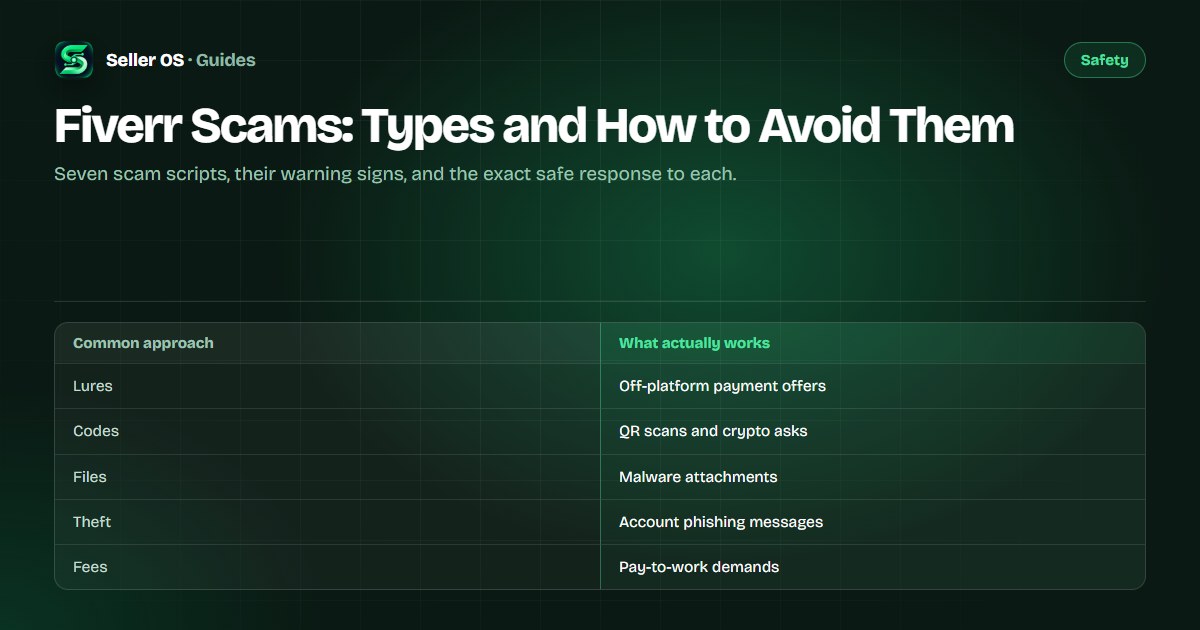
Off-platform payment lures and safe refusal
The most common script moves payment away from Fiverr: a buyer offers more money by wire, crypto, or a direct invoice if you deal outside the order system. Fiverr's off-platform policy states that conducting payments off the platform violates the Terms, and users who transact off-platform lose protections such as secure payments and dispute resolution. Violations can bring warnings or suspension.
The safe response is to decline inside Fiverr and keep the order on the platform. Example: a new buyer promises double your rate for weekly work paid in crypto to a personal wallet; you reply that all payments stay in Fiverr orders, and the buyer vanishes, which confirms the script. The payment-lure guide covers these conversations line by line.
QR codes, crypto, and fake verification
A newer script asks you to scan a QR code, verify with a credit card, or share personal details to confirm your identity or release a payment. Fiverr's safety pages state that official staff never ask you to scan a QR code, verify with a credit card, or hand over personal information. Any message doing so is fraudulent regardless of the logos it shows.
Treat every QR code in an unsolicited message as hostile, and enter credentials only in the Fiverr sign-in screen or settings, where the address shows the genuine domain with a secure connection. Fiverr's help center advises hovering over links to inspect them before clicking, which is general best practice that catches most fakes in seconds.
Example: a message congratulating you on a prize asks you to scan a code to claim it, and hovering reveals a domain ending in an unfamiliar suffix with the brand name misspelled. You delete the message, report it from the inbox menu, and change nothing, which is exactly the response Fiverr's safety pages describe: avoid the link and report the sender.
- QR code to scan for verification, payment, or a bonus.
- Credit-card details requested to verify or unlock anything.
- Crypto wallet address requested for payment outside Fiverr.
- Personal documents requested over chat instead of official flows.
- A download prompt for required software from an unknown link.
- A login page whose address visibly differs from the genuine Fiverr domain.
- Urgency language pushing you to act before checking.
Overpayment and refund-pressure scripts
In the overpayment script, a buyer pays or claims to pay too much, then urgently asks you to refund the difference off the platform. The funds involved are usually reversible or fake, while anything you send back is real and gone. Fiverr's published payment pages note that cancellations return money to the buyer's Fiverr balance rather than to a card, so off-platform refund requests break the normal flow.
The safe response is to handle every refund strictly inside the order: use the Resolution Center or mutual cancellation on Fiverr and never send money externally. Example (illustrative figures): an order worth fifty dollars arrives with a message claiming a five-hundred-dollar accidental payment and asking you to return four hundred fifty by wire; you refuse, keep everything inside Fiverr, and report the message.
Virus attachments and fake project files
Some fake buyers skip negotiation and send the payload immediately: a project brief that is actually an executable, a font pack with a script inside, or a link to download required software. Fiverr's safety guide lists malware alongside spam and phishing as a core message category, and its published advice is to inspect links before clicking and report unsolicited messages.
As general security practice, never run files from a stranger, preview documents in safe viewers first, and keep antivirus active. The common mistake sellers make is opening attachments to appear responsive and protect their response rate; Fiverr's published response-rate pages state that spam reported within twenty-four hours does not count against the rate, so reporting fast protects both the device and the metric.
Fake buyers and account phishing
Phishing messages pretend to be Fiverr itself or a big client, often with misspelled brand names or odd domains that Fiverr's safety pages cite as tell-tale examples. The message warns of a suspension, a required re-verification, or a huge ready-made project, and links to a login page that harvests credentials. Fiverr states it never asks for login credentials to process a payment.
Verify staff by the official marker Fiverr publishes: the logo with the words official Fiverr employee on the account. Real requirements arrive inside your Fiverr account notices, never through a stranger's link. The phishing-signs guide collects these tells with examples, and the fake-buyer guide profiles the buyer personas.
| You receive | Warning sign | Safe response |
|---|---|---|
| Re-verify account link | Misspelled brand, odd domain | Delete, use account notices only |
| Huge easy project | No requirements, instant hire | Ask for order-page details |
| Staff asking secrets | Wants password or payment data | Report, staff never ask |
| Fee to unlock work | Pay-first demand | Refuse, see fee traps guide |
Fee demands and pay-to-work traps
Legitimate Fiverr work never requires you to pay a starter fee, training deposit, or refundable bond to a buyer or middleman. Demands framed as registration, certification, or software licenses that you must buy from the buyer's friend are pay-to-work traps, and paying once only marks you for larger demands. Fiverr's published guidance on suspicious payments points the other way: official money flows through orders, not chat-arranged fees.
Decline, report, and move on; genuine clients discuss scope and place orders instead of invoicing you. The pay-to-work guide details these demands, and if an attack already succeeded, the hacked-account guide gives the emergency sequence for regaining control.
Example (illustrative figures): a stranger offers steady work if you first pay a ninety-dollar training deposit to their associate, promising it back with the first payout. You refuse, report the account, and keep the screenshots. Real buyers never charge you for the privilege of working, so any fee-first offer fails the test immediately.
Where Seller OS helps
Scam pressure works because inboxes are chaotic and every message feels urgent. Seller OS drafts inbox replies and order-message follow-ups for you to review, and keeps local client records with history, so a stranger demanding instant action stands out against the documented pattern of your real buyers.
It drafts and fills while a person performs every final Send, and it cannot verify strangers, report accounts, or decide what is a scam for you. Judgment stays yours; the tool keeps the context that makes good judgment faster.

Fiverr Scams questions
What are the most common Fiverr scams against sellers?
The frequent scripts are off-platform payment lures, QR-code or crypto verification tricks, overpayment refund pressure, malware attachments, fake-buyer phishing, and pay-to-work fee demands. Each pushes you off Fiverr, onto an external link, or into paying first. Fiverr's safety pages state official staff never ask for credentials, payment details, or QR scans.
How do I check if a Fiverr buyer message is a scam?
Look for off-platform payment offers, QR codes, credential requests, odd domains, urgency pressure, and fees you must pay first. Inspect links before clicking and enter credentials only on genuine Fiverr pages. Report unsolicited messages from the inbox menu, since Fiverr states spam reported within twenty-four hours does not hurt your response rate.
Should I ever accept payment outside of Fiverr?
No. Fiverr's off-platform policy states off-platform payments violate the Terms and strip away protections such as secure payments and dispute resolution, with warnings or suspension as possible outcomes. Keep every payment inside Fiverr orders, decline external offers politely in writing, and report buyers who keep pushing after a clear refusal.
I already clicked a scam link. What now?
Change your Fiverr password immediately, disconnect unknown devices, enable two-factor authentication, and run an antivirus scan, as Fiverr's help center instructs after suspicious activity. Then contact Customer Support from your registered email with screenshots and a timeline. If money moved, contact the payment provider at once, since Fiverr publishes that withdrawals are final.
Learn one script per week
Read the deep prevention guides linked above and report the next suspicious message within a day.