 Seller OS
Fiverr SEO audit: how to audit a gig properly
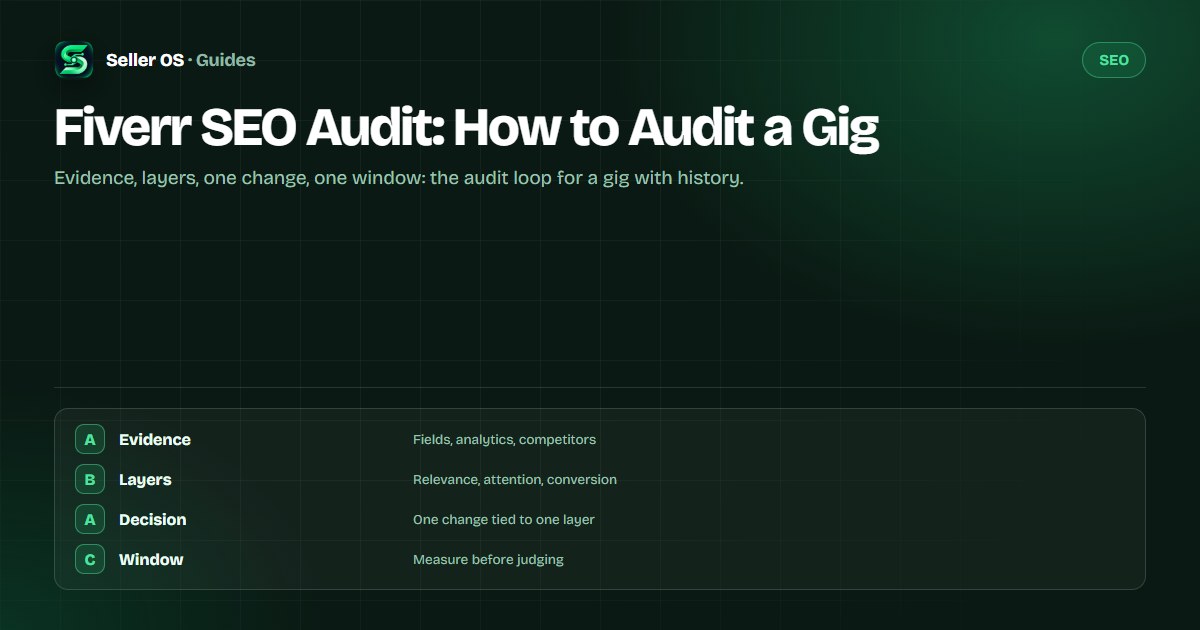
A Fiverr SEO audit is a diagnostic pass over one gig, not a checklist of tips. You collect three kinds of evidence, the fields as they are written, the gig's own analytics, and the gigs it competes with, then find the layer where performance actually breaks.
This guide walks the full loop: what to collect, how to score each layer, how to pick exactly one change, and how to set a window that tells you whether it worked. The fast pre-publish checklist is a different job; this one is for gigs with history.
Free plan available. Local-first data. Human review on every change.
An audit is a loop, not a checklist
A pre-publish checklist checks whether a gig is internally ready to go live. An audit asks why a gig that is already live performs the way it does. The difference matters: a checklist has a finish line, while an audit repeats on a schedule because the market around the gig keeps changing.
Run an audit when the numbers move without an obvious reason, before you plan a bigger change, or on a seasonal cadence. The output is one decision, not a to-do list of ten edits. If your gig is not live yet, the pre-publish checklist is the right page instead.
Step 1: collect three kinds of evidence
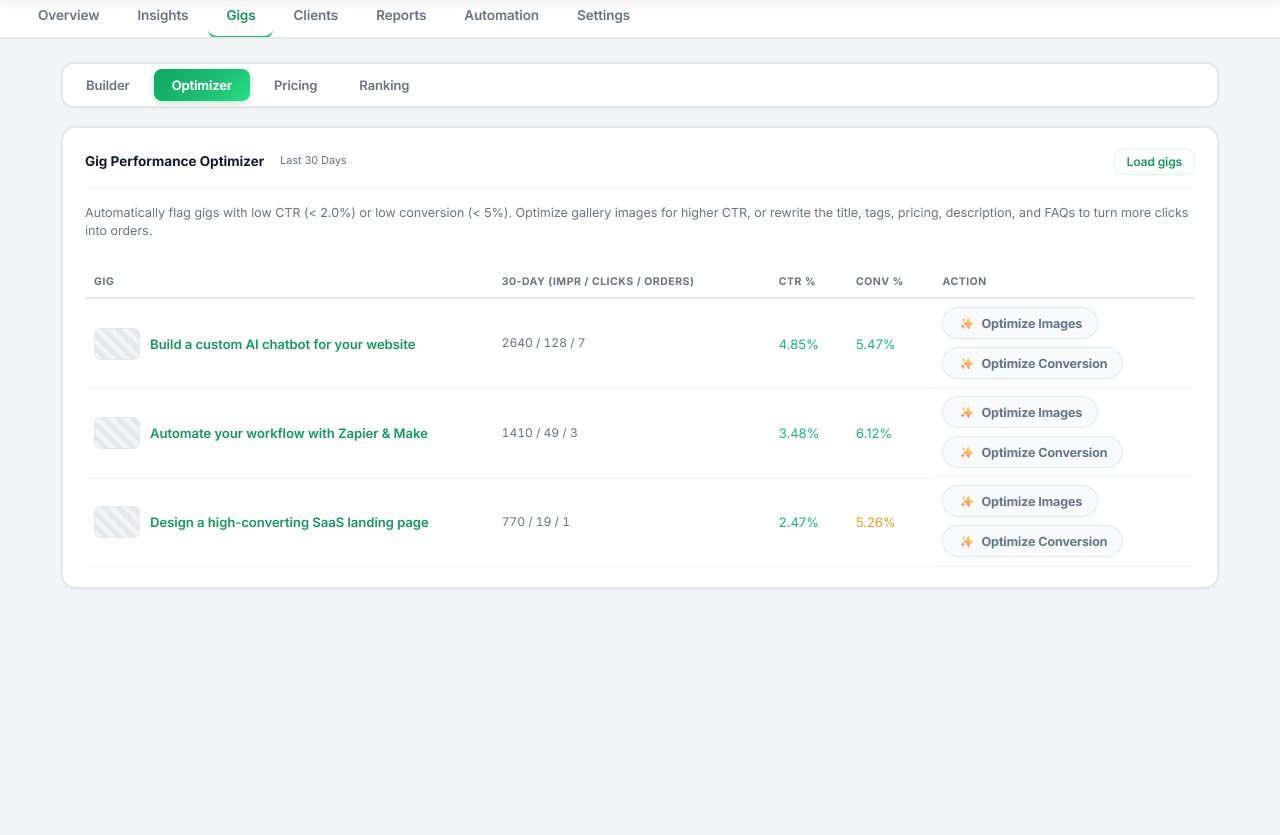
Evidence one is the gig itself: read the live title, tags, description, packages, and gallery as a buyer would, and write down what each field promises. Evidence two is the analytics: Fiverr's per-gig statistics show impressions, clicks, orders, and a conversion rate, displayed for the past 30 days by default, as Fiverr's Managing your Gigs article describes.
Evidence three is the competitor set: the three gigs that consistently outrank yours for the phrase you care about. Capture their titles, package structure, and review counts, not to copy them but to see what the category rewards. The competitor research guide covers that reading in depth.
Do this pass in one sitting and date the document. An audit is only useful if the next one can compare against it, and a dated snapshot of fields, numbers, and competitors is what makes that comparison honest instead of nostalgic.
Copy the live fields
keep a before for every edit you might make.
Read the statistics
note impressions, clicks, orders, and conversion rate.
Record the leaders
the three gigs above yours for your main phrase.
Summarize each source
one sentence on what looks wrong, and where.
Step 2: score the three performance layers
Every gig has to pass three layers in order: relevance (found for the right searches), attention (clicked once seen), and conversion (ordered once clicked). Find the first layer that fails and work there, because a conversion fix cannot rescue a gig nobody sees.
Fiverr's own definitions help here. Impressions count appearances in Fiverr thumbnails, clicks count clicks after seeing the gig, and the per-gig conversion rate divides orders by impressions on that dashboard. Note that Seller Plus tabs describe conversion per click instead, so use the definition that matches the screen you are reading and stay consistent.
Write the score down before deciding anything. Naming the failing layer in one sentence keeps the next step honest, because it is easy to slide from attention fails to let me rewrite everything without noticing.
| Layer | Evidence to read | Fails when |
|---|---|---|
| Relevance | Impressions, keyword coverage | Impressions are flat or falling for your phrase |
| Attention | Clicks relative to impressions | Clicks stall while impressions hold steady |
| Conversion | Orders relative to clicks | Orders lag despite steady clicks |
Worked audit: a gig with flat clicks
Scenario: a live WordPress speed gig shows impressions holding steady over 30 days, clicks flat, and orders unchanged. Relevance passes because people see the gig. Conversion is untestable because clicks never move. The failing layer is attention.
The audit output is one change aimed at that layer: the first gallery image, since Fiverr's image guidance keeps text to ten words or fewer and the first image is what buyers see before the title. Write the hypothesis down: a clearer first image should lift clicks within the window.
The point of the scenario is the discipline, not the thumbnail. The evidence named one layer, so the change targets that layer and nothing else. If clicks move, the hypothesis was right; if they do not, the next audit tests a different attention fix, not a conversion rewrite.
| Signal | Reading | Verdict |
|---|---|---|
| Impressions | Steady across 30 days | Relevance holds |
| Clicks | Flat while impressions hold | Attention layer fails |
| Orders | Unchanged | Cannot diagnose yet |
| Field promise | Title matches the offer | No contradiction found |
Step 3: make one change and set the window
One change per window is the rule that makes an audit useful. If you edit the title, tags, and thumbnail together and the numbers move, you cannot attribute the result, and next month's audit starts from confusion instead of evidence.
Fiverr's guidance for keyword changes is to allow at least 30 days before reviewing impact, and that is a sensible default window for any gig change. Note the start date in your evidence document. The window is not a promise; it is the minimum patience required for the data to mean something.
How often should you run an audit?
Quarterly is a sane default, plus one audit after any real change: a new package, a price move, or a shift in your niche. Fiverr also says significant edits such as changes to the title, category, or pricing may trigger a review, which is another reason to space changes out.
Keep each audit's evidence document. Three audits in, the pattern of what actually moves your gig becomes visible, and that beats any generic advice about what to fix first.
Between audits, leave the gig alone unless something breaks. The space between checks is what gives each change time to produce a readable result, and constant tinkering turns the audit into noise.
Audit mistakes that waste the loop
The first mistake is auditing everything and changing nothing, because ten findings with no priority feel like progress. The second is reading one week as a verdict. The third is comparing a ratio you calculated against numbers from a different window, or against a different definition of conversion.
A fourth: auditing a gig that cannot be audited yet. A brand-new listing with almost no impressions has no history to diagnose, so give it time and a relevance check instead of an evidence-heavy loop. The rank tracker can hold the trend while you wait.
And one about tools: a dashboard that shows every number at once is not an audit. The loop only works when the evidence ends in one decision, so close each session by writing the single change you will make and the date you will measure it.
Where Seller OS helps
Seller OS's gig audit is this loop in tool form: it reviews a live gig's copy, gallery, and conversion signals against the gig's own performance data and proposes changes with reasons. The keyword rank tracker keeps positions for the phrases you are auditing, and the report view keeps the before-and-after of each change in one place.
It does not decide for you, and it does not edit anything: every proposed change goes through your review, and you perform the Save in Fiverr. Data stays in Chrome local storage, and nothing is uploaded.
Fiverr SEO Audit questions
How do I audit my Fiverr gig?
Collect three kinds of evidence: the live fields, the gig's own 30-day statistics, and the three gigs ranking above yours. Score the layers in order, relevance, attention, conversion, find the first one that fails, make one change aimed at it, and measure over a full window.
What is the difference between a gig audit and a gig checklist?
A checklist is a pre-publish gate that checks whether a draft is internally consistent before going live. An audit is diagnostic and periodic: it asks why a live gig performs the way it does, using analytics and competitor evidence. You run a checklist once per publish and an audit on a schedule.
Which analytics numbers should I read first?
Start with impressions, clicks, and orders, the three the per-gig dashboard shows by default over 30 days. The first failing layer tells you which one matters: flat impressions point at relevance, flat clicks at attention, and stalled orders at conversion. Read the conversion definition on the screen you are using.
How long should I wait after an audit change?
At least 30 days, following Fiverr's guidance for keyword changes. Change one thing, note the date, and compare the next full period against the one before it. If the movement survives a second window, keep the change; if it does not, revert and audit again.
Audit the layer, not everything.
Collect the evidence, find the first failing layer, and change one thing per window.