 Seller OS
Fiverr gig performance: how to analyze your gig
Fiverr gig performance is not one number; it is a short interrogation of one listing over one period. You ask the same five questions every time — did it get seen, did it get clicked, did it convert, was the delivery healthy, and where is the score heading — then you make exactly one decision.
This guide is the recurring routine: how to scope the reading, what each answer means, a worked monthly review, and how to close with a single change instead of a list of ten. It is analysis, not definition; the metric dictionary lives in a separate guide.
Free plan available. Local-first data. Human review on every change.
Why a routine beats staring at the dashboard
Fiverr's per-gig statistics are displayed for the past 30 days by default, with arrows comparing the selected period to the one before it. A page built around that window shows you movement, not meaning. Meaning comes from asking the same questions in the same order every time, so the answers can be compared honestly.
The routine takes about fifteen minutes per gig. Scope it to one listing and one period, write the five answers down, and finish with a decision: hold, test one change, or fix a specific problem. A written decision is what separates a performance review from refreshing a page and feeling vaguely worried about it.
Write the answers somewhere permanent. A note in a spreadsheet, a page in a document, a line in your tracker: the medium does not matter, but the date does. Next month's review begins by reading last month's answers, and a review that cannot be compared to anything is just another glance at a dashboard.
Scope the reading before you interpret it
Choose one gig and one period, and keep both consistent. The 30-day view is the default for per-gig statistics; if you select a different range, select the same one next time. Comparing a 7-day window against a 30-day window makes every conclusion unreliable before you even start interpreting.
Then confirm which definition sits behind each number. The standard per-gig conversion rate is orders divided by impressions. Seller Plus describes conversion per click instead, and the mobile app describes orders resulting from clicks after views. Read the definition on the screen you are using, and never compare numbers that came from two different definitions.
If a number looks wrong, check the screen before doubting the gig. Fiverr's own pages describe some metrics differently in different places, so when two readings disagree, note which screen produced each one before drawing a conclusion.
- One gig, not all of them.
- One period, matched to last time.
- The same screen and the same definitions.
- The date written down before you start.
The five questions to ask, in order
Ask them in sequence, because each one depends on the answer above it. A gig that fails traffic cannot be diagnosed for conversion, and a conversion fix is wasted while attention is the broken link.
The order is not arbitrary. Impressions gate everything: no appearances means no clicks, no orders, and nothing for the score to reward. A review that starts at conversion usually ends up rewriting a page nobody sees, which is the most expensive way to spend an afternoon.
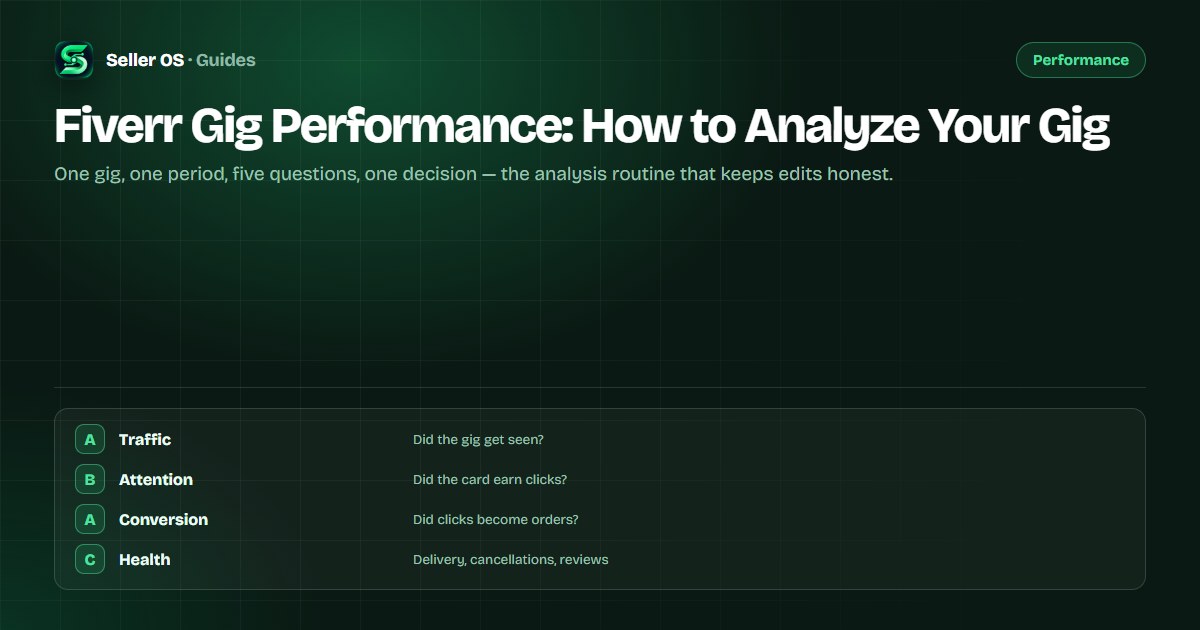
Traffic
impressions: did the gig appear in enough searches and surfaces?
Attention
clicks: when it appeared, did the card earn a click?
Conversion
orders: did the clicks turn into paid orders?
Health
late deliveries, cancellations, and the tone of recent reviews.
Score direction
which success areas moved on the level overview.
Worked example: a monthly review
Here is a filled worksheet for one hypothetical gig, covering the five questions. The numbers are invented to show the reading logic; your own will differ.
The reading assigns the period one job: recover traffic, or confirm it is seasonal before touching anything. A healthy card and improving conversion are reasons not to rewrite the listing, and the single late delivery is the only internal problem on the sheet.
| Question | Reading | Answer |
|---|---|---|
| Traffic | Impressions down about a fifth | Fails: check relevance and season |
| Attention | Clicks steady while impressions fell | Healthy card, smaller audience |
| Conversion | Orders steady against fewer clicks | Rate improved; protect it |
| Health | One late delivery last period | Process problem, not copy |
| Score | Delivery time area seen as weakest | Fix deadlines before editing fields |
Reading delivery health and the score
Delivery quality feeds the score. Fiverr lists late deliveries and order cancellations among the causes of a dropping Success Score, along with negative reviews, conflicts, and poor communication. Order completion rate is described as part of the score, and one of its key areas covers delivering on time or ahead of time.
What Fiverr does not publish is the formula, the weights, or the exact lookback window. The details live on your level overview page under Scores by Gig, where each area shows whether it is helping or hurting. Read the direction rather than chasing a target number, and treat one weak area as the place to work next period.
“The calculation considers a longer time period which provides a more accurate reflection of your performance over time.”
— Fiverr's Success score help article, September 2026
Finish every review with one dated decision
The decision falls into a small set: hold and re-check, test one attention change, work on relevance, or fix a process problem. Write the decision and the review date down. If the failing question was process, such as a late delivery, the fix is internal and the gig fields stay untouched.
Worked example, hypothetical. Attention fails on a gig whose title and image match the promise. You change only the first gallery image, note the date, and leave the title, tags, and packages alone. Next period, clicks either move or they do not. Either way you learn something attributable, which is more than a ten-item edit list ever teaches.
A hold is a real decision too. When every answer passes and the movement is ordinary noise, writing hold protects the gig from an edit made out of boredom. Note the date and the reason, and let the next period confirm that nothing needed doing.
Analysis mistakes that create churn
The most expensive mistake is reviewing every gig in one sitting. Attention spread across ten listings produces ten shallow reads and no decisions. The second is comparing periods of different lengths or different conversion definitions, which makes movement unreadable no matter how carefully you stare at it.
A third is treating a score movement as an instruction to edit fields. The score reflects order process and client relationships over a longer period, so editing your description because a delivery went late fixes the wrong layer. Fix the cause first, then confirm the direction in the next review, and keep each reading to one gig on one page.
And keep score reading separate from score chasing. The score is relative to other freelancers in your price range and moves on a longer window, so a single weak area is a direction, not a grade. Work the underlying behavior, and let the score catch up on its own schedule.
- One gig per session, or none of them.
- Matched periods and definitions, always.
- Process problems fixed in process, not copy.
- One decision per review, with a date.
Where Seller OS helps
Seller OS's gig audit runs this routine on one listing: it reviews the live copy, gallery, and conversion signals against the gig's own performance data and proposes what to test, so the five questions start with evidence attached instead of a blank sheet.
The report view keeps each period's reading and decision next to the change that followed, locally, so next month's review can see whether the last decision worked. It proposes and records; you review, decide, and make every edit inside Fiverr yourself.
Fiverr Gig Performance questions
How do I analyze my Fiverr gig's performance?
Work through five questions in order: did it get impressions, did those earn clicks, did clicks become orders, was delivery healthy, and which success areas moved. Stop at the first failure and make one change aimed there. Repeat on the same gig with the same window so readings stay comparable.
What is a good Fiverr gig conversion rate?
Fiverr does not publish benchmark figures, so there is no official good number to compare against. Read your own trend instead: the per-gig dashboard shows conversion over the selected period with arrows against the previous one. Improving against your own last period is the comparison that matters.
Why did my gig performance drop?
Check the first failing question. Falling impressions point to relevance or seasonality; steady impressions with falling clicks point to the card; steady clicks with falling orders point to the offer or the gig page. A late delivery or cancellation can also move score areas before visible performance changes.
How often should I review gig performance?
Monthly matches the 30-day window Fiverr's per-gig statistics use by default, and it gives each change time to produce a readable result. Review one gig per session, write the five answers down, and end with a dated decision. A quarterly sweep across all gigs works as a supplement, not a replacement.
Ask five questions, make one decision.
Run the routine on one gig, write the answers down, and date the single change you choose.