 Seller OS
Fiverr something went wrong: quick fixes that work
The Fiverr something went wrong message tells you almost nothing: it appears during gig saves, uploads, publishing, checkout, and messaging alike. Because the banner hides the cause, you need a fixed triage order instead of random retries that can duplicate orders or lose a half-written gig.
This guide walks that order: reproduce the error cleanly, check platform status, clear the broken session, disable interfering extensions, try another network, and preserve your work before the final retry. Browser steps are general troubleshooting; platform claims follow what Fiverr publishes.
Free plan available. Local-first data. Human review on every change.
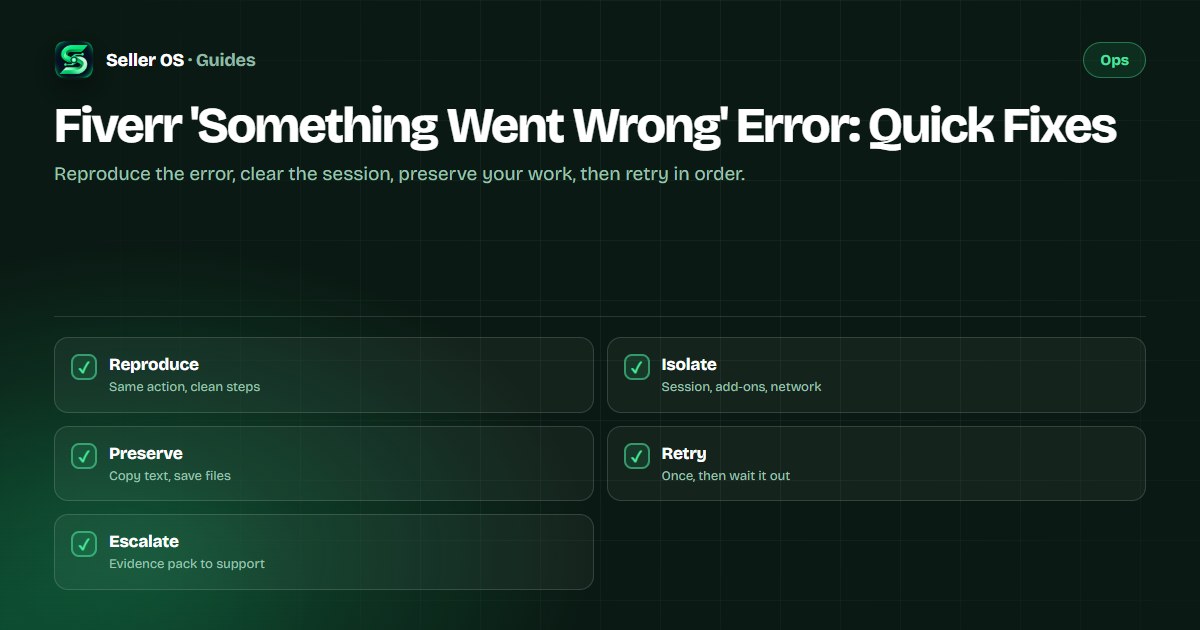
Reproduce the error before fixing it
Write down exactly what triggers the banner: which page you were on, what you clicked, and whether it fails every time or only sometimes. A gig description that fails on every save points at the content or the gig state, while a checkout that fails once at midnight points at a passing platform problem. Without this note you cannot tell whether your next fix actually worked.
Then try the same action once more with attention, watching for detail you missed the first time. Illustrative scenario: you click Save on a gig edit three times in frustration and later find three draft states to untangle. One careful retry with the error text noted beats five fast clicks, because repeated saves during an outage can queue duplicate requests.
Decide whether the platform is at fault
Before touching your browser, check whether Fiverr itself is struggling. Open the Fiverr Help Center and one unrelated Fiverr page: if several pages fail together, or the same action fails on both your phone and your computer, you are likely looking at a platform-side problem rather than your setup. Fiverr publishes no guaranteed uptime page for sellers, so this comparison is the honest signal you have.
If the failure looks platform-wide, stop retrying destructive actions and switch to protection mode. Copy any unsent message or gig text into a local file, screenshot the error with a timestamp, and message waiting buyers from the channel that still works. The outage guide covers the full you-versus-platform separation and what to prepare while you wait.
Clear the broken session and cache
Most vague errors come from a stale login session rather than from Fiverr. These are general troubleshooting steps: sign out of Fiverr completely, clear cookies and cached files for the site, close the browser fully, and sign back in. A session that survived a password change, a long idle period, or a cleared-cookie incident can fail writes while reads still look normal.
A common mistake sellers make is clearing the entire browser history across every site when only the Fiverr session is broken. Limit the clearing to Fiverr's site data first so you keep your other logins intact. Then retest the exact action in a normal window before touching anything else, so you know the session reset was the fix if it works.
- Sign out of Fiverr on every tab, then close the browser completely.
- Clear cookies and cached files for Fiverr's site before anything broader.
- Sign back in fresh and retest the exact action that failed.
- Try an incognito or private window to confirm a clean session behaves differently.
Rule out extensions and the network
Browser add-ons that block scripts, ads, or trackers can break Fiverr's save, upload, and checkout flows without any visible warning. These are general troubleshooting steps: disable your content blockers and script managers for Fiverr, then retest the failing action once. If the save suddenly succeeds, re-enable extensions one at a time until you find the one that interferes.
The network is the next suspect, and it is easy to test. Switch from Wi-Fi to mobile data or a different network and retry the same action, because office and school networks sometimes block the upload or payment endpoints Fiverr needs. Illustrative scenario: gig image uploads fail all morning on office Wi-Fi at 10:00, then succeed on the first try over a phone hotspot at 10:15, which proves the laptop and the account were never the problem.
Disable blockers
turn off ad, script, and privacy add-ons for Fiverr, then retest once.
Isolate the add-on
re-enable one at a time if the retry succeeds.
Change networks
retry the same action on mobile data or a second connection.
Change browsers
one clean test in a second browser separates browser from account causes.
Preserve your work, then retry safely
Never hammer a failing save button with your only copy of the text inside it. Copy gig titles, descriptions, FAQ entries, and buyer messages into a local document before each retry, and keep upload files in their original location until the platform confirms receipt. If a publish or checkout fails midway, check the orders page and email receipts before paying or publishing again so you do not create a duplicate.
Fiverr's help center states that significant gig edits such as title, category, or pricing changes may trigger a review during which the gig is not visible. That means a save that looks like an error may actually be a gig entering review, so check the Gig management page for a Pending Approval state before retrying. If the gig shows under review, waiting is the correct action, not another save.
| Before you retry | Do this | Why it matters |
|---|---|---|
| Gig text edits | Copy every field locally | Retries cannot eat your copy |
| Uploads | Keep original files in place | Confirms what actually arrived |
| Checkout | Check orders and receipts | Avoids paying twice |
| Gig publish | Check for review state | A review is not an error |
Escalate with evidence that gets answers
When the error survives a clean session, quiet extensions, two networks, and a waiting period, it needs support rather than more retries. File through the published contact flow with the full evidence pack: the exact steps, timestamps of at least two failures, the browsers and networks you tested, screenshots of the banner, and confirmation that your gig is not simply paused or awaiting approval. That pack gets a faster useful reply than a bare error report.
While you wait, protect the business around the broken action. Tell affected buyers what happened in one short message, request a delivery extension early if a deadline is at risk, and keep your preserved copies ready to paste the moment the platform recovers. One careful support request plus protected deadlines beats a day of angry retries.
Where Seller OS helps
Seller OS helps most in the preserve-your-work stage of this triage. Its gig builder drafts and local order and client records keep your gig copy, message drafts, and buyer context in Chrome local storage, so a failed save never means starting from a blank field. It drafts and fills; a person performs every final Send, Save, Continue, or Publish action.
The honest limit is that it cannot fix Fiverr's errors, clear your session, or push a save through a broken platform state. Think of it as the clipboard that never forgets: your words survive the outage, and you paste them yourself when Fiverr is ready.
Fiverr 'Something Went Wrong' Error questions
Why does Fiverr keep saying something went wrong when I save my gig?
The usual causes in order are a stale login session, an interfering browser extension, a network blocking the save, or the gig entering review after a significant edit. Clear Fiverr site data and sign in fresh, disable blockers for Fiverr, and check the Gig management page for a review state. Copy your text locally before each retry so no attempt can eat it.
Is the something went wrong error caused by my account?
Sometimes, but check the cheap causes first. If the same action fails on two browsers and two networks, and other Fiverr pages also fail, it looks platform-side. If only gig saves fail, check whether the gig is paused, denied, or under review. Account standing only becomes the lead suspect after session, extension, and network causes are ruled out.
Should I keep clicking retry on a Fiverr error?
No, repeated retries can queue duplicate checkouts or pile up conflicting saves. Retry once carefully after each fix so you know which change worked, and check the orders page plus email receipts before any second payment attempt. If two careful retries fail an hour apart, preserve your work, notify affected buyers, and wait before trying again.
What evidence should I send support about a Fiverr error?
Send the exact steps that trigger it, timestamps of at least two failures, the browsers and networks you tested, screenshots of the banner, and your gig or order state from the management pages. State that you already cleared the session and disabled extensions. A complete pack like this gets a useful reply far faster than a message that only quotes the banner.
Triage errors in order
Reproduce, isolate session and network, preserve your copy, then retry once.