 Seller OS
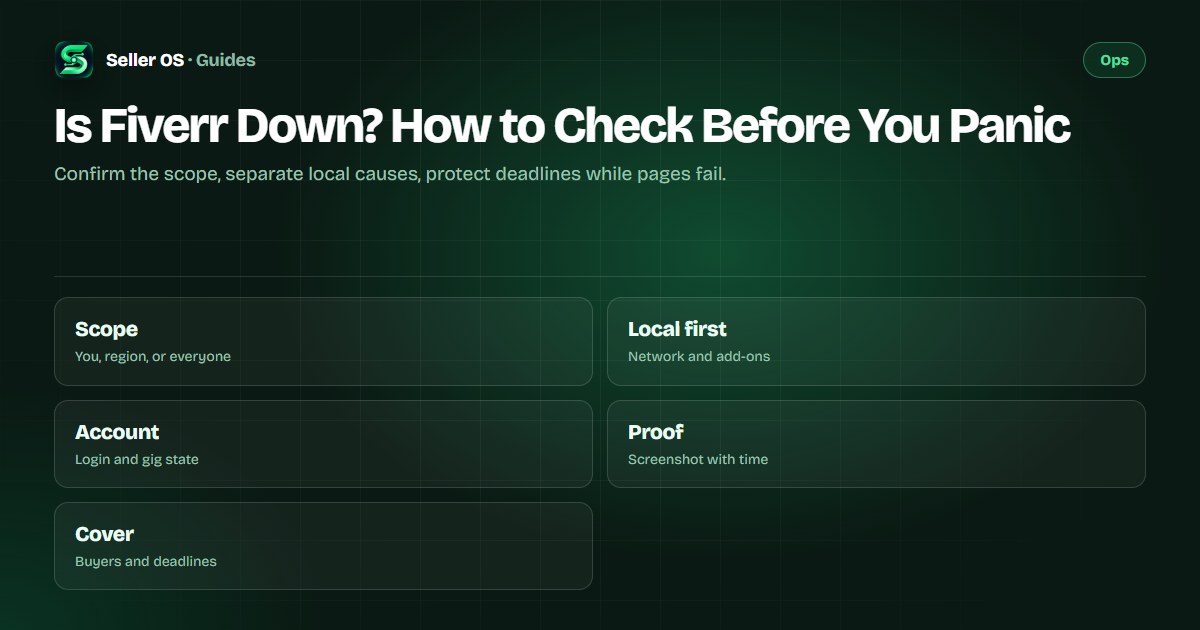
Is Fiverr down? check before you panic
When Fiverr pages stop loading, your first thought is that the whole platform is down and your deadlines are doomed. Most of the time the cause is smaller: your network, a browser extension, a stale session, or one troubled page rather than the entire marketplace.
This guide gives you an evergreen triage that never depends on live status claims: confirm the scope, separate platform from local causes, watch where Fiverr communicates, and prepare deadline proof plus buyer messages while you wait.
Free plan available. Local-first data. Human review on every change.
Confirm the scope before anything else
Scope is the single question that organizes everything: is it you, your region, or everyone. Open Fiverr on a second device or a second network, such as mobile data instead of Wi-Fi, and try one unrelated Fiverr page like the Help Center alongside the failing page. If everything fails on all networks, a platform problem is plausible; if only one page or one network fails, it is not.
Write down what you find with timestamps, because outage confusion grows with every passing hour. Note which pages load, which fail, the exact error wording, and the time you checked. Illustrative scenario: at 14:05 your gig editor fails on home Wi-Fi, at 14:08 it also fails on mobile data, and at 14:10 the Help Center loads fine, which points at one troubled surface rather than a dead platform.
Rule out network and extension causes
A common mistake sellers make is announcing an outage to buyers before testing their own setup. These are general troubleshooting steps: disable content blockers and script managers for Fiverr, retry in a private window, and switch networks once. Office, school, and public networks sometimes block the exact endpoints Fiverr needs while every other website loads perfectly.
The session deserves the same suspicion. Sign out, clear Fiverr site data, sign back in, and retest the failing page before concluding anything about the platform. If the page loads for a logged-out visitor but not for you, the cause sits in your account or session, and the error triage walks the deeper isolation order from there.
- Retest the failing page on a second network before blaming the platform.
- Disable blockers for Fiverr and retry once in a private window.
- Reset the Fiverr session: sign out, clear site data, sign back in.
- Compare a logged-out page against your logged-in page for session clues.
Separate account trouble from outages
Some failures that feel like downtime are really account or gig states. Fiverr's help center states that gigs under review may not be visible until the review completes, and paused gigs are not visible to clients while remaining reactivatable by you. If your gig page fails while the rest of Fiverr loads, check Gig management for review, paused, or denied states first.
Login and access problems belong in the same check. If you cannot sign in at all while public Fiverr pages load for others, treat it as an account access issue rather than an outage and work the recovery path. The support availability guide covers the self-checks for reaching help when the normal flow misbehaves.
Watch where Fiverr actually communicates
Fiverr publishes no seller-facing uptime dashboard with guaranteed status, so be skeptical of anyone quoting a live verdict. The places Fiverr does communicate are its Help Center articles, official community posts from Fiverr staff, and direct messages to your inbox or registered email. Check those official surfaces rather than trusting screenshots passed around in seller groups.
Treat every unofficial status claim as unverified until your own tests agree with it. A fame-seeking post that declares a global outage during your local network failure costs you calm and credibility if you repeat it to buyers. Your timestamped notes from the scope check are a better source of truth than any third-party meter.
Protect deadlines while you wait
Waiting without cover is how an outage turns into late deliveries. Fiverr's help center states that an order becomes Late past the deadline and Very Late 24 hours after that, with cancellation rights shifting toward the client, so every hour of downtime planning matters. Screenshot the failing pages with timestamps now; that proof supports any later conversation about what blocked you.
Message affected buyers early in one calm note: state what is failing, that you are monitoring it, and when you will update them next. If a deadline is genuinely at risk, request a delivery extension before the clock runs out, since Fiverr's help center states only you can request one and silence auto-accepts it after 48 hours. The late delivery guide details the Late and Very Late consequences you are guarding against.
Illustrative scenario: two orders are due this evening and the delivery button fails at 17:40. You screenshot the failure at 17:42, message both buyers by 17:50 with a status note, and file extension requests the same hour. When the platform recovers at 20:00, your deadlines show the extensions and your buyers show patience instead of cancellation screens.
Verify recovery instead of assuming it
Platforms often recover in stages: pages load but saves fail, or messaging works while checkout lags. Retest each action that matters to you rather than assuming full health from one loaded page. Deliver anything held, confirm the delivery registered on the order page, and check that scheduled messages actually sent instead of sitting in drafts.
Then close the loop with buyers and your own records. Send a short all-clear note on affected orders, withdraw or update extension requests you no longer need, and keep your timestamped screenshots for a few weeks. If any order took damage during the window, the contact guide shows how to reach support with the evidence pack you already built.
| Recovery check | How to confirm | If it fails |
|---|---|---|
| Pages load | Open inbox, orders, gig pages | Keep scope notes going |
| Delivery works | Deliver and confirm order state | Screenshot and retry later |
| Messages send | Confirm sent state per order | Use the second network test |
| Checkout works | Verify orders and receipts | Avoid duplicate payments |
Where Seller OS helps
Seller OS is built for exactly this waiting period. Its deadline guard watches active orders while Chrome is open on the Pro plan, its local order and client records keep buyer context readable when Fiverr pages will not load, and its message drafts let you prepare every update offline. It drafts and fills; a person performs every final Send, Save, Continue, or Publish action.
The honest limit is that no extension can keep Fiverr online or deliver your work through dead pages. What it does is preserve your proof, your words, and your priorities, so the moment pages recover you act in minutes instead of reconstructing the day.
Is Fiverr Down? How to Check Before You Panic questions
How can I tell if Fiverr is down or if it is just my connection?
Test on a second network and a second device, and open an unrelated Fiverr page like the Help Center next to the failing one. Failure everywhere on all networks suggests a platform problem; failure on one page or one network points locally. Note times and error wording so you compare facts instead of impressions as the hour passes.
Where does Fiverr announce outages and maintenance?
Fiverr publishes no guaranteed seller uptime dashboard, so there is no single status page to trust blindly. Check the Help Center, official staff posts in Fiverr's community, and messages to your inbox or registered email. Treat unofficial meters and social posts as unverified until your own tests confirm the same scope.
What should I do about deadlines during a Fiverr outage?
Screenshot failures with timestamps, message affected buyers once with a calm status note and your next update time, and request delivery extensions before deadlines pass since only you can request them. Fiverr's help center states orders go Late past deadline and Very Late a day later, so early extension requests plus buyer notes are your real protection while pages fail.
Fiverr is back up but my gig page still fails, what now?
Recovery often arrives in stages, so retest each action separately instead of assuming full health. Check Gig management for review, paused, or denied states, reset your session once, and retest in a private window with blockers off. If one surface still fails while the rest works, treat it as a page-level issue and escalate with your timestamped evidence.
Check scope before panic
Test two networks, note timestamps, protect deadlines, then message buyers once.