 Seller OS
Fiverr Success Score dropped with no orders: what moves it
Fiverr's help center answers this one directly: your Success score does not decrease simply due to inactivity or lack of new orders. If the number moved while your gigs sat quiet, something else is behind it. The published rule names six areas, and the movement usually traces to one of them over a longer evaluation window.
This guide explains what actually moves the score, how to read it on your level overview, and what to do while it settles. The one thing it cannot give you is the formula: Fiverr does not publish the weights, so anyone who claims to know them is guessing.
Free plan available. Local-first data. Human review on every change.
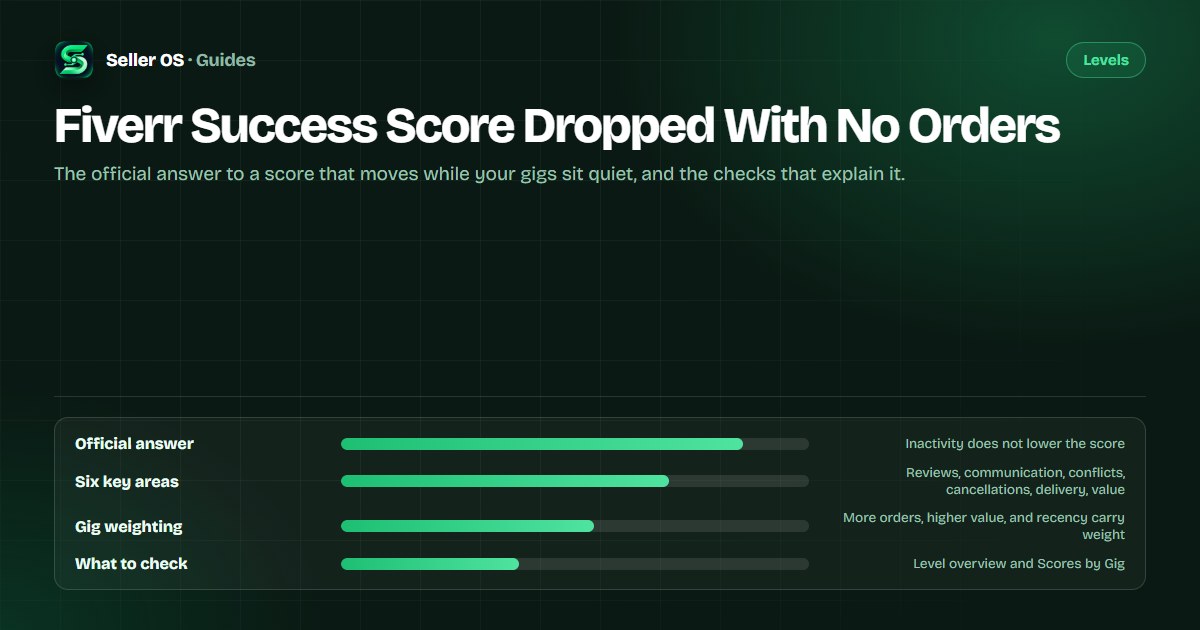
The official answer to a quiet-score drop
Start with the published rule, because it prevents the most expensive mistake. Fiverr's Success score article states plainly that the score does not decrease simply due to inactivity or lack of new orders. A quiet month is not, by itself, a scoring event.
That does not mean the number never moves during a quiet stretch. The movement has a cause other than silence, and the same page lists the candidates: negative reviews, late deliveries, order cancellations, poor or slow communication, conflicts, and decreased client satisfaction. Those signals can continue to be reflected even after the work stops.
The score is also designed to stay stable. Fiverr evaluates it over a longer time period, which the page describes as a more accurate reflection of performance over time, and says the design prevents a single order from having too much impact. A change you notice today can come from activity weeks ago.
What actually moves the Success Score
The score evaluates each of your gigs in key areas related to the order process and your relationship with clients. Fiverr names six: client satisfaction, communication, conflict-free orders, order cancellations, on-time delivery, and value for money. Each gig gets its own score, and the overall number is built from those.
Not every gig counts equally. Fiverr states that gigs with a higher number of orders carry more weight in the overall score, and that higher-value and more recent orders may have a greater impact on a gig score. A main gig with steady volume can steer the total more than one that rarely sells.
The score is relative, too. Fiverr says it is based on your performance compared with other freelancers in your price range, and that a score of 10 is not required for success. Reading the number as an absolute grade against your own history misses what Fiverr is comparing.
What to check on your level overview
Your level overview is the only place with the full picture. Expand each gig score under Scores by Gig to see which of the six areas have the strongest impact on that gig, both positively and negatively. Fiverr gives that instruction directly, and it turns an opaque number into a short list.
Only you can see the Success Score; clients see your level. That changes how you should respond. The number is a private diagnostic, not a public signal, so the goal is finding the area with the strongest negative impact rather than chasing a digit buyers never see. The Success Score guide covers the wider picture.
Compare the gig scores and note the weakest one. If a single gig drags while the others hold steady, the fix belongs to that gig's order history: a late delivery, a cancellation, a communication lapse. If every gig moved at once, look for an account-level pattern inside the same window.
Worked example: a quiet month, one moved score
Illustrative example: a seller pauses new orders for six weeks to finish a course. The Success Score slips from 8 to 7. Two months earlier, one order was delivered three days late and the buyer left a lukewarm review. No new orders arrived, yet the past is still inside the evaluation window.
The published mechanics explain the movement without contradiction. Recent orders may carry greater impact, but recent is measured against that longer window, not against the current week. The late delivery is more recent than the gig's older happy history, so it can weigh while the seller does nothing.
A second illustrative case: a seller with two gigs sees the overall score hold steady through a quiet month, because the high-volume gig's strong history outweighs a small dip on the rarely ordered one. The same silence produces a different result, and order volume is the reason.
Community reports versus the published rule
Community threads show why the question is so common. In September 2026, sellers report inactive gigs that kept moving in Success Score, and another community thread describes a score that seemed to vanish. Support replies in those threads described system recalculation and rebalancing of historical indicators, according to the sellers who posted them.
Treat those reports as community-reported context, not platform fact. Fiverr's published rule stays the anchor: inactivity alone does not lower the score. The practical middle ground is that historical orders remain inside the evaluation window, so older signals can surface during a quiet period. The score-drop triage guide walks through the checks.
What to do while the score settles
Resist the urge to rebuild everything. A quiet drop is a signal to inspect, not a mandate to edit gigs, change prices, or pause listings. None of those actions directly targets the six areas, and each one resets the baseline you would use to judge whether anything improved.
One platform detail keeps this calm: Fiverr's level article states that dropping below your level's criteria starts a 30-day grace period. The Success score page also notes that unresponsive clients are accounted for, and that revisions, delivery extensions, and partial refunds are viewed as tools to enhance the client's experience, not as penalties.
If the score is critically low, treat it as a visibility problem, not only a metric one. Fiverr states the account may be labeled low performance and its visibility affected. That is the moment to protect response times and delivery promises above all. Impressions dropping overnight can be the visible symptom.
Expand Scores by Gig
find the area with the strongest negative impact.
Trace it to orders
match the area to a review, a late delivery, or a cancellation.
Fix the behavior, not the listing
faster first replies, realistic delivery times, clear expectations.
Note the date and wait
the score uses a longer window, so improvement takes time to show.
Watch visibility
a critically low score can label the account low performance, which affects visibility.
Mistakes sellers make when no orders arrive
The first mistake is believing inactivity is the cause and waiting for orders to fix the score. If nothing about the six areas changes, the score has no reason to move back. The second is calling the score random. Fiverr's published causes are specific, even though the formula and weights are not.
The third is editing gigs as a reaction. Changing titles, images, or prices does not address client satisfaction, cancellations, or delivery timing, and it muddies your own comparison data. The fourth is competing on price to chase a 10 when Fiverr explicitly says a 10 is not required for success.
A final one: treating a support reply about recalculation as a policy change. Community reports do not replace the published rule, and nothing in Fiverr's help center says the score updates on a fixed schedule. The stuck-score guide covers what to do when the number will not move at all.
Where Seller OS helps
Seller OS keeps a quiet stretch observable. The Pro monitors include a Success Score guardian that watches the areas Fiverr shows for your gigs and flags movement while Chrome is open, and the reports view pairs those signals with the orders and response activity behind them.
Honest limit: Seller OS cannot see Fiverr's formula, cannot change your score, and cannot contact Fiverr for you. It watches and reminds, and everything it drafts waits for your review; you perform every final action yourself.

Fiverr Success Score Dropped With No Orders questions
Does your Fiverr Success Score drop from inactivity?
No. Fiverr's help center states that the Success score does not decrease simply due to inactivity or lack of new orders. If your score moved during a quiet period, look for one of the published causes: negative reviews, late deliveries, cancellations, slow communication, conflicts, or decreased client satisfaction.
Why did my Success Score drop with no new orders?
Historical orders stay inside a longer evaluation window, so older signals can still surface. Fiverr says more recent and higher-value orders may have greater impact, and gigs with more orders carry more weight. Trace the drop to the six areas on your Scores by Gig view before changing anything.
Where do I see which gig is dragging the score?
On your level overview page. Expand each gig score under Scores by Gig to see which of the six key areas have the strongest impact, positive and negative. Only you can see the Success Score itself; clients see your level. Use the weakest area as the starting point for your next fix.
Can a low Success Score affect my visibility?
Fiverr states that if the score falls critically low, the account may be labeled low performance and its visibility affected. The level system also gives a 30-day grace period when performance drops below your current level's criteria. Treat a critically low score as a signal to protect response times and delivery promises first.
Read the areas before you rebuild the gig
Check Scores by Gig, match the moved area to a past order, and fix the behavior instead of editing the listing.