 Seller OS
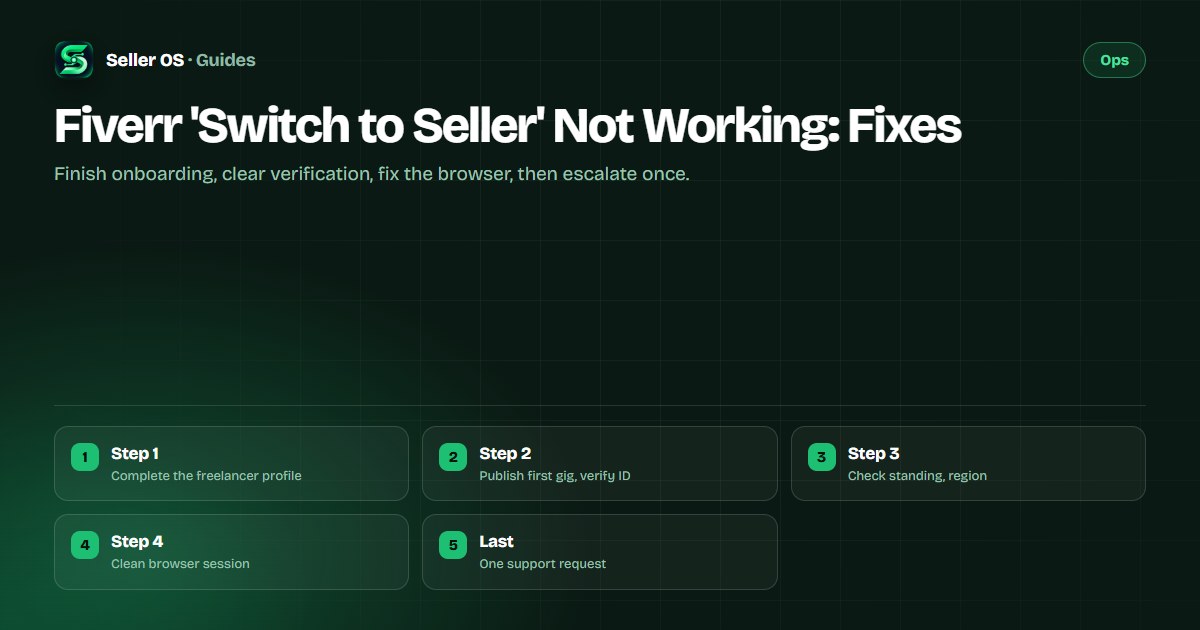
Fiverr switch to seller not working: fixes
Buying on Fiverr works fine, yet the selling side never appears, and the Become a Seller path seems to lead nowhere. Fiverr's help center states the published way in: click the profile picture, choose Become a Seller, and complete the freelancer onboarding, because the account cannot switch to selling mode until the freelancer profile is complete.
This guide covers that activation path, the account states that block it, quick browser fixes, and the support route. Account requirements are attributed to Fiverr; the troubleshooting order is practical advice.
Free plan available. Local-first data. Human review on every change.
The published way to activate selling
Fiverr's help center states that an existing account holder clicks the profile picture and chooses Become a Seller, then completes freelancer onboarding by adding experience manually or uploading a CV up to ten megabytes. The profile must be completed before the account can switch to the freelancer side, so a half-finished profile is the most common reason the button seems dead.
Visibility follows onboarding tasks: Fiverr's published pages state that completing the new freelancer onboarding tasks on the dashboard makes the profile visible to clients. Example: a buyer since 2023 clicks Become a Seller, skips the skills section, and sees no selling surface; finishing every onboarding task, including the profile photo and description, makes the seller dashboard appear on the next login.
Verification states that block the switch
Fiverr's help center states that new sellers may need to complete business, phone, and identity verification before gigs appear in the catalog, and that gigs stay hidden until verification is fully complete. Identity verification unlocks only after the first gig is published, which confuses sellers who wait for verification before creating anything.
The published attempt rules are strict: phone verification allows three text attempts with one number per twenty-four hours, business verification allows two attempts, identity verification typically grants five attempts, and a failed attempt needs at least six hours before retrying. If verification is pending or failed, the verification guide explains the states, and the failure-fix guide covers retries.
| Check | Published rule | Your move |
|---|---|---|
| Profile completion | Required before switching | Finish every onboarding task |
| First gig | Unlocks verification task | Publish the gig first |
| ID verification | Gigs hidden until passed | Verify with physical ID, retry after 6h |
| Phone verification | 3 texts, 1 number per day | Use one stable number |
Account standing and region can also block you
An account under review, restricted, or ineligible to sell cannot open the selling surface no matter how complete the profile is. Fiverr's enforcement pages describe these states with exact limits, and any notice about violations, pending verification, or missing documents takes priority over seller-mode troubleshooting. Resolve the standing issue first.
Region and location details matter too: Fiverr's published pages state the country is set at registration and changing it requires Customer Support with proof of residency. A seller who registered while traveling and now lives elsewhere may need that correction before selling activates, and the suspension guide helps when a fresh account meets enforcement instead.
Browser and session causes to rule out
Sometimes the account is fine and the browser is not: a stale session, aggressive ad blocker, or corrupted cache can hide the seller dashboard or make the button unresponsive. As general troubleshooting practice, sign out and back in, try an incognito window with extensions disabled, and test a second browser before concluding the account is broken.
The common mistake sellers make is reinstalling everything and changing passwords repeatedly while the real cause is a half-finished onboarding checklist sitting one click away. Example: after an hour of cache clearing, the seller opens the dashboard on a phone, sees the highlighted incomplete profile task, finishes it in four minutes, and seller mode appears everywhere on refresh.
- Sign out fully, then sign back in on desktop rather than the app.
- Retry in an incognito window with all extensions disabled.
- Test a second browser or network to rule out a local display fault.
- Confirm the dashboard shows zero incomplete onboarding tasks.
- Check that no verification or policy notice is waiting unopened.
- Confirm the registered country matches where you actually live now.
Fees, documents, and profile details to finish
Fiverr's identity pages state that some new freelancers must pay a one-time fee to complete identity verification, and that only original physical documents are accepted rather than digital copies. A third-party provider validates the ID against a selfie, so dim photos and mismatched names between the profile and the document stall the process.
Keep profile details consistent everywhere: the name, photo, and professional facts should match the documents you will show. Sellers building their first offering can read the profile-views guide next, since a technically active seller mode still needs a profile buyers want to click.
When to contact support about seller mode
Contact support only after onboarding is complete, verification states are resolved, and two browsers show the same dead end. Write from the registered email, describe the exact click path and what appears instead of seller mode, and attach screenshots of the onboarding checklist and any notices. Include the date the problem started and whether the app and desktop behave differently. The contact guide maps the right channel for account-access issues.
One precise ticket beats repeated attempts, because support cannot start verification for you or shortcut the published requirements. While waiting, prepare the first gig properly instead of resubmitting the same half-finished profile, and keep an eye on the registered inbox for the verification invitation Fiverr sends.
Where Seller OS helps
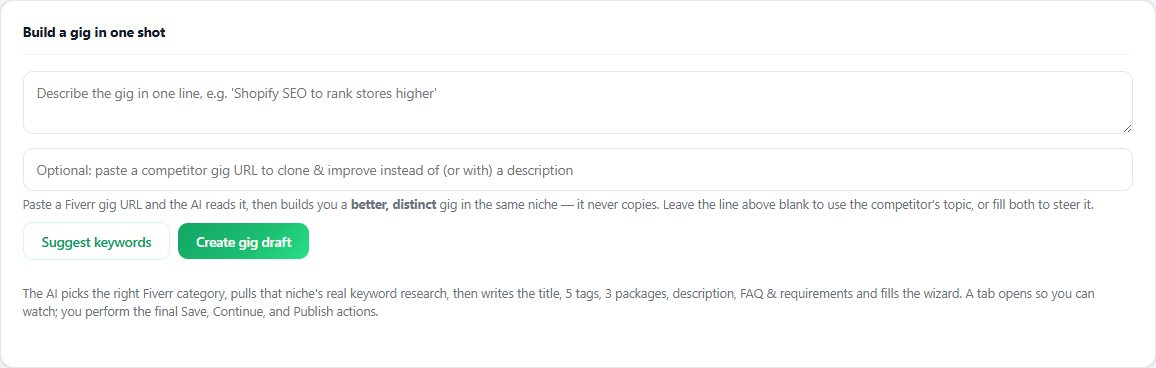
Once seller mode opens, the real work is building gigs that convert. Seller OS includes a Gig Builder that turns a one-line idea or competitor page into a structured gig and fills the Fiverr wizard for review, plus keyword research help and rank tracking so the new gig can be found.
It drafts and fills while a person performs every final Save, Continue, and Publish, and it cannot activate seller mode, pass verification, or change account standing. The account door stays Fiverr's; the gig craft inside is where the tool helps.
Fiverr 'Switch to Seller' Not Working questions
Why is Fiverr switch to seller not working?
The most common cause is incomplete freelancer onboarding, since Fiverr's help center states the profile must be complete before the account can switch to selling. Pending identity verification, account standing issues, and browser session faults are the next checks. Finish every dashboard onboarding task, resolve any verification notice, then retry in a clean browser.
Where is the Become a Seller button on Fiverr?
Fiverr's help center states you click your profile picture and choose Become a Seller, then complete the freelancer onboarding. If the option or the seller dashboard never appears, check for incomplete profile tasks on the dashboard first. An unfinished profile blocks the switch even when the button itself works.
Do I need verification before selling on Fiverr?
Fiverr's help center states new sellers may need business, phone, and identity verification before gigs appear in the catalog, and gigs stay hidden until verification completes. The verification task unlocks after the first gig is published. Some new freelancers must also pay a one-time identity verification fee, so check the verification notice on your account.
Can support enable seller mode for me directly?
Support cannot skip the published requirements or start verification on your behalf, per Fiverr's identity pages. Contact support only after onboarding is complete and the problem reproduces in two browsers, writing from the registered email with screenshots. Describe the exact click path so the case can be matched to your account quickly.
Finish onboarding, then retry cleanly
Complete the profile, publish the first gig, clear verification, and test a fresh browser session.