 Seller OS
Fiverr verification failed: how to fix it
A failed verification attempt is not a verdict on your account. It means the provider could not match the document to the selfie in that session, and the fix is almost always a better-prepared retry. What changes after a failure is the wait before you can try again, not your right to sell.
This guide separates the failure causes worth re-shooting from those that need a different action, explains the retry rules Fiverr publishes, covers the location and VPN question in general security terms, and marks the point where support is the right next step.
Free plan available. Local-first data. Human review on every change.
What a failed attempt actually means
The message after a failed attempt is narrow: this session did not pass. It is not a statement that your documents are invalid or that the account is finished. A failed check can restrict selling while still allowing you to complete active orders, which the verification hub sets out in full.
Read the exact wording in your notice before acting. If it says selling is paused, your first move is to finish any open order, not to file an appeal. A retry usually resolves the check, and an appeal does not speed up a retry.
Match the failure to its cause
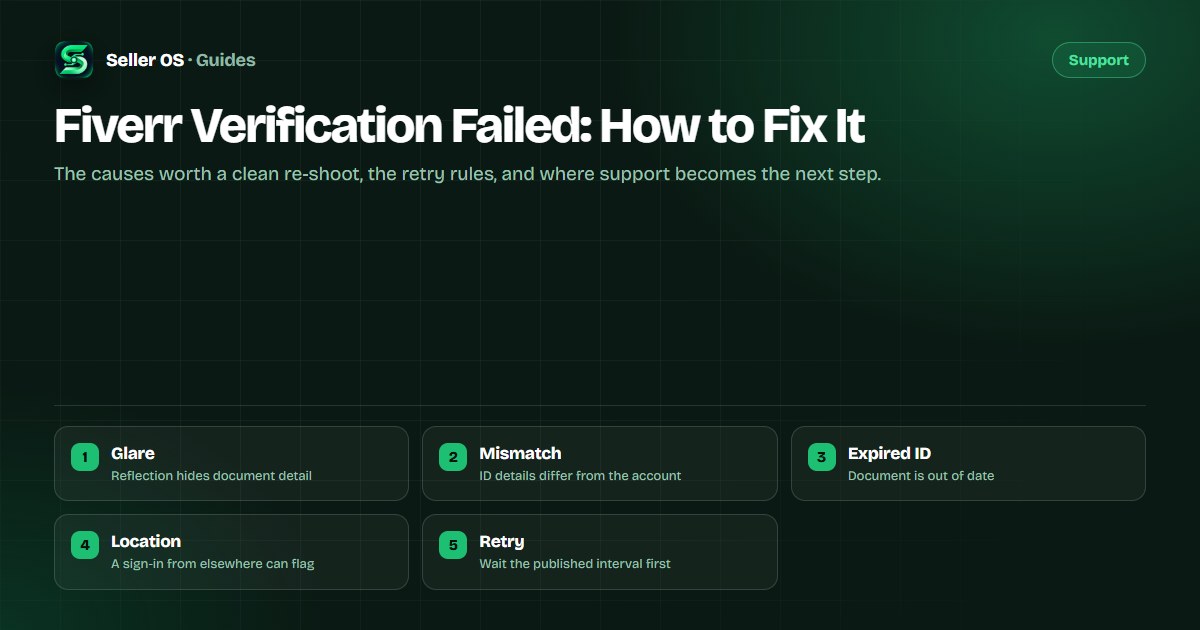
Most failures fall into a handful of buckets, and each one has a different fix. Find the row that matches what you saw rather than assuming the document itself is the problem.
| Cause | What it looks like | The fix |
|---|---|---|
| Glare | Bright reflection across the ID | Re-shoot away from direct light |
| Blur or crop | Edges or text cut off | Flat surface, whole document in frame |
| Digital copy | A scan or a photo of a screen | Use the original physical document |
| Expired ID | A document past its expiry date | Switch to a valid document from the list |
| Mismatch | Name or details differ from the account | Verify with the document that matches your details |
The retry rules that apply
Fiverr publishes a wait between attempts, named in the verification help pages as six hours. Submitting inside that window changes nothing, because the underlying cause is still there. There is no published cap on the number of attempts, so the risk of retrying is not a countdown; it is repeating the same mistake.
Between attempts, change one thing: the document, the lighting, or the device. A second identical attempt is a coin flip. A second attempt with the glare gone is a fix. If two clean attempts with different documents both fail, stop and gather evidence before a third.
- Wait the published interval before the next attempt
- Change one variable each time: document, light, or device
- Keep a note of the exact prompt where the session failed
- Do not open sessions on two devices at once
Location changes, VPN use, and the flag they raise
Fiverr checks where a sign-in comes from, so a verification attempt from an unfamiliar location can raise a flag even when the document is perfect. If you have moved, or you are traveling, verify from a stable, familiar connection and expect the account to take a closer look.
Virtual private networks are a separate question, and this is general security practice rather than a Fiverr rule. Reported risks of routing verification through a VPN include the provider seeing a location that does not match your document, which can read as a mismatch. Consider verifying from your normal home or office network and reserve a VPN for cases where you actually need one, rather than switching locations mid-flow.
When to involve support
Support is the right step for a technical failure, not for a document that was not accepted. If the flow crashes, a button does nothing, or a clean session ends without confirmation, that is a platform problem worth a ticket. Fiverr states that Customer Support cannot verify an ID or start the process on your behalf, so a ticket cannot substitute for a retry.
Write the ticket the way you would any other: username, dates, the exact step where it broke, and one screenshot. If the account ends up restricted or disabled after repeated failures, the account disabled guide covers the narrower path, and the phone verification guide covers a code that never arrives.
Set up the next attempt to pass
Treat the next attempt as a fresh setup rather than a rerun. The preparation that prevents a failure is the same hour of care that the first attempt should have had.
Check the document is valid, physical, and on Fiverr's accepted list
Clean the phone lens and shoot in even daylight
Lay the document flat with all four corners visible
Match the account name and details to the document first
Complete the attempt on a familiar network in one sitting
Where Seller OS helps
A failed verification is an account event with dates, and Seller OS keeps those dates local. The workspace records what changed and when, so if a retry also fails you can describe the sequence to support from notes rather than memory.
The extension does not touch identity documents and cannot verify anything. It drafts, organizes, and tracks in Chrome local storage, and every submit stays a human action.

Fiverr Verification Failed questions
Why did my Fiverr verification fail?
Common causes are a scan or digital copy instead of the physical document, glare or a cropped edge on the capture, an expired ID, or details that do not match the account. A verification attempted from an unfamiliar location can also raise a flag. Match your failure to one cause and fix that specific thing before retrying.
How many times can I retry Fiverr verification?
Fiverr does not publish a fixed cap on attempts, so treat the risk as repeating the same mistake rather than running out of tries. A wait applies between attempts, published as six hours, and submitting inside it wastes the action. Change one variable, such as the document or the lighting, before each retry.
Does using a VPN fail Fiverr verification?
A VPN is not a guaranteed failure, but reported risks include the provider seeing a location that does not match your document, which can read as a mismatch. As general security practice, consider verifying from your normal network instead. The location Fiverr sees is checked during the flow, so a sudden change can slow the review.
When should I contact support about verification?
Contact support for a technical failure, such as the flow crashing or a clean session completing with no confirmation. Fiverr states that support cannot verify an ID or start the process for you, so it is not a shortcut around a rejected document. Include your username, dates, the failing step, and a screenshot of the error.
Diagnose the cause, then retry once.
Fix one variable, wait the published interval, and keep a dated note in case support is needed.