 Seller OS
Fiverr video calls and Zoom: who can start them
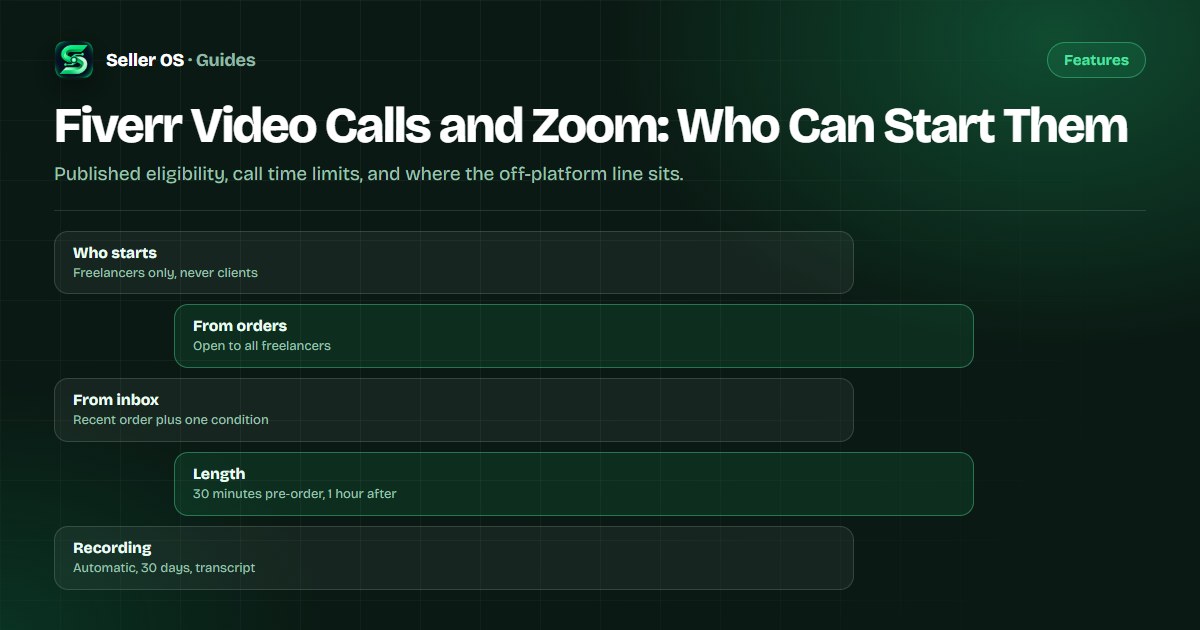
Fiverr hosts all platform video calls through Zoom and covers the associated costs, so no personal Zoom account is involved. Only freelancers can start a call, and the rules differ depending on whether you start it from an order page or from an inbox conversation. Every call is recorded automatically.
This guide walks through the published eligibility rules, the time limits, when a call actually helps an order, and the compliance line you hold during the conversation. Rules come from Fiverr's help center; the workflow advice is ours.
Free plan available. Local-first data. Human review on every change.
How platform video calls work
Fiverr's video calls article states that Fiverr hosts all calls through Zoom and covers the associated costs. When a call starts, a pop-up confirms Fiverr as the account owner, so neither side needs a Zoom login. The platform is doing the hosting, and the conversation stays attached to the Fiverr relationship.
Every call is automatically recorded, and the recording stays available for 30 days with a transcript you can download. That recording is a feature and a boundary at the same time: it gives both sides a shared record of what was agreed, and it means nothing said on a call is private from the platform's normal review processes.
- Fiverr hosts through Zoom and pays the associated costs.
- No personal Zoom account is needed by either side.
- Every call is recorded automatically.
- Recordings last 30 days and include transcript download.
- Clients cannot start a call; they can request a scheduled one.
Who can start a call, and from where
Only freelancers can initiate, and the location matters. From an order page, calls are available to all freelancers. From an inbox conversation, you need at least one order of any status in the last 60 days, plus at least one of these: be an agency, be in a conversation with a Fiverr Pro customer, or be a Level 1 freelancer whose average selling price is $50 or above, excluding tips and extras.
Clients cannot initiate at all. What they can do is click Ask to schedule an intro Zoom meeting on an eligible freelancer's profile, which puts a future meeting on the calendar instead of starting a live call. Agencies can also invite clients to schedule a future meeting, and when the client is a Fiverr Pro user, multiple team members can join the call.
| Starting point | Requirement | Who acts |
|---|---|---|
| Order page | Any freelancer | You start the call |
| Inbox chat | Order in last 60 days plus one condition | You start the call |
| Profile | Client clicks schedule request | Client requests it |
| Agency | Future meeting invite | Agency schedules it |
How long a call can run
The clock depends on whether an order exists. Fiverr's article caps calls at up to 30 minutes before an order is placed and up to 1 hour after one is active. A pre-order call is a scoping conversation with a hard edge; the hour afterward is for coordination on live work.
Use the edge deliberately. If the 30 minutes are spent rehashing the brief, the call did not earn its slot, and the requirements form or a written message would have been faster. Decide before you dial what decision the call should produce, then judge it against that decision rather than against how friendly the conversation felt. Illustrative call plan (not platform data): five minutes confirming the brief, fifteen on the one disputed requirement, five agreeing price and timeline, so the pre-order half hour ends with a decision instead of a follow-up thread.
When a call genuinely helps an order
Calls earn their place on ambiguity: mismatched expectations in a brief, a stakeholder who needs to hear the plan, or a revision round that keeps missing because the feedback is vague. Consider an illustrative scenario (not platform data): a client keeps rejecting logo concepts with notes like feels off. Fifteen minutes of call, with screen share on the rejected drafts, produces three named directions, and the next delivery lands.
They waste time when the answer already exists in writing, or when a call becomes a substitute for scoping the project properly. A practical rule: agree in the order thread on what the call will decide, send a one-paragraph recap afterward so the decision survives the recording's 30-day window, and move any pricing change into a custom offer where it belongs.
The line you hold during a call
Fiverr's policy explicitly prohibits any attempts to move business off of Fiverr, alongside inappropriate language, threats, prohibited services, and sharing sensitive personal information. The rule applies on video exactly as it applies in chat, and a friendly call is where sellers most often slip: handing over a personal email, a phone number, or an outside payment arrangement feels casual and is not.
A common mistake is treating the recorded call as informal because both parties can see each other. Keep the relationship and the payment on Fiverr, agree requirements in writing on the order rather than only on video, and follow Fiverr's recommendation to avoid remote-access tools during calls. If a call goes wrong, the meeting card in the inbox has a Report the incident option; the off-platform lure guide covers the payment version of this trap.
- Never move payment or contact off the platform on a call.
- Write agreed requirements into the order after the call.
- Follow Fiverr's advice on remote-access tools.
- Report problems from the meeting card in the inbox.
- Do not share sensitive personal information either direction.
Video calls versus paid consultations
The two features look similar and behave differently. A video call is free, capped at 30 minutes before an order and an hour after, and attached to a conversation or order. A paid consultation is a booked order of 30 or 60 minutes with a price, eligibility starting at Level Two, Top Rated, or Pro, and a written summary due within 10 days as the delivery.
Pick by what you need from the interaction. If you are coordinating live work or untangling a brief, the free call is enough. If you are selling your expertise as a standalone service with a fee and a deliverable, the consultation is the product. For everything that happens between calls, the inbox features guide covers where conversations and order messages now live.
Where Seller OS helps
Seller OS keeps the recap work short: local client notes hold the context from the call, and message drafts for the follow-up summary are written for you to review before sending.
It drafts and fills; a person performs every final Send, Save, Continue, or Publish action. It does not host, record, or schedule calls, and it has no access to your Zoom sessions.

Fiverr Video Calls and Zoom questions
Can you video call on Fiverr?
Yes, and only freelancers can start one. From an order page, any freelancer can call; from an inbox conversation, you need an order in the last 60 days plus one condition such as agency status, a conversation with a Pro customer, or Level 1 with a $50 or higher average selling price. Clients cannot start calls but can click a schedule request on your profile.
Do I need a Zoom account for Fiverr calls?
No. Fiverr's help center states that Fiverr hosts all calls through Zoom and covers the associated costs, and a pop-up confirms Fiverr as the account owner when the call begins. Every call is recorded automatically, kept available for 30 days, and includes a downloadable transcript, for both sides.
How long can a Fiverr video call last?
Up to 30 minutes before an order is placed, and up to 1 hour once an order is active, according to Fiverr's article. Before an order the call is for scoping and alignment; after ordering it is for coordinating work. Decide in advance what the call should produce so the cap works for you rather than against you.
Is it allowed to share my contact details on a Fiverr call?
No. Fiverr's policy prohibits any attempts to move business off of Fiverr and warns against sharing sensitive personal information, and the rule applies on video calls just as it does in chat. Keep contact and payment on the platform, write agreed requirements into the order after the call, and use the Report the incident option in the inbox meeting card if needed.
Decide, then call
Name the decision the call must produce, keep the relationship on Fiverr, and recap the agreement in the order thread.