 Seller OS
Free VPN risks every Fiverr seller should weigh
A free VPN feels like a simple privacy upgrade, and sellers reach for one on public Wi-Fi, while traveling, or after hearing that a VPN hides their location. For a Fiverr account, that switch has a second side: the same tool that changes your visible location can also trigger verification checks, and free services carry their own reported security trade-offs.
This guide covers both sides in general terms. It is general cybersecurity information, not Fiverr policy, and not legal advice. Reported risks below are described with consider-language so you can weigh them, and the account side explains how to reduce false flags through the steps Fiverr publishes in its Help Center.
Free plan available. Local-first data. Human review on every change.
Why sellers reach for a free VPN
Three situations drive most installs. You work from a cafe or shared space and want the traffic encrypted, you travel and want familiar access on hotel Wi-Fi, or you want to keep browsing habits away from a local network operator. Each is a reasonable concern, and each has options beyond a free tunnel.
The catch is the business model. Running servers costs money, so a service that charges nothing tends to recover the cost elsewhere: usage limits that push you toward a paid tier, advertising inside the client, analytics collection, or bundled offers in the installer. None of that makes every free product unsafe, but it means the privacy gain you assume deserves a closer read before you route your seller account through it.
Reported risks to consider before installing one
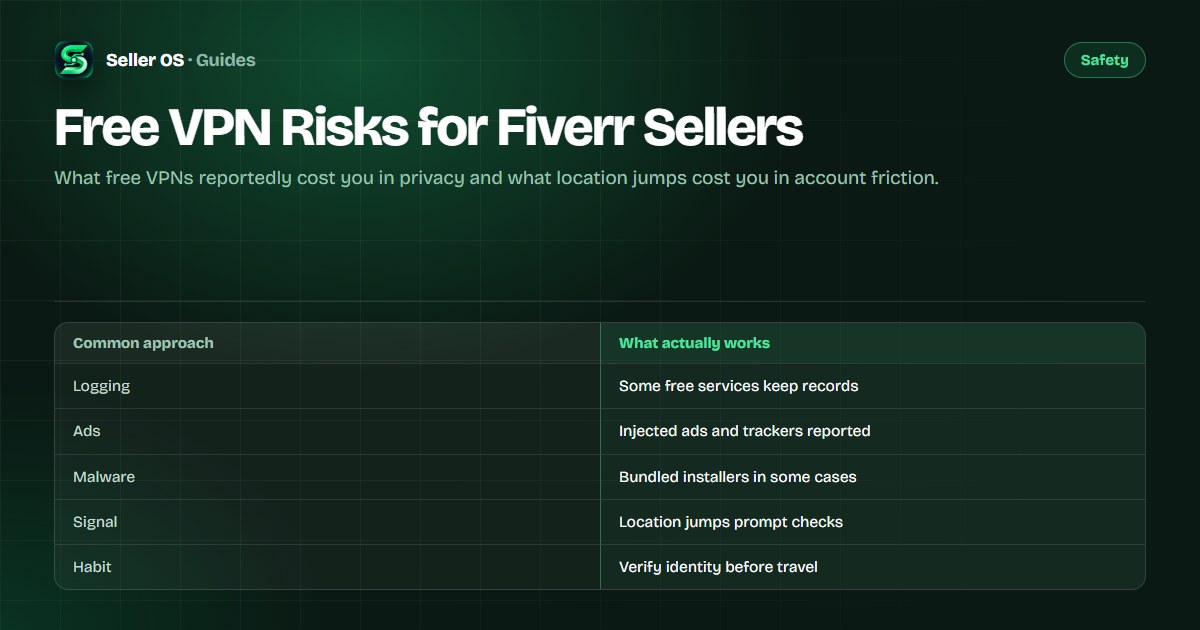
Reputable technology coverage has reported several recurring risk patterns with free VPN products over the years. Reported risks include connection logging that contradicts marketing claims, monetized browsing data, injected ads or trackers, weak or outdated encryption on some services, and installers bundled with adware or other unwanted software. Consider these patterns as categories to check, not accusations against any named product.
Apply that lens before you install anything. Read the privacy policy for logging and retention terms, check which permissions the app requests, look up independent reviews of the specific product, and consider whether you need a full-device tunnel at all. For cafe Wi-Fi, a short session with nothing sensitive open, followed by real account work on a trusted network, often beats routing everything through an unvetted service.
- Consider logging terms: what is kept, for how long, and under which jurisdiction.
- Consider monetization: ads, analytics, or bundled software paying for the free tier.
- Consider encryption and leaks: outdated protocols and DNS leaks undo the point.
- Consider necessity: a trusted home network may beat a free tunnel for account work.
Why location jumps can flag a seller account
Fiverr watches for signs that an account changed hands or is being used against its rules, and a sudden country change is one of the signals that can prompt a verification step or a review. Fiverr describes its verification and security checks in the Help Center, and sellers who log in from a new country sometimes meet those checks mid-session. That is an identity process, not a penalty, but it can freeze withdrawals or gig activity until it clears.
A VPN multiplies the effect. Free exit nodes rotate across countries, so Monday shows one country and Tuesday shows another, and shared IPs mean your session shares an address with many strangers. Each jump looks like travel at best and account sharing at worst. If you must use any VPN, consider one stable location close to your real one, and avoid hopping countries between order actions.
Safer ways to work from new networks
Separate browsing privacy from account work. For general browsing on public Wi-Fi, standard hygiene applies: keep your system updated, use sites with encrypted connections, forget the network afterward, and consider a reputable paid service or your phone hotspot for sensitive sessions. For Fiverr itself, prefer a stable, private connection where your location matches your identity documents and your verified details.
Prepare before you travel instead of improvising on hotel Wi-Fi. Confirm two-factor authentication works, verify your email and phone number, and carry the identity document your account uses in case a check appears. The account security guide walks through that setup, and the verification guide covers the document side.
| Task | Better choice | Why |
|---|---|---|
| Casual browsing on cafe Wi-Fi | Hotspot or vetted service | Less exposure to snooping |
| Fiverr orders and withdrawals | Stable home-like network | Consistent location signal |
| Travel login | Prepared account, one location | Faster verification if asked |
| Testing a free VPN app | Spare browser, no logins | Keeps credentials away |
If you already used a free VPN on the account
Do not panic if a free tunnel already carried a few Fiverr sessions. Turn it off for account work, log in once from your normal location on a trusted network, and check that your email, phone, and security settings still show your own details. If a verification prompt appears, complete it with accurate information rather than trying to hide the earlier sessions.
Then clean up the device side. Remove VPN apps you do not recognize or no longer use, run a malware scan as general hygiene, and change your Fiverr password from a clean device if anything about the installer felt off. If access is ever restricted, follow the published review path in the Help Center and the account review guide rather than opening a second account, which breaks a separate rule.
Where Seller OS helps
Seller OS keeps your work local by design, which fits the lesson of this guide. The extension stores client records, drafts, and tracking data in Chrome local storage on your own machine instead of routing your account activity through extra servers. It never asks for your Fiverr password or codes, and it never logs you in from another location.
Use it to prepare for travel the boring way: review queued orders, draft replies you will send yourself, and check pricing before you leave. A person still clicks every Fiverr button, from the same account, in one place.
Free VPN Risks for Fiverr Sellers questions
Is using a VPN on Fiverr against the rules?
Fiverr publishes verification and security checks rather than a VPN clause sellers can quote, so treat location jumps as a friction risk instead of a policy debate. A sudden country change can prompt identity verification or a review. Keep your location stable for account work and complete any check with accurate details.
What are the reported risks of free VPNs?
Technology coverage has reported logging that contradicts marketing, monetized browsing data, injected ads or trackers, weak encryption on some services, and bundled unwanted software in some installers. Consider each category before installing. Read the privacy policy, check permissions, and keep credentials away from unvetted apps.
Can a free VPN get my Fiverr account flagged?
It can contribute to a flag. Shared exit IPs and rotating countries look like account sharing or a takeover, which can trigger verification or a temporary review. If you travel, log in from one consistent location, keep your verified contact details current, and avoid hopping countries between order actions.
What should I use instead of a free VPN for Fiverr work?
Prefer a stable private connection for orders, messages, and withdrawals, and use a phone hotspot on public networks. Prepare two-factor authentication and verified contact details before travel. For general browsing privacy, evaluate reputable paid options separately and test new apps without logging into your seller account.
Keep the account in one place.
Stable network, verified details, and no free tunnel between you and orders.