 Seller OS
How many Fiverr gigs should you have?
There is no ideal number of gigs, only a number you can honestly maintain. Every listing carries the same obligations: fields, images, answers, updates, and a share of your attention. Fewer gigs with full effort usually outperform a shelf of thin listings.
This guide covers Fiverr's published gig limits by level, the real maintenance cost of a thin gig, when adding a listing beats improving one, and a quarterly way to audit the portfolio you have.
Free plan available. Local-first data. Human review on every change.
The right number is a portfolio shape
How many gigs you should have is not a number you copy from another seller. It is the count that lets every listing carry a full promise: clear fields, real images, complete packages, and the attention to keep improving. Past that point, each extra gig dilutes the ones that already work.
Think of the portfolio as a shape rather than a size. One gig for each buyer problem you can serve well beats five variations of a service nobody is searching for. The shape also changes: a listing you launch this year may retire next year, and that is normal.
A useful discipline: for every gig you add, name the listing you would delete if the new one worked. If nothing comes to mind, the portfolio is already full and the new idea has to earn its place.
What Fiverr's published gig limits are
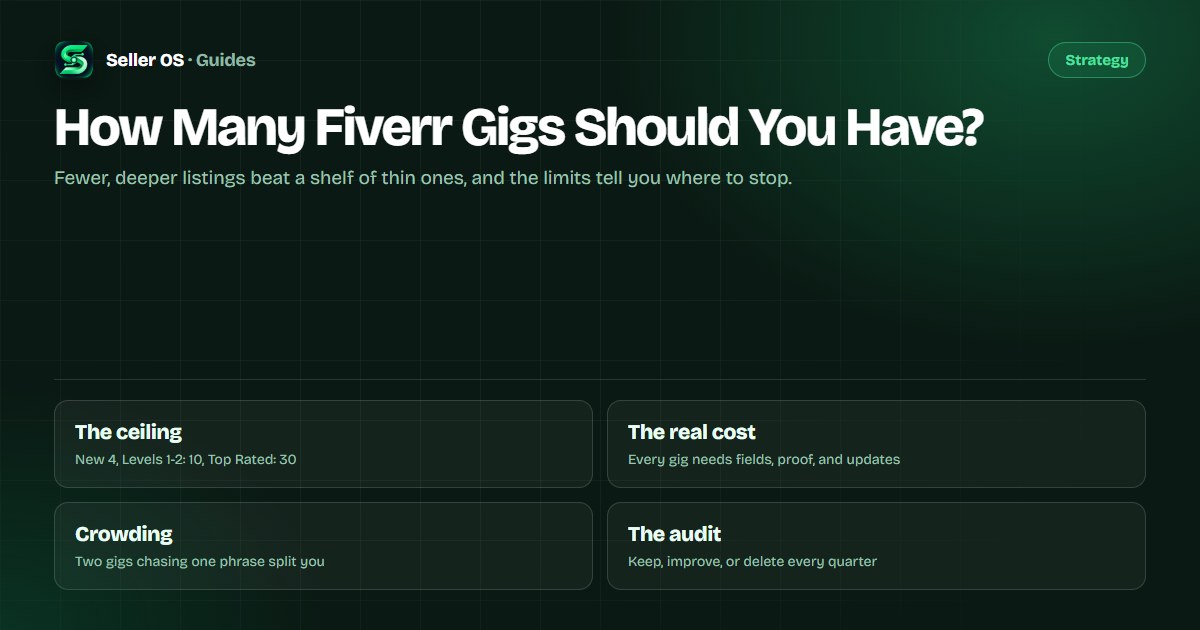
Fiverr's level system sets the ceiling: New Sellers can have 4 active gigs, Level 1 and Level 2 can have 10, and Top Rated sellers can have 30. Every gig status counts toward the limit except deleted gigs and automation gigs such as Logo Maker. Source: Fiverr's Understanding Fiverr's freelancer levels.
Those are ceilings, not targets. The limits exist because each listing needs management, and most sellers do their best work with fewer gigs than their level allows. Treat the number as a growth boundary, not a score to fill.
The maintenance cost of a thin gig
Every live gig asks for the same upkeep: title and tag review, gallery upkeep, package and FAQ updates, and a monthly read of its analytics. A thin listing still consumes that time, and it can crowd the results of better listings that target nearby phrases.
A worked scenario: a seller runs four WordPress gigs whose titles vary slightly, all aimed at small business sites. Impressions split across the four, none accumulates the click and order history that helps it compete, and the seller cannot tell which promise buyers actually prefer. Consolidating into one strong gig and one genuinely different service usually finds the truth faster.
The same math applies to a listing that still earns the occasional order. Keep it if it pays for the attention it takes; a slow gig that funds its own upkeep can stay, while a silent one cannot.
When adding a gig beats improving one
Add a listing when the new work serves a different buyer, a different deliverable, or a category your current gig cannot cover. Fiverr does not let you change a gig's category after publishing, so a genuinely new service needs its own home.
Before that, run the decision honestly: if the idea fits inside the existing gig and the current page simply needs work, improving wins. The full decision rules, including how to avoid duplicating your own keywords, live in the new gig vs existing guide.
One more condition applies: add only when you can maintain the new listing at the standard of the old ones. A launch during your busiest month is how good ideas become dead gigs.
Shape a portfolio around buyer problems
List the buyer problems you can solve this quarter, then give each one a gig only if it deserves separate search coverage. A mapping exercise keeps the portfolio honest; the table below is an illustration for a video editor.
The last column matters most: the evidence that tells you the listing is alive. Give each gig one primary phrase, so you can read its impressions without guessing which promise is being tested.
| Gig | Buyer problem | Evidence to watch |
|---|---|---|
| Podcast editing | A weekly show needs consistent audio | Impressions on podcast editing terms |
| YouTube video editing | Creators publishing every week | Orders from repeat clients |
| UGC ad editing | Brands testing paid social clips | Clicks on the ad variant gallery |
| Corporate video editing | Teams with one-off launch videos | Inquiries from a new buyer type |
Audit the portfolio once a quarter
A quarterly audit is enough for most portfolios, and the per-gig statistics view gives it the numbers: impressions, clicks, orders, and conversion for the selected period. Do the pass when orders are calm, not during your busiest week.
Deleting is part of the job. A gig with no meaningful impressions across several full windows is not a listing; it is clutter that makes your profile harder to read and your own reporting noisier.
List every live gig
title, primary phrase, and current status.
Read the last window
impressions, clicks, orders, and conversion.
Classify each listing
keep, improve, or delete.
Delete the dead
a removed gig stops counting toward your limit.
Plan at most one addition
only when a buyer problem has no home.
Mistakes that grow a portfolio sideways
The most common mistake is treating empty slots as an invitation to fill them. A ceiling is not a plan. The second is copying a competitor's portfolio size without their team, their category demand, or their budget behind it.
The third is measuring the portfolio by count instead of by outcome. Ten gigs that together produce a handful of orders are not a portfolio; they are bookkeeping. Review orders and earnings per listing, and let the weak ones go.
Where Seller OS helps
Seller OS keeps a local overview of the gigs you run: which listings collect impressions, which collect orders, and where each gig's position has moved. Reports and the action queue turn those reads into a short list, so a portfolio review starts from evidence instead of a feeling.
The Gig Builder helps when the audit says a new listing is justified. It turns a one-line idea into a structured gig and fills the wizard while you keep every Save and Continue step. Keyword research then helps the new listing own its own phrase instead of copying an existing one.
How Many Fiverr Gigs Should You Have? questions
How many gigs can I have on Fiverr?
Fiverr's published limits are 4 active gigs for New Sellers, 10 at Level 1 and Level 2, and 30 at Top Rated. Every gig status counts toward the limit except deleted gigs and automation gigs such as Logo Maker. These are ceilings, not targets; most sellers perform best with fewer, better-maintained listings.
Is it better to have more gigs or fewer?
Fewer, deeper listings usually win. Each gig competes for your attention and needs current fields, images, packages, and answers. Extra listings only help when they cover a genuinely different buyer problem or phrase. If two gigs would chase the same searches, merge the effort into one stronger page.
Does having more gigs get more orders?
Only when each listing has its own demand and its own search coverage. Ten thin gigs that share a phrase split the same impressions, while one well-built listing accumulates the click and order history that helps it compete. Add a gig for a new buyer problem, not for the slot count.
When should I delete a Fiverr gig?
When it has produced no meaningful impressions or orders across several full statistics windows and you have already tried the obvious fixes. Deleting frees a slot and stops counting toward your limit, unlike pausing. Keep anything that still converts, even slowly, while you test its replacement.
Collect buyer problems, not gig slots.
Keep the listings that earn attention, retire the ones that do not, and add a gig only when a new buyer needs it.