 Seller OS
How to use AI to reply to Fiverr buyers
AI is useful at the part of a Fiverr reply that takes the longest: turning a buyer's message and your gig details into a clear first draft. It is not useful as an autopilot. The workflow that works is fixed: draft, verify every claim against your real work, edit the words, then send it yourself.
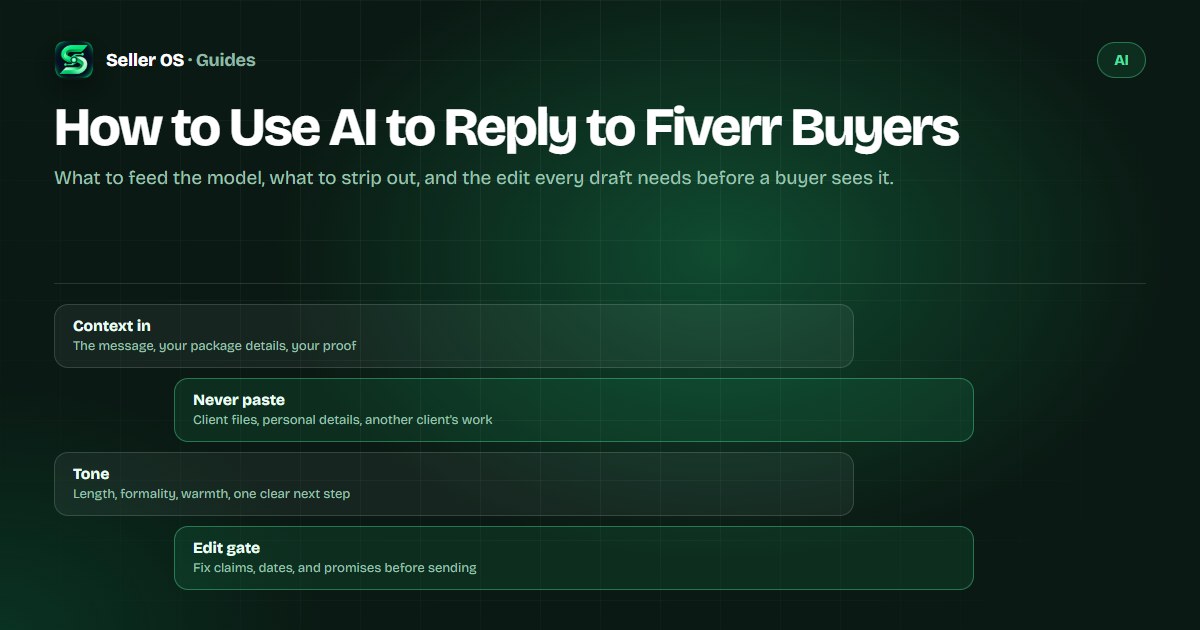
This guide covers the context to include, the tone controls that keep a draft sounding like you, the client details that should never be pasted into a tool, and three worked drafts with the human edit each one needs. The limit is real: no tool can send for you, and no draft replaces knowing your own scope and calendar.
Free plan available. Local-first data. Human review on every change.
What AI can and cannot draft for you
A reply draft is a structure problem before it is a writing problem. Given the buyer's message and a short description of what you sell, a model can produce a clear reply skeleton in seconds: an acknowledgment, a direct answer, and a next step. That skeleton is where most of the time goes, especially on the tenth message of the day.
What it cannot do is commit on your behalf. It does not know your delivery calendar, your current queue, or the price you last charged for similar work. Treat every draft as a proposal you have not approved yet, and keep the decisions, meaning scope, price, and dates, in your hands.
- Draft it well: structure, tone variants, and a clear next step
- Decide it yourself: price, delivery date, and what the reply promises
- Never guess it: your availability, your experience, and client history
Context to feed in, and what to keep out
The draft improves with three inputs: the buyer's words, the facts of your offer, and the decision you want the reply to produce. Paste the message text, list what your package includes, and say what should happen next, whether that is a quote, a clarifying answer, or a booking link. Then name the tone and the length you want.
Strip what the draft does not need: client names, company names, order numbers, file links, and attachments stay out of the prompt. So does anything from another client's project, even a sentence you are proud of. If a tool's data terms are unclear to you, it is the wrong place to paste even the message text; paraphrase the request and keep the identifying details in your browser.
Tone controls that keep the draft yours
Tone instructions work better than adjectives. Ask for a length, a formality level, and one behavior: a short reply, no exclamation marks, one question, no sales language. Then add your own voice notes, such as how you greet repeat buyers, whether you use their first name, and how you sign off.
Steer away from the patterns that read as machine output. Ask for plain sentences, no stacked adjectives, and no lines that would be true for every buyer. If the draft opens with a compliment about them contacting you, delete it; the fastest way to look generic is to praise the message instead of answering it.
| Control | What to ask for | Why it matters |
|---|---|---|
| Length | Match their message: one line in, a short reply out | Long replies read as templates |
| Formality | Say it plainly: casual, friendly, or formal for this buyer | Repeat buyers notice a tone shift |
| Specificity | One detail from their message, in their own words | It proves a person read the request |
| Next step | Exactly one question or one decision | Two questions stall the thread |
Three worked reply drafts, reviewed
First, the vague inquiry. A buyer writes: 'Hi, can you edit my video?' The draft: 'Thanks for reaching out. To quote accurately, I need two things: roughly how many minutes of finished video, and whether you want editing only or color and sound too. Editing projects start at the price on my gig page. Send those details and I will reply with a fixed price today.' The edit: confirm that starting price against your real packages.
Next, scope and price. The buyer writes: 'Six product descriptions, how much?' The draft: 'Six product descriptions run $240 with two revision rounds and delivery in four days. That includes keyword placement from your list and a plain-English version of each paragraph. I can attach the custom offer today.' The edit: the reply and the offer must match. Fiverr's custom offers article states offers run from $5 to $20,000 with delivery times of 1 to 90 days.
Third, the quiet buyer. Three days after the quote, the draft: 'Checking in on the six descriptions. The scope and the $240 price hold through this week. If the deadline moved or the budget is fixed, tell me which, and I will adjust the package rather than the reply.' The edit: make sure the follow-up adds information; a message that only asks for an update teaches the buyer to ignore the next one.
The edit you must make before sending
The review pass is short and it is not optional. Read the draft against three sources: your gig's scope, your calendar, and the message you are answering. Anything the draft asserts about your experience, your turnaround, or your process has to be true, or it gets cut. A reply is a small promise, and every promise you send is one you have to keep.
If the message is a brief or a Mira request rather than a direct question, the input packet changes slightly and the clock is tighter; that workflow has its own guide in AI brief responses. The same review discipline applies to anything you build, including gig copy you produce with the AI gig builder workflow.
Check every claim
experience, tools, turnaround, and everything the price covers
Match the dates
replace any suggested day with one your schedule can hold
Add one human detail
their project, their platform, or the deadline they mentioned
Cut the filler
remove praise, hedging, and any line that would fit every buyer
Send it yourself
the final click, and the promise, stay with you
The mistakes that make AI replies obvious
The first mistake is sending the first draft. Model output is fluent, which is exactly why an unedited reply slips through with a wrong date, an invented case study, or a promise about revisions you never offer. The second is pasting a client's files or details into a tool whose data terms you have not read. The third is using AI to answer the question only you can answer: your availability, your process, or why your price is what it is.
There is also a version of this that is simply bad manners: a reply so smooth it says nothing. If a buyer asks whether you have worked with Shopify, the answer is yes or no, followed by the store you built. No tool knows that answer for you. Draft with AI if it saves the blank page, then edit until the reply could only have come from you. The wider question of which AI uses are allowed belongs to the ChatGPT for Fiverr guide.
Where Seller OS helps
Seller OS treats replies as drafts by design. The inbox assistant writes a starting reply from the incoming message and your stored gig details, then places it beside the original request so you can compare, edit, and send in one pass. Client records stay local, which means the context the draft is built from never leaves your browser.
On Pro, unread message alerts watch the inbox while Chrome is open, so first messages do not age unnoticed. The limits matter as much as the features: the tool never sends, never auto-replies, and does not promise a better response rate. Free plan actions are capped per day, and every capability ends at the review gate.

How to Use AI to Reply to Fiverr Buyers questions
Can I use ChatGPT to reply to Fiverr buyers?
Yes, as a drafting tool. Generate a reply from the buyer's message and your own details, verify every claim, fix the dates and the price, then send it yourself. The two rules that matter: never send an unreviewed draft, and never paste client files or personal details into a service whose data terms you have not read.
What should I never paste into an AI tool?
Client names, company names, order numbers, file links, and any attachment the buyer sent. Also avoid anything from another client's project, even a sentence. If the tool's data terms are unclear, paste nothing; a reply can be drafted from a paraphrase that keeps the request but removes the identifying details.
Will AI replies make me sound like a bot?
Only if you send them raw. The tells are predictable: praise for contacting you, stacked adjectives, no specifics, and two questions where one would do. Fix those four and add one detail from the buyer's message. The reply then carries your voice because you kept the words that matter.
Does Fiverr allow AI-written replies?
Fiverr's published pages do not ban drafting tools, and its own products include AI features. What the platform measures is response behavior: first replies within 24 hours, tracked over 90 days, with automatic replies not counted as a response. You remain responsible for the promises the reply makes.
Draft faster, send only what is true
Feed the context, strip the client details, make the edit, and let every reply carry a promise you can keep.