 Seller OS
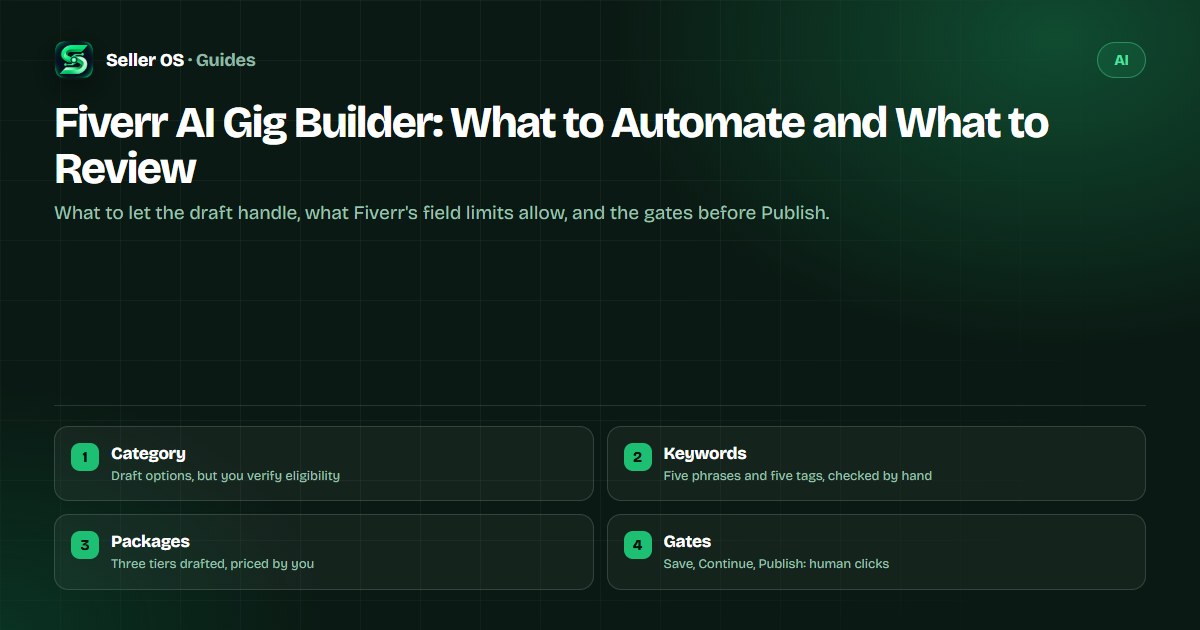
Fiverr AI gig builder: what to automate and what to review
An AI gig builder does the heavy lifting of a blank wizard: it suggests a category, clusters keyword ideas, drafts a title and description against the field limits, and proposes a package structure. What it cannot do is know which claims you can deliver, what your time costs, or which category you actually belong in.
This guide covers the build pipeline stage by stage, the published Fiverr limits every draft must fit, a worked example from a one-line idea to a structured draft, and the checkpoints that stay human. The final Save, Continue, and Publish clicks are yours, always.
Free plan available. Local-first data. Human review on every change.
What an AI gig builder can draft
Start with an honest inventory. A model can propose category and subcategory options from a plain description, cluster the phrases buyers use, write title variants, scaffold a description, and sketch three package tiers. It can also generate FAQ drafts and text concepts for the gallery, which is often the slowest part of a first listing.
Everything in that list is a draft about your business, which is why the review is not optional. The model has no way to know that you refuse rush jobs, that a tool in your stack limits how many revisions you can absorb, or that the category it suggests carries a higher minimum price. Those facts live on your side of the screen, and the pipeline below keeps them in the loop.
- Category candidates from a plain-language description of the service
- Keyword and tag candidates, subject to Fiverr's five-phrase and five-tag fields
- Title and description drafts written against the published limits
- Three package scaffolds with deliverables, days, and revisions
- FAQ and gallery-text ideas to edit rather than adopt
The published fields your draft must fit
Fiverr's Creating a Gig article documents the fields, so there is no need to guess. The title is pre-filled with 'I will' and should stay short and clear. The positive keywords field takes up to five words or short phrases, tags take up to five, the description runs up to 1,200 characters, and a gig can carry up to 10 FAQs. The gallery holds up to three images, one video, and two PDFs, and image text should stay at 10 words or fewer.
Packages have their own rules: up to three tiers, at least one revision option per package, and a minimum starting price of $5, though some categories set higher minimums. Fiverr also says badges are added to your gig automatically, so no Fiverr logos, ratings, or level badges belong in your images. When a draft breaks any of these limits, the field itself is where you catch it.
| Field | Published limit | Your check |
|---|---|---|
| Title | Pre-filled with 'I will'; keep it short and clear | No claim you cannot deliver |
| Positive keywords | Up to five words or short phrases | Relevant terms, not stuffed |
| Tags | Up to five tags | All five used and specific |
| Description | Up to 1,200 characters | Scope, proof, and delivery facts |
| FAQ | Up to 10 questions | Real questions, true answers |
| Gallery | 3 images, 1 video, 2 PDFs; max 10 words of text | Rights and clarity, no badges |
The build pipeline, stage by stage
Treat gig creation as a pipeline with gates rather than a single generating event. Each stage produces a draft that the next stage depends on, and each gate is a decision only you can approve. Automating a stage without its gate is how a listing ends up in the wrong category with a promise you cannot keep.
The table below maps the six stages, what the draft can produce, and what your checkpoint verifies before the pipeline moves on. Keep the sequence even when you are in a hurry, because the gates are short and the cost of skipping one shows up after Publish.
| Stage | Draft produced | Human checkpoint |
|---|---|---|
| 1. Positioning | Service summary and target buyer from one line | You confirm what you actually sell |
| 2. Category | Category and subcategory candidates | You verify eligibility and minimums |
| 3. Keywords | Phrase and tag candidates for the five slots | You pick terms you can serve |
| 4. Copy | Title, description, and FAQ drafts | You cut every unverifiable claim |
| 5. Packages | Three tiers with deliverables and days | You price and confirm capacity |
| 6. Gallery | Image text concepts and layout notes | You check rights and clarity |
Worked example: one line to a gig draft
Hypothetical idea: 'SEO for Shopify skincare brands.' The draft comes back with candidate categories, a phrase set such as Shopify SEO and product page optimization, a title option, and three tiers: an audit, a five-page fix, and a monthly retainer. None of it is final; it is a starting grid.
The checkpoints decide what survives. Does the audit tier have a deliverable a buyer can hold, or is it a vague report? Can you serve three skincare brands a month at the retainer price, given your current queue? Does the category you choose allow the audit at the price you want? One of the three tiers often dies at this stage, and that is the pipeline working.
Then the copy check. The draft's description will claim things, and 'guaranteed ranking improvements' is the classic example, so every claim needs a rewrite into something true and specific: what you audit, what you change, and what the buyer receives. The published 1,200-character description is a ceiling, not a target to fill. The broader edit workflow for live listings is covered in how to use AI to optimize a gig.
Review gates before Save, Continue, and Publish
Fiverr's wizard moves through Save, Continue, and Publish, and the shape of the flow is the point: nothing goes live while a gate is unanswered. Before Save, confirm the category, because Fiverr says you cannot change it after the gig is published. Before Continue, read the description aloud once; the awkward sentence is almost always the invented one. Before Publish, verify that the packages can be delivered exactly as promised.
The last gate is the one sellers skip: read the finished listing as a buyer would. Does the first screen say what the service is, who it is for, and what arrives at the end? If the answer takes more than a few seconds to find, the draft is not ready, no matter how good the keywords are. Before you set package prices, run the numbers through the fee calculator so the draft's numbers match your real take.
The same gate governs every other draft that reaches a buyer: the reply you wrote for a message and the answer you wrote for a brief both deserve the identical review before anyone presses send. That habit, not any single tool, is what keeps an AI-assisted workflow safe.
Mistakes an AI-assisted gig build invites
The most common mistake is publishing a draft nobody read end to end. Generated copy is fluent enough to pass a skim and specific enough to be wrong: a delivery promise of three days when your queue says ten, a revision count you cannot honor, a tool you do not own. The second is keyword stuffing, which wastes the five-phrase field on near-duplicates a model produced from thin air.
The third is pricing from the draft. A model cannot know your costs, so it produces plausible round numbers that ignore your actual delivery time. The fourth is rebuilding a working gig from scratch because a builder made it easy, when established listings carry review and conversion history a fresh draft does not. The fifth is a generated image carrying badges, ratings, or a Fiverr logo, all of which Fiverr adds itself, automatically. The allowed-and-risky split for AI use in general belongs to the ChatGPT for Fiverr guide.
Where Seller OS helps
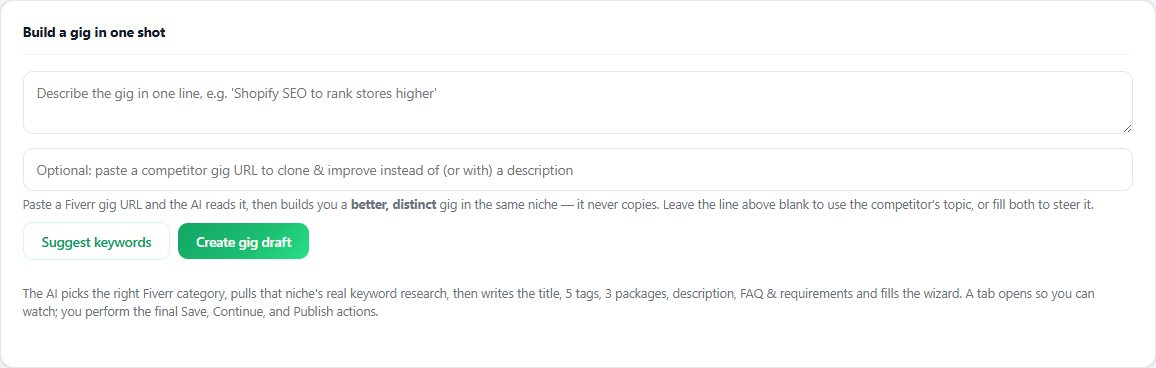
Seller OS's Gig Builder is the local-first version of this pipeline: start from a one-line idea or a competitor URL, and it produces a structured gig with category options, keyword and tag candidates, copy, packages, and gallery notes, then fills the fields in Fiverr's wizard. The drafts and the reasoning stay in Chrome local storage, and the review gates from this guide sit inside the flow.
The limit is the same as anywhere in this guide: it drafts and fills, and you complete Save, Continue, and Publish. It cannot verify your capacity, does not promise ranking or orders, and does not publish anything by itself. Gig audits and the performance optimizer sit alongside it when you are editing an existing listing rather than building a new one.
Fiverr AI Gig Builder questions
Can an AI gig builder publish my gig for me?
No, and be wary of any tool that claims it can. Fiverr's wizard ends with Save, Continue, and Publish, and a person performs those actions. A builder should produce a structured draft for you to review and fill; the decisions about category, claims, and price stay in your hands.
What parts of gig creation are safe to automate?
Drafting is safe: category candidates, keyword and tag ideas, title variants, description scaffolds, package outlines, and FAQ drafts. Verification is not: eligibility, category minimums, capacity, and price belong to you. Treat every generated field as a proposal and check it against Fiverr's published limits before it goes near the wizard.
Does an AI-built gig rank better?
No tool can promise that. Fiverr's own keyword guidance says the algorithm prioritizes title text first, then the keyword field, then the description, and that new or updated keywords should get at least 30 days before you judge them. A builder can help you get the fields right; ranking still depends on relevance and performance.
Where do I check the limits a draft must fit?
Fiverr's Help Center documents them: up to five positive keywords, up to five tags, a description of up to 1,200 characters, up to 10 FAQs, three packages with at least one revision option, and a gallery of up to three images, one video, and two PDFs. A good builder keeps the draft inside these fields.
Draft the gig, own the decision
Run the pipeline, clear each gate, and let the final Save, Continue, and Publish be yours.