 Seller OS
How to use AI to optimize a Fiverr gig
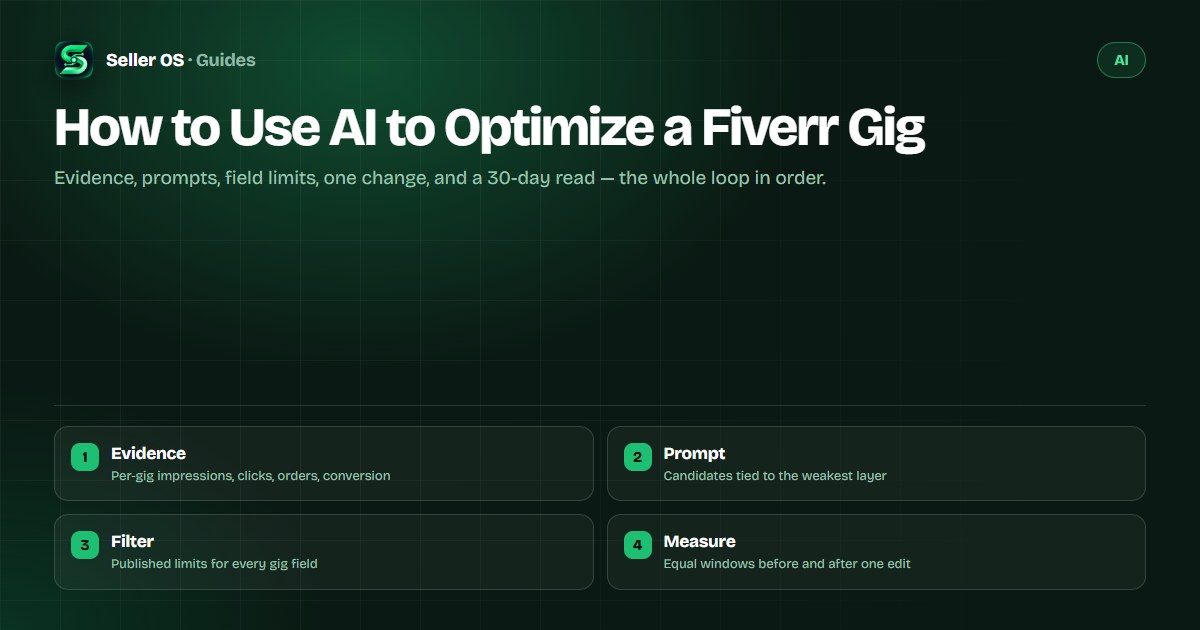
Using AI on a Fiverr gig works better as an audit than as a rewrite. The numbers tell you which layer is weak — visibility, the card, or the page — and only then does a prompt have a target. Without evidence, an AI will happily rewrite everything and leave you with nothing measurable.
This guide runs the full loop: gather evidence, prompt for candidates, filter them through Fiverr's published field limits, apply one change, and read the result over a month. It also says where the AI stops and your judgment takes over.
Free plan available. Local-first data. Human review on every change.
Read the gig's own numbers first
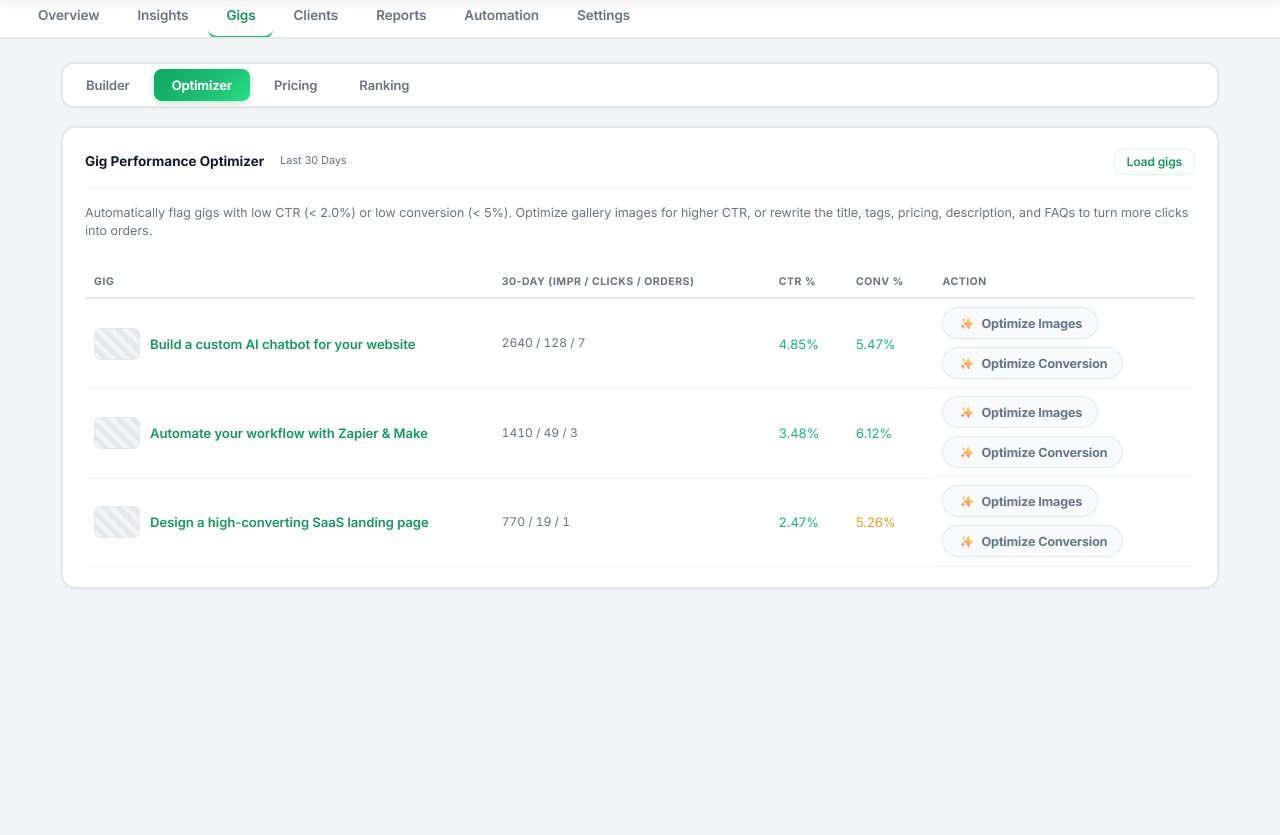
Fiverr's per-gig statistics document impressions, clicks, orders, and a conversion rate, shown for the last 30 days by default. The conversion rate is defined as orders divided by impressions for the gig, per Fiverr's Managing your Gigs article. Read the three as a funnel: impressions describe how often the gig appeared, clicks describe the card, and orders describe everything after the click.
Two caveats before you prompt. CTR is not defined on the standard per-gig dashboard; it appears in Seller Plus views, so do not treat it as given. And a short window is noisy, so note the date range and anything unusual — seasonality, a new competitor, a late order — before you decide which layer is broken.
The mobile app shows a shorter per-gig window: Fiverr documents 7-day impressions, clicks, views, and conversion in the app's My Gigs section. If that is where you check, widen the evidence before prompting, because seven days rarely separates a real shift from a normal wobble.
Write the evidence down before the prompt. One line per reading — date, impressions, clicks, orders — turns a vague sense that things are slow into a comparison you can hand to a model. It also stops the most common audit error: prompting from the last three days and mistaking a quiet weekend for a broken gig.
A prompt that turns numbers into candidates
Give the model your evidence, not your hope. Include the current fields, the metric readings, and the window, and ask for causes ranked by which metric they would move. A useful answer names a field to touch; a weak answer lists ten tips about hashtags.
Hypothetical example: a gig records 2,400 impressions, 96 clicks, and 3 orders over 30 days. Impressions are the healthiest number, so the prompt should focus on why the card earns so few clicks and why visitors do not order — not on a keyword rewrite. Swap in your own readings before running it.
- Input — my current title, positive keywords, tags, description summary, and 30-day impressions, clicks, orders, and conversion rate.
- Task — list up to six plausible causes, grouped as relevance, card appeal, offer, or page clarity.
- Constraints — no invented benchmarks, no claims about how Fiverr's algorithm works, no pricing changes.
- Output — for each candidate, name the one field to change and the metric it should move.
- Then stop — I choose one candidate; nothing is edited automatically.
Filter candidates through published limits
An AI does not know Fiverr's field limits unless you tell it, and it will not check them. Run every candidate through the published rules before it goes near a live gig, because a clever phrase that breaks the form never gets used.
The title is pre-filled with "I will" and Fiverr asks sellers to keep it short, clear, and free of special characters. There are up to five positive keywords or short phrases, up to five tags, and a 1,200-character description with an English version required. The FAQ field holds up to 10 questions. Field-by-field pass conditions live in the gig SEO checklist.
Watch for one class of candidate in particular: the tag or keyword that repeats what the title already says. It looks harmless in a list, but it spends a scarce slot restating a phrase the gig already matches, and it crowds out a wording variant a different buyer might type. Reject duplicates before they reach the form.
| Field | What Fiverr publishes | Check before applying |
|---|---|---|
| Title | Pre-filled with I will; keep it short | No special characters such as & or + |
| Positive keywords | Up to five words or short phrases | Each describes the service accurately |
| Tags | Up to five; use every slot | No repeats of the title wording |
| Description | Up to 1,200 characters; English required | Every number matches the packages |
Apply one change, then wait a month
Fiverr's guidance is to give new or updated keywords at least 30 days before reviewing their impact, as the Advanced Analytics article for Seller Plus states. The same patience applies to a copy or gallery edit: a small gig accumulates signal slowly, and a second edit inside the window destroys your only clean comparison.
So the AI's candidate list is a queue, not a to-do list. Apply the top candidate, note the old value, and hold the rest for later windows. The full audit workflow widens the frame; here the rule is narrow — one field, one reason, one expected metric.
Save the current values
copy the field you plan to change into a note before you touch it
Apply one candidate
the one tied to the weakest metric in your evidence
Change nothing else
resist opportunistic edits for the whole window
Set the read date
30 days from the change, the same window length as your baseline
Keep or revert
if two readings are worse, restore the saved value
Read the result, then feed it back
Compare equal windows. If impressions hold and clicks rise, the card change worked; if clicks rise and orders stay flat, the next prompt is about the page and the packages. If nothing moves in 30 days, revert and take the next candidate from the same list.
Write one line per window next to the fields you changed: date, field, old value, new value, reading. That log is what makes the next AI session useful — you paste the history, and the tool reasons about a pattern instead of guessing from a single snapshot. For drafts that follow the card change, the description workflow picks up where this leaves off.
Two things will confuse a clean read, and neither is a reason to edit again. Seasonality bends demand in most categories, so a soft month is not evidence about a field. And Fiverr's ordering is personalized to the browsing session, so a competitor appearing above you on your screen is one data point, not a verdict. Judge the change against your own baseline and nothing else.
Where AI stops and you take over
AI never sets prices or promises. A draft that invents a turnaround, a revision count, or a guarantee is a liability, and the review step is where you catch those before a buyer does. Keep the final wording in your voice, and make sure every number on the page matches the packages you actually sell.
Two more boundaries. An optimization prompt does not need buyer names, messages, or files, so keep them out. And no tool can turn a rough draft into a decision: you still verify every claim, price, and deadline, and you own what you publish.
Treat the whole loop as learning, not as a shortcut. Each window teaches you one honest fact about your gig — that phrasing pulled clicks, that the card disliked the crop, that buyers ask a question your FAQ never answered. Ten measured windows beat one frantic rewrite, and the AI gets more useful as the history you feed it grows.
- Editing five fields in one window and blaming the title for the result
- Prompting with no metric in mind, then judging output on taste alone
- Letting a draft set a price, deadline, or revision count
- Pasting client messages or files into the prompt
- Believing any draft is undetectable or final
Where Seller OS helps
Seller OS puts the evidence and the drafts in one place. The Gig Performance Optimizer reviews a live gig's copy, gallery, and conversion signals against the gig's own performance data and proposes changes tied to those readings; the Gig Builder can produce a structured draft when you would rather start clean.
The change itself stays manual by design: the extension can fill fields for you, and you complete every Save, Continue, and Publish action yourself. Drafts run through your own AI provider account or an eligible browser session, no AI credits are included, and your gig data stays in Chrome local storage.
How to Use AI to Optimize a Fiverr Gig questions
Can AI optimize my Fiverr gig on its own?
Not well, and not safely. The useful pattern is audit-first: read the gig's own metrics, prompt for candidate changes tied to the weak layer, then apply one change yourself and measure the window. Seller OS can fill fields and draft copy, but you complete every Save, Continue, and Publish action.
What should I show the AI for a gig audit?
Your current fields, the 30-day impressions, clicks, orders, and conversion rate, the window dates, and anything unusual that happened recently. Specific inputs produce specific candidates. Leave buyer names, messages, and files out of the prompt; describe any context in your own words instead.
Which Fiverr gig field should I optimize first?
Let the funnel decide. Impressions thin points at relevance, so the title and keywords go first; clicks thin points at the card and gallery; orders thin points at the description, packages, and pricing. Fiverr's Advanced Analytics article says title text is prioritized first, then the positive keywords field, then the description.
How long after an AI-assisted edit should I wait?
Fiverr asks sellers to give new or updated keywords at least 30 days before reviewing their impact, and that is a sensible window for copy and gallery changes too. Compare equal-length windows, keep the change set to one field, and revert if two consecutive readings are worse.
Audit first, edit once, measure
Bring the numbers to the prompt, let AI draft the candidates, and change one field per 30-day window.