 Seller OS
How to use AI to write Fiverr gig descriptions
AI writes a gig description the way it writes everything: confidently and generically. The fix is not a better model; it is better inputs. Give it the buyer, the deliverable, the proof, and the constraint of the field, then edit the draft until every sentence could only be about your service.
This guide gives you the prompt, a before-and-after edit, and the review pass that catches invented claims before they reach your buyers. It focuses on the writing; the structure the copy should follow lives in the description structure guide.
Free plan available. Local-first data. Human review on every change.
Why AI descriptions sound the same
A model asked to write a gig description produces the average of every description it has seen. That average is fluent, confident, and empty: quality work, timely delivery, client satisfaction. None of it distinguishes your gig, and buyers have read it a hundred times before they reach yours.
Two inputs change the output. Constraints tell the model the shape: the 1,200-character field, the buyer, the deliverable, what is included, and what is not. Evidence tells it the content: your process, your files, your revision count, your proof. Without both, you are just re-rolling the average.
Specific is a standard you can check. A specific line names a number, a format, a file, or a step that could not appear on a competitor's page unchanged. If you can swap your competitor's name into the sentence and it still reads true, the line is generic, and the edit pass below exists to catch exactly that.
A prompt built from constraints and evidence
Use this template for one gig at a time, and fill every bracket before sending it, because a half-filled prompt gets the average back. The structure lines matter as much as the offer lines: they keep the model writing in the buyer's order instead of drifting into a biography.
- Role — Write for buyers comparing three gigs, not for a search engine.
- Offer — one paragraph on the deliverable, the audience, and the outcome. Paste yours here.
- Scope — what is included, the revision behavior, what needs a custom offer. Paste it.
- Proof — the files, samples, or process facts I can honestly claim. Paste them.
- Limits — up to 1,200 characters, English required, no invented numbers, no promises I did not list.
- Output — two versions: one in promise, scope, process order, and one shorter and blunter.
Before and after: the draft and the edit
Here is a raw AI draft, hypothetical but typical: I am a passionate designer dedicated to delivering high-quality work that exceeds expectations. With years of experience and close attention to detail, I create designs that help your business stand out. I offer fast turnaround, unlimited revisions, and complete satisfaction for every client.
Now the edited version, similar length: You get a logo your customers recognize at a glance. I design three concepts from your brief, you pick one, and one revision round turns it into print-ready and web-ready files. First concepts arrive in three days, and source files are included.
The edit removed claims nobody can verify and replaced them with things a buyer can compare across tabs: three concepts, one revision round, three days, two file sets. Nothing was invented; the numbers come from the packages, which is where every figure in the copy has to be true.
The first version also promised what the second refuses to. Unlimited revisions is a blank check, and complete satisfaction is a guarantee no freelancer can enforce. Generic language is not just weak copy; it is a set of commitments you never priced.
Strip the tells of an unedited draft
Generic drafts share habits. Every sentence opens the same way. Adjectives arrive in threes. Superlatives appear without evidence. Scene-setting introductions delay the deliverable by two lines. Read the draft aloud, and anywhere your voice would not say the line, cut it or replace it with a number, a format, or a file name.
Run this pass with the buyer's questions in mind: what is it, how many, how long, what if I need changes, what do I receive. A draft that answers those five questions early is ready for review; a draft that mostly describes you is not.
One more example from the edit pass. A draft line reads: I will provide a comprehensive solution tailored to your unique needs. The replacement: Two 60-second videos, vertical and square, delivered in five days. Same intent, but the first could describe any seller on the platform while the second tells the buyer what lands in their inbox and when.
| Tell | Fix |
|---|---|
| Three stacked adjectives | One specific noun or a number |
| Quality claims | A deliverable, a count, or a format |
| Identical sentence rhythm | Vary the openings; read it aloud |
| Undefined promises | The exact revision behavior |
Fit the copy inside the field's budget
The description allows up to 1,200 characters, and that budget is the quiet constraint in the prompt. Spend it on the opening and the scope, where comparing buyers read, and move edge cases to the FAQ field, which holds up to 10 questions. Count before pasting, with the free character counter if it helps, and trim like an editor rather than a summarizer.
Keywords follow the copy, not the other way around. Fiverr's Advanced Analytics help states the algorithm prioritizes title text first, then the positive keywords field, then the description, so one natural mention is plenty in the body. Only phrases that survived a verification pass belong in the copy, never wording the draft invented to sound searchable. The structure guide covers how the parts should flow, and the description checker turns this pass into a field-by-field audit.
The FAQ handoff is where the edit pays off twice. A description trimmed to its strongest 1,200 characters reads better, and the details you moved keep working in the FAQ field, which holds up to 10 questions and sits directly in the comparison path. Answer the moved questions in the buyer's own words, starting with the yes, no, or number that settles the objection.
Privacy, review, and who owns the result
Keep client material out of the prompt. A description draft needs your offer and your proof, not a buyer's messages, files, or contract details. If you must reference a past project, describe it in your own words with identifying details removed, and check the provider's data terms before you paste anything at all.
Then do the review only you can do. Check every claim against what you will actually deliver, every number against your packages, and every promise against your calendar. No tool can make a draft finished or undetectable; you are the author of record, and you complete the Save and Publish.
Keep one habit after publishing: save the version you replaced. Fiverr's editor does not keep a history for you, and a description that underperforms is easy to diagnose only if you can compare it with the one before. One local note, one date, one click of effort — that is the entire safety net a rewrite needs.
- Publishing a draft that promises revisions or turnaround you never priced
- Sending client messages or files into a third-party tool
- Keeping a scene-setting intro because it sounds professional
- Accepting one draft instead of asking for two and choosing between them
- Treating AI output as the final version without reading it as a buyer would
Where Seller OS helps
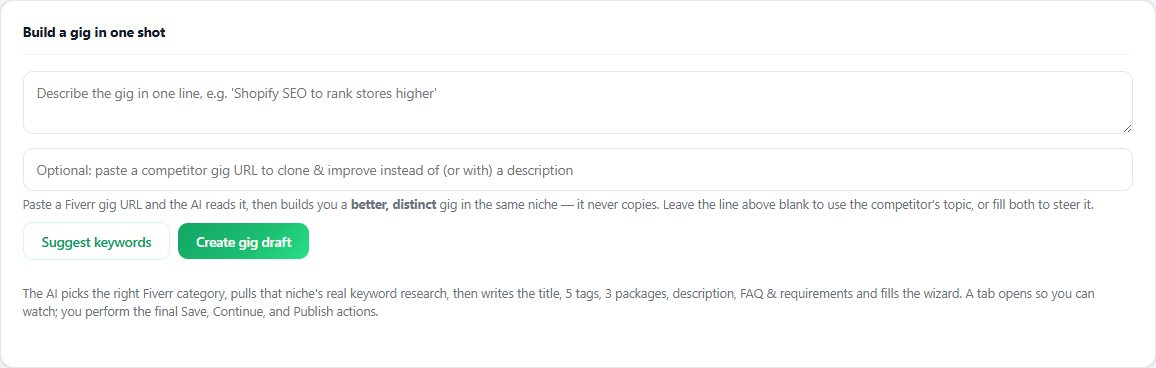
Seller OS can start the draft from a one-line idea or a competitor URL and lay it out in the promise, scope, process, and proof order; the Gig Performance Optimizer can review a live description against the gig's own performance data when you are revising rather than starting over.
The extension fills the wizard fields, and the Save, Continue, and Publish clicks stay with you. It runs through your own AI provider account or an eligible browser session rather than bundling AI credits, and the drafts and client records it keeps stay in Chrome local storage.
How to Use AI to Write Fiverr Gig Descriptions questions
Can AI write my Fiverr gig description for me?
It can produce a usable first draft when you supply the buyer, deliverable, scope, proof, and field limits. Left to itself, it writes the average of every description it has seen, which is fluent and forgettable. Treat the output as raw material and edit until every line is specific to your offer.
What should I put in a Fiverr description prompt?
Five things: who the buyer is, what they receive, what is included and excluded, the proof you can honestly claim, and the 1,200-character limit. Ask for two versions so you have something to choose between, then request the leftover details as FAQ questions for the separate FAQ field.
How long should a Fiverr gig description be?
The field allows up to 1,200 characters, and the useful target is the shortest version that answers the buyer's main questions: what it is, how many, how long, what happens with revisions, and what they receive. Move the remaining details into the FAQ field, which holds up to 10 questions.
Will buyers know I used AI to write it?
Some may ask, and no tool can promise text will read as human to every reader. The practical answer is that you review, edit, and own the copy, so it reflects what you actually deliver. Add specifics a model could not know, and disclose assistance where the client or platform expectations require it.
Prompt with constraints, publish with care
Give the tool your offer and the field budget, generate two drafts, and edit until every line is one only you could write.