 Seller OS
Best Fiverr rank trackers, compared by method
A rank tracker is not one kind of tool. A free checker answers where your gig sits today. A tracker stores samples over weeks. Fiverr's own analytics shows which keywords buyers used to find you, where Fiverr reports them. Which option you need depends on the question you cannot answer.
This roundup compares the published options by method, cadence, and data location, with the manual check as the baseline. It does not rank them, and nothing here is presented as an official Fiverr tool.
Free plan available. Local-first data. Human review on every change.
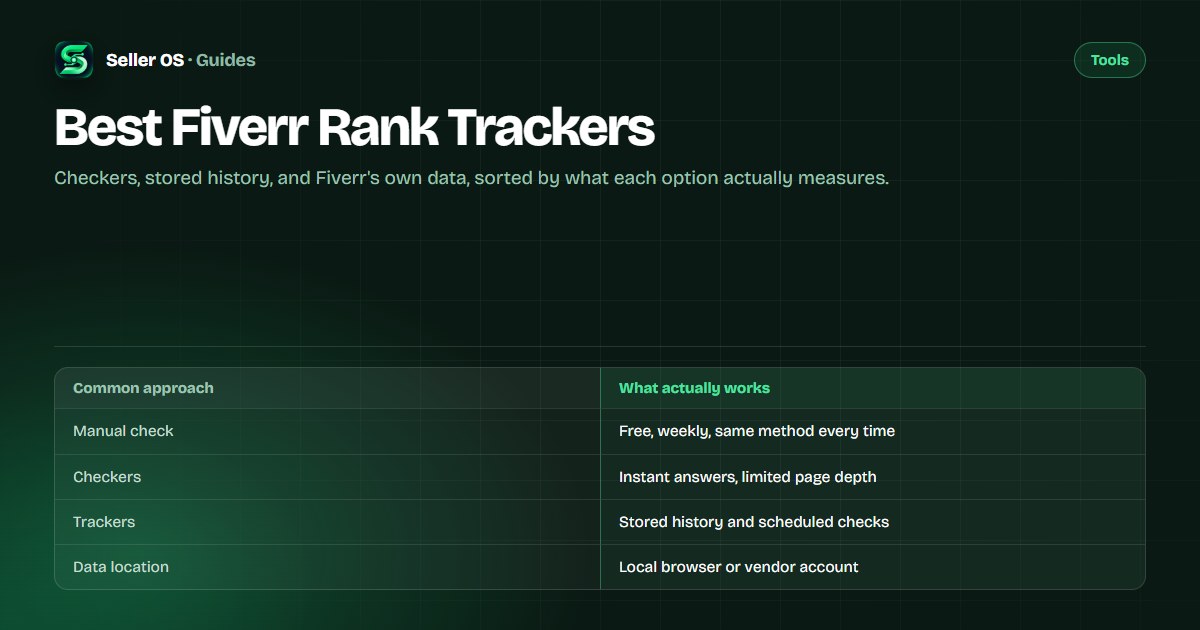
What Fiverr rank trackers actually measure
Fiverr does not hand sellers an absolute rank number for a keyword. What tools can record is a sample: run the search and note where your gig appears. A tracker repeats that sample on a schedule and keeps the history, which is what makes movement visible.
That distinction decides which tool you need. If you want today's answer, a checker is enough. If you want to know whether an edit helped, you need stored samples. If you want to know which keywords actually brought buyers, that is Fiverr's analytics, and the comparison of trackers and analytics explains where each fits.
- A checker: one sampled position, right now.
- A tracker: sampled positions over time for a keyword list you choose.
- Fiverr analytics: performance on the keywords buyers actually used, where Fiverr reports them.
- A monitor: alerts when a tracked position moves past a threshold.
The manual check every tracker is measured against
Before you pay for anything, run the manual check for a few weeks. It costs nothing, it shows you how noisy positions are, and it gives you a baseline for judging any tool's numbers. The gig rank checker guide covers the same routine in detail.
Two habits keep the log honest. Treat every reading as an estimate, because results vary with session, location, and personalization. And when your gig does not appear, record not seen in N pages rather than inventing a number.
Open a private window
keep your own browsing history out of the sample.
Search one keyword at a time
note the page and the position you see.
Record date, keyword, result, and one neighboring gig
your control group.
Repeat weekly
same day, same routine, one change per test window.
Free Fiverr rank checkers and their depth
FivData publishes a free rank checker that scans up to three pages of search results and takes a username and keyword with no account required, as published on fivdata.com, checked September 2026. PromoteGigs publishes a free checker that reports page number, position, and visibility, as published on promotegigs.com, checked September 2026.
Fiverranalytics publishes a free checker where you enter a username and keyword and can choose a page from 1 to 10, with its copy mentioning up to 48 results, as published on fiverranalytics.com, checked September 2026. A separate-looking site, fiverrlytics.com, publishes free keyword analytics and a free rank checker, as published on fiverrlytics.com, checked September 2026.
Free tools are ideal for a spot check and weak for trend reading unless you record the results yourself. Scan depth is the main difference between them, so note how many pages each one covers before you trust a not found result.
Subscription trackers with stored history
Fivlytics publishes a rank tracker service with a 30-day rank chart, a daily status email, and search up to five pages, at a fixed $4.99 per month for one keyword, as published on fivlytics.com, checked September 2026. Another Fivlytics page advertises tracking for 30 days at $1, as published on a separate page of the same site, checked September 2026; the two prices sit on different pages, so read both before you buy.
Gig SEO by Xeviora publishes rank history recorded from search pages you open yourself, with a read-only design that never clicks, sends, or requests pages in the background. Its free tier covers three keywords with 14-day charts; Pro is $5.9 per month for up to 50 keywords with 365-day charts. Its page showed a Coming soon status, as published on gigseo.xeviora.com, checked September 2026.
For rank history specifically, GigRank’s Chrome Web Store listing advertises scheduled background checks, a side-panel dashboard, and local-first storage with optional cloud sync, as published in the store listing, checked September 2026. The listing text reviewed for this guide did not state a price, so check the store page for current terms before you install.
Where your rank data actually lives
A rank log is a record of what buyers can already see, but it still maps your market and your gigs. Local-first tools keep it in your browser: GigRank publishes local-first storage with an optional cloud sync, Xeviora records from pages you open on your own machine, and Seller OS keeps position history in Chrome local storage.
Server-side tools keep the history in a vendor account, which is what enables email reports and charts across devices. Neither approach is wrong, but know which one you are choosing, and check what each tool asks for. Gig SEO publishes that it never asks for your Fiverr password, and GigRank publishes a disclaimer that it does not claim to improve rankings or guarantee orders. Treat the choice as a privacy decision as much as a product one, because a rank log maps your market and your gigs over time.
Choosing between Fiverr rank trackers
Match the tool to the question and the pace. A spot check needs a free checker. A test window needs stored samples and a cadence that matches your review cycle. A weekly habit needs a workflow that survives busy weeks, which is why the manual baseline matters even when a tool is running.
One more test before you commit: compare the free tier against a keyword you can verify by hand. Run the tool and your manual check on the same day, then compare the two numbers. If they roughly match, the tool's method is sound; if they differ wildly, you have learned something important while it was still free.
| Option | Method | Cadence | Watch for |
|---|---|---|---|
| FivData | Free checker, up to 3 pages | On demand | No stored history |
| PromoteGigs | Free checker in a tool suite | On demand | One-off readings only |
| Fivlytics | Tracker with a 30-day chart | Daily status email | $4.99 per month per keyword |
| Gig SEO (Xeviora) | History from pages you open | As you browse | Page showed Coming soon |
| GigRank | Scheduled multi-page scan | Scheduled checks | Optional cloud sync |
| Seller OS | Local history plus Pro monitor | Manual, or background on Pro | Runs while Chrome is open |
Rank tracker mistakes that waste money
Per-keyword pricing scales fast: five keywords at Fivlytics' published $4.99 per month works out to about $25 monthly, which is real money for a list you might not act on. Track a small set that maps to real gigs, and drop any keyword you have not changed or checked in a month.
The other mistakes: checking daily and reacting to noise, tracking positions so deep that buyers never scroll there, and expecting a tracker to improve the position. Tracking gives you memory, not movement. Changes do that, and the SEO prompt set and the SEO tools roundup cover the edit side; the general prompt bank handles replies.
Where Seller OS helps
Seller OS keeps the rank-tracking half of this local. Add the keywords you sell against, and the tracker records positions, movement, and the competitor gigs around yours, week over week. The history stays in Chrome local storage rather than a vendor account.
On Pro, a background keyword monitor refreshes tracked positions while Chrome is open and flags notable moves. Seller OS samples and records; it never edits, sends, or publishes, and it does not promise a ranking.

Best Fiverr Rank Trackers questions
Do Fiverr rank trackers actually work?
They work as samplers, not as an official rank feed. Each check is a snapshot shaped by session, location, and personalization, so a single reading can mislead while a consistent weekly series is useful. Judge a tracker by whether it checks the same way each time and keeps the history readable.
Is a free Fiverr rank checker enough?
For a quick where am I today answer, yes. Free checkers publish depth limits such as scanning up to three pages, and they rarely store history. If you want to know whether an edit helped, you need repeated samples over weeks, which means a tracker or a disciplined manual log.
How often should a rank tracker check positions?
Weekly is the useful cadence for most sellers; daily checks mostly capture noise. Fiverr's published guidance for keyword changes, in its Advanced Analytics article, is to allow at least 30 days before reviewing impact. Schedule checks that match a test window rather than your mood.
Can a rank tracker get my account flagged?
A read-only tool that records what a page shows does not need your password or account access, and the extensions here publish that design. Tools that ask for credentials, automate clicks, or request marketplace pages in the background are a different risk category. Check the vendor's own description before installing anything.
Track the trend, not a single number.
Start with a weekly manual check, then let a local tracker keep the history while you change one thing per window.