 Seller OS
Fiverr rank tracker vs Fiverr analytics: what each answers
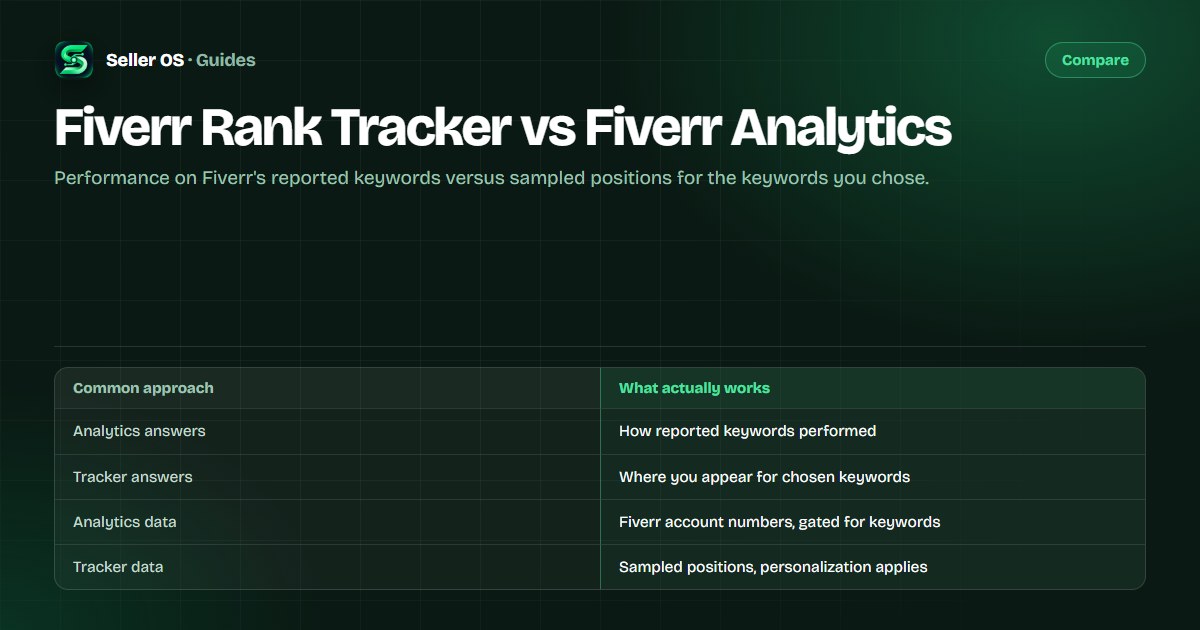
These two tools answer different questions. Fiverr analytics tells you how your gig performed on the search terms buyers actually used, using Fiverr's own account data. A rank tracker samples where your gig appears for a keyword list you chose, over weeks. One looks back at outcomes; the other watches positions.
This guide compares what each view can and cannot tell you, why their keyword lists rarely match, and how to use both without overreacting. It also explains what happens when keyword data sits behind Seller Plus.
Free plan available. Local-first data. Human review on every change.
The short answer: outcomes versus positions
Analytics is an outcomes view. It records what happened: impressions, clicks, orders, and for Seller Plus members, the keywords buyers used to find your gig. A rank tracker is a positions view. It repeats one observation on a schedule: where your gig appears for a phrase you picked, logged so movement becomes visible. Neither is a substitute for the other.
The practical difference shows up in a weekly routine. Analytics asks what the last period produced; tracking asks whether the thing you changed three weeks ago is moving. Mixing them produces the classic mistake of rewriting a title because of one dipped number that belonged to a different phrase.
| Question | Analytics | Rank tracker |
|---|---|---|
| Which keywords brought buyers? | Yes, where Fiverr provides them | No; shows your chosen list only |
| Where do I appear for phrase X? | Not as a position for your list | Yes, as a sampled position |
| How did last month perform? | Yes, with period comparisons | Only if you logged it |
| Can I see this without paying? | Core views yes; keyword rows gated | Yes, manual or tool-based |
| Whose data is it? | Fiverr's account records | Your samples, stored by you |
What Fiverr analytics actually covers
Fiverr's free layers include the Overview and Repeat Business tabs, per-gig statistics with impressions, clicks, orders, cancellation rate, subscriptions, and conversion rate, and a performance graph that shows your statistics over the last 30 days. Arrows compare the current period with the one before it.
Keyword-level rows sit behind Seller Plus. Fiverr documents Top Keywords, which lists the search terms clients used with impressions, clicks, CTR, orders, CR, and earnings, and Keyword Research, a marketplace view with Overall Rank, Search Volume, Average Order Price, Conversion Rate, and Competition. As published on Fiverr's Advanced Analytics article, checked September 2026, these tabs are web-only and not included in Kickstart. The rank column inside Top Keywords is relative to your own keywords, not a global position.
Availability shapes everything. A seller without Seller Plus may see no keyword rows at all and still get useful impressions, clicks, and orders data per gig. A Seller Plus member sees the keyword layer but only in a browser, not in the mobile app, as Fiverr documents it. The keyword analytics guide reads one keyword row column by column.
What a rank tracker actually covers
A tracker keeps a list. You choose five to fifteen phrases tied to your gigs, then sample positions on a cadence, usually weekly, from the same kind of session each time. The output is history: a line per keyword that shows movement, plateaus, and the gigs sitting around yours. Fiverr rank tracking explains how to build that list.
It is an estimate, not a score. Fiverr search results are personalized by session, location, and account, so another seller checking the same phrase can see a different page. Consistency is what makes the numbers useful: same method, same schedule, compared only to your own readings. A single check is a snapshot, not a verdict.
Manual tracking is a legitimate alternative to software: a private window, one keyword at a time, one log line per check. It is slower and easier to skip, which is why cadence matters more than tooling. Gig rank checking covers the manual procedure step by step.
Rank tracker and analytics side by side
The comparison below is about capability, not quality. Both views are useful, and the point is knowing which question each one answers before you open either.
The two views also fail differently. Analytics can look healthy while your positions erode for phrases you care about but buyers are not using yet; a tracker can look alarming while orders keep arriving from phrases outside your list. Reading both is how you tell a real problem from a monitored one.
| Dimension | Fiverr analytics | Rank tracker |
|---|---|---|
| Keyword list | Terms buyers used, as Fiverr reports | Terms you choose to watch |
| Direction | Backward: what already happened | Forward: repeated current samples |
| Granularity | Aggregates per keyword where available | Page and position per sample |
| Access | Core free; keyword rows Seller Plus | Manual is free; tools optional |
| Personalization | Fiverr account data | Sampling conditions affect readings |
| Best for | Diagnosing outcomes | Judging whether a change moved you |
When you need both views, and how to read them
Here is a hypothetical week. Your tracker shows phrase A slipping two spots while phrase B holds; analytics shows clicks steady but orders down for the period. The tracker says where you moved; analytics says what those movements produced. Reacting to either alone risks fixing the wrong thing.
The habit that connects them is a single change per window. Fiverr's own guidance, published for Seller Plus members, is to give new or updated keywords at least 30 days before reviewing impact. Use the tracker for early directional feedback, and let analytics confirm whether the change produced clicks and orders.
The honest limits of each view
Analytics cannot show you why something happened, and it only reports keywords Fiverr chooses to surface; without Seller Plus, there may be no keyword rows at all. It also defaults to a 30-day window, so last month's detail is replaced by the current period unless you keep your own record. The gig performance tracking guide covers that logging habit.
A rank tracker cannot show impressions, clicks, or orders, and its numbers are samples that shift with session and location. It also cannot tell you whether a competitor passed you or the whole page reshuffled, unless you log the neighboring gigs. Gig rank checking covers reading one sample without fooling yourself.
One more limit belongs to both: neither view explains cause. A position move can come from your edit, a competitor's edit, a seasonal shift, or a change in how results are assembled. Treat every reading as one clue, and change one thing at a time so the next reading has a chance of meaning something.
Mistakes that mix the two views up
The first mistake is treating a tracker reading as performance data. A position can improve while clicks fall, because position is one input among many. The second is judging a keyword edit in week one. Fiverr's published guidance says 30 days; a tracker will show you movement long before analytics has anything meaningful to report.
The third is expecting the two keyword lists to match. Analytics shows the terms buyers used; your tracker shows the terms you hope they use. When the lists diverge for months, that is itself a finding: buyers are arriving through phrases your fields do not emphasize. Compare notes with best keyword tools and the SEO tools vs manual comparison; see the Fiverr Mate alternatives page if you are choosing tracking software, and the FivData alternative page for the web-checker route.
Where Seller OS helps
Seller OS keeps the positions half of this pair in one local place. Keyword suggestions help build the tracked list, the Keyword Rank tracker records position history and the competitor gigs around yours, and a Pro keyword monitor refreshes positions while Chrome is open and flags notable moves.
It reads the Fiverr pages you open and stores history in Chrome local storage; it never replaces Fiverr analytics, which stays the source for your account numbers. Nothing is edited or published automatically, and monitors only run while Chrome is open. Exports give you a copy of the history.

Fiverr Rank Tracker vs Fiverr Analytics questions
Does Fiverr analytics show my rank?
Fiverr's free analytics does not show a position for keywords you choose. Inside Seller Plus, Top Keywords includes a rank column, but Fiverr documents it as relative to your other keywords rather than a global position. For an outside view of where a gig appears for a specific phrase, a sampled rank check is the tool.
Why does my tracked position disagree with Fiverr analytics?
They measure different things. Analytics aggregates what buyers did using Fiverr's account data; a tracker samples a search from your session, location, and device. A phrase can perform well in analytics while your sampled position moves, or the reverse, because the two views use different keyword lists and different conditions.
Can I use Fiverr analytics instead of a rank tracker?
Partly. If you have keyword rows, analytics is the stronger evidence about outcomes. A tracker adds an early warning for phrases you care about and works for sellers without Seller Plus. Many sellers do not need both on day one; start with what is free and add tracking when a specific phrase matters.
How often should I compare rank and analytics?
Sample positions weekly and review analytics monthly, then bring them together after a change. Fiverr's published guidance is to give new or updated keywords at least 30 days before judging impact. Read the tracker for direction and analytics for results, and avoid rewriting fields based on a single reading of either.
Know which view answers which question.
Track a short keyword list weekly, read analytics monthly, and change one field per window.