 Seller OS
Best Fiverr keyword research tools: how to choose
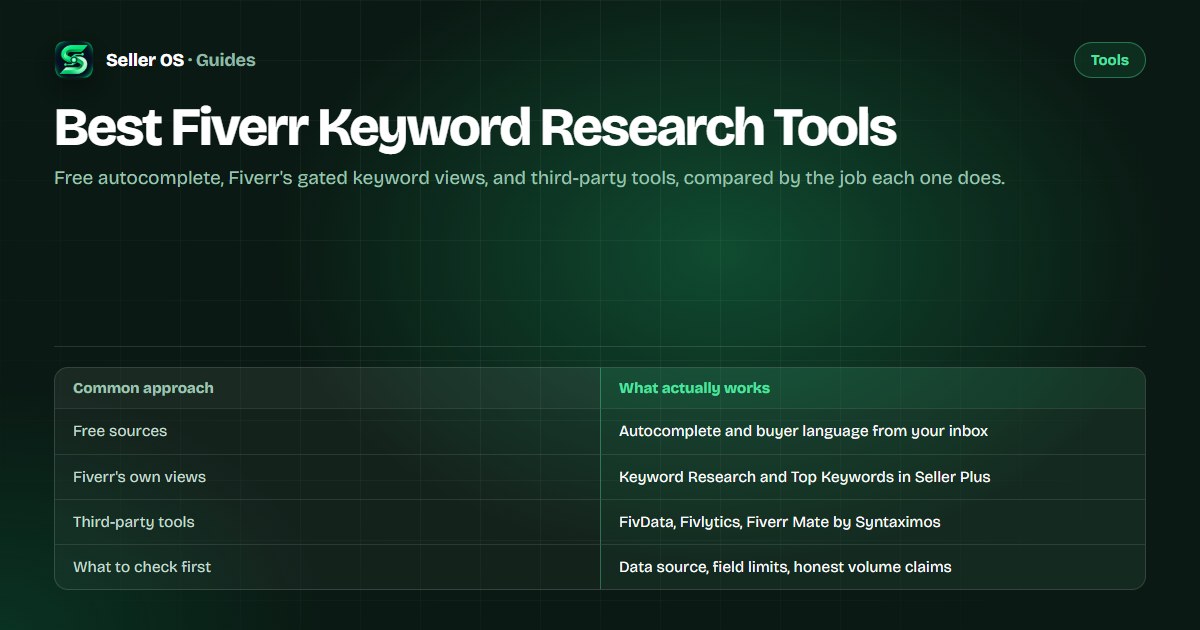
Fiverr keyword tools do not all exist for every seller. Some sources are free and open, like the suggestions in the search box. Others sit behind Seller Plus, and third-party options fill the gaps in between. The useful question is not which tool is best overall, but which source answers the question you have today.
This guide compares the free sources, Fiverr's own gated views, and third-party options by the job they do, with a checklist for judging any suggestion. Vendor details are attributed and dated; nothing here promises rankings.
Free plan available. Local-first data. Human review on every change.
Where keywords actually land on a Fiverr gig
A Fiverr gig gives you a handful of places for keywords: the title, up to five tags, the positive keywords field, and a description of up to 1,200 characters. Fiverr's guidance to Seller Plus members says the algorithm prioritizes title text first, then the positive keywords field, then the description, so placement is not neutral.
A research tool is only useful if its output reaches one of those slots in a sensible order. A long list with no placement guidance usually ends with a phrase stuffed somewhere it does not belong. The field mechanics and limits are covered in the Fiverr keyword tool guide.
Free keyword sources and what they cover
The search box on Fiverr is the most underrated source. Type your service and read the suggestions. Fiverr's own community blog advises sellers to use auto-populated suggestions and to study the keywords used by successful sellers in their subcategory, as checked September 2026.
Free web tools add layers on top of that data. As published on fivdata.com, checked September 2026, its keyword analytics works from up to three Fiverr search result pages without a browser extension. As published on promotegigs.com, checked the same month, its free suite includes keyword research and a Fiverr keywords generator. One disclosure worth imitating: fiverrtutorials.com's keyword finder states, checked September 2026, that its suggestions are AI-estimated rather than real Fiverr search analytics data.
Two habits make free sources work harder. Save every phrase a buyer uses in an order requirement or brief into one running list, because that language converts better than any generator's output. And check a phrase in the search box before you commit it, since autocomplete tells you whether the wording matches how buyers actually type.
- Autocomplete suggestions — free, current, and grounded in real searches
- Your inbox and briefs — phrases buyers actually used with you
- Competitor titles and tags — visible to anyone browsing the category
- Free generators — convenient, but check whether the data is real
Fiverr's own keyword views and who gets them
Fiverr documents two keyword-level views inside Seller Plus. Top Keywords shows the search terms clients used to find your gig, with impressions, clicks, CTR, orders, CR, and earnings for each term. Keyword Research shows marketplace-wide Overall Rank, Search Volume, Average Order Price, Conversion Rate, and Competition. Both use Fiverr's own data, which no third party can reproduce.
As published on help.fiverr.com, checked September 2026, those tabs are web-only, not available on the mobile app, and not included in Kickstart; Standard costs $25 per month and Premium $49 per month, with Standard available from Level 1 and Premium from Level 2. The details sit in Fiverr's Advanced Analytics article.
Third-party keyword tools at a glance
Third-party pages describe different scopes. As published on fivdata.com, checked September 2026, the free tier allows 10 tool uses per day with ads and Pro costs $1.99 per month. As published on fivlytics.com, checked the same month, its free keyword analytics covers keyword competition, gig count, pricing distribution, and seller level distribution.
Others bundle research with gig tooling. As published on syntaximos.com, checked September 2026, Fiverr Mate includes a Keyword Explorer, a Suggested Keywords Generator, and SEO Mate, with a Free plan and Pro at $10.99 per month. As published on promotegigs.com, checked the same month, its free suite includes keyword research and a gig keywords generator. The Fiverr Mate alternatives page maps these tools by job.
| Tool | Published focus | Published price |
|---|---|---|
| FivData | Keyword analytics and gig rank checks from up to 3 search pages | Free with 10 uses/day; Pro $1.99/month |
| Fivlytics | Free keyword analytics: competition, gig count, pricing, seller levels | Free analytics; paid rank tracking offered |
| Fiverr Mate (Syntaximos) | Keyword Explorer, generators, and gig metadata tools | Free; Pro $10.99/month |
| PromoteGigs | Free suite with keyword research and keyword generators | Free tools per its site |
| Fiverr Seller Plus | Top Keywords and Keyword Research views | Standard $25/month; Premium $49/month |
How to judge any keyword suggestion
Ask where the number came from. If a tool shows a difficulty score or a volume estimate, the vendor page should say how it is produced. Fiverr publishes Search Volume only inside its own Seller Plus Keyword Research view, so any outside volume figure is a model or an estimate, however precise it looks. Treat those as directional hints.
Say a generator hands you minimalist logo animation with a score of 87 out of 100. The score has no published method, so it cannot be compared to another tool's score. What you can check is fit: the phrase appears in buyer language you have seen, it fits one of the five tag slots, and you can title the gig around it honestly.
Collect
gather 10 to 20 candidate phrases from one source at a time
Source-check
confirm the vendor explains where its data comes from
Field-fit
keep phrases that fit a tag, the keywords field, or the title honestly
Evidence-check
match at least two phrases against real inbox language
Test one
change one field per two-week window and judge by your own analytics
Pick a source by the job, not the feature list
No single tool covers every job well. Candidate generation, demand checking, shortlist scoring, and position tracking are four different jobs, and each maps to a different source. The table is a starting map, not a rule.
If you sell without Seller Plus, the free sources plus your inbox remain a workable route, and a manual scorecard replaces the missing difficulty column. The keyword research without Seller Plus guide covers that workflow end to end.
The mapping changes as your account grows. A young gig with no keyword rows benefits most from candidate work and long-tail focus; an established gig with Seller Plus access gets more from the demand and competition columns. Revisit the mapping quarterly rather than after every quiet week.
| Job | Source that fits | Why |
|---|---|---|
| Find candidates | Fiverr autocomplete, inbox language | Free, current, grounded in real searches |
| Check demand | Seller Plus Keyword Research | Fiverr's own volume and competition columns |
| Score difficulty | Manual competition scorecard | Fiverr publishes no difficulty metric to copy |
| Track positions | Rank tracker or a manual log | Movement over weeks, not one reading |
Keyword tool mistakes that cost you fields
The first mistake is treating an estimate as platform data. A tool that admits its suggestions are AI-estimated is more honest than one that presents the same guesses as Fiverr data. The second is collecting forty phrases and changing nothing: a list only matters when a phrase reaches a field.
The third is letting a tool choose your position for you. Only you know which phrase describes the work you want to keep doing. Before subscribing to anything, read Fiverr SEO tools vs manual work for what a tool should and should not decide, and the FivData alternative and Fiverr Seller Plus alternative pages for two deeper route comparisons. If positions are what you track, the rank tracker vs analytics comparison explains which view answers what.
Also check what you keep. A tool that shows data but will not export or save it leaves you starting over when you switch. Local history and CSV exports matter more than a tenth feature.
Where Seller OS helps
Seller OS handles the keyword layer around the research: it suggests keywords from the gig or search context you are working in, keeps the phrases you choose in a local tracked list, and records position history for each one, so a phrase can be judged by movement rather than by a score with no source.
The rank history and exports live in Chrome local storage, and every change still goes through you. It does not show Fiverr's internal keyword data — that stays inside Fiverr — and no feature edits, saves, or publishes a gig on its own.

Best Fiverr Keyword Research Tools questions
Are free Fiverr keyword tools accurate?
Free sources vary. Autocomplete reflects real searches and stays current, but it gives no volume or competition numbers. Free web generators may be built on the same autocomplete data or on AI estimates, and some, like fiverrtutorials.com's keyword finder, disclose that openly. Judge a free tool by what it claims to know, not by how confident it sounds.
Do I need Seller Plus to find Fiverr keywords?
No. Autocomplete, competitor titles and tags, and the language buyers already use in your inbox and briefs are free and available to every seller. Seller Plus adds Fiverr's own keyword-level views, Top Keywords and Keyword Research, when your level qualifies. Those views are useful but not required to build a gig.
Can a keyword tool show search volume on Fiverr?
Only Fiverr's own Seller Plus Keyword Research view publishes Search Volume, as Fiverr documents it. Third-party tools that show volume numbers are estimates, sometimes generated or modeled, and their accuracy cannot be checked against Fiverr. Use outside volume figures as directional hints and let your own impressions and orders confirm a phrase.
Which Fiverr keyword tool should I start with?
Start with the free ones: autocomplete for candidates and your inbox for buyer language. If you qualify for Seller Plus and need Fiverr's own demand data, its keyword views are the only source of it. Add a third-party tool only when a specific job, like tracking positions or scoring difficulty, is not covered by what you already have.
Match the keyword source to the job.
Start free with autocomplete and buyer language, then add Fiverr views or a tool only for the jobs you still miss.