 Seller OS
Fiverr auto reply and quick responses setup
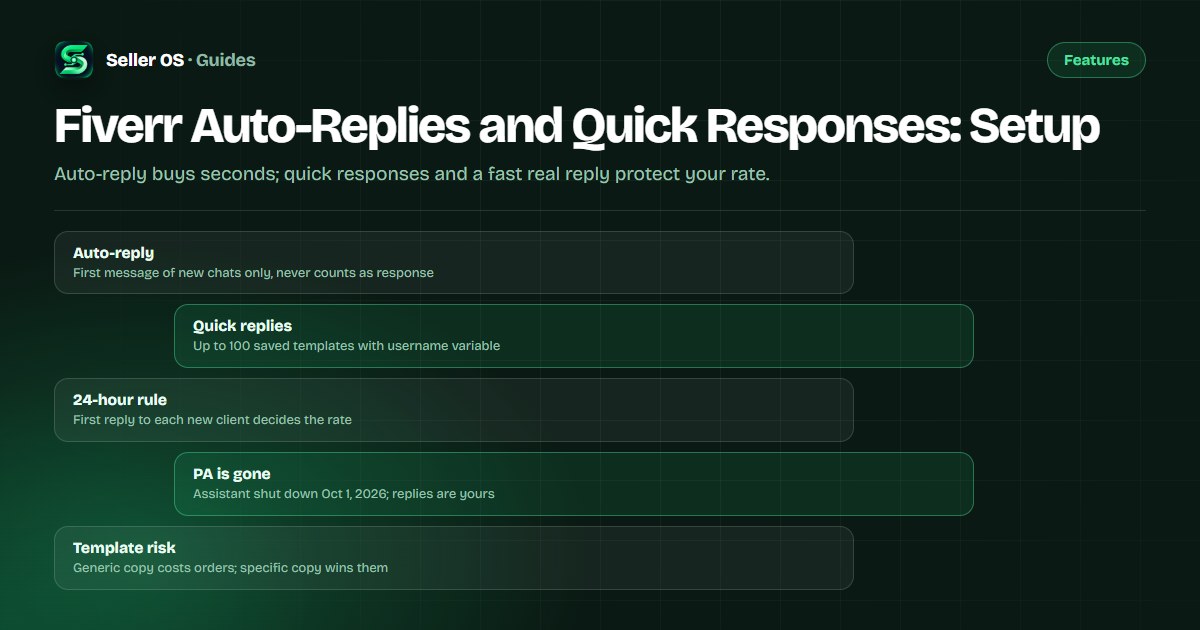
Fiverr's help center states that an auto-reply fires only on the first message of a new conversation and does not count toward your response rate. Quick responses are the tool that actually saves you time: saved templates you insert yourself when you reply for real.
This guide explains the published response-time mechanics, how to set up both tools now that the Personal Assistant is gone, and template habits that keep you fast without sounding like a bot.
Free plan available. Local-first data. Human review on every change.
How Fiverr measures your response rate
Fiverr's help center states that response rate is the percentage of first responses to new messages from new clients that you send within 24 hours, measured over the last 90 days. Only the first reply in each new conversation counts, so later messages in the same thread do not move the number either way.
Fiverr's help center states that automatic responses do not count as a response to the client message. That single sentence shapes your whole setup: an auto-reply can acknowledge a buyer, but only a message you actually send inside 24 hours protects the metric and the level thresholds tied to it.
- First reply to each new client within 24 hours is what counts.
- Follow-up messages in an existing thread do not affect the rate.
- Auto-replies never count, even when they send perfectly on time.
- Spam reported within 24 hours does not count against you.
- Response rate is visible to you; buyers see your response time instead.
What an auto-reply does and does not do
Fiverr's help center states that auto-reply sends automatically only on the very first message of a new conversation and never to existing conversations. You toggle it on from the lightning-bolt menu in the inbox, and Fiverr recommends combining it with quick responses rather than relying on it alone.
Think of it as a reception bell, not an answer. Illustrative scenario: a buyer writes at 11 pm asking for a logo by Friday. Your auto-reply confirms you received the note and promises a scoped reply by morning. If you then send a real reply at 8 am, you are inside the 24-hour window and the rate stays intact.
Why setup matters more since October 2026
Fiverr's help center states that the Personal Assistant closed to new subscribers on September 1, 2026 and shut down for all freelancers, including current subscribers, on October 1, 2026. After shutdown, new client inquiries come directly to you and existing conversations stay in the inbox, with other Seller Plus benefits otherwise unaffected.
The old help article warned that auto-reply was disabled automatically while the Personal Assistant was active. That conflict is now legacy context, not a current constraint. You no longer share the inbox with an assistant, so your auto-reply plus quick responses are the full first-response system, and the response-time guide explains the counting rules in detail.
Set up quick responses that save real time
Fiverr's help center states that quick responses are saved message templates, up to 100, inserted manually from the lightning-bolt icon in the inbox, active orders, and delivery messages. They support a username variable, work in the mobile app, and Fiverr also provides suggested quick responses for common questions.
Build a small set first: pricing and scope questions, timeline confirmation, file-request follow-up, revision boundary, and a polite decline. A common mistake sellers make is saving twenty near-identical templates and then hunting through the list while the clock runs. Five sharp templates you can find in seconds beat a library you never open.
Open the inbox and choose the lightning-bolt menu
create one template per repeated question.
Use the username variable so each insert reads addressed, not broadcast.
Leave blanks for scope, price, and date so you must fill specifics each time.
Test each template in the mobile app so phone replies work identically.
Review the set monthly and delete anything you have not used in 90 days.
Templates that do not read like bots
Advice, not platform mechanics: name the buyer's project, repeat one detail back, and ask exactly one question. A reply that says which file format, which deadline, or which package you understood signals a person read the message, while a generic thanks-for-contacting note signals the opposite.
Illustrative example: instead of saving Thanks for your message, I will reply soon, save Hi {username}, thanks for the detail on your three-page site. I can deliver the homepage draft by Thursday if you send the logo and text today. Is the contact form the only interactive piece? The second version is still one click to insert, but it carries proof you read the brief.
| Weak default | Stronger replacement | Why it works |
|---|---|---|
| Thanks, will reply soon | Confirm scope plus one question | Shows you read the request |
| Check my gig packages | Name the package that fits | Removes buyer guesswork |
| Send requirements | List the 3 files you need | Speeds the next step |
| Price depends | Give a range with a condition | Anchors the discussion |
A daily discipline that protects the rate
Sort new conversations first, answer those before anything already in progress, and clear spam through the report path inside 24 hours so it does not count against you. Fiverr's help center states that time zones do not change the 24-hour allowance, so a late-night message still needs a next-day reply.
Pair this guide with the message templates for copy you can adapt and the follow-up timing rules for when silence needs a nudge. If volume keeps beating you, the problem is usually triage order, not typing speed: new threads first, quick-response insert, one specific question, send.
Where Seller OS helps
Seller OS drafts inbox replies, brief responses, and order-message follow-ups that you review and send yourself, which fits this workflow exactly: the draft carries the specifics, and a person performs every final Send. Its local client records keep prior scope and pricing notes beside the thread so quick responses stay accurate.
It does not auto-send anything, publish gigs, or answer buyers while you sleep. If you need coverage overnight, that remains an auto-reply acknowledgment plus your own first reply inside 24 hours, not an automated conversation.

Fiverr Auto-Replies and Quick Responses questions
Does a Fiverr auto reply count toward my response rate?
No. Fiverr's help center states that automatic responses are not considered a response to the client message. The response rate counts only first replies you send yourself to new messages from new clients within 24 hours. Use auto-reply as an acknowledgment, then send a real reply inside the window to protect the metric.
How do I set up quick responses on Fiverr?
Open the lightning-bolt menu in your inbox, active orders, or delivery messages and create saved templates there. Fiverr's help center states you can keep up to 100, insert them manually, use the username variable, and use them in the mobile app. Keep the set small, leave blanks for scope and dates, and test them on your phone.
Can auto-reply and Personal Assistant run together?
That question is now historical. Fiverr's help center states the Personal Assistant shut down for all freelancers on October 1, 2026, after closing to new subscribers a month earlier. The old rule that auto-reply disabled itself while the assistant was active no longer constrains you, since new inquiries now come directly to your inbox.
What should my Fiverr auto reply say?
Keep it short and honest: confirm receipt, give a real reply window, and ask for the one detail you most often lack. As practical advice, avoid promises of instant delivery or pricing in the auto text. Save the specifics for your manual reply, where a quick-response template with blanks keeps you fast without sounding automated.
Set the acknowledgment, send the answer
Enable auto-reply, save five quick responses, and clear new threads within 24 hours.