 Seller OS
A response-time system for your Fiverr inbox
A fast inbox is not a personality trait; it is a structure. Sellers who answer quickly usually are not glued to the screen. They check at set times, keep a small library of replies, and know which threads deserve a custom pass. The speed comes from the setup, not from willpower.
This guide builds that setup: batching windows, a three-tier template library, escalation rules for the threads that go wrong, and the rules that protect the metric. It stays separate from the message copy bank, which handles what each template says, and from the faster-replies guide, which covers the habit.
Free plan available. Local-first data. Human review on every change.
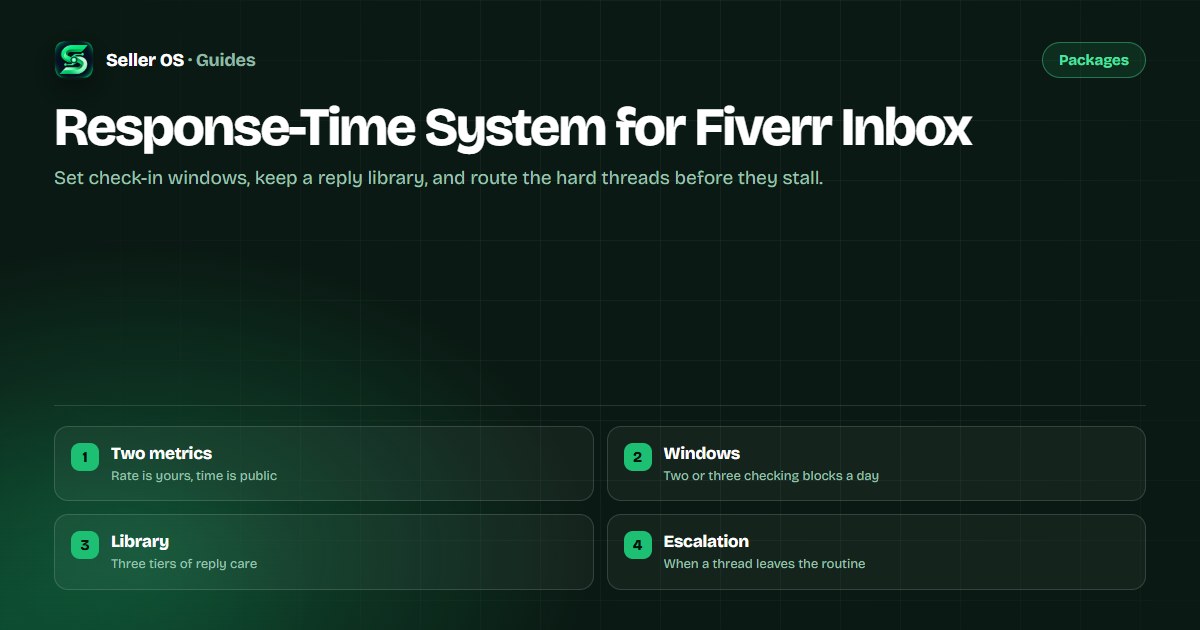
Response rate and response time are two different numbers
Fiverr's response time and rate article describes two separate measures. Response rate is the share of first replies sent within 24 hours, measured over the last 90 days, and it is private to you. Response time is the average hours it takes you to answer a new message, and clients can see it on your gig and profile.
That split decides where to aim. The rate rewards a real first reply inside a day; the time rewards quick average answers. Both are first-contact measures: a later message in an existing thread does not count as another first response, so the pressure is on new conversations rather than on every line.
- Response rate: first replies within 24 hours, tracked over 90 days, private.
- Response time: average hours to answer, shown to clients.
- A later reply in the same thread is not a new first response.
- Fiverr states automatic responses are not counted as a reply.
Batching windows that still answer first messages fast
Batching means checking the inbox in fixed blocks instead of continuously. Two or three windows a day covers most time zones: one early, one mid-day, one before you stop. Inside a window, you triage everything unread at once, which is faster than switching back every few minutes.
The one rule that makes batching safe is that a new first message is the priority inside every window. A buyer waiting on a quote is the person whose clock is running, so answer new threads first, then work downward through the ones already in play.
Outside the windows, one lever changes the exposure: a short holding note on the first reply you can send. It acknowledges the message and buys you the time to scope properly, and it still counts as a first response.
Pick two or three windows and hold to them.
Inside a window, answer new first messages before returning threads.
Send a one-line acknowledgment when the full answer needs research.
Leave the inbox readable at the end of each window.
A three-tier library, not one template
One template per situation ages badly, because buyers can feel the copy-paste. A small library with three tiers of care keeps speed without flattening the reply. Tier one is a skeleton you always rewrite: an acknowledgment, a price range, a question. Tier two is a full draft you edit hard: a quote, an offer note, a delay notice. Tier three is no template at all, reserved for complaints, disputes, and anything emotional.
The structure saves the blank page; the variables keep it human. Each reply still carries the buyer's name, their project, the deliverable, and one detail only their brief could produce.
| Tier | Used for | How to write it |
|---|---|---|
| Skeleton | Routine questions, quick answers | Fill a frame, rewrite in your voice |
| Full draft | Quotes, offers, delay notices | Start from the draft, edit hard |
| No template | Complaints, disputes, refunds | Write from scratch, use a checklist |
Escalation rules before a thread goes wrong
Some threads should leave the routine rather than be answered faster. Set a trigger in advance so the decision is not made in the moment. A thread escalates when money moves, when a deadline is at risk, when the buyer is upset, or when the request sits outside the order scope.
When a trigger fires, slow down instead of speeding up. Name the issue plainly, restate what is agreed, and put the next step in writing. If the scope changed, the scope creep guide covers the response; if the buyer is unresponsive on a live order, the mechanics belong to the ghosted buyer guide.
- Money or scope changed: switch to a written summary before answering.
- Deadline at risk: send a notice with a new date and an option.
- Buyer upset: reply once, calmly, and confirm the facts.
- Outside the order: decline or re-scope in writing.
Rules that protect the response rate
The metric has a few edges worth knowing. A first reply inside 24 hours counts; a fast later reply does not add to it. An automatic reply does not count at all, so an away message does not hold the number while you are gone. And if you set Availability with the option that lets all buyers contact you, Fiverr states your response time and rate are counted as usual.
A slow first reply to a Mira message has the same effect, since Fiverr says to answer Mira's first message within 24 hours so the rate is not affected. Treat every new thread as the one that counts, and treat the rest of the thread as ordinary correspondence.
Keeping the system alive in a busy week
Structure survives busy weeks better than good intentions. When orders stack up, the windows stay the same but the triage gets stricter: new first messages first, anything blocking a live delivery second, conversations with no deadline last.
The system also needs one owner. If you work alone, that is you; if you bring help in, the inbox needs a single person answering as your account, because inconsistent voices read as two different sellers. The communication score guide covers the metric that quietly watches this behavior.
Where Seller OS helps
Seller OS fits between the windows and the send button. The inbox assistant drafts a reply from the conversation, your gig details, and local client history, so a first response starts as an editable draft instead of a blank page. Drafted replies stay beside the original message, which is where the mirroring line should come from.
It is a drafting layer, not an auto-responder. Nothing sends itself, automated inbox actions are capped on the Free plan, and every reply ends at your review. It shortens the writing, not the judgment, and it does not promise a better response rate.

Response-Time System for Fiverr Inbox questions
How is Fiverr response rate calculated?
Response rate is the share of first replies you send to new messages within 24 hours, measured over the last 90 days. It is private to you, while clients see your average response time. A later reply in an existing thread does not count, and Fiverr states that automatic responses are not counted as a reply.
What is a good response time on Fiverr?
Fiverr does not publish a target response time, only how the two measures work. Practically, staying inside 24 hours protects the rate, and a few hours is enough to look responsive next to comparison shoppers. Batching windows help you hit that without watching the inbox all day.
Do I need to answer messages instantly?
No. The counted window is 24 hours for a first response, so two or three checking blocks a day is enough. When you cannot answer fully, send a short acknowledgment, because it still counts as a first reply and it keeps the thread warm while you scope the real answer.
Can I use templates for Fiverr replies?
Yes, if you keep three tiers of care. Use a skeleton you rewrite for routine questions, a full draft you edit hard for quotes and delay notices, and no template at all for complaints or disputes. The structure saves the blank page; the variables keep each reply from reading as copy-paste.
Answer first messages on a schedule.
Set your windows, keep a small reply library, and route the hard threads before they stall.