 Seller OS
Fiverr brief screening questions: how to answer
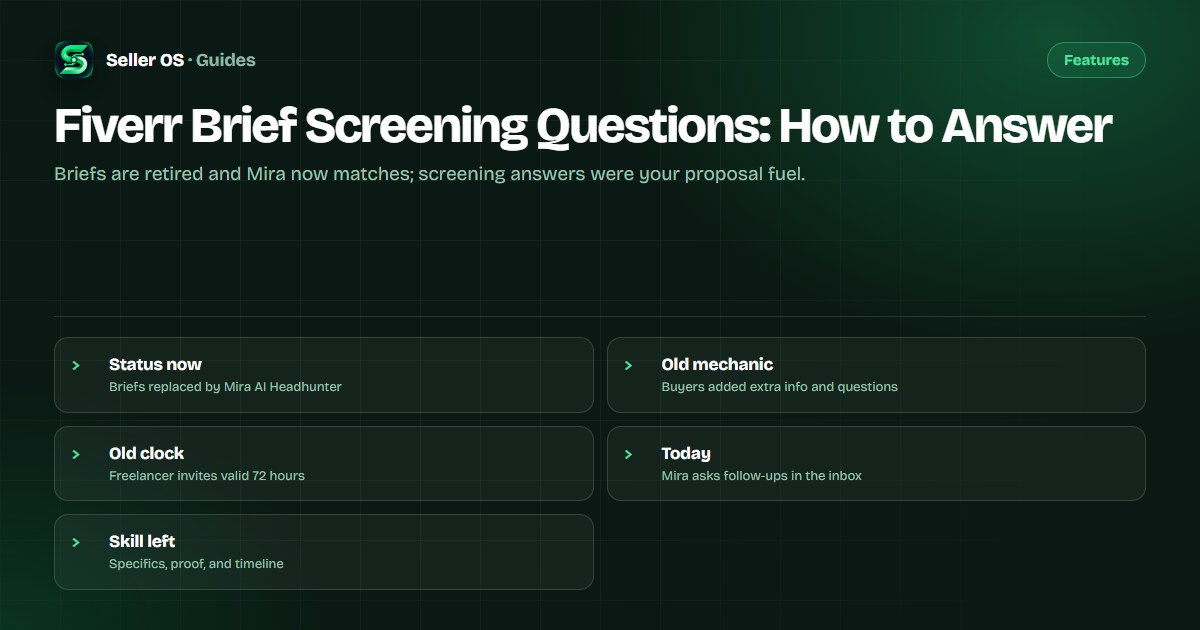
Start with current status: both Fiverr Briefs help articles now carry a banner stating that Mira AI Headhunter has fully replaced the Briefs feature, with previous briefs viewable under Your Briefs for the time being. Screening questions belonged to that Briefs flow, not to a separately documented 2026 feature.
This guide explains what screening questions were, how answers fed your proposal, how Mira job invitations differ today, and the answer craft that still applies. Mechanics are attributed to Fiverr; answer wording is practical advice.
Free plan available. Local-first data. Human review on every change.
Current status: Briefs are retired
Fiverr's freelancer Briefs article opens with the notice that Mira AI Headhunter has fully replaced the Briefs feature, while the client posting article still describes the old posting flow. Treat Mira as the current matching system per the freelancer article, with legacy briefs readable but no longer the active pipeline.
Fiverr's help center states that new Mira job descriptions open as conversations in the inbox rather than on the old Brief management page. If you still see an older brief in Your Briefs, answer it under the old rules below, but aim your ongoing positioning at Mira-era matching and the Mira seller guide.
What screening questions were
Fiverr's client-facing brief article stated that when posting a project brief, clients reviewed the generated brief and could add additional information, such as whether the work was one-time or ongoing, details about the ideal candidate, and screening questions. Those questions arrived with the brief invitation and asked you to show fit before the buyer read full offers.
Fiverr's freelancer article documented the surrounding mechanics: briefs matched on expertise, pricing, and profession, arrived on the Briefs page under Your matches plus email and app notice, and each brief was answerable within 72 hours. Screening answers were therefore a timed first impression, not a casual chat, and sellers who treated them as seriously as the offer itself consistently placed higher in the buyer comparison.
How your answers fed the proposal
Buyers compared screening answers across a small set of invited sellers, since Fiverr's client article stated briefs could receive up to five tailored offers. A sharp answer moved you into the offer shortlist; a vague one meant your attached proposal started with a disadvantage before pricing was even discussed.
Illustrative scenario: a buyer asks for your experience with multi-language stores, your timeline for a 20-product catalog, and one store link. A seller who answers with two sentences per question, one link, and a date gives the buyer everything needed to choose. The brief response guide covers the full offer structure those answers supported.
- Question about experience wants one proof item, not a biography.
- Question about timeline wants a date plus what you need to hit it.
- Question about process wants two or three named steps.
- Question about fit wants an honest yes or a scoped alternative.
Answer craft that still works anywhere
Advice, not platform mechanics: answer each question directly first, then add exactly one proof element. Lead with the fact, follow with the file, link, or number that backs it, and close with the next step. Buyers skim, so a direct opening line beats a paragraph that buries the answer.
Illustrative example: for Have you built booking sites before, write Yes, three in the last year, most recently a salon site with online deposits, then link one live example and state you can start Thursday if content arrives Tuesday. That pattern of specifics, proof, and timeline transfers directly to Mira follow-ups and custom-offer messages today.
| Question type | Strong answer shape | Avoid |
|---|---|---|
| Experience check | Count plus one named example | Years with no examples |
| Timeline check | Date plus dependency | ASAP with no condition |
| Process check | Named steps in order | Trust me, easy process |
| Budget check | Range tied to scope | Single number, no scope |
How Mira invitations differ today
Fiverr's Mira article states that matching considers criteria such as previous projects completed on Fiverr and experience level, that invitations arrive through the inbox, and that you should respond to Mira's first message within 24 hours so your response rate is not affected. Each job description opens a new inbox conversation.
A common mistake sellers make is pasting a Briefs-era proposal into a Mira thread without answering Mira's actual follow-up questions. No screening-questions feature is documented for the Mira flow, so read what the thread itself asks: Mira conducts its own follow-ups, and your job is to answer those plus the buyer's specifics, not a remembered template.
If a legacy brief still shows in your list
Check whether the invitation is still inside its 72-hour validity before spending an hour on answers, since Fiverr's freelancer article tied brief availability to that window. If the brief shows a legacy status such as inactive or hired, read it as context for the buyer rather than an open invitation.
For anything still answerable, reuse the discipline above and link forward to your current offer path in the get more briefs guide. Then return your attention to inbox matching, because that is where Fiverr states new opportunities now arrive.
Where Seller OS helps
Seller OS drafts brief responses and inbox follow-ups that you review before sending, which fits screening answers exactly: the draft holds the specifics and proof, and a person performs every final Send. Its Gig Performance Optimizer reviews your live gig copy so the proposal the answers support points at credible proof.
It does not receive briefs for you, answer Mira, or guarantee invitations. Matching, timing, and the buyer's choice stay with the platform and the buyer; the tool only helps your answers read sharp and consistent.

Fiverr Brief Screening Questions questions
What are Fiverr brief screening questions?
They were extra questions buyers could add when posting a project brief, alongside details like one-time versus ongoing scope and ideal-candidate notes. Fiverr's client article documented that flow. Both Briefs articles now state Mira AI Headhunter has fully replaced Briefs, so screening questions are a legacy mechanic, not a separately documented current feature.
Can buyers still add screening questions in 2026?
No current Fiverr page documents buyers adding screening questions today. The documented screening flow belonged to Briefs, which Fiverr states has been fully replaced by Mira. New matching runs through Mira job descriptions in the inbox, where Mira itself asks talents follow-up questions rather than exposing a buyer screening-question tool.
How should I answer screening questions well?
As practical advice, answer each question directly in the first line, add one proof element such as a link or number, and close with a timeline plus what you need. Keep answers short enough to skim. That specifics-proof-timeline pattern worked for legacy briefs and transfers directly to Mira follow-ups and custom-offer messages now.
Do I still need to watch the 72-hour brief window?
Only for legacy briefs. Fiverr's freelancer article stated each brief was answerable within 72 hours and client invites carried the same validity. For current Mira invitations, Fiverr's Mira article instead stresses replying to the first message within 24 hours so your response rate is not affected. Check which kind of thread you actually have.
Answer directly, prove once, date it
Lead with the fact, attach one proof, and close every answer with a timeline.