 Seller OS
Fiverr Briefs explained: how seller briefs work
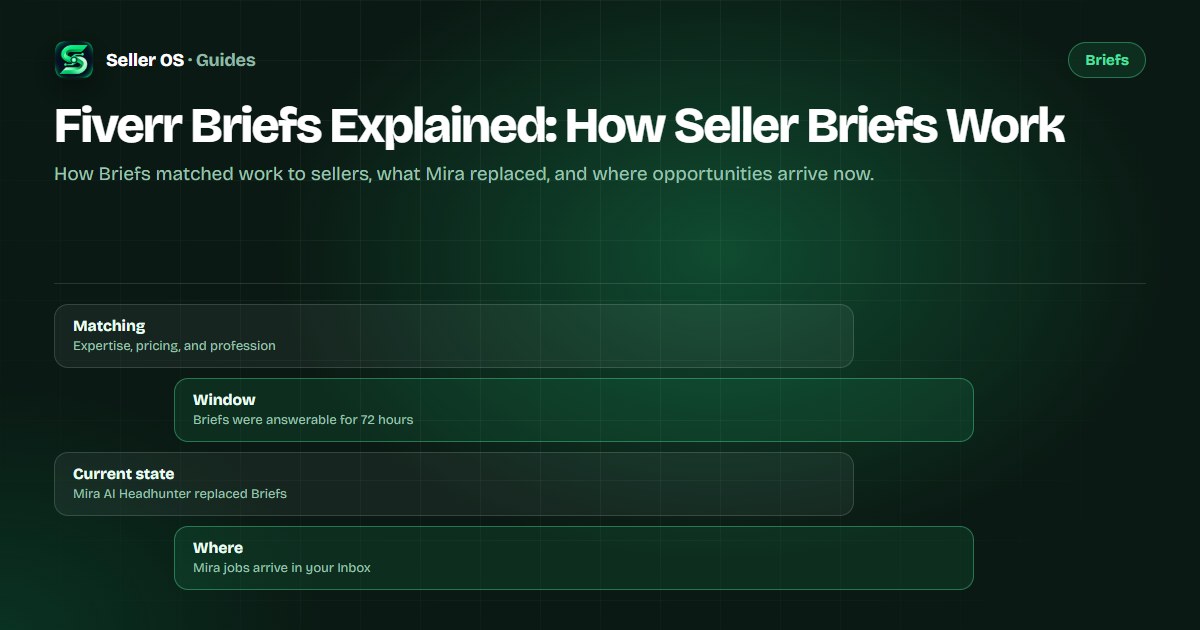
Fiverr Briefs were the platform's client-to-seller matching feature: a buyer posted a project, Fiverr matched it to relevant sellers, and those sellers could answer with a tailored offer. Briefs have since been replaced by Mira AI Headhunter, which now sends new opportunities into your Inbox.
This guide explains how the Briefs flow worked as still published, what the Mira replacement changed, and how to respond well to whatever lands in front of you. It does not promise briefs, because Fiverr publishes no quota and no guarantee.
Free plan available. Local-first data. Human review on every change.
What Fiverr Briefs were and who saw them
Briefs were the matching feature that connected client projects to sellers. A buyer posted a brief, and Fiverr matched it to freelancers based on expertise, pricing, and profession. Matched sellers were notified on the Briefs page under the Your matches tab, by email, and through in-app notifications, and could answer with a tailored offer.
The client side worked the same way in reverse. A posted brief could receive up to five tailored offers, and freelancers received invites valid for 72 hours. Fiverr's Help Center still describes this flow on the client-facing posting article, while the freelancer article now leads with the replacement notice, so both surfaces appear to coexist during the transition.
For sellers, the important part of the old design was selectivity. Fiverr's brief FAQ says the system selected briefs that aligned with your expertise, focusing on services with a success score of 7 or higher. You were not browsing a job board; you were being matched.
Mira replaced Briefs: the current state
Fiverr's freelancer help article opens with a notice that Mira AI Headhunter has fully replaced the Briefs feature. For the time being, previous jobs remain accessible by selecting Your Briefs from the avatar menu. That means an empty briefs page is expected behavior now, not a broken feature: it is an archive, not an active pipeline.
New opportunities come from Mira instead. Fiverr's Mira article says sellers are matched based on multiple criteria such as previous projects completed on Fiverr and experience level, and each job description opens a new conversation in your Inbox rather than a brief card. There is no setup required, and you can opt out by replying and asking Mira to opt out.
The practical shift is a change of destination rather than a change of job. The work is still: read a matched request, decide whether it fits, and answer fast with something specific. Only the surface moved.
“Mira AI Headhunter has fully replaced the Briefs feature. For the time being, you can still access your previous jobs by selecting Your Briefs from the avatar menu.”
— Fiverr's Help Center, Personalized offers (Briefs) for freelancers, September 2026
How matching worked as published
The matching logic was deliberately narrow. Fiverr's brief FAQ states that freelancers receive briefs based on the skills and services they offer, and that the system aligned briefs with expertise while focusing on services with a success score of 7 or higher. That score reference is one of the few thresholds Fiverr has published about matching at all.
Mira's criteria are described more broadly: multiple criteria such as previous projects completed on Fiverr and experience level. No full algorithm, no frequency setting, and no volume guarantee is published for either system. If a guide promises a fixed number of briefs per month, it is not working from Fiverr's documentation.
What you can take from the published criteria is directional: matching reads your services, your completed work, and your experience signals. Those are things you can describe more clearly, not settings you can switch on.
- Briefs were matched on expertise, pricing, and profession
- The brief system focused on services with a success score of 7 or higher
- Mira matches on criteria including previous projects completed on Fiverr and experience level
The clocks: 72 hours and 24 hours
Briefs had a 72-hour answer window. Fiverr's FAQ states that each brief was available for a freelancer to answer within 72 hours, and the client-side article repeats that freelancers receive invites valid for 72 hours. The window was the whole opportunity: an unanswered brief expired quietly.
Mira works on a tighter clock. Fiverr says to respond to Mira's first message within 24 hours to ensure your response rate is not affected. That is not a Mira-specific metric; it is the same first-response rule that applies to any new message in your Inbox, measured over the last 90 days.
The implication is simple: notifications matter more than the old page. If you only check Your Briefs, you will miss Mira conversations entirely, and a late first reply is exactly what the response-rate rule counts. Put both surfaces on the same daily check until the old page is gone.
| Flow | Briefs (legacy) | Mira (current) |
|---|---|---|
| Where it appears | Briefs page and Your matches tab | Inbox conversation |
| Answer window | 72 hours per brief | 24 hours for the first reply |
| Matching basis | Expertise, pricing, profession | Previous projects and experience level |
| Response options | Offer, questions, or not interested | Reply in the Inbox thread |
What a matched opportunity looks like now
On the client side, Mira builds a job description, sends it to eligible talent, and returns up to three curated recommendations. If the budget is under $500, Mira does not send the job description to talent; the client receives a filtered list instead. Clients also pick a shortlist window of 2, 4, or 12 hours.
The budget detail explains why some projects never reach you. It is a published client-side behavior, not a hidden penalty on your account. Mira is also described as currently rolling out gradually and is not available on the iOS or Android apps, only desktop and mobile web, so the surface itself is still expanding.
For you as a seller, the practical read is that the opportunity arrives as a conversation, often without the full project brief if the budget is small. Treat the first message as the brief: it carries the context you need to decide whether to ask questions or quote.
How to answer a brief or Mira message well
Speed is the first filter, but the message still has to be specific. The brief flow supported three responses: creating an offer, asking questions, or marking not interested. For Mira, the equivalent is a clear reply in the Inbox thread. In both cases, the fastest useful reply mirrors the need, proves one relevant thing, and proposes a next step.
That structure, with a fill-in example, has its own guide: how to respond to a Fiverr brief. What matters on this page is that answering is a habit rather than an event. A seller who replies inside the window builds the response-rate record that level criteria reference, from 80% at Level 1 to 90% at Level 2 and Top Rated.
Mistakes sellers make with Briefs
The most common mistake is treating Your Briefs as a live queue and waiting for cards that will not come. It is legacy access now; new work appears in the Inbox. The second is assuming that declining an opportunity damages future matching. Fiverr's brief FAQ states that marking a brief not interested will not hurt the process of the briefs you receive.
The third is answering with a template that ignores the request. Matching selected you for a specific project, and a reply that could have been sent to anyone spends the one advantage you were given. Write to the request in front of you, even when you reuse your structure.
The fourth is reading a quiet Inbox as a penalty. No quota is published for either system, availability rolls out by category and platform, and small-budget projects are handled differently on the client side. Do the things the documentation names, and give demand time to show up.
- Do not wait on the old Briefs page; check the Inbox
- Do not send a generic pitch to a matched request
- Do not assume a quiet week is punishment; no quota is published
- Do not let notifications pile up; the 24-hour clock is the one that counts
Where Seller OS helps
Mira messages land in the same Inbox as everything else, which is exactly where Seller OS helps: it drafts replies to new buyer and Mira messages from the message text and your own gig details, and you review and edit every draft before it goes anywhere. Local client records keep the thread and history together when an opportunity turns into a project.
On Pro, unread message alerts keep watch while Chrome is open, which matters because Mira's first-response window is measured in hours. Seller OS does not receive briefs for you, does not promise matches, and never sends anything without your review. A person performs every final decision.

Fiverr Briefs Explained questions
Do Fiverr Briefs still exist?
Not as an active feature. Fiverr's freelancer help article states that Mira AI Headhunter has fully replaced Briefs. For the time being, you can still open Your Briefs from the avatar menu to view previous jobs, but new opportunities arrive as Mira conversations in your Inbox. Fiverr's client-facing article still describes posting briefs, so both pages coexist during the transition.
How did Fiverr match briefs to sellers?
Fiverr matched briefs based on expertise, pricing, and profession, and the system focused on services with a success score of 7 or higher. Mira uses a broader description: multiple criteria such as previous projects completed on Fiverr and experience level. Neither the full algorithm nor any frequency quota is published, so nobody can tell you exactly why one project reached you.
How long do I have to answer a brief?
Briefs were answerable within 72 hours, per Fiverr's brief FAQ. Mira works on a different clock: Fiverr says to respond to Mira's first message within 24 hours to ensure your response rate is not affected. If you are checking only the old Briefs page, you can miss the current window entirely.
Why do I see no briefs in my account?
Because the active feature moved. Mira sends job descriptions as Inbox conversations, and Fiverr's notice says previous jobs remain under Your Briefs only as legacy access. Mira is also described as rolling out gradually and is not on the mobile apps. Check the Inbox first, then review the matching inputs you can control.
Treat the Inbox like the briefs page
Read the current flow, answer inside the window, and keep every reply specific to the request.