 Seller OS
Fiverr CTR calculator: impressions, clicks, and the formula
The Fiverr CTR calculator computes your gig's click-through rate from the impressions and clicks shown in your per-gig statistics. Fiverr defines impressions as the number of times your gig appeared in thumbnails, and clicks as the number of times a user clicked after seeing it. CTR is clicks divided by impressions, expressed as a percentage.
This page explains the formula, which analytics fields feed it, how to compare periods per gig (not account-wide), and what a CTR change means versus an impressions change. A worked calculation with labeled example numbers shows the math end to end.
Free plan available. Local-first data. Human review on every change.
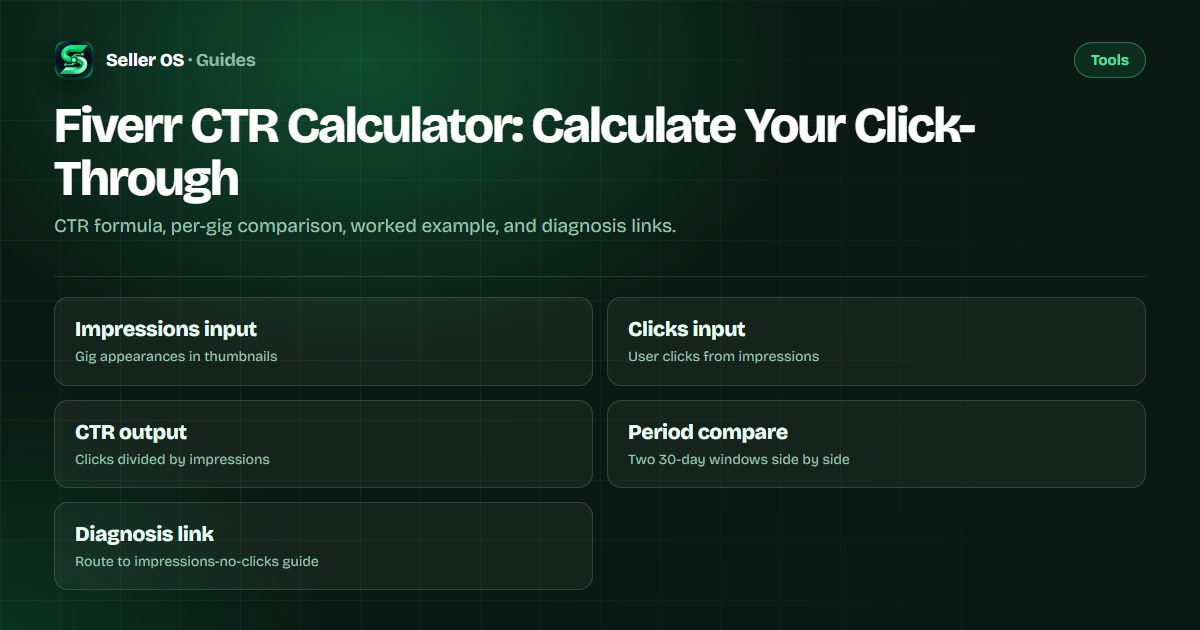
The CTR formula and where the numbers come from
CTR = (Clicks / Impressions) x 100%. Impressions are "the number of times your Gig appeared in Fiverr thumbnails, including on the homepage, category, and subcategory pages, search results, and user profile pages" per Fiverr's help center. Clicks are "the number of times a user clicked on your Gig after seeing it on the homepage, a category or subcategory page, search results, or a user profile page." Both metrics appear in your per-gig statistics, which Fiverr shows for the past 30 days by default.
The calculator reads these two fields from your gig's statistics panel. It does not use the account-level Overview metrics, which aggregate across all gigs and obscure per-gig performance differences.
Fiverr's help center also documents a mobile app metric called "Views" defined as "the number of page views on the actual Gig page," and a mobile conversion metric defined as "the total number of orders resulting from clicks after views." These mobile metrics are separate from the desktop impressions and clicks. The calculator uses desktop per-gig statistics for consistency.
- Impressions: gig thumbnail appearances across all Fiverr surfaces.
- Clicks: user clicks from those impressions to your gig page.
- CTR: (clicks / impressions) x 100%, calculated per gig.
- Default window: past 30 days, configurable in the statistics panel.
CTR versus conversion rate: different denominators
A common confusion is between CTR and conversion rate. Fiverr's per-gig dashboard defines conversion rate as "calculated by dividing the total number of orders by the total number of impressions for this Gig." Seller Plus Top Keywords defines conversion rate as "how often clients placed an order after clicking your Gig for this keyword" (orders divided by clicks). The mobile app defines conversion as "the total number of orders resulting from clicks after views." These are three different official definitions.
CTR uses impressions as the denominator. Conversion rate (per-gig dashboard) also uses impressions as the denominator but counts orders instead of clicks. CTR tells you how good your card is at getting clicks; conversion rate tells you how good your page is at turning impressions into orders. The calculator computes CTR only; use the conversion rate guide for the next funnel step.
Worked calculation with example numbers
Consider a gig with these statistics over a 30-day window (illustrative example): 2,400 impressions and 96 clicks. CTR = (96 / 2,400) x 100% = 4.0%. In the prior 30-day window, the same gig had 2,000 impressions and 60 clicks. Prior CTR = (60 / 2,000) x 100% = 3.0%. CTR improved by 1.0 percentage point while impressions grew 20%. The calculator shows both periods side by side so you can see whether CTR moved because the gig card became more compelling (CTR up) or because impressions shifted (volume change).
If impressions doubled to 4,800 but clicks only rose to 120, CTR would be (120 / 4,800) x 100% = 2.5%. Volume grew but the gig card became less compelling per impression. The calculator flags this pattern so you do not mistake volume growth for card improvement.
A third scenario: impressions dropped to 1,200 but clicks held at 60. CTR = (60 / 1,200) x 100% = 5.0%. The card became more compelling (higher CTR) but Fiverr showed it half as often. This signals a relevance or keyword issue, not a card quality issue. The calculator's period comparison makes this diagnosis immediate.
How to compare periods correctly: per gig, not account-wide
Fiverr's per-gig statistics default to the past 30 days. To compare periods, select the same gig and two consecutive 30-day windows. Do not compare a gig's CTR to your account average, because gigs in different categories have different baseline CTRs. A logo design gig and a data entry gig operate in different competitive environments; mixing them hides the signal.
Also avoid comparing a 30-day window to a 7-day window. The mobile app shows a 7-day window with a different metric set (including "Views"), while desktop shows 30 days with impressions, clicks, orders, and conversion rate. Use matching windows on the same platform for valid comparisons.
The calculator enforces matching windows by default. You enter Period A (impressions, clicks) and Period B (impressions, clicks) and it computes both CTRs and the delta. If you accidentally mix windows, the delta is meaningless. The tool warns you if the two periods have dramatically different impression volumes, which often indicates a window mismatch.
What a CTR change means versus an impressions change
CTR measures how compelling your gig card is: title, main image, price display, and rating snippet. Impressions measure how often Fiverr shows your card in search and browse. A CTR drop with stable impressions means the card is less compelling, perhaps due to a title change, image change, or new competitors. An impressions drop with stable CTR means Fiverr is showing your card less often, perhaps due to keyword relevance, category shifts, or algorithm updates.
The CTR guide covers card optimization in detail. The impressions but no clicks page diagnoses the specific case where impressions exist but clicks are near zero.
A CTR increase with an impressions decrease often means you optimized the card (better title, image) but the keyword targeting narrowed. This can be a good trade-off if conversion rate holds or improves. The calculator shows both metrics so you can evaluate the trade-off explicitly.
Common mistake: using account-level Overview metrics for CTR
Sellers sometimes divide total account clicks by total account impressions from the Analytics Overview tab. This blends gigs with different prices, categories, and competitive densities into one number that guides no action. A high-performing gig masks a low-performing one. Always calculate CTR per gig using the per-gig statistics panel.
Another mistake is treating CTR as a ranking signal on its own. Fiverr's algorithm uses many signals; CTR is one component of the gig card's performance. A high CTR with zero orders means the card attracts clicks but the page does not convert. The conversion rate guide covers the next funnel step.
A third mistake is checking CTR daily. The 30-day window rolls daily, so day-to-day changes are noise. Check weekly or after a deliberate card change (title, image, price). The calculator's period comparison is designed for intentional before/after measurements, not daily monitoring.
How Seller OS tracks CTR trends
Seller OS reads your per-gig impressions and clicks daily while Chrome is open and computes CTR for each tracked gig. The Gig Performance Optimizer flags gigs where CTR drops more than 20% week over week or where impressions grow but CTR falls, signaling a card-relevance mismatch. Pro monitors add a CTR guardian that alerts you when a tracked gig crosses a threshold you set.
Seller OS does not have access to Fiverr's internal ranking algorithm, cannot compute CTR for gigs you do not own, and does not guarantee that improving CTR will increase orders. It only surfaces the trends visible in your own statistics.
Position, CTR, and the subcategory average
Fiverr's Seller Plus Gig Performance tab shows your CTR and conversion rate "side by side with the subcategory average." This is the only place Fiverr publishes a comparative CTR benchmark. Standard accounts do not have access to this comparison. The calculator cannot replicate it because the subcategory average is not public.
Search position heavily influences CTR. A gig in position 1 typically has a higher CTR than the same gig in position 10, even with identical card elements. The position conversion rate guide covers how position interacts with CTR and conversion. If your CTR is below the subcategory average (Seller Plus) or your impressions are dropping, position loss may be the cause rather than card quality.
Where Seller OS helps
Seller OS reads your per-gig impressions and clicks daily while Chrome is open and computes CTR for each tracked gig. The Gig Performance Optimizer flags gigs where CTR drops more than 20% week over week or where impressions grow but CTR falls, signaling a card-relevance mismatch. Pro monitors add a CTR guardian that alerts you when a tracked gig crosses a threshold you set.
Seller OS does not have access to Fiverr's internal ranking algorithm, cannot compute CTR for gigs you do not own, and does not guarantee that improving CTR will increase orders. It only surfaces the trends visible in your own statistics.

Fiverr CTR Calculator questions
What is the Fiverr CTR formula?
CTR = (Clicks / Impressions) x 100%. Impressions are the number of times your gig appeared in thumbnails. Clicks are the number of times a user clicked after seeing it. Both come from your per-gig statistics panel.
Does Fiverr show CTR in the standard analytics dashboard?
No. Fiverr's help center confirms CTR is not shown on the standard per-gig dashboard; it appears only in Seller Plus tabs (Gig Performance, Top Keywords). Standard accounts must calculate it manually from impressions and clicks.
Should I compare CTR across different gigs in my account?
No. Gigs in different categories have different baseline CTRs. Compare a gig's CTR only to its own prior periods using matching 30-day windows. Account-level averages blend unlike gigs and hide actionable signals.
What does it mean if impressions go up but CTR goes down?
Fiverr is showing your card more often, but a smaller share of viewers click. This often means the gig is appearing for broader or less relevant searches, or the card (title, image, price) is less compelling relative to new competitors in those positions.
Calculate your gig CTR
Open the calculator, enter your gig's impressions and clicks for two periods, and see whether the card or the volume moved.