 Seller OS
Fiverr gig denied: what to do next
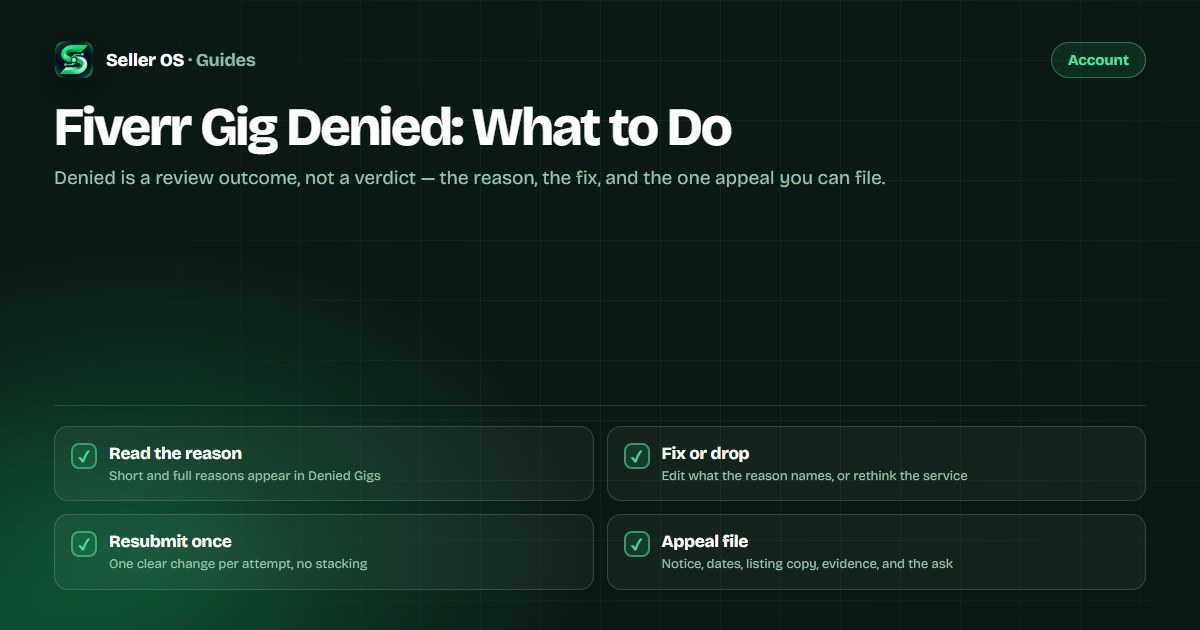
A denied gig was reviewed and not approved, and Fiverr shows you why in the Denied Gigs section: a short reason and a full reason. That text is the only published explanation you get, and it is the specification for what happens next — an edit, a rebuild, or an appeal.
This guide walks the loop in order: read the reason, fix what it names, resubmit once, and use the general appeal path only when the reason raises a policy question. It makes no promises about reinstatement, because Fiverr publishes none either.
Free plan available. Local-first data. Human review on every change.
What a denied gig means on Fiverr
Denied means Fiverr reviewed the gig and did not approve it. The published definition is short: your gig was not approved, and you can view the reason on the gig management page. An alert appears at the top of that page with a link into the Denied Gigs section, which holds the short reason and the full reason.
Denied is not the same as removed or paused. A denied gig was never approved, so nothing was taken down; a removed gig was live and was taken out under Fiverr's Community Standards or Terms of Service; a paused gig is simply not visible and can be reactivated. Sorting out which one you have decides the next step.
“Denied: Your Gig was not approved. You can view the reason on the Gig management page.”
— Fiverr Help Center, Managing your Gigs, accessed September 2026
Read the reason before you edit anything
The reason text decides whether this is an editing job or a boundaries question. Fiverr does not publish a fixed list of denial reasons, so the only authoritative statement about your gig is the one in your Denied Gigs section. Read the full reason, not just the alert at the top of the page.
In practice the reason points at one of a few buckets. The first is fixable with edits; the second is not fixable with wording, no matter how well you write it.
- A listing requirement: fixable — correct the exact field or element the reason names.
- A service that is not allowed under Fiverr's policies: wording cannot repair it.
- A mismatch between the service and the selected category or service type: rebuild or split the listing.
- A reason you cannot decode: ask support one specific question before assuming the worst.
The fix-and-resubmit loop, step by step
Treat the reason as the specification. The goal is not to make the gig better in general; it is to remove the specific cause of the denial without introducing a new one. One clear change per resubmission also makes the next review easier to read.
A hypothetical fix: if the reason points at a category mismatch, a listing that sells social media management from inside Video Editing cannot be repaired by rewriting its description. You either rebuild the gig around the editing deliverable or create a new gig in the category that matches the service, because Fiverr states that a category cannot be changed after a gig is published.
Read Fiverr's gig requirements
the gig policies and guidelines are the checklist to compare against your listing.
Fix only what the reason names
one clear change per resubmission, not a rewrite of everything.
Check the gallery basics
a gig needs at least one image to publish, image text should stay at 10 words or fewer, and Fiverr adds badges itself, so do not add its logos or ratings.
Check the plain requirements
description in English, one service type per gig, and no special characters such as ampersands, slashes, quotation marks, or plus signs in the title.
Resubmit and wait
Fiverr publishes no review turnaround, so track the status instead of guessing a date.
When and how to appeal a denial
Fiverr does not publish a dedicated denied-gig appeal process. It does publish a general right to appeal a decision, made as a complaint with Customer Support and filed within six months of receiving the notification. So the realistic sequence is: fix and resubmit when the reason describes an edit, and appeal when you believe the service is allowed and the decision misapplied a policy.
Appeal once, with facts, and keep it short. A complaint that restates the same paragraph five times reads worse than one that lays out what happened, what you changed, and what you are asking Fiverr to review. Treat the outcome as Fiverr's call; no page promises a reinstatement, and this guide will not pretend otherwise. The enforcement side is documented in Fiverr's enforcement article.
- The denial notice with its date and the gig's name
- The short and full reason, copied exactly
- The full listing content, saved before you edit it
- A dated list of the changes you made after the denial
- The policy language you believe supports the service, quoted
- One clear ask: a re-review of the specific decision
What to do while the resubmission waits
Fiverr publishes no turnaround time for pending approval, requires-modification fixes, or denied-gig re-review, so waiting is the plan you cannot schedule. Check the gig management page for status changes rather than opening new tickets; repeated tickets do not move a review queue.
Use the downtime on work that does not depend on that listing: keep active orders moving, keep the other gigs stable, and improve the promise you will submit next. If the denial makes you reconsider the service itself, how to stand out is a better starting point than another wording pass, and if the gig is later approved and still quiet, the diagnosis moves to traffic — start with profile not getting views.
Denial mistakes that cost a second attempt
Resubmitting unchanged is the most common mistake. If the listing is identical, the review sees the same thing and reaches the same outcome. The second is deleting the gig and uploading a copy to dodge review; if the service is not allowed, the copy will be denied for the same reason.
The third is fixing the wrong layer: rewriting the description when the reason is about the category, or changing the category when the gig was never approved for it. Read first, edit second. And if the service itself is the problem, a clearer promise will not save it — the honest move is a different gig, not a better sentence.
- Resubmitting without changing the thing the reason named
- Uploading a near-copy to get around the review
- Editing five fields at once so the fix cannot be read
- Filing an appeal before reading the full reason
Where Seller OS helps
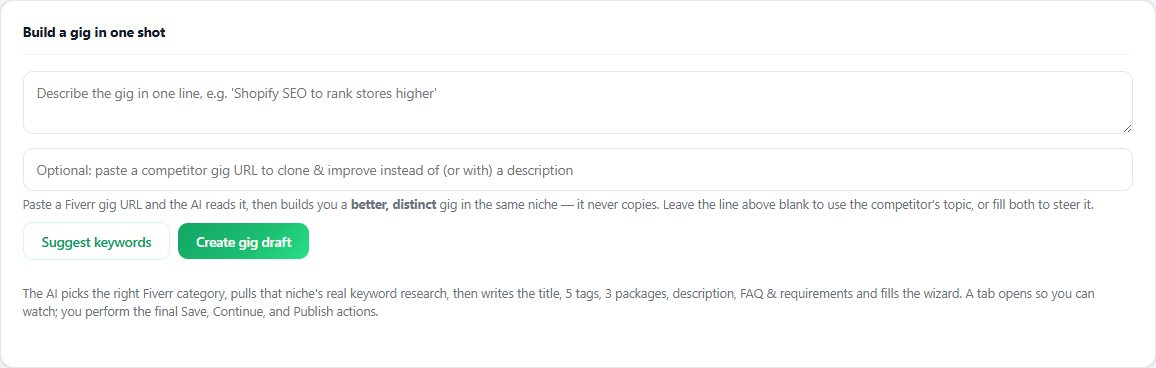
Seller OS helps on the constructive side of a denial. The Gig Builder turns a one-line idea or a competitor URL into a structured gig — scope, packages, and FAQ — and fills the Fiverr wizard, which makes it easier to rebuild a listing around the reason Fiverr gave instead of resubmitting the same thing with new wording.
Once a gig is approved and live, the Gig Performance Optimizer can review its copy, gallery, and conversion signals against the gig's own performance data and propose changes. Seller OS does not submit a gig, contact Fiverr for you, or influence a review decision; every Save, Continue, and Publish stays with you.
Fiverr Gig Denied questions
Can I appeal a denied Fiverr gig?
Fiverr publishes a general right to appeal a decision through a Customer Support complaint, filed within six months of the notification. There is no dedicated denied-gig appeal page. If the reason describes something you can edit, fixing and resubmitting the listing is usually the more direct path.
Can I resubmit a gig after it was denied?
Yes, after you address the reason. Fiverr does not publish a limit on resubmissions or a review turnaround, so the practical rule is one clear change per attempt. Resubmitting an identical listing unchanged is likely to produce the identical decision.
Does a denied gig hurt my account?
Fiverr does not list a denial as an account-warning event. Its enforcement pages describe warnings for other situations, such as two gig removals within 60 days. A denied gig was never approved, so it is not a live listing that can rank or sell in the meantime.
What if the reason does not make sense to me?
The reason text is the only published explanation, so start there before assuming the worst. If it is genuinely unclear, ask Customer Support one specific question about which requirement the gig failed, from your registered email address, and keep the ticket factual.
Rebuild it right, then resubmit
Fix what the reason names, save the appeal file, and keep the human publish step where it belongs.