 Seller OS
Free Fiverr gig description generator: service + audience + proof + packages
The free Fiverr gig description generator turns four inputs into a structured description: your service, the target audience, proof of results, and a bridge to your packages. It enforces the 1,200-character limit, the required English text, and the logical flow that moves buyers from problem to purchase.
This page documents the generator's input-to-output flow, the structure it enforces, a full before/after example, and the honest limits: no invented credentials, human edit required. The generator is available inside Seller OS; the page explains the method.
Free plan available. Local-first data. Human review on every change.
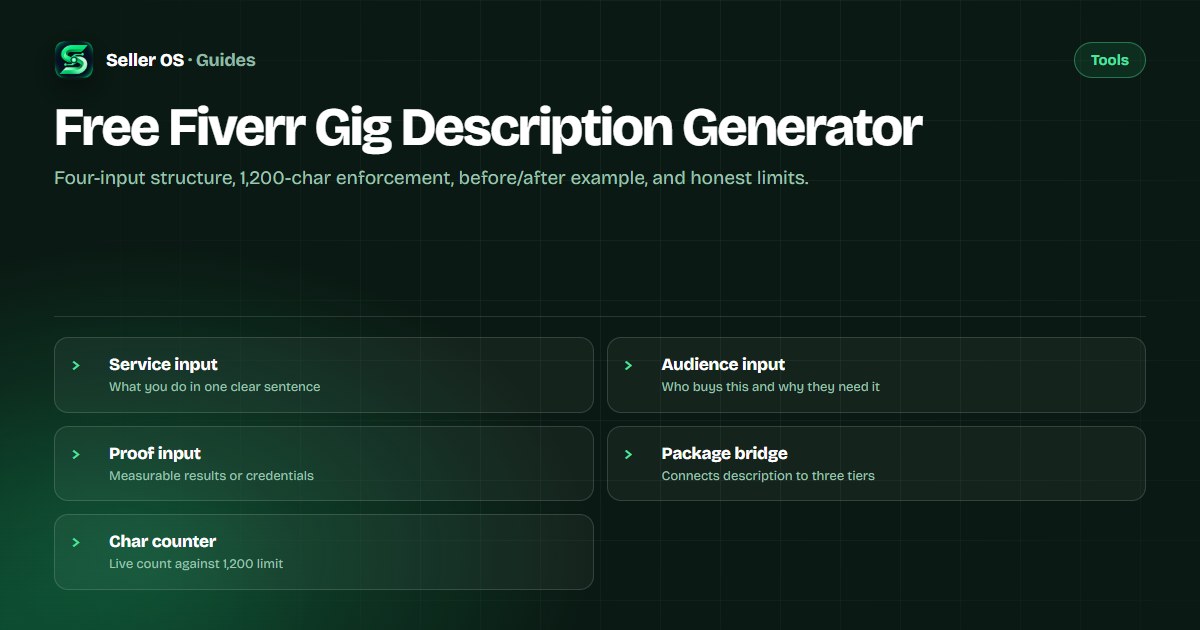
How the generator turns inputs into a description
The generator asks for four inputs: Service (what you do in one sentence), Audience (who buys and why they need it), Proof (measurable results, credentials, or portfolio highlights), and Package Bridge (a transition sentence that leads into your three package tiers). It assembles them into a five-paragraph structure: hook, service scope, proof points, package bridge, and call to action. The live character counter keeps the total under 1,200 characters, the limit Fiverr's help center publishes for the description field.
Fiverr requires the description in English; other languages are allowed only if all information also appears in English. The generator outputs English by default and flags any non-English phrases for review.
The generator also respects Fiverr's package structure. You can offer up to three packages: Basic, Standard, and Premium. Each package has delivery time, revision count, and price. Fiverr requires at least one revision option per package, and the minimum starting price is $5, though some categories have higher minimums. The package bridge paragraph references these tiers by name so buyers see the connection between your description and the pricing table below.
- Hook: one sentence that names the problem and your solution.
- Service scope: what is included and what is not, in plain language.
- Proof points: two to three measurable results or credible credentials.
- Package bridge: a sentence that maps each tier to a buyer need.
- Call to action: a clear next step such as "Order now" or "Message me first."
Why four inputs produce better descriptions than one prompt
A single-prompt AI description often produces generic marketing fluff because it lacks your specific proof and package details. The four-input structure forces you to separate the buyer's problem (Audience) from your solution (Service), then prove you can deliver (Proof), then connect to pricing (Package Bridge). This mirrors the buyer's decision journey: "Do they understand my problem? Can they solve it? Have they done it before? Which package fits me?"
The generator also enforces the 1,200-character limit at each step, not just at the end. If your Service input is too long, the tool warns you before you move to Audience. This prevents the common outcome where a generated description hits 1,500 characters and then gets arbitrarily truncated, losing the CTA or proof points.
Structure the generator enforces
Every generated description follows the same logical arc: problem → solution → evidence → options → action. The generator will not output a wall of text without paragraph breaks, will not exceed 1,200 characters, and will not include contact information, URLs, or company names, all of which Fiverr's help center prohibits in the About section and by extension in gig descriptions.
The FAQ section (up to 10 questions per Fiverr's limit) is generated separately from the description body. The generator suggests three to five FAQs based on the service type but does not auto-publish them; you review and add them in the Fiverr wizard.
The generator also enforces paragraph breaks. Fiverr's description field renders plain text, so line breaks are the only formatting available. The tool inserts blank lines between the five structural paragraphs, making the description scannable on mobile where most buyers first see your gig.
Before and after: a worked example
Before (illustrative example): "I will design logos for you. I have 5 years experience. I make good logos. Contact me." This version is vague, lacks proof, has no package bridge, and wastes characters on fluff.
After (generator output for the same service): "Struggling with a logo that does not feel like your brand? I design custom brand identities that work across digital and print. Past clients include a Series A startup that raised $2M post-rebrand and a local bakery that doubled foot traffic after new signage. Basic delivers one concept with two revisions; Standard adds brand guidelines and social kit; Premium includes full stationery and a 30-day revision window. Message me with your vision or order the tier that fits." This version hits the hook, scope, proof, bridge, and CTA in under 1,200 characters.
A second example for resume writing: Before: "I write resumes and cover letters. Fast delivery. Good reviews." After: "Your resume has six seconds to pass the ATS. I write ATS-optimized resumes, cover letters, and LinkedIn profiles for tech and finance professionals. Recent client: Senior Engineer landed FAANG interviews within two weeks. Basic: resume only, 2-day delivery. Standard: adds cover letter and LinkedIn. Premium: adds interview prep guide and 30-day edits. Order Basic to start or message me for a custom scope."
Limits: no invented credentials, human edit required
The generator cannot verify your proof points. If you enter "helped 50 clients increase revenue 300%," the tool includes it verbatim. You are responsible for truthfulness; Fiverr's terms prohibit misleading claims. The generator also cannot write category-specific technical details, such as the exact WordPress plugins you support or the specific ATS formats your resumes target. You must edit those in.
Another limit: the generator does not know your brand voice. The output is structurally sound but tonally neutral. Plan to spend five minutes adjusting phrasing so the description sounds like you, not a template.
The generator also cannot handle gallery-specific references. If your gig images show a specific portfolio piece, you may want to mention it in the description. The tool has no access to your gallery, so you must add those references manually after generation.
Common mistake: pasting the raw output without review
Sellers sometimes copy the generator output straight into Fiverr without checking the proof points or adjusting the package bridge to match their actual tiers. If your Basic package includes two revisions but the description says "one concept with two revisions" when you actually offer three concepts, buyers notice the mismatch and trust drops.
Another mistake is stuffing keywords into the description hoping for SEO lift. Fiverr's algorithm prioritizes title text first, then the positive keywords field, then the description. Keyword stuffing hurts readability and conversion more than it helps ranking.
A third mistake is writing the description for yourself instead of the buyer. The generator's Audience input forces buyer-centric framing, but if you skip that input or enter generic text like "anyone who needs a logo," the output will reflect that vagueness. Be specific: "SaaS founders launching their first product" beats "business owners."
Connecting to the teaching and examples guides
The generator handles structure; the description that converts guide teaches the persuasion principles behind each paragraph. The description examples page shows ten full descriptions across categories you can study for phrasing ideas.
For FAQ writing, the gig FAQ guide covers the question types that reduce back-and-forth messages. The AI description page compares generator output with AI-assisted writing workflows.
The description checker guide provides a checklist for auditing a live description against conversion signals. Use it after your gig has 30 days of data to see where buyers drop off.
English requirement and multilingual considerations
Fiverr's help center states the English description is required; other languages are allowed only if all information also appears in English. This means you cannot hide details in a non-English version that are missing from the English version. The generator outputs English only; if you need a second language, write the English version first, then translate faithfully.
The generator's character counter counts Unicode characters, so non-Latin scripts (Chinese, Arabic, Cyrillic) will consume the 1,200-character budget faster. If you plan a multilingual description, budget accordingly or keep the non-English version concise.
Where Seller OS helps
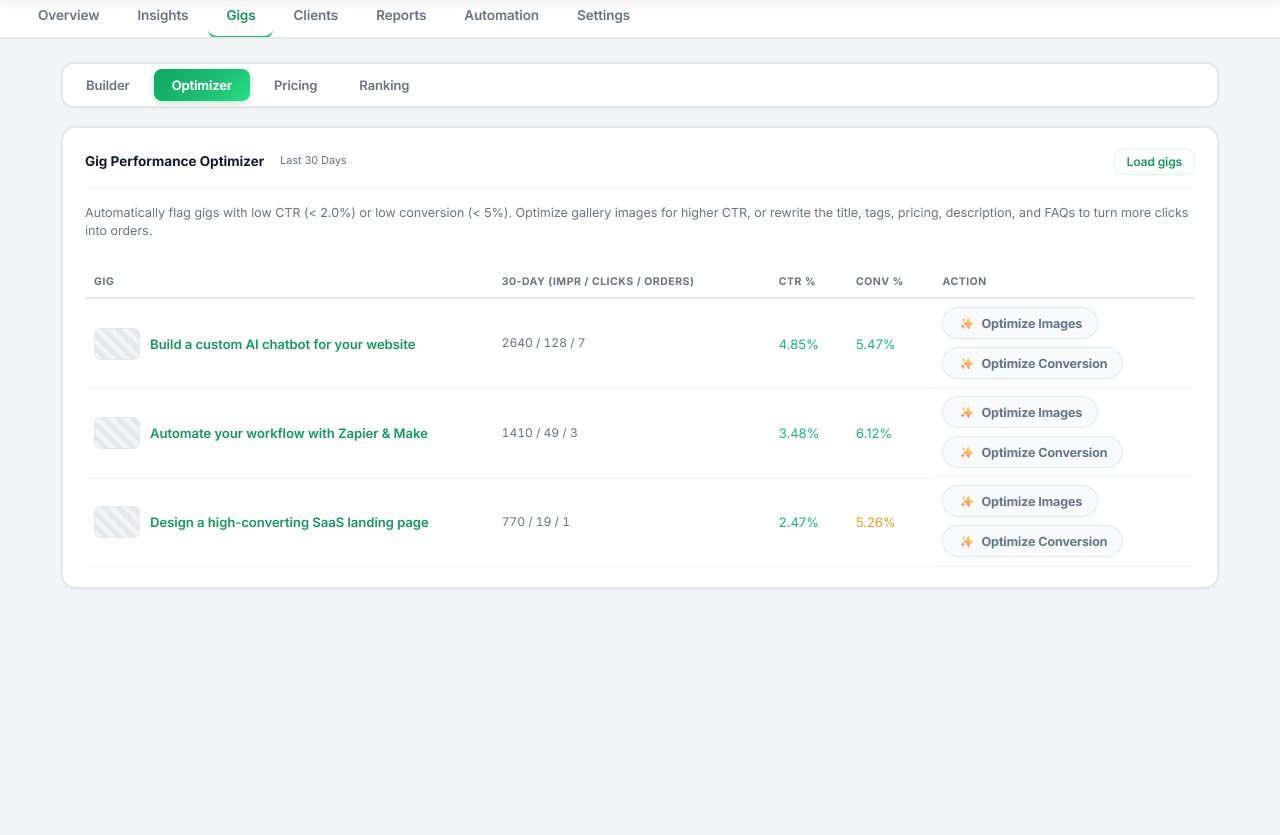
Seller OS's Gig Builder runs the same four-input logic when you provide a one-line idea or competitor URL. It drafts the description, fills the Fiverr wizard's description field, and you complete the Save/Continue/Publish steps. The Gig Performance Optimizer later audits the live description against your gig's conversion rate and suggests structural edits if buyers drop off before ordering.
Seller OS does not invent proof points, does not verify your credentials, and does not publish descriptions automatically. You review and approve every word before it goes live.
Free Fiverr Gig Description Generator questions
What is the Fiverr gig description character limit?
Fiverr's help center states the description field allows up to 1,200 characters. The generator enforces this limit with a live counter and trims output if needed so you stay within the published boundary.
Can I write my description in a language other than English?
Fiverr requires the description in English. Other languages are allowed only if all information also appears in English. The generator outputs English by default and flags non-English phrases for your review.
Does the generator write my FAQ section too?
The generator suggests three to five FAQs based on your service type, but you must review and add them manually in the Fiverr wizard. Fiverr allows up to 10 FAQs per gig.
Can the generator verify my proof points or credentials?
No. The generator includes whatever proof you enter verbatim. You are responsible for accuracy. Fiverr's terms prohibit misleading claims, so verify every number and credential before you publish the description.
Generate your gig description
Open the generator in Seller OS, enter your service, audience, proof, and package bridge, then review and publish.