 Seller OS
Fiverr mobile app sellers: what you can do
Fiverr's published mobile guidance describes an iOS and Android app with five main menus, Home, Inbox, Search, Manage orders, and Account, that handles inbox triage, order status, and quick replies well. It also names tasks that stay on desktop, including starting freelancer onboarding and changing your email address.
This guide sorts seller work by where it belongs, explains notification setup and honest phone limits, and gives you device fallbacks for everything the app cannot do. Capabilities below are attributed to Fiverr's published mobile guidance.
Free plan available. Local-first data. Human review on every change.
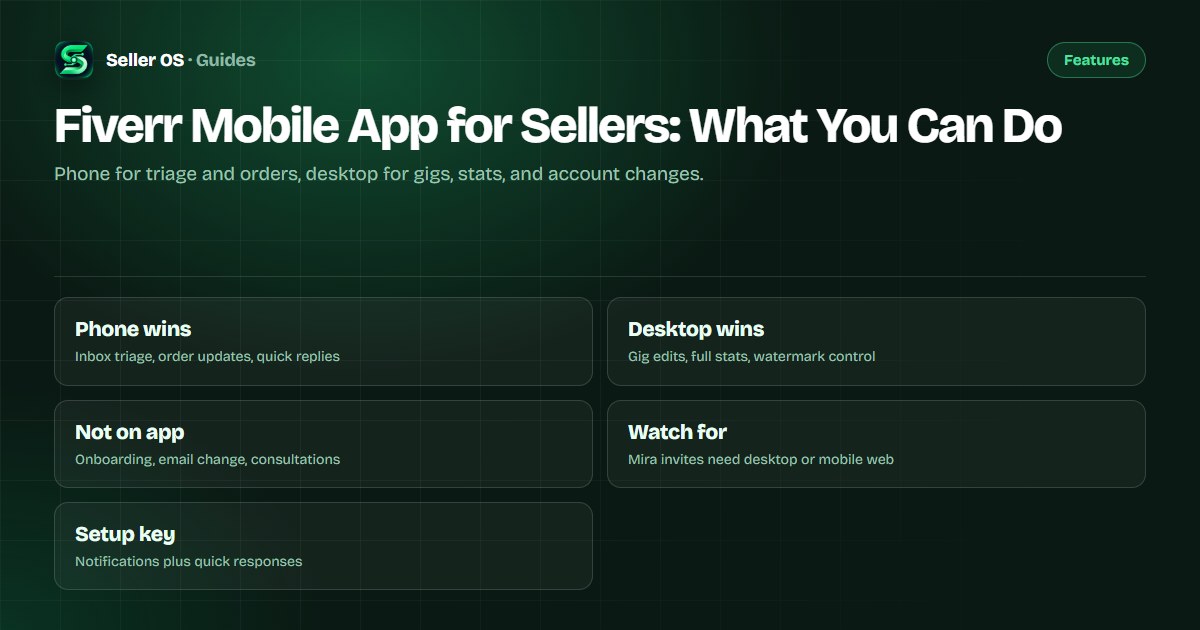
What genuinely works on the phone
Fiverr's published mobile guidance states that sellers can see level and Success Score, orders, unique clients, lifetime earnings, new briefs, earnings, to-dos, and 7-day gig analytics on Home, and can manage orders, message, deliver or accept work, request revisions, and use the Resolution Center. You can also view earnings and withdraw funds, create custom offer templates, share gigs, and toggle seller or buyer mode.
Illustrative scenario: you are commuting when a buyer approves a milestone and asks for the next file. From the phone you read the thread, insert a quick response through the lightning-bolt menu, confirm the delivery, and check the earnings page. That full loop fits the app; rebuilding the gig behind the order does not.
- Triage the inbox, reply with quick responses, and clear new threads fast.
- Track order status, deliver, accept deliveries, and handle revisions.
- Open the Resolution Center path when an order needs action.
- Check earnings, withdraw funds, and review to-dos and brief notices.
- Pause, resume, or delete a gig by tapping and holding its card.
What belongs on desktop instead
Fiverr's published mobile guidance states that some features are only available on PC, including starting the process to become a freelancer and changing your email address. It also states that gig statistics are limited on the app and directs sellers to a desktop browser for the full view, with watermark control available only on desktop.
A common mistake sellers make is trying to rebuild gig copy, packages, or gallery images on a small screen and then wondering why conversions slipped. Treat the phone as read-and-respond and the desktop as build-and-measure: edit gigs, study full analytics, and adjust pricing where you can see everything at once.
| Task | Phone | Desktop |
|---|---|---|
| Inbox triage and replies | Yes, with quick responses | Yes, full keyboard flow |
| Order delivery and revisions | Yes | Yes |
| Gig statistics | Limited 7-day view | Full analytics |
| Gig creation and deep edits | Avoid | Use desktop browser |
| Email change, onboarding | Not available | Web only |
Notification setup that protects replies
Fast replies start with reliable alerts. Enable Fiverr app notifications at both the system level and inside the app, keep seller mode on while you are available, and confirm that message and order alerts actually arrive with a test message before a busy week. If alerts fail, the notification fix guide walks through the usual causes.
Pair alerts with the faster replies guide and the response-time explainer. Fiverr's help center states the 24-hour first-reply rule runs regardless of device, so a phone that buzzes reliably is a metric-protection tool, not a convenience.
Mira, consultations, and other app gaps
Fiverr's published mobile guidance states that Mira is not available on the iOS and Android apps and that legacy briefs are visible on Fiverr web only for the time being, since the old briefs flow was replaced by Mira. Consultations likewise cannot be set up or booked on the app, so video-call selling needs a browser.
Illustrative example: a Mira job description lands while you are out. Your phone shows the inbox notice, but you open mobile web or wait for desktop to read and answer the full job thread properly. Answering from the wrong surface risks a thin reply to a high-value match, so use the phone to notice and the browser to respond well.
A phone workflow for busy days
Run three short passes: morning triage of unread threads with quick responses, a midday order-status sweep of in-progress and in-revision work, and an evening availability check that sets expectations before you sleep. Keep each pass under fifteen minutes so the phone stays a radar rather than a second office.
Advice beyond the platform docs: keep quick responses identical on phone and desktop, set availability from the app before travel, and never approve scope changes from a lock screen. If the queue is full, the queue guide helps you cap intake before the phone becomes an apology machine.
Morning
clear unread first, new buyers before active orders.
Midday
check deliveries, revisions, and Resolution Center timers.
Evening
set availability and confirm tomorrow's deadlines.
Weekly
move to desktop for stats, gig edits, and pricing review.
Fallbacks when the app cannot do it
Keep a desktop browser signed in at home and a mobile browser bookmark for Fiverr web on your phone. When the app blocks a task such as onboarding steps, email changes, watermark toggles, or full statistics, switch surfaces instead of tapping harder on a screen that was never given the control.
If you manage selling from one shared device, sign out habits matter as much as feature lists. Confirm you are in selling mode, not buying mode, before answering, and recheck notification permissions after every OS update, since those resets silently break the fastest phone workflow.
Where Seller OS helps
Seller OS is a desktop Chrome extension, so it does not run inside the Fiverr mobile app. Where it helps phone sellers is before and after: inbox reply drafts, brief responses, and order-message drafts you prepare at your desk, plus local client records with notes and history that keep phone replies accurate.
It does not send messages, publish gig changes, or monitor threads from your phone. Its Pro monitors, including unread message alerts and the deadline guard, run while Chrome is open on desktop, so overnight phone coverage still depends on the app's own notifications.

Fiverr Mobile App for Sellers questions
Can sellers fully manage Fiverr from the mobile app?
Mostly for inbox and orders, not for everything. Fiverr's published mobile guidance states the app covers messaging, order management, earnings, availability, and quick responses, but starting freelancer onboarding and changing your email address are PC only. Use the phone for triage and replies, and a desktop browser for gig edits and full analytics.
Can I edit my gig in the Fiverr seller app?
Basic gig actions like pausing, resuming, or deleting from the gig card work on the phone. Deeper copy, package, gallery, and analytics work belongs on desktop. Fiverr's published mobile guidance states gig statistics are limited on the app and directs sellers to a desktop browser for the full view, with watermark control desktop only.
Why am I not getting Fiverr app notifications?
Check system notification permission, in-app notification settings, seller versus buyer mode, and whether an OS update reset permissions. Confirm alerts arrive with a test before relying on them, since Fiverr's help center states the 24-hour first-reply rule applies regardless of device. Persistent failures need step-by-step diagnosis, not louder ringtones.
Can I answer Mira job invitations in the app?
Fiverr's published mobile guidance states Mira is not available on the iOS and Android apps, with desktop and mobile web as the supported surfaces. Use your phone to notice the inbox alert, then open Fiverr web to read the job description and respond properly. Legacy briefs are likewise visible on Fiverr web only for the time being.
Phone for triage, desktop for building
Fix notifications today, then move gig edits and stats to a desktop session.