 Seller OS
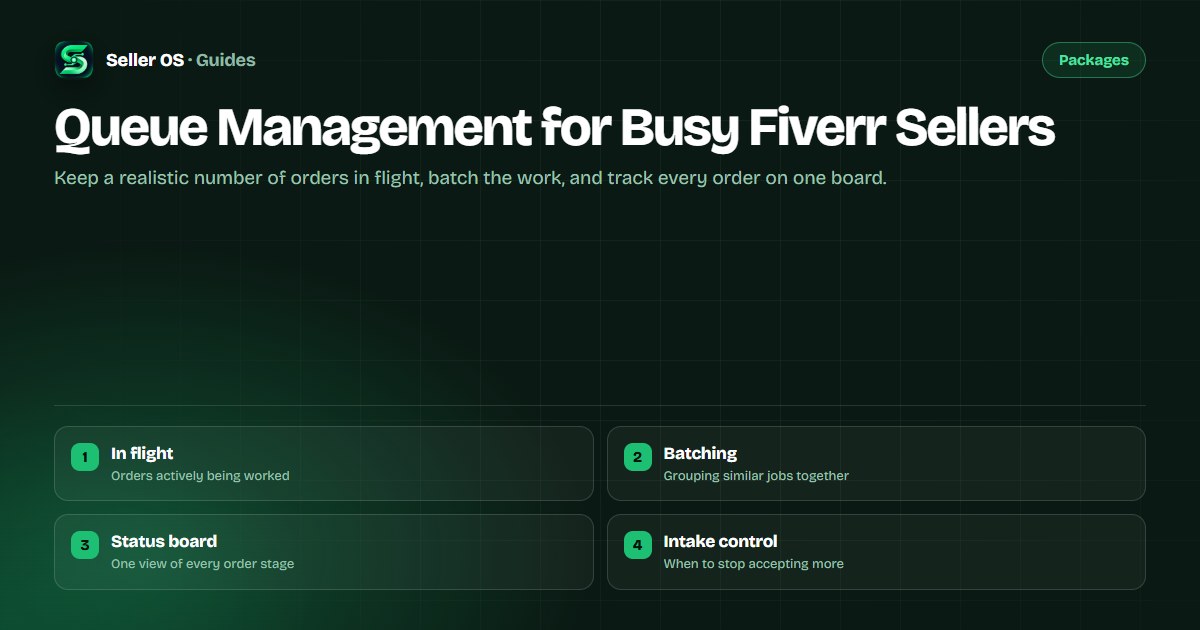
Fiverr queue management for busy sellers
A busy queue is a good problem until it becomes a late-delivery problem. Orders do not arrive evenly, and the intervals between them are where capacity planning either saves you or exposes you. The sellers who stay calm are not faster; they run a queue they can actually see.
This guide covers capacity: how many orders to keep in flight at once, how batching similar work buys back hours, how a simple status board replaces memory, and the signals that tell you to slow intake before quality slips.
Free plan available. Local-first data. Human review on every change.
How many orders to keep in flight
Capacity is not the count of orders you have, it is the count you can move forward at once. Pick a number of active orders that lets each one progress every working day, and treat everything above it as waiting, not in progress.
A practical way to find that number is to track a busy but healthy week. Note how many orders you delivered without rushing or missing a deadline. That figure, not your best-ever week, is your real ceiling. Plan the queue to sit at it, not above it.
When the queue is at the ceiling, new orders should wait rather than start. A buyer who knows the work will begin on a stated date is calmer than one watching a stalled order, and your delivery metrics stay intact.
- Count orders you can advance each working day, not orders you hold.
- Set the ceiling from a healthy week, not a record week.
- Let new orders wait instead of starting them overloaded.
- Tell the buyer the start date when the queue is full.
Batch similar work to buy back time
Every order carries fixed overhead: opening files, re-reading a brief, and setting up tools. Running three similar orders together pays that overhead once instead of three times, which is where batching saves real hours.
Batch by stage, not by order. Do all the intake reviews together, then all the production blocks, then all the review and packaging passes. Switching between stages is the expensive part, so keeping each block of time in one stage reduces the mental reload.
Do not force a batch when the orders differ. Grouping unlike work creates mistakes and slows the line, which defeats the purpose.
Build a simple status board
Memory fails at about the fourth active order. A light status board offloads that memory and shows at a glance what needs attention today. It does not need special software; a plain set of columns is enough.
The board only helps if every order moves through the same simple stages. Define the stages once, move a card only when the stage truly changes, and review the board at the start and end of each working day. The point is to spend a minute looking instead of ten minutes reconstructing.
New
accepted, waiting on requirements or a start date.
In progress
actively being worked this cycle.
Review
internal check before delivery.
Delivered
sent and awaiting buyer confirmation.
Done
closed, ready to archive.
Signals that say slow intake
The queue is telling you something before the metrics do. Watch for three signals: an order that has not moved in two working days, a review pass you skipped to save time, and a revision request on work you would once have delivered cleanly.
When two of those appear together, stop accepting new orders until the board clears. Slowing intake is not losing business; it is protecting the completion and on-time numbers that bring the next orders. If the squeeze is temporary, a brief pause on select gigs handles it.
For longer breaks or a full stop, the availability controls are a separate decision from everyday queue planning.
Protecting quality as the volume grows
Quality is the first thing to slip when the queue is full, and it slips quietly. The tell is a delivery you would once have reviewed twice, sent after one pass. By the time a buyer notices, the review has already been written.
Build the review pass into the queue as a stage rather than a habit. If every order must pass through a review column before delivery, the pass is not something you can skip under pressure, because skipping it leaves the order visibly stuck. Structure protects quality where willpower fails.
The same is true of the intake check. When orders arrive faster than you can read them, the temptation is to start work from a partial brief and fill the gaps later. Keeping the requirements review as a fixed step means a thin brief becomes a question to the buyer instead of an assumption you carry into production.
There is a limit to what any queue can absorb, and the healthiest sellers name it out loud. Saying yes to everything is how a full queue becomes a pile of late deliveries; a stated capacity is what turns a busy period into a sustainable one.
- Make the review pass a stage, not a habit you can skip.
- Keep the intake check fixed even when orders arrive fast.
- Treat a thin brief as a question, not an assumption.
- Name your capacity out loud so busy stays sustainable.
Where Seller OS helps
Seller OS keeps the queue in one local view so you can see what is in flight without rebuilding the picture from memory. Active orders, their stages, and their deadlines sit together, and the monitors surface orders that have stalled so you can act while there is still room.
The extension tracks and displays; it never accepts an order, messages a buyer, or changes a deadline on its own. You set the stages, you move the work, and everything stays in Chrome local storage on your machine.

Queue Management for Busy Fiverr Sellers questions
How many Fiverr orders should I work on at once?
Work on as many as you can advance every working day without rushing or missing a deadline, which is usually fewer than sellers expect. Find the number from a healthy but busy week, not a record week, and let additional orders wait with a clearly stated start date.
What is batching and does it work on Fiverr?
Batching means doing similar work together so fixed setup time is paid once. On Fiverr, group orders by stage: intake reviews in one block, production in another, review and packaging in a third. Keep batches to genuinely similar work, because mixing unlike jobs creates mistakes and slows the line.
Do I need special software to manage a Fiverr queue?
No. A plain status board with a few stages, such as new, in progress, review, delivered, and done, is enough. The value comes from moving every order through the same stages and reviewing the board at the start and end of each working day, not from the tool.
When should I stop accepting new Fiverr orders?
Slow intake when the queue shows signs of strain: orders that have not moved in two working days, skipped review passes, or avoidable revision requests. When two of those appear together, pause new orders on the affected gigs until the board clears rather than risk the metrics that brought the work in.
Run a queue you can see.
Set a realistic capacity, batch by stage, keep one status board, and slow intake before quality slips.