 Seller OS
Fiverr Quick View extension: safe and worth it?
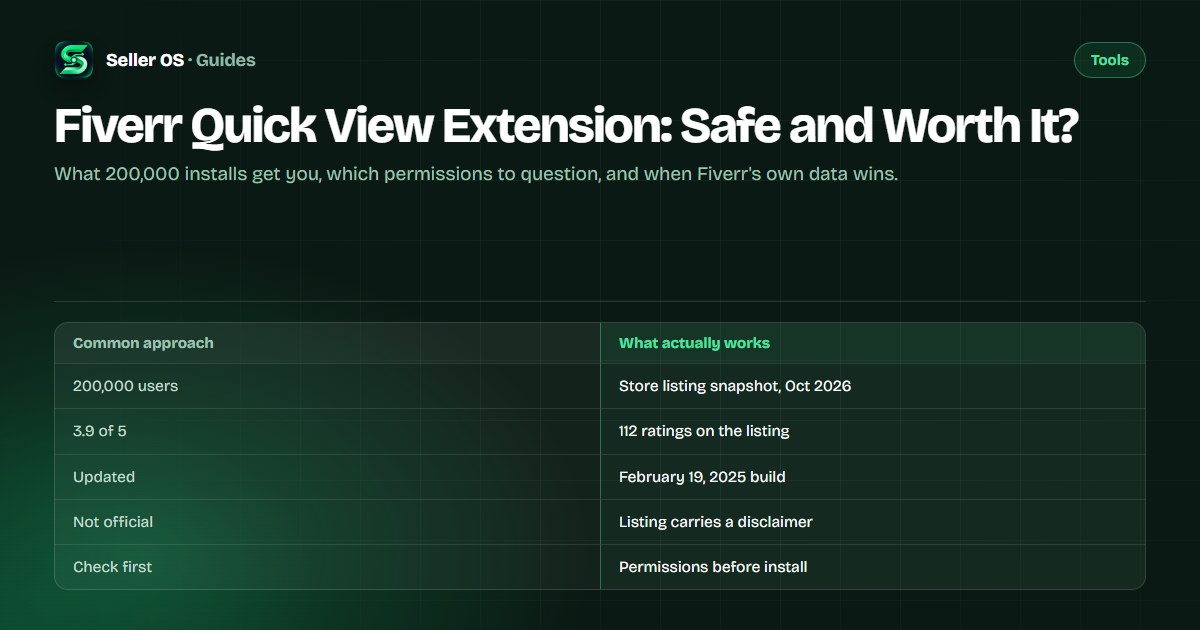
Fiverr Quick View is a third-party Chrome extension with a large install base that promises fast gig and seller insights right on top of Fiverr pages. As published on its Chrome Web Store listing, checked October 1, 2026, it reports 200,000 users, a 3.9 out of 5 rating from 112 ratings, and a February 19, 2025 update. This guide explains what it does, what to verify, and when to skip it.
You will learn the feature list as the listing states it, how to read any Fiverr extension's permissions for risk, and which free Fiverr-native options cover the same needs. The honest limit up front: no third-party overlay can show you official data Fiverr keeps to itself.
Free plan available. Local-first data. Human review on every change.
What Quick View says it does
As published on the Chrome Web Store listing, checked October 1, 2026, Fiverr Quick View sorts search results by rating or sales, extracts what it calls the best and most used keywords, and shows favorites, orders, and ratings on gig views. It also offers personalized messages using usernames and displays a buyer's country plus past feedback. The listing sits in the Workflow and Planning category and names its own site and contact email.
The same listing carries an explicit disclaimer that this is not an official plugin of Fiverr. That sentence matters more than any feature bullet, because it tells you the numbers on screen are the vendor's computed views rather than Fiverr's internal data. Read every overlay figure as one tool's interpretation, not as a platform statement.
Read its permissions like a risk list
Every Chrome extension declares what it can touch, and those declarations are your best safety evidence. A Fiverr helper needs enough access to read the pages you open, but each extra permission widens what could go wrong if the extension turns hostile or gets sold. The table below translates common permission patterns into plain risk reads you can apply to Quick View or any similar tool.
Illustrative example only: if an insights overlay also requested permission to read all browsing history plus manage downloads, that combination would exceed anything keyword display requires. You would then face a clear choice between accepting unexplained access and finding a narrower tool. The safety guide explains each check in depth.
| Permission pattern | What it can touch | Your read |
|---|---|---|
| Read Fiverr pages you open | Gig and search content | Expected for any overlay tool |
| Read all browsing history | Every site you visit | Ask why it needs more than Fiverr |
| Manage downloads | Files you save | Unexplained for insights features |
| Cookies or tokens | Login sessions | Highest caution, verify necessity |
| Notifications | Desktop alerts | Harmless alone, check the rest |
A scenario: checking a rival gig
Imagine you sell resume overhauls and a competitor sits above you for your main keyword. You open their gig with Quick View active and see their favorites, order counts, and extracted keywords beside Fiverr's own page. That side-by-side view is the genuine convenience: you compare positioning without copying numbers into a spreadsheet.
Now pause before acting on what you see. The keyword list is the extension's extraction, not Fiverr's internal search data, and order counts can lag or differ from reality. Confirm direction with your own gig statistics, then rewrite your title and tags from buyer language rather than pasting the overlay's terms. Tools that do this comparison honestly are covered in the manual comparison.
Run the five-minute safety checklist
Before you install Quick View or keep it installed, spend five minutes on the listing itself. Confirm the user count and rating are real and recent, read the most recent reviews for breakage reports, note the last-update date, and open the permissions tab to match each request against the features you want. An insights tool untouched since early 2025 deserves a harder look than one updated this year.
- Re-check users, rating, and update date on the live listing.
- Read recent reviews for breakage or behavior complaints.
- Match each permission against the features you will use.
- Confirm the unofficial disclaimer and the vendor contact.
- Remove extensions you have not used in the last month.
- Compare results against Fiverr's own analytics monthly.
Free alternatives that need no install
Fiverr's own dashboard already answers the most valuable questions. Free gig statistics show impressions, clicks, orders, and cancellation rate on a default 30-day window with a graph view, so trend checks need no overlay at all. Typing your service into Fiverr search and reading the autocomplete suggestions gives keyword ideas straight from the buyer-facing surface.
For deeper research without an overlay, the SEO tools roundup and the extensions roundup compare-ranked options with attributed facts. Seller Plus members additionally get keyword-level analytics, but those tabs are gated to paying members and web-only. Start free and native, then add one tool only for a gap you can name.
The common mistake and the verdict
The common mistake sellers make is treating overlay numbers as official Fiverr data. You see an order count or keyword badge on screen, quote it in a forum post, and build gig changes on a figure Fiverr never published. When your dashboard later disagrees, the overlay was never the authority. Always let Fiverr's own analytics settle disputes about your gigs.
So is Quick View worth it? If you want fast side-by-side context while browsing and you accept its permissions after the checklist, it can save you tab-switching. If you want authoritative performance truth, keyword research depth, or reply help, look at the Fiverr Mate alternatives instead. Keep at most one overlay installed, review it quarterly, and remove anything you stopped opening.
Where Seller OS helps
Seller OS covers the jobs Quick View only gestures at. Its keyword research help and rank tracking keep position history for keywords you choose, the Gig Performance Optimizer audits your live gig against its own performance data, and inbox reply drafts wait for your review. Package pricing review with guardrails checks your numbers before you commit.
It drafts and fills; a person performs every final Send, Save, Continue, or Publish action. It does not sort Fiverr search results, display buyer countries, or reproduce any overlay's badges, and it never sends or publishes anything on its own. Data stays in Chrome local storage rather than a vendor dashboard.

Fiverr Quick View Extension questions
How many people use the Fiverr Quick View extension?
As published on the Chrome Web Store listing, checked October 1, 2026, it reports 200,000 users with a 3.9 out of 5 rating from 112 ratings, last updated February 19, 2025. Those counters move daily, so treat this as a dated snapshot rather than a current fact. Re-check the listing itself before quoting any number.
Is Fiverr Quick View an official Fiverr tool?
No. The listing itself carries a disclaimer stating it is not an official Fiverr plugin. It reads pages you open and presents its own computed views, which can differ from what Fiverr shows in your dashboard. Use it as a convenience layer, and let Fiverr's own analytics settle any disagreement about impressions, clicks, or orders.
How do I check whether a Fiverr extension is safe?
Open the store listing and read the permissions, the last-update date, and recent reviews. Compare what it requests against what it needs for its stated features. The companion safety guide walks through each check. If anything looks wider than the job, skip the install and use Fiverr's own analytics instead.
Can I get the same insights without installing anything?
Yes. Fiverr's free gig statistics show impressions, clicks, orders, and cancellation rate on a 30-day default window, and search autocomplete offers keyword ideas without any install. Rank tracking and keyword analytics tools in the SEO tools roundup cover the research side. Extensions add convenience, not access to hidden official data.
Audit one extension today
Open the Quick View listing, read its permissions, then compare with Fiverr's own analytics.