 Seller OS
Fiverr withdrawal not working: a step-by-step fix
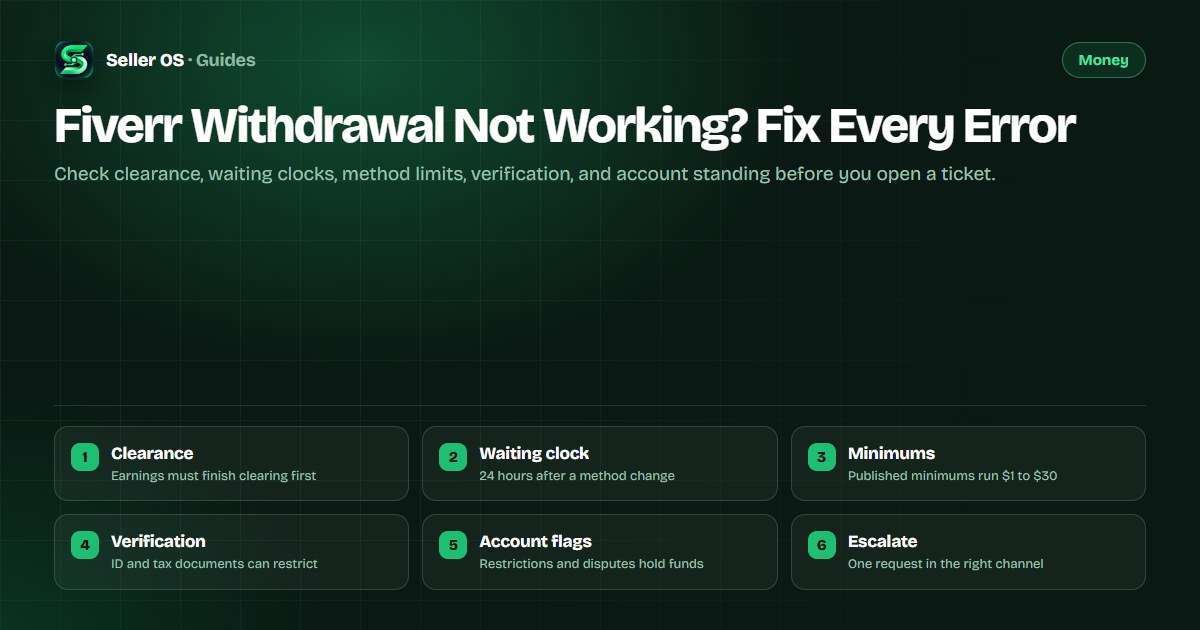
A withdrawal that fails rarely means your money is gone. Fiverr's help center publishes the conditions that block a payout: clearance periods, waiting periods after account changes, method minimums, and account standing. Most stuck withdrawals resolve at one of those checkpoints, before you ever reach a support ticket.
This guide runs the checks cheapest first, from balance states on your earnings page through method setup, verification, and account flags. It attributes every rule and timeline to Fiverr's published pages and stops where Fiverr publishes nothing, rather than guessing.
Free plan available. Local-first data. Human review on every change.
Start on the earnings page, not the payout form
Open your earnings page and separate three numbers: payments for active orders, funds still clearing, and the balance available for use. Fiverr's Payment Terms state that the standard clearance is 14 days after an order is marked complete, 7 days for Top Rated Sellers, and 7 days after a Weekly Report on Hourly Contracts.
Only the available balance can be withdrawn, so a request made against clearing funds will not go through. If a buyer opens a dispute during the window, resolution can affect those funds, which is why an expected amount sometimes shrinks or stalls.
The activity table is your evidence. It labels clearing payments, earnings, reversals, withdrawals, and withdrawals that failed, so read the row attached to your balance before you assume anything about the route you picked. If the wait itself is the problem, the early payout guide covers clearing ahead of schedule.
| Row or state | What it means | What you do |
|---|---|---|
| Clearing | Completed order still inside its clearance period | Wait for the published period to end |
| Available | Balance ready to spend or to withdraw | Request the payout now |
| Earnings Reversed | Funds pulled back after a refund or dispute | Read the order activity for the cause |
| Withdrawal failed | A requested payout did not complete | Check method details, then the waiting clocks |
Rule out the waiting clocks and the published limits
Fiverr's withdrawal article publishes three waiting periods that pause payouts: 24 hours after your first withdrawal, 24 hours after you add or change a withdrawal method, and 48 hours after you update a verified phone number. These clocks are ordinary scheduling rules, not a lock on your account.
The most common seller mistake is switching payout methods and immediately retrying the request. The retry lands inside the 24-hour clock, fails again, and looks like a broken withdrawal. Wait out the published period once, then try again before you conclude that anything is actually wrong.
A cleared balance that is simply too small fails the same way. A seller holding $18 who asks for a bank transfer with a $20 minimum gets refused even though the funds are available. Raising the balance or choosing a lower-minimum route ends it without a ticket.
- 24 hours after your first withdrawal request.
- 24 hours after adding or changing a payout method.
- 48 hours after updating a verified phone number.
- Minimums: $1 PayPal, $10 Payoneer account, $20 bank transfer, $30 Revenue Card.
- Per transaction, you can withdraw up to $5,000 USD.
Confirm the method is set up in the right place
Payout methods are managed from the Earnings page under Manage payout methods. Fiverr's help center states that a payment method added under Billing and Payments cannot be used to withdraw your earnings, a distinction that sends plenty of failed requests into a dead end.
Other published constraints sit alongside it. One withdrawal method can be linked to only one Fiverr account, sharing one across accounts may result in those accounts being permanently disabled, and only one Payoneer-based method can be active at a time. A PayPal route requires a verified PayPal account, with setup and the first withdrawal done on desktop.
Open Earnings
use Manage payout methods, never Billing and Payments.
Check the active method
only one Payoneer-based route can be active.
Confirm verification
PayPal must be verified before the first payout.
Note the saved currency
Payoneer currency is permanent once saved.
Verification and tax documents that hold payouts
Fiverr's account-access guide lists pending ID verification and missing financial documents such as tax forms or DAC7 among the reasons an account is restricted. Until those items are resolved, the account state is the block, and the payout form is the wrong place to keep looking.
The published rules are workable. Fiverr's identity article states you have 14 days to complete a notified verification, only physical ID documents are accepted, and you should wait at least 6 hours before retrying a failed attempt. Fiverr never asks for ID by email, and support cannot run the check for you.
Tax prompts work the same way. Fiverr's India sellers page states that requested tax data must be submitted within 30 days of the first notification or gigs may become unpublishable. Treat any document request you see as a blocking check, complete it, then return to the payout. The verification guide walks the identity flow step by step.
- Complete a notified identity check inside the 14-day window.
- Use a physical ID; digital or online copies are not accepted.
- Wait at least 6 hours after a failed attempt before retrying.
- Submit requested tax documents, then recheck the withdrawal.
Account flags, disputes, and the right ticket
Restriction states touch money directly. Fiverr's enforcement page states that during a 60-day restriction a seller keeps access to available and pending clearance funds, while a permanently disabled account waits 90 days from the disable date before a one-time withdrawal link is issued after ownership verification.
Disputes pause funds too. Fiverr states that it reviews payment provider chargebacks on behalf of sellers, that funds sit with the provider during the review, and that a case resolved in your favor returns funds that become withdrawable after 45 days. Read the activity row first, because it usually names the actual reason.
When you do contact support, send one request through the published channel with the activity row, the order number, and your method details attached. Withdrawals are final and cannot be reversed, so accuracy before the request matters far more than speed after it.
If the checks above all pass and the payout still fails, escalate with the evidence you collected rather than starting over. The contact guide maps the route, and the clearance guide covers the money states in more depth.
Where Seller OS helps
Seller OS keeps the paperwork side of a failed payout in one place: order history, delivery dates, and client records in Chrome local storage, plus inbox drafts you can reuse when you write to support with order numbers and dates attached.
It does not request withdrawals, move funds, or file tickets. Every payout stays a manual action inside your Fiverr account, and the extension only drafts and fills the message you decide to send.
Fiverr Withdrawal Not Working? Fix Every Error questions
Why is my Fiverr withdrawal not working?
Run the cheap causes first. Fiverr's help center publishes ordinary blockers: funds inside the clearance period, a 24-hour wait after your first withdrawal or a method change, a method minimum you have not met, or a method unsupported for your setup. Each has a fix that needs no ticket.
How long after delivery can I withdraw Fiverr earnings?
Fiverr's Payment Terms state a standard clearance of 14 days after the order is marked complete, 7 days for Top Rated Sellers, and 7 days after a Weekly Report on Hourly Contracts. Only cleared funds become available to withdraw, so measure from completion rather than from the date you delivered the work.
What does withdrawal failed mean on my earnings page?
Withdrawal failed is a published activity row type on your earnings page: a requested payout did not complete. Read the row for its date, then recheck your method details, the waiting clocks, and the method minimum. If the same method fails after every clock has passed, change the method rather than the amount.
Why is my withdrawal method missing or rejected?
Fiverr publishes one global payout set and defers coverage to providers: PayPal works only where PayPal supports receiving payments, and Payoneer availability depends on your country. Methods must be added from the Earnings page, only one Payoneer-based route can be active, and the Revenue Card closed to new users in December 2022.
Check the clock before the ticket
Run clearance, waiting periods, minimums, and method setup in order, then send one complete request.