 Seller OS
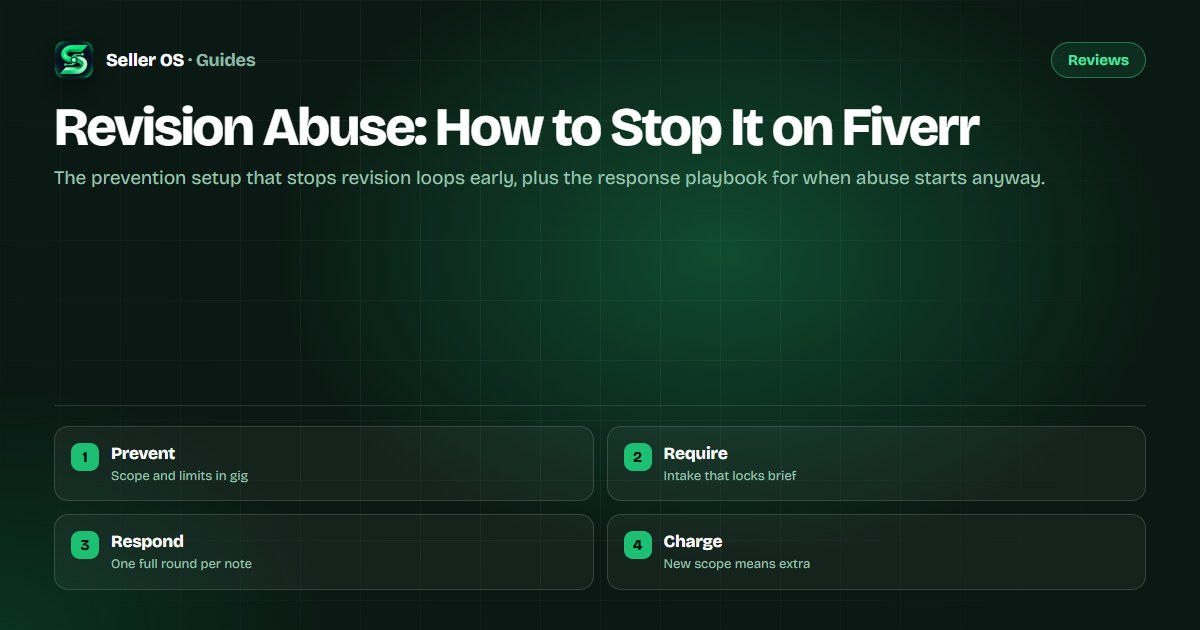
How to stop revision abuse on Fiverr
A revision request is normal; a tenth revision that rewrites the brief is not. Revision abuse happens when a buyer treats one order as unlimited work: new requirements disguised as tweaks, endless preference cycles, or revision notes that arrive one at a time to keep you working forever.
This guide covers both halves of the problem. First, the prevention setup in your gig page and requirement questions that stops most loops before they start. Then the response playbook: what to include, when to attach a paid extra, and when to escalate through Fiverr's own channels.
Free plan available. Local-first data. Human review on every change.
What revision abuse looks like
Normal revisions refine what was agreed: a color adjusted, a paragraph tightened, a timing note fixed. Abuse changes the agreement itself. Watch for revision notes that introduce requirements never mentioned in the brief, feedback that contradicts the buyer's own earlier approval, and drip-fed notes where each round unlocks another round.
A second signal is volume without direction. Feedback like asking for another version with no clear change described is not a revision request at all; it is unpaid exploration. Naming the pattern matters because each type gets a different response, and the response only works if your gig page defined the boundary first.
- New scope disguised as tweaks: fresh requirements appear in round three or four.
- Contradicting approvals: the buyer reverses direction they already signed off.
- Drip-fed notes: one small request per round, keeping the order open indefinitely.
- Directionless rounds: another version requested with no change specified.
Prevention starts in the gig page
The cheapest revision is the one never requested, and it is prevented by writing the boundary into the offer. State the number of revision rounds included in each package, define what a round covers, and name what counts as new work. Fiverr's Help Center describes revisions as part of the order terms, so a buyer who read your page has already seen the limit before ordering.
Keep the language plain and friendly rather than defensive. A line such as two revision rounds for adjustments to the agreed brief, with new requirements quoted as an extra, reads as professionalism rather than suspicion. The scope-creep guide and the requirements guide go deeper on wording that holds.
Lock the brief with requirement questions
Most abusive loops begin with a vague brief, because an undefined starting point can be redefined forever. Your requirement questions should force the decisions that later become disputed: references, dimensions, tone, audience, file formats, and deadlines. Each answer becomes part of the order record that both you and support can read later.
Confirm the brief in writing before you start, especially on larger orders. A short message restating what you will deliver, in how many rounds, closes the gap between what the buyer imagined and what they ordered. That single message prevents more disputes than any policy quote ever will.
Respond firmly when the loop starts
When an abusive round arrives, answer within the order thread and separate the legitimate part from the new part. Complete what falls inside the agreed scope, and quote the remainder as a paid extra with a clear price and delivery time. This split response shows good faith while refusing free work, and it reads well if support ever reviews the thread.
Use one full round per note and batch your questions. Ask the buyer to consolidate all remaining feedback into a single list before the next round, and set a date after which the delivered version stands. If the buyer refuses every reasonable path, request an order extension to protect your clock while you resolve it, then escalate rather than working for free.
Sort the note
Mark each point as inside scope or new scope before replying.
Deliver the inside part
Complete legitimate tweaks promptly and note what you changed.
Quote the rest
Offer new requirements as a paid extra with price and time.
Batch the next round
Ask for all remaining feedback in one consolidated list.
Escalate if stuck
Use the Resolution Center when the buyer refuses every path.
When to escalate instead of revising
Escalation is the right move when the buyer demands unlimited work, threatens your rating over new scope, or stops responding while the timer runs. Fiverr's Resolution Center exists for exactly these deadlocks, and its Help Center articles describe the escalation path for orders that cannot proceed. Bring the gig page terms, the brief confirmation, and the revision history as your evidence.
Do not frame the escalation as a complaint about a difficult person. Frame it as a scope question: the delivered work matches the agreed brief, the new requests fall outside it, and you need Fiverr's help closing or repricing the order. Neutral framing gets faster, better decisions.
Where Seller OS helps
Seller OS keeps your delivery checklists and client notes local, so the revision count, the brief confirmation, and the buyer's past behavior sit in one place when round four arrives and you need facts rather than memory.
It never messages buyers or delivers work for you. You write every reply and click every button on Fiverr; the extension simply keeps the record you will argue from.
Revision Abuse questions
How many revisions should I offer on Fiverr?
Offer as many as your price and process can absorb, often one or two rounds for basic packages and more for premium tiers. The number matters less than the definition: state what a round covers and what counts as new work. Unlimited revisions invite abuse, so even generous sellers benefit from naming a limit and quoting extra rounds as a paid extra.
What should I do when a buyer keeps adding new requirements?
Separate each note into inside-scope and new-scope items, deliver the inside part, and quote the remainder as a paid extra with a clear price and delivery time. Ask the buyer to consolidate remaining feedback into one list. If they refuse every path, use the Resolution Center with your gig terms and brief confirmation as evidence.
Can I charge extra for revisions on Fiverr?
Yes, when the request falls outside the agreed scope. New requirements, direction reversals after approval, and rounds beyond the included count are legitimate cases for a paid extra. Quote the price and delivery time in the order thread before doing the work. Charging for tweaks inside the agreed scope, by contrast, reads as hostile and usually backfires.
Can a buyer request revisions after I mark the order complete?
Buyers can request changes after completion within the order's terms, which is why your gig page should define how post-completion requests are handled. Treat small fixes inside the original brief as goodwill and new work as a fresh extra or order. If post-completion demands grow into a loop, the same sort, quote, and escalate sequence from this guide applies.
Define the round before it starts.
Scope in the gig, brief in the requirements, and new work quoted as an extra.